
1. Hyrje
This manual provides detailed instructions for the setup, operation, maintenance, and troubleshooting of your Ducky Shine 3 Mechanical Keyboard. Please read this manual thoroughly before using the product to ensure proper function and longevity.
The Ducky Shine 3 Mechanical Keyboard features Cherry-MX Red switches for a smooth linear feel and Green LED backlighting. It is designed for use with Windows PC systems.
2. Përmbajtja e paketës
- Ducky Shine 3 Mechanical Keyboard
- Kabllo USB
- Manuali i Përdoruesit (ky dokument)
3. Konfigurimi
3.1 Lidhja e tastierës
- Unpack the Ducky Shine 3 Mechanical Keyboard and its accessories from the packaging.
- Gjeni një port USB të lirë në PC-në tuaj me Windows.
- Connect the USB cable to the keyboard and then to the USB port on your computer.
- Sistemi juaj operativ duhet të zbulojë dhe instalojë automatikisht drajverët e nevojshëm. Zakonisht nuk kërkohet instalim shtesë i softuerit.
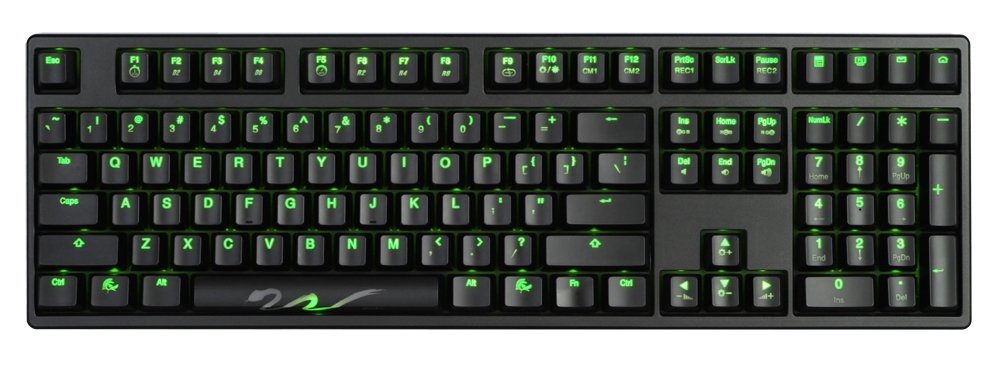
Figure 1: Ducky Shine 3 Mechanical Keyboard. This image shows the full keyboard with its green LED backlighting active, illustrating its layout and design.
4. Përdorimi i tastierës
4.1 Funksionaliteti bazë
The Ducky Shine 3 functions as a standard 108-key mechanical keyboard. All keys perform their labeled functions upon connection.
4.2 LED Backlighting Modes
The keyboard features 7 distinct LED backlighting modes. These modes can be cycled through and adjusted using specific key combinations. Refer to the keycap legends for specific function keys related to LED control.
- Modaliteti i çiklizmit: Typically activated by pressing Fn + F10 (or similar function key indicated on the keyboard).
- Rregullimi i ndriçimit: Përdorni Fn + F11 (ulje) dhe Fn + F12 (increase) to adjust LED brightness.
- Përshtatje: Some modes allow for individual key lighting customization. Consult the keyboard's specific keycap legends for advanced programming instructions.
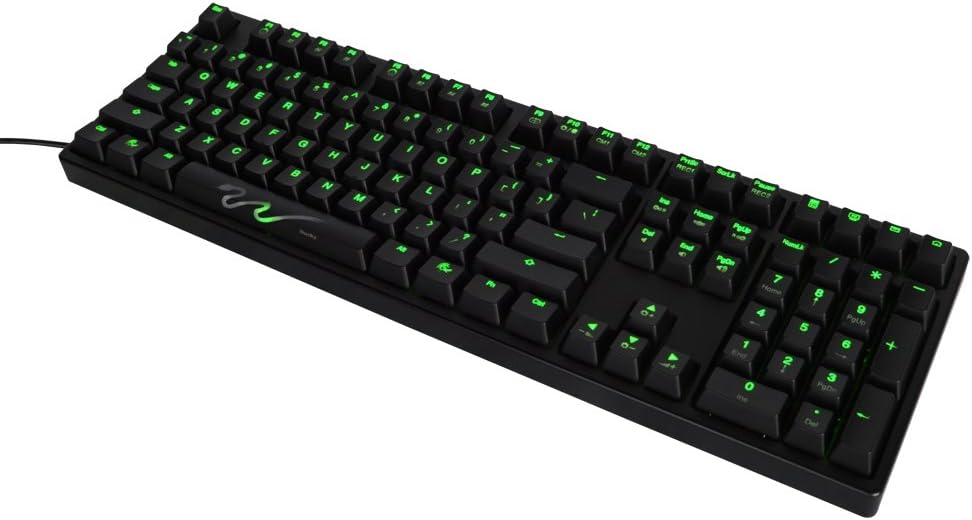
Figura 2: Pamje nga afër view of the Ducky Shine 3 keyboard. This image highlights the individual keycaps and the green LED illumination, demonstrating the clarity of the legends.
5. Mirëmbajtja
5.1 Pastrimi i tastierës
- Shkëputeni tastierën nga kompjuteri para se ta pastroni.
- Përdorni një leckë të butë, pa garzë pak damptë larë me ujë ose një tretësirë të butë pastrimi për të fshirë tastat dhe shasinë.
- Shmangni spërkatjen e lëngjeve direkt mbi tastierë.
- Për pluhurin dhe mbeturinat midis çelësave, përdorni ajër të kompresuar.
5.2 Ruajtja
Ruajeni tastierën në një vend të freskët dhe të thatë, larg rrezeve të diellit dhe temperaturave ekstreme, kur nuk është në përdorim për periudha të gjata kohore.
6. Troubleshooting
| Problem | Shkaku i mundshëm | Zgjidhje |
|---|---|---|
| Tastiera nuk përgjigjet | Lidhje USB e lirshme, portë USB me defekt, problem me drajverin. |
|
| LED nuk ndizen | LED brightness set to minimum, LED mode off. |
|
| Disa çelësa nuk funksionojnë | Mbeturina nën kapakun e tastit, çelës me defekt. |
|
7. Specifikimet
- Emri i modelit: Shkëlqim 3
- Numri i modelit: DK9008S3-RUSALAAG1
- Lloji i çelësit: Cherry-MX Red Mechanical Switches
- Ngjyra LED: E gjelbër
- Struktura: Full size 108-key
- Lidhshmëria: USB
- Pajisjet e përputhshme: PC Windows
- Ndërtimi: Dual layer PCB
- Pesha: Përafërsisht 3 paund (1.36 kg)
8. Garancia dhe Mbështetja
Ducky products are manufactured to high quality standards. For warranty information and technical support, please refer to the official Ducky webvend ose kontaktoni shitësin tuaj lokal.
For further assistance, visit the official Ducky webfaqe: www.duckychannel.com.tw