
Hyrje
Thank you for choosing the OldShark Dash Cam. This 1080P Full HD dashboard camera is designed to provide reliable and high-quality video recording of your journeys, enhancing driving safety and providing crucial evidence in case of incidents. Equipped with a 3-inch display, 170° wide-angle lens, G-Sensor, and loop recording, it's an essential companion for every driver.
Please read this manual thoroughly before operating the device to ensure proper usage and to maximize its performance and lifespan.
Përmbajtja e paketës
Pas shpaketimit, ju lutemi verifikoni që të gjitha artikujt e mëposhtëm janë të përfshirë në paketimin tuaj:
- OldShark Dash Cam Unit
- Karikues Makine
- Mali i thithjes
- Kartë Micro SD 32 GB
- Kabllo USB të të dhënave
- Manuali i Përdoruesit (ky dokument)

Image: All components included in the OldShark Dash Cam package, neatly laid out.
Karakteristikat e produktit
- Ultra HD Video Recording: Captures clear 1080P Full HD video, ensuring detailed footage even in challenging light conditions.
- 170° Super Wide Angle Lens: Ofron një fushë të gjerë të view, minimizing blind spots and capturing more of the road.
- Sensori G i integruar: Automatically detects sudden impacts or collisions and locks the current video footage to prevent overwriting, serving as crucial accident evidence.
- Regjistrimi i qarqeve pa probleme: Mbishkruan ushqimin më të vjetër të zhbllokuartagkur karta e memories është plot, duke siguruar regjistrim të vazhdueshëm pa ndërhyrje manuale.
- Monitor Parkimi 24-orësh: Records short video clips when vibrations are detected while the vehicle is parked, offering surveillance even when you're away.
- Super vizioni i natës: Equipped with F1.6 large aperture, WDR (Wide Dynamic Range), and HDR (High Dynamic Range) technology for enhanced clarity in low-light conditions.
- Instalim i lehtë: Simple plug-and-play setup with included suction mount and car charger.
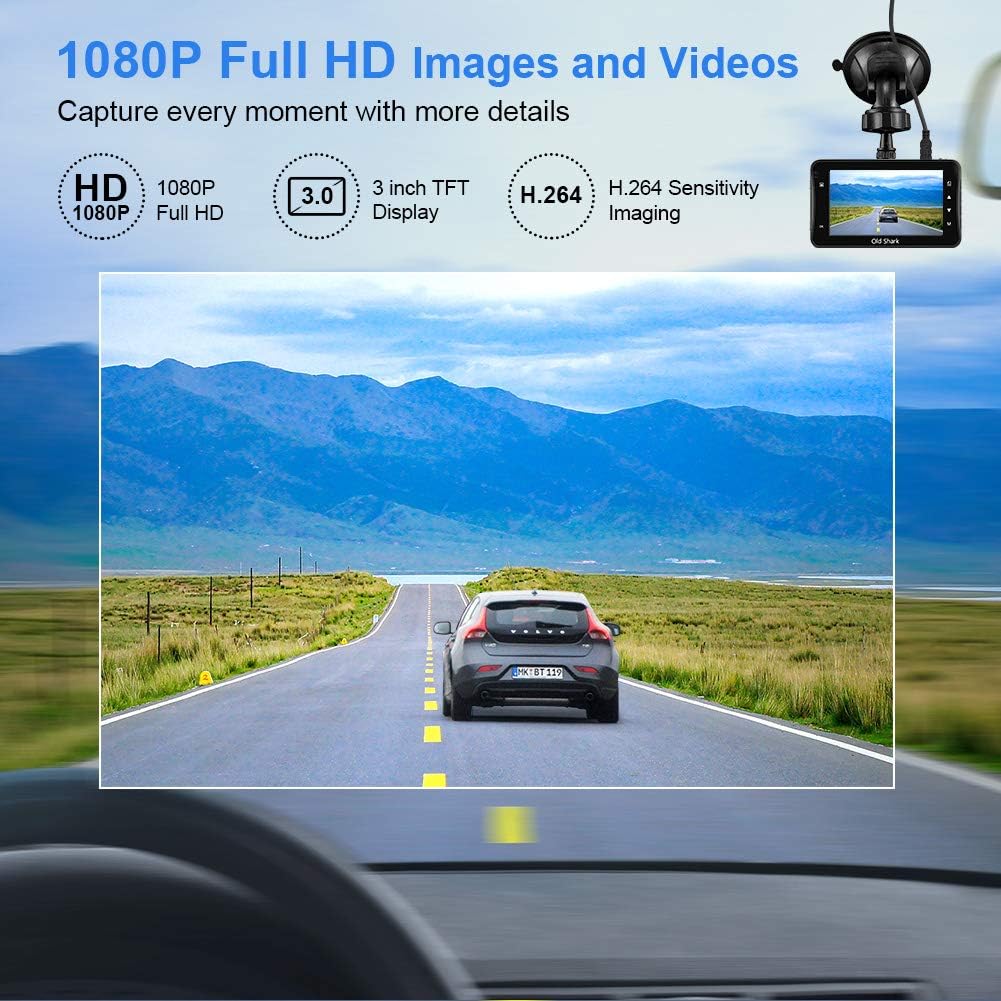
Image: Visual representation of the dash cam's 1080P Full HD video capabilities and display features.

Image: The G-Sensor feature, which automatically locks video footage during an impact to secure accident evidence.

Image: The 24-Hour Parking Monitor feature, which activates recording upon detecting vibrations while parked.

Image: The Super Night Vision capability, demonstrating improved low-light performance with its F1.6 aperture.

Image: The 170° wide-angle lens providing a broad view, me ishamples of recorded footage during day and night.
Udhëzuesi i konfigurimit
1. Montimi i Dash Cam
- Clean the windshield area where you intend to mount the dash cam. Ensure it is free of dust and grease.
- Attach the suction mount to the dash cam unit.
- Press the suction cup firmly against the windshield and flip the lever to secure it. Position the camera to ensure a clear view të rrugës pa penguar shikimin tuaj gjatë drejtimit të makinës.
2. Vendosja e Kartës Micro SD
- Locate the Micro SD card slot on the side of the dash cam.
- Insert the provided 32GB Micro SD card into the slot until it clicks into place. Ensure the card is inserted correctly with the gold contacts facing the back of the camera.
- For optimal performance, it is recommended to format the SD card within the dash cam's settings before first use and periodically thereafter.
3. Aktivizimi
- Connect the car charger to the dash cam's power input port.
- Lidhni anën tjetër të karikuesit të makinës në prizën e çakmakut të automjetit tuaj.
- The dash cam will automatically power on and begin recording when your vehicle's ignition is turned on. It will also power off automatically when the ignition is turned off.

Image: The OldShark Dash Cam, showing its compact design, the included suction mount for windshield attachment, and the 32GB Micro SD card for storage.
Udhëzimet e funksionimit
Operacioni bazë
- Ndezja/Fikja e energjisë: The camera powers on/off automatically with the car ignition. You can also manually power it on/off by pressing and holding the Power button.
- Regjistrimi: Once powered on, the dash cam automatically starts loop recording. A red flashing dot or similar indicator on the screen confirms recording is active.
- Ndalo regjistrimin: Press the OK button to stop recording. Press it again to resume.
- Ndërrimi i modalitetit: Use the Mode button to switch between Video Recording, Still Photo, and Playback modes.
- Riprodhimi: In Playback mode, use the Up/Down buttons to navigate through recorded files. Press OK to play a selected video.
Navigimi i menysë
- Press the Menu button to access settings.
- Use the Up/Down buttons to scroll through menu options.
- Press OK to select an option or confirm a setting.
- Press Menu again to exit the menu.
Funksionet kryesore
- Regjistrimi i ciklit: Set the duration for video segments (e.g., 1, 3, 5 minutes). When the card is full, the oldest unlocked file do të mbishkruhet.
- Ndjeshmëria e sensorit G: Adjust the sensitivity of the G-Sensor (Low, Medium, High). A higher sensitivity means the camera will lock footage more easily upon detecting bumps or impacts.
- Monitori i parkimit: Enable this feature to allow the dash cam to automatically record a short video when it detects a vibration while the car is parked and turned off.
- Zbulimi i lëvizjes: When enabled, the camera will start recording automatically if it detects movement in front of the lens while parked.
- Data/Ora Stamp: Ensure the correct date and time are set in the menu for accurate timestamps në regjistrimet tuaja.
Mirëmbajtja
- Pastrimi: Përdorni një leckë të butë dhe të thatë për të pastruar lentet dhe ekranin e kamerës. Shmangni përdorimin e pastruesve ose tretësve gërryes.
- Kujdesi për kartën SD: Regularly format the Micro SD card (at least once a month) within the dash cam's settings to maintain optimal recording performance and prevent data corruption. Use only high-quality Class 10 or higher Micro SD cards.
- Temperatura: Avoid exposing the dash cam to extreme temperatures (very hot or very cold) for extended periods, as this can affect battery life and component integrity.
- Përditësimet e firmuerit: Check the official OldShark webKontrolloni faqen periodikisht për çdo përditësim të disponueshëm të firmware-it për t'u siguruar që kamera juaj e makinës ka veçoritë dhe rregullimet më të fundit të gabimeve.
Zgjidhja e problemeve
| Problem | Zgjidhje |
|---|---|
| Kamera e makinës nuk ndizet. | Ensure the car charger is securely connected to both the dash cam and the vehicle's cigarette lighter. Check if the vehicle's cigarette lighter is receiving power. Try a different power source if available. |
| Regjistrimi ndalet papritur. | Check if the Micro SD card is full. Format the SD card. Ensure you are using a Class 10 or higher SD card. Reduce G-Sensor sensitivity if it's triggering too often. |
| Video footage është e turbullt ose e paqartë. | Clean the camera lens and your car's windshield. Ensure the protective film has been removed from the lens. Check video resolution settings. |
| Kamera e makinës ngrin ose nuk reagon. | Press the reset button (if available, usually a small pinhole) or disconnect and reconnect the power. Format the Micro SD card. |
| Date and time are incorrect. | Go to the system settings menu and manually set the correct date and time. Save the settings. |
Specifikimet
| Veçori | Detaj |
|---|---|
| Emri i modelit | GS505 |
| Numri i modelit të artikullit | A1OS-GS505-T032 |
| Rezolucioni i kapjes së videos | 1080p me HD të plotë |
| Këndi i lenteve | Këndi i gjerë 170° |
| Madhësia e ekranit | 3 inç |
| Karakteristika të veçanta | G-Sensor, Loop Recording, Parking Guard, Motion Detection, Auto On/Off, Time Stamp, Screensaver, Night Vision (F1.6 Aperture) |
| Teknologjia e lidhjes | USB |
| Lloji i montimit | Mali i thithjes |
| Dimensionet e produktit | 3.46 x 1 x 0.59 inç |
| Pesha e artikullit | 4.4 ons |
| Prodhuesi | Old Shark |
Informacioni i Garancisë
OldShark products are manufactured with high-quality standards. For specific warranty terms and conditions, please refer to the warranty card included in your product packaging or contact OldShark customer support. The warranty typically covers manufacturing defects for a specified period from the date of purchase.
Ju lutemi ruajeni faturën e blerjes si provë blerjeje për çdo kërkesë garancie.
Mbështetja e klientit
If you encounter any issues or have questions regarding your OldShark Dash Cam that are not covered in this manual, please do not hesitate to contact our customer support team.
For the most up-to-date contact information and support resources, please visit the official OldShark store on Amazon or their official webfaqe.
Burimet në internet:
- OldShark Amazon Store: Vizito Dyqanin