
Hyrje
The Gear Pro HypeCam GDV485SL.01 is a compact and powerful 4K Ultra HD sports action camera designed to capture high-quality video and photos in various environments. Featuring Wi-Fi connectivity for smartphone control, a waterproof case, and a 2.0-inch LCD display, this camera is ideal for recording your adventures. This manual provides detailed instructions for setup, operation, maintenance, and troubleshooting to ensure optimal performance of your device.
Çfarë ka në Kuti
Please verify that all items are present before proceeding with setup.
- Hype 4K Cam
- Këllëf i papërshkueshëm nga uji
- Data Transfer/Charging Cable
- Mali i timonit
- Montimet e bazës universale
- Rrip fiksimi
Produkti Mbiview
Komponentët dhe Kontrollet
Familiarize yourself with the camera's main components and controls.
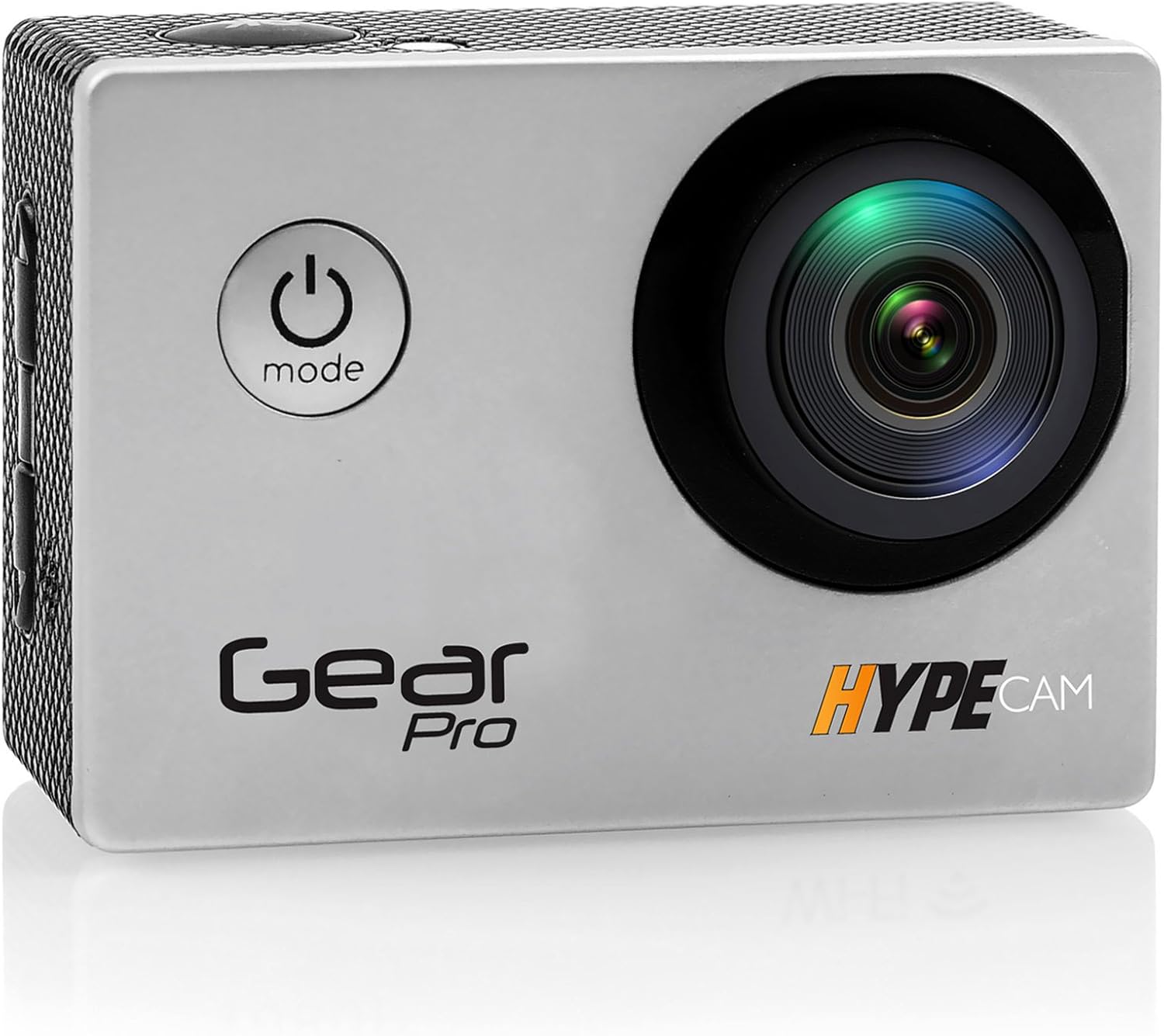
Imazhi: Përpara view of the Gear Pro HypeCam GDV485SL.01, highlighting the lens and power/mode button.
| Component/Control | Përshkrimi |
|---|---|
| Butoni i energjisë/Modalitetit | Press and hold to power on/off. Press briefly to switch between video, photo, and playback modes. |
| Butoni i diafragmës/OK | Press to start/stop recording video or take a photo. In menu, confirms selection. |
| Butonat lart / poshtë | Navigoni opsionet e menysë. |
| Slot i kartës Micro SD | Insert Micro SD card for storage. Supports up to 32GB (Class 10 or higher recommended). |
| Porta Mikro USB | For charging the battery and transferring data to a computer. |
| Porta Mikro HDMI | Connect to an HDTV for viewing përmbajtjes. |
| Ekran LCD 2.0" | View jeto footage, playback, and navigate menus. |
| Lente | Captures video and photo input. |
| Mikrofoni | Regjistron audio. |
Konfigurimi
Instalimi i baterisë
- Hapni kapakun e ndarjes së baterisë në pjesën e poshtme të kamerës.
- Vendosni baterinë e rikarikueshme të përfshirë, duke u siguruar që të keni polaritetin e saktë.
- Mbyllni mirë kapakun e ndarjes së baterisë.
- Connect the camera to a USB power source using the provided data transfer/charging cable to fully charge the battery before first use. The charging indicator light will turn off when charging is complete.
Instalimi i kartës Micro SD
- Gjeni vendin e kartës Micro SD në anën e kamerës.
- Insert a Class 10 or higher Micro SD card (up to 32GB) with the contacts facing the back of the camera until it clicks into place.
- Për ta hequr, shtyjeni kartën butësisht derisa të bëjë një klik, pastaj lëshojeni për ta nxjerrë.
Attaching the Waterproof Case
The included waterproof case allows the camera to be fully submerged, making it suitable for water sports and adverse weather conditions.
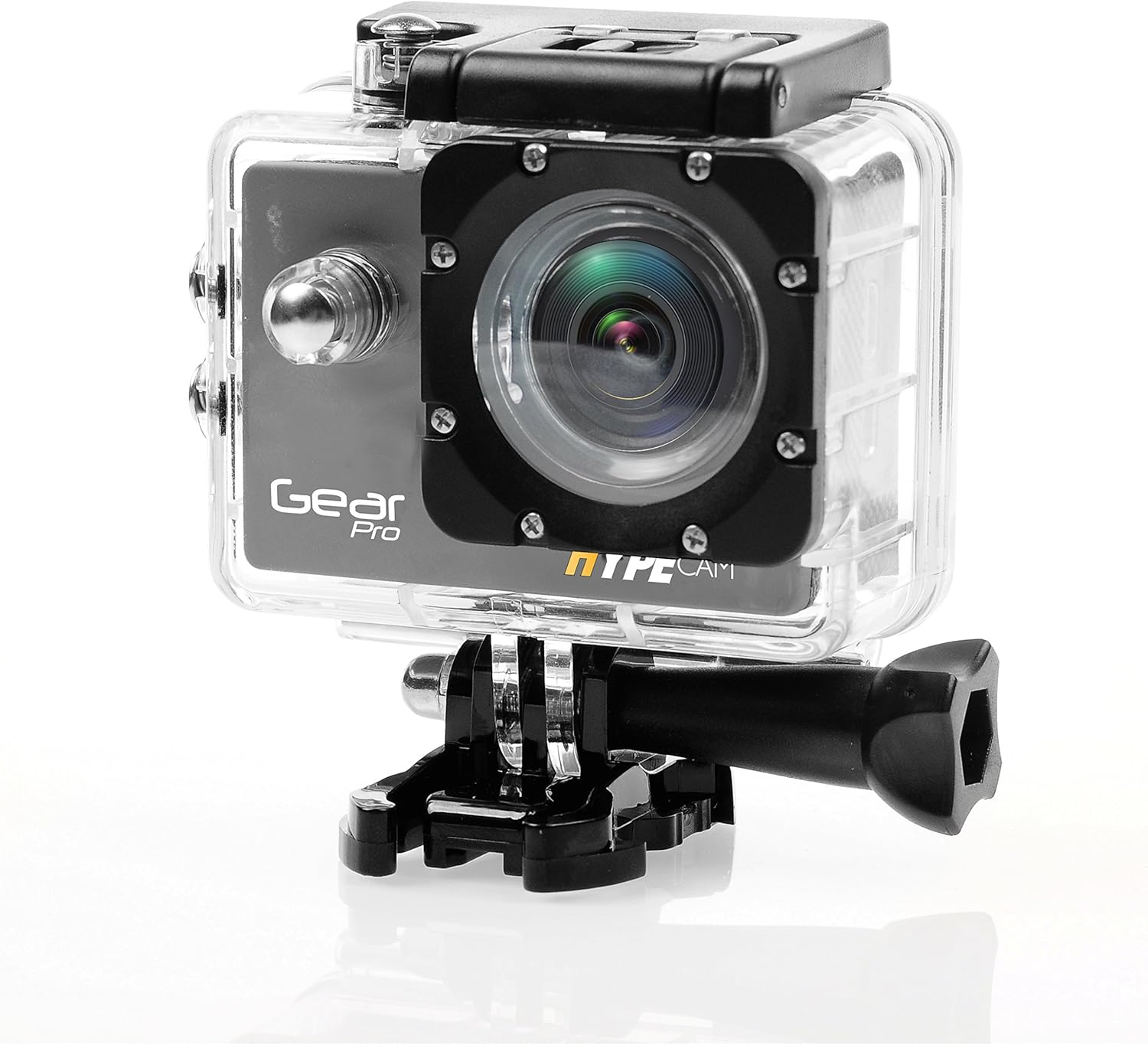
Image: The camera securely housed within its transparent waterproof case, ready for mounting.
- Open the latch on the top of the waterproof case.
- Carefully place the camera inside the case, ensuring it fits snugly.
- Close the latch firmly until it clicks, ensuring a watertight seal.
- Before first use in water, perform a leak test by placing the empty case in water for 30 minutes.
Opsionet e montimit
Utilize the various mounts provided to attach your camera to helmets, handlebars, or other surfaces.

Image: The camera being used in diverse outdoor activities, demonstrating its versatility with different mounting options.
- Attach the waterproof case to the desired mount (e.g., handlebar mount, base mount) using the provided screws and fastening strap.
- Ensure all connections are secure before engaging in activity.
Operative
Ndezja/Fikur
- To power on: Press and hold the Power/Mode button for 3 seconds. The LCD screen will light up.
- To power off: Press and hold the Power/Mode button for 3 seconds. The LCD screen will turn off.
Zgjedhja e modalitetit
After powering on, press the Power/Mode button briefly to cycle through the main modes:
- Modaliteti i regjistrimit të videos: Indicated by a video camera icon.
- Photo Capture Mode: Indicated by a camera icon.
- Modaliteti i luajtjes: Indicated by a play icon.
- Modaliteti i cilësimeve: Indicated by a gear icon.
Video Regjistrimi
- Switch to Video Recording Mode.
- Press the Shutter/OK button to start recording. A red dot or recording timer will appear on the screen.
- Press the Shutter/OK button again to stop recording. The recording timer will disappear.
Regjistrimi i fotografisë
- Switch to Photo Capture Mode.
- Vendosni në kadër foton tuaj duke përdorur ekranin LCD.
- Shtypni butonin Shutter/OK për të bërë një foto.
Lidhja Wi-Fi
The built-in Wi-Fi allows you to connect your HypeCam to a smartphone for remote control and file transferimi
- Download the official Gear Pro HypeCam app from your smartphone's app store.
- On the camera, navigate to Settings Mode and enable Wi-Fi. The Wi-Fi indicator will appear on the screen.
- On your smartphone, go to Wi-Fi settings and connect to the HypeCam's Wi-Fi network (e.g., "HypeCam_XXXX"). The default password is usually "1234567890" or similar, check the camera screen for details.
- Open the HypeCam app on your smartphone. You can now view jeto footage, control recording, and access camera settings remotely.
Slow-Motion Recording
The HypeCam supports slow-motion video capture at specific resolutions and frame rates.

Image: Visual representation of the camera's slow-motion feature, detailing supported resolutions and frame rates.
- Access the video settings menu on the camera.
- Select a resolution that supports higher frame rates for slow-motion, such as 1080p @ 60fps or 720p @ 120fps.
- Record as usual. The footage will play back in slow motion.
Mirëmbajtja
- Pastrimi i lenteve: Use a soft, lint-free cloth specifically designed for camera lenses. Avoid abrasive materials or harsh chemicals.
- Pastrimi i trupit të kamerës: Fshijeni me një të butë, damp pëlhurë. Mos përdorni tretës.
- Kujdesi për mbulesën e papërshkueshme nga uji: After use in saltwater, rinse the case with fresh water and allow it to air dry. Inspect the O-ring seal regularly for debris or damage.
- Kujdesi për baterinë: Store the battery in a cool, dry place. If not used for extended periods, charge and discharge the battery periodically to maintain its health.
- Magazinimi: Ruajeni kamerën dhe aksesorët në një mjedis të thatë dhe pa pluhur, larg rrezeve të diellit dhe temperaturave ekstreme.
Zgjidhja e problemeve
| Problem | Zgjidhja e mundshme |
|---|---|
| Kamera nuk ndizet. | Ensure the battery is fully charged and correctly inserted. Try charging the camera for at least 2 hours. |
| Nuk mund të regjistroj video/të bëj foto. | Check if a Micro SD card is inserted and has sufficient free space. Ensure the card is Class 10 or higher. Format the SD card if necessary (this will erase all data). |
| Lidhja Wi-Fi dështon. | Ensure Wi-Fi is enabled on the camera. Restart both the camera and your smartphone. Verify the Wi-Fi password. |
| Cilësi e dobët e videos/fotos. | Clean the camera lens. Ensure sufficient lighting. Check resolution settings; higher resolutions provide better quality. |
| Kamera ngrin ose nuk përgjigjet. | Hiqeni dhe rivendosni baterinë për të kryer një rivendosje të fortë. |
| Water inside waterproof case. | Immediately remove the camera. Inspect the O-ring seal for dirt, hair, or damage. Ensure the latch is fully closed. Do not use the case if the seal is compromised. |
Specifikimet
| Veçori | Detaj |
|---|---|
| Numri i modelit | GDV485SL.01 |
| Dimensionet e produktit | 0.97 x 2.33 x 1.62 inç |
| Pesha e artikullit | 1.1 paund |
| Teknologjia e sensorit të fotove | CMOS |
| Rezolucioni i kapjes së videos | 4K Ultra HD, 2.7K, 1080p, 720p |
| Gjatësia maksimale fokale | 30 |
| Hapja maksimale | 2 milimetra |
| Lloji i kujtesës flash | Micro SD (deri në 32 GB) |
| Formati i kapjes së videos | MP4 |
| Format i mbështetur audio | MP3 |
| Madhësia e ekranit | 2 inç |
| Teknologjia e lidhjes | Built-in WiFi, Micro HDMI Port, USB Type 2.0 |
| Prodhuesi | Tingulli përreth |
Garancia dhe Mbështetja
For warranty information and technical support, please refer to the official ProGear webfaqen e tyre të internetit ose kontaktoni shërbimin e tyre ndaj klientit. Ruajeni faturën e blerjes si provë blerjeje për çdo kërkesë garancie.