
Hyrje
The Intelbras VP 1000 EV is an internal video extension unit designed to complement the Intelbras VP 1000 video intercom system. This unit features a 4-inch TFT screen, allowing users to view visitors, communicate with them, and control gate access when connected to the main VP 1000 outdoor unit. This manual provides essential information for the proper installation, operation, and maintenance of your VP 1000 EV extension.

Figura 1: Përpara view of the Intelbras VP 1000 EV Video Intercom Extension, showing the screen and control buttons.
Konfigurimi
This section outlines the steps for installing your Intelbras VP 1000 EV video intercom extension. Ensure the main VP 1000 video intercom system is already installed and operational before proceeding.
Përmbajtja e paketës
- Intelbras VP 1000 EV Internal Video Extension Unit
- Kllapa e montimit dhe vida
- Connection cables (if included)
- Manuali i Përdoruesit (ky dokument)
Hapat e instalimit
- Zgjidhni një vendndodhje: Select a suitable indoor location for the extension unit, typically near an existing power outlet and within reach of the main VP 1000 unit's wiring. Ensure it is at a comfortable viewlartësia.
- Montoni kllapa: Secure the mounting bracket to the wall using the provided screws. Use a level to ensure it is straight.
- Lidhni instalimet elektrike: Carefully connect the necessary wires from the main VP 1000 unit to the corresponding terminals on the VP 1000 EV extension. Refer to the wiring diagram provided with your main VP 1000 system for specific connections (e.g., video signal, audio, power, gate release). The VP 1000 system typically uses 110V/220V power, and the extension unit will draw power from the main system.
- Montoni njësinë: Once wiring is complete, carefully attach the VP 1000 EV extension unit to the mounted bracket, ensuring it clicks securely into place.
- Ndizni dhe provoni: Restore power to the main VP 1000 system. Test the extension unit by initiating a call from the outdoor unit. Verify that video and audio are functioning correctly and that the gate release command (if connected) operates as expected.
Operative
The Intelbras VP 1000 EV extension unit provides intuitive controls for managing your video intercom system.
Funksionet Bazë
- Përgjigjja e një thirrjeje: When a visitor presses the call button on the outdoor unit, the VP 1000 EV will ring and display the visitor's image on the 4-inch TFT screen. Lift the handset to answer the call and begin communication.
- Viewing a Visitor: Even without a call, you can often press a dedicated button (labeled 'cam' or similar) to view the outdoor camera feed on your screen.
- Opening the Gate/Door: During a conversation or while viewing the visitor, press the gate release button (often depicted with a key icon) to unlock the connected gate or door.
- Përfundimi i një telefonate: Replace the handset to end the conversation.
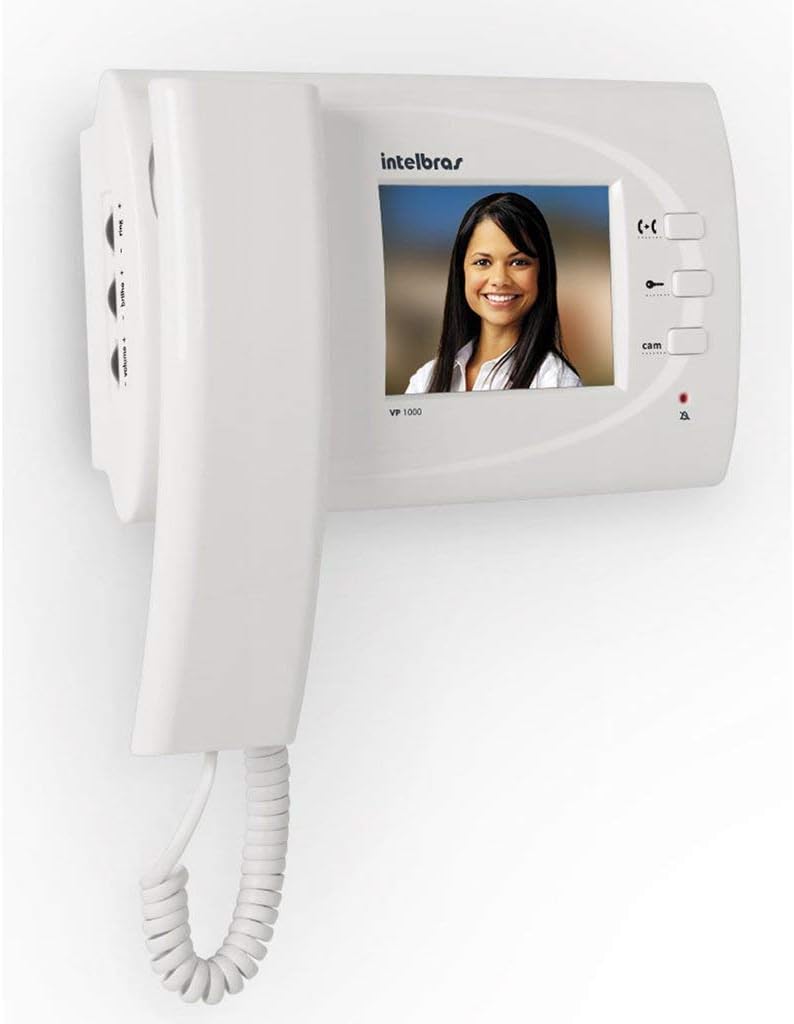
Figure 2: The VP 1000 EV screen displaying a visitor, illustrating the video communication feature.
Rregullimi i cilësimeve
The unit typically includes controls for adjusting audio and video settings.
- Kontrolli i volumit: Use the '+ volume -' buttons, usually located on the side of the unit, to increase or decrease the audio volume during a call or the ringtone volume.
- Shkëlqimi/Kontrasti: Some models may have 'brilho +' or similar controls to adjust the screen's brightness or contrast for optimal viewing.
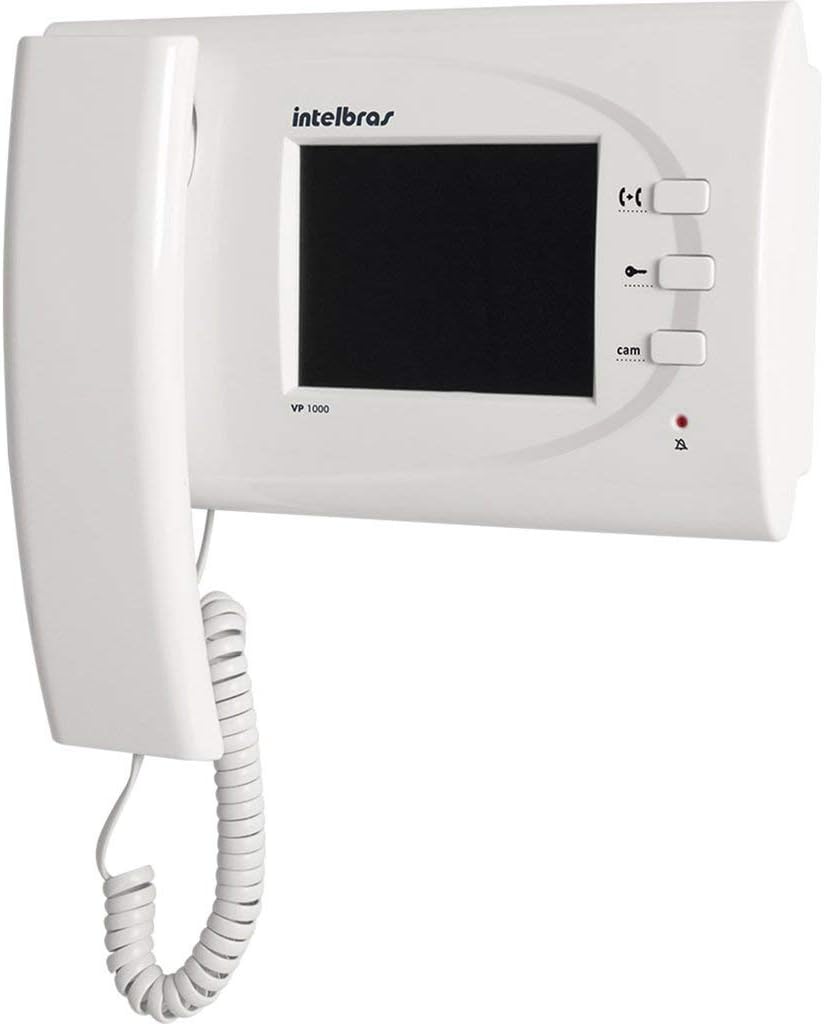
Figura 3: Ana view of the VP 1000 EV, highlighting the volume and ring adjustment controls.
Mirëmbajtja
Proper maintenance ensures the longevity and optimal performance of your Intelbras VP 1000 EV extension unit.
- Pastrimi: Use a soft, dry cloth to clean the screen and the unit's exterior. For stubborn marks, slightly dampLani leckën me ujë. Shmangni përdorimin e pastruesve gërryes, tretësve ose sprejve kimikë, pasi këto mund të dëmtojnë plastikën dhe ekranin.
- Kushtet e mjedisit: Ensure the unit is kept in a dry environment, away from direct sunlight, excessive heat, and moisture. Do not expose it to extreme temperatures.
- Inspektimi i kabllove: Periodically check all connected cables for any signs of wear, damage, or loose connections.
Zgjidhja e problemeve
This section addresses common issues you might encounter with your VP 1000 EV extension unit.
| Problem | Shkaku i mundshëm | Zgjidhje |
|---|---|---|
| Asnjë imazh në ekran |
|
|
| No sound (incoming/outgoing) |
|
|
| Njësia nuk ndizet |
|
|
| Gate release not working |
|
|
Specifikimet
Below are the technical specifications for the Intelbras VP 1000 EV Video Intercom Extension.
| Veçori | Detaj |
|---|---|
| Markë | Intelbrat |
| Model | VP 1000 EV |
| Lloji i ekranit | TFT |
| Madhësia e ekranit | 4 inç |
| Përputhshmëria | Intelbras VP 1000 Video Intercom System |
| Dimensionet e produktit | 27 x 26 x 7 cm (10.6 x 10.2 x 2.8 inç) |
| Pesha e produktit | 800 g (1.76 paund) |
| Numri i pjesës së prodhuesit | 7896637643474 |
| ASIN | B076N6SC8F |
| GTIN | 7896637643474 |
| I disponueshëm për blerje që nga | 21 tetor 2017 |
Garancia dhe Mbështetja
Intelbras products are designed for reliability and performance. For specific warranty terms and conditions, please refer to the warranty card included with your product or visit the official Intelbras website. In case of technical issues or questions not covered in this manual, please contact Intelbras customer support or an authorized service center.
Për ndihmë të mëtejshme, mund të vizitoni Intelbras Store on Amazon.