
1. Hyrje
The Zoook Rocker Thunder XL is a 50-watt trolley karaoke Bluetooth party speaker designed for portable audio entertainment. It features multiple connectivity options, a built-in amplifier, and a wireless microphone for karaoke. This manual provides instructions for setup, operation, maintenance, and troubleshooting to ensure optimal performance of your speaker.

Figure 1: Zoook Rocker Thunder XL Speaker with Accessories
2. Përmbajtja e paketës
Sigurohuni që të gjitha sendet janë të pranishme në paketim:
- Thunder XL Bluetooth Speaker
- 1 x 9V 1A Charging Adapter
- Mikrofoni me valë
- Manuali i Përdoruesit (ky dokument)
- Telekomandë
3. Produkti i Mbaruarview
The Zoook Rocker Thunder XL features a robust design with an integrated trolley for easy transport. The control panel provides access to various functions and adjustments.

Figura 2: Paraqitja e Panelit të Kontrollit
Karakteristikat e panelit të kontrollit:
- Hyrja AUX: Për lidhjen e pajisjeve të jashtme audio nëpërmjet një kablloje 3.5 mm.
- Slot mikro SD: For playing music from a TF card.
- Porta USB: Për të luajtur muzikë nga një USB drive.
- Butoni i modalitetit: To switch between input modes (Bluetooth, USB, TF, AUX, FM).
- Kontrollet e luajtjes: Play/Pause, Next/Previous Track, Repeat.
- REC/PRO Button: For one-click recording.
- Treguesi i baterisë: Red (charging), Blue (full).
- Hyrja 9 V: Hyrja e energjisë për karikim.
- Mic/Karaoke Input: For connecting a wired microphone or the wireless microphone receiver.
- Ndërprerës LED: To turn the flashing DJ lights on or off.
- Ndërprerësi i energjisë: To turn the speaker on or off.
- Dorezat: ECHO, MIC.VOL (Microphone Volume), BASS, TREBLE, VOLUME (Master Volume).

Figure 3: Integrated Trolley Handle
4. Konfigurimi
4.1 Ngarkimi i baterisë
Before first use, fully charge the speaker. Connect the provided 9V 1A charging adapter to the 'Input 9V' port on the control panel and plug it into a power outlet. The battery indicator will show red while charging and turn blue when fully charged. A full charge typically provides up to 6 hours of playback time.
4.2 Ndezja/Fikja
Locate the 'POWER' switch on the control panel. Flip the switch to 'ON' to power on the speaker. Flip it to 'OFF' to power off the speaker.
4.3 Connecting the Wireless Microphone
The speaker comes with a wireless microphone. Ensure the microphone has batteries installed. Turn on the microphone. The speaker should automatically detect and connect to the wireless microphone. Adjust the 'MIC.VOL' and 'ECHO' knobs on the control panel for desired microphone sound.
4.4 Çiftimi Bluetooth
- Ndizni altoparlantin.
- Press the 'MODE' button until the display shows 'BLUE' or 'BT'.
- Aktivizoni Bluetooth në pajisjen tuaj inteligjente (telefon, tablet, etj.).
- Kërko për 'Zoook Rocker Thunder XL' in the list of available devices.
- Select the speaker to pair. A confirmation tone will sound upon successful pairing.
4.5 Përdorimi i telekomandës
The included remote control allows you to manage playback, volume, and other functions wirelessly. Ensure the remote has working batteries. Point the remote towards the speaker's control panel for optimal response.
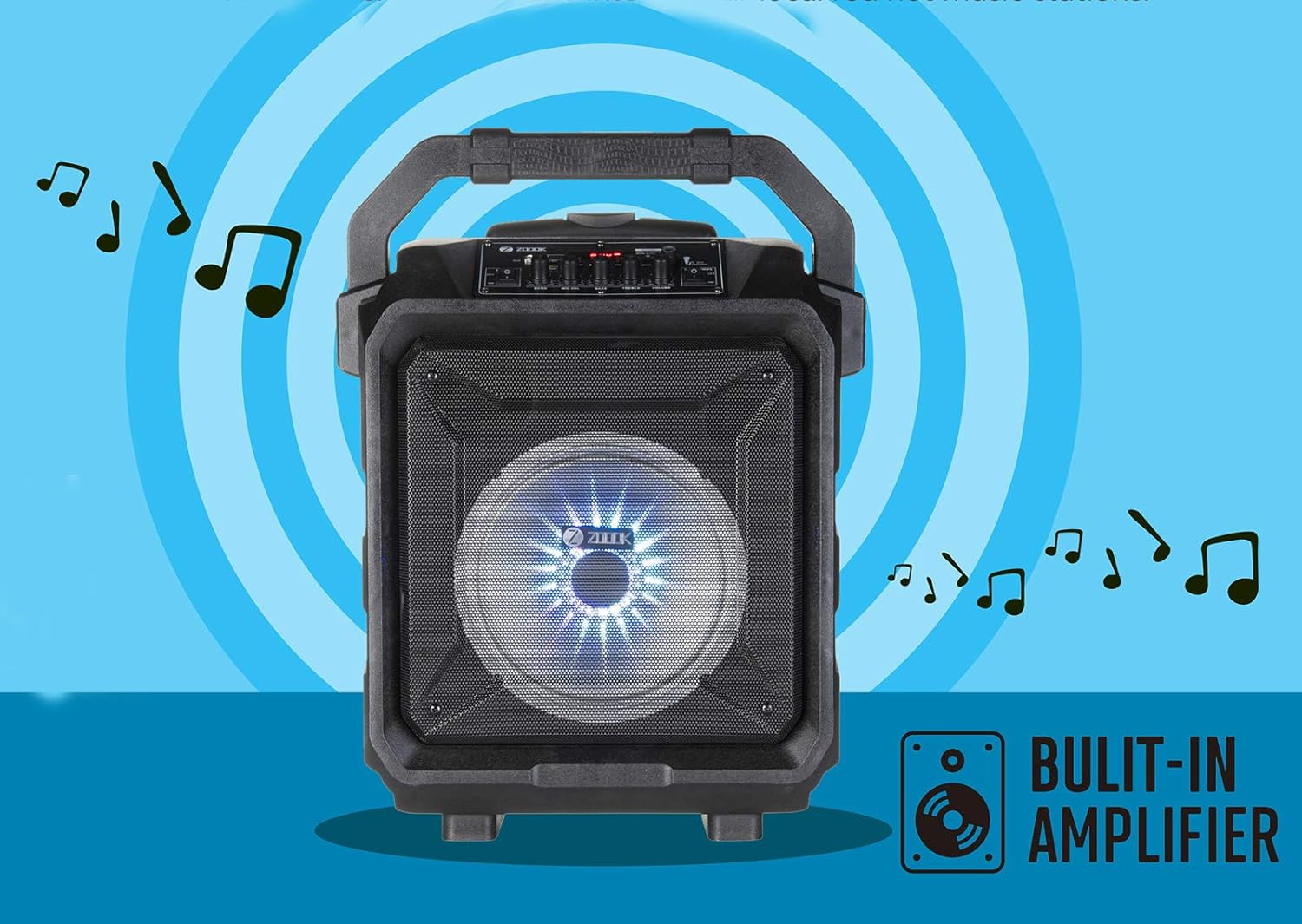
Figura 4: Telekomanda
5. Modalitetet e operimit
5.1 Modaliteti Bluetooth
Once paired (refer to Section 4.4), you can stream audio wirelessly from your device. Use the speaker's playback controls or your device to manage music.
Luajtja e Kartës USB/TF 5.2
Insert a USB drive into the 'USB' port or a TF card into the 'Micro SD' slot. The speaker will automatically switch to the respective mode and begin playing audio files. Use the playback controls on the speaker or remote to navigate tracks.
5.3 Hyrja AUX
Connect an external audio device (e.g., MP3 player, laptop) to the 'AUX' input using a 3.5mm audio cable. Press the 'MODE' button until 'AUX' is displayed. Audio will play from the connected device.
Radio FM 5.4
Press the 'MODE' button until 'FM' is displayed. The speaker will automatically scan and save available FM radio stations. Use the Next/Previous track buttons to switch between saved stations.
5.5 Funksioni i Karaoke-s
Connect the wireless microphone or a wired microphone to the 'Mic/Karaoke' input. Adjust the 'MIC.VOL' knob to control the microphone's volume. Use the 'ECHO' knob to add an echo effect to your vocals.
5.6 One-Click Recording
To record your karaoke performance or audio from the microphone, press the 'REC/PRO' button. The recording will be saved to the inserted USB drive or TF card.
5.7 Dritat e DJ-it
The speaker features flashing DJ lights. Use the 'LED' switch on the control panel to turn these lights on or off according to your preference.
Video 1: Zoook Rocker Thunder XL Product Features Overview. This video demonstrates the speaker's key features including portability, DJ lights, rich bass, karaoke function, echo control, multiple connectivity, FM radio, 50W output, built-in amplifier, Bluetooth compatibility, rechargeable battery, and remote control.
6. Mirëmbajtja
6.1 Kujdesi i Përgjithshëm
Clean the speaker with a soft, dry cloth. Avoid using harsh chemicals or abrasive cleaners. Keep the speaker away from extreme temperatures and direct sunlight.
6.2 Kujdesi për baterinë
To prolong battery life, avoid fully discharging the battery frequently. Charge the speaker regularly, even if not in use for extended periods. Store the speaker in a cool, dry place when not in use.
7. Troubleshooting
- Nuk ka zë nga mikrofoni: Ensure the wireless microphone is powered on and paired. Check the 'MIC.VOL' knob and increase its level. Also, ensure the 'ECHO' knob is not set to minimum if you expect an echo effect.
- Problemet e lidhjes Bluetooth: Ensure the speaker is in Bluetooth mode and within range of your device. Disconnect and re-pair the device if issues persist.
- Regjistrimi nuk funksionon: Ensure a compatible USB drive or TF card is inserted and has sufficient free space.
- Altoparlanti nuk po karikohet: Verify the charging adapter is correctly connected to both the speaker and a working power outlet. Check the charging adapter for any damage.
- Audioja e shtrembëruar: Reduce the volume on both the speaker and the connected audio source. Ensure audio cables are securely connected.
Video 2: Zoook Rocker Thunder XL Product Demonstration. This video provides a visual demonstration of the speaker's features and controls, including the trolley handle, control panel, and microphone usage.
8. Specifikimet
| Veçori | Specifikimi |
|---|---|
| Model | Zoook Rocker Thunder XL |
| Fuqia maksimale e daljes së altoparlantëve | 50 Watts |
| Pesha e artikullit | 3.2 kg |
| Dimensionet e produktit | 39 x 22 x 14 cm |
| Burimi i energjisë | Battery Powered (DC9V1.5A Adapter) |
| Lloji i baterisë | Lithium Ion (rechargeable) |
| Jetëgjatësia mesatare e baterisë | 6 orë |
| Teknologjia e lidhjes | AUX, Bluetooth, USB, Wireless |
| Hyrja audio | AUX, USB |
| Karakteristika të veçanta | Remote Control, Flashing DJ Lights, Karaoke, One-Click Recording, FM Radio, Integrated Trolley |
| Lloji i montimit | Qëndrim i katit |
| Pajisjet e përputhshme | iPhone, iPod, most Android devices |
9. Garancia dhe Mbështetja
9.1 Informacioni i garancisë
The Zoook Rocker Thunder XL comes with a 1-year manufacturer's warranty from the date of purchase. Please retain your purchase receipt as proof of warranty.
9.2 Mbështetja e klientit
For technical assistance, troubleshooting, or warranty claims, please contact Zoook customer support through their official webfaqja e internetit ose informacioni i kontaktit i dhënë në paketimin e produktit tuaj.