
Hyrje
This manual provides essential information for the safe and effective use of your Bytech Office Tray. Please read it thoroughly before use and retain it for future reference.
Informacioni i Sigurisë
- Ensure the tray is placed on a stable, flat surface before use.
- Do not overload the tray beyond its intended capacity.
- Mbajeni larg flakëve të hapura ose burimeve ekstreme të nxehtësisë.
- Avoid placing sharp objects directly on the tray surface to prevent damage.
- Supervise children when they are near or using the product.
Produkti Mbiview
The Bytech Office Tray is a versatile and portable solution designed to enhance your workspace comfort and organization.
Karakteristikat kryesore:
- Foldable design for use in various settings (home, office, bed, outdoor).
- Adjustable 360° rotating knobs for stable positioning.
- Sturdy, ergonomic design for comfort and easy portability.
- Compact folding for convenient storage in a laptop bag.
- No assembly required and easy-to-clean surface.
Komponentët:
- Main Tray Surface
- Adjustable Legs with 360° Rotating Knobs
- Anti-slip stoppers (for laptop stability)
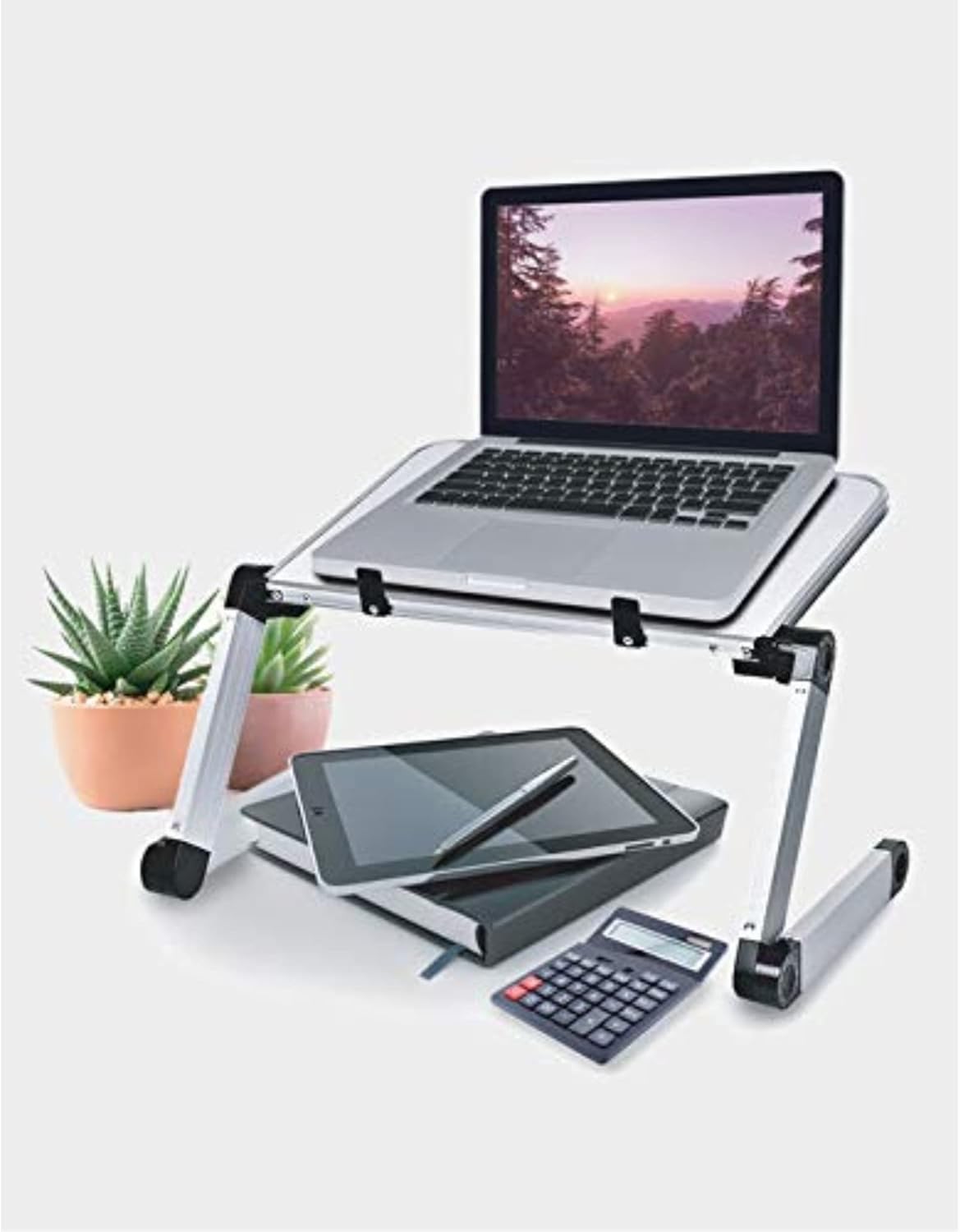
Image: The Bytech Office Tray in use, supporting a laptop. Below the tray, a tablet, notebook, and calculator are visible, demonstrating its utility as a portable workstation. The tray features adjustable legs and a white surface.
Konfigurimi
The Bytech Office Tray requires no assembly.
- Unfold the legs of the tray from their collapsed position.
- Adjust the angle and height of the tray by loosening the 360° rotating knobs on each leg.
- Position the tray to your desired height and angle, then tighten the knobs firmly to secure the position.
- Ensure all legs are stable and the tray is balanced before placing items on it.
Udhëzimet e funksionimit
The Bytech Office Tray is designed for versatile use as a portable desk or stand.
Using as a Laptop Stand:
- Place your laptop securely on the main tray surface. The integrated stoppers will help prevent the laptop from sliding.
- Adjust the tray to an ergonomic height and angle for comfortable typing and viewing.
Using as a Reading or Writing Desk:
- Place books, notebooks, or documents on the tray.
- Adjust the angle for optimal reading or writing posture.
Palosja për ruajtje:
- Loosen the rotating knobs on the legs.
- Fold the legs inward until they are flat against the main tray surface.
- Tighten the knobs to secure the folded position for compact storage or transport.
Mirëmbajtja
To ensure the longevity and cleanliness of your Bytech Office Tray:
- Pastrimi: Fshijeni sipërfaqen me një të butë, damp cloth. For stubborn marks, a mild soap solution can be used. Avoid abrasive cleaners or harsh chemicals.
- Magazinimi: Store the tray in a dry place away from direct sunlight and extreme temperatures when not in use.
- Inspektimi: Periodically check the rotating knobs and leg joints to ensure they are secure and functioning correctly.
Zgjidhja e problemeve
If you encounter issues with your Bytech Office Tray, refer to the following common solutions:
| Problem | Zgjidhje |
|---|---|
| Tray is unstable or wobbly. | Ensure all 360° rotating knobs are tightened firmly after adjusting the legs. Verify the tray is on a flat, even surface. |
| Legs are difficult to adjust. | Loosen the rotating knobs sufficiently before attempting to adjust the leg angles. Do not force the joints. |
| Surface appears dirty or stained. | Pastroni me një të butë, damp cloth and mild soap solution. Avoid abrasive materials. |
Specifikimet
- Marka: Bytech
- Numri i modelit: BYLTTY10002
- Materiali: Plastike
- Ngjyra: E bardha
- Karakteristikat e veçanta: Adjustable, Foldable
- Dimensionet e produktit: 4.5 x 4.5 x 4.5 inç
- Pesha e artikullit: 5.59 paund
- UPC: 805112066728
- Asambleja e nevojshme: Nr
Garancia dhe Mbështetja
For warranty information or technical support, please contact Bytech customer service. Refer to the product packaging or Bytech's official webfaqe per detajet e kontaktit.