
Hyrje
The Samsung Galaxy S21 FE 5G is a factory unlocked Android smartphone designed to enhance your daily mobile experience. It features a 120Hz display, a powerful processor, a pro-grade camera system, and an all-day intelligent battery. This manual provides essential information for setting up, operating, maintaining, and troubleshooting your device.

Figura 1: Përpara view of the Samsung Galaxy S21 FE 5G smartphone.
Konfigurimi
Konfigurimi fillestar
Upon first powering on your device, follow the on-screen prompts to select your language, connect to a Wi-Fi network, and sign in with your Google account. This process will guide you through essential configurations to get your phone ready for use.
Instalimi i kartës SIM
The Galaxy S21 FE 5G supports Dual SIM functionality using Nano SIM cards. To install your SIM card(s):
- Gjeni sirtarin e kartës SIM në anën e pajisjes.
- Fut mjetin e nxjerrjes së kartës SIM në vrimën e vogël pranë tabakasë dhe shtyje butësisht derisa tabaka të dalë jashtë.
- Place your Nano SIM card(s) into the tray with the gold contacts facing down. Ensure they are correctly seated.
- Futeni sërish me kujdes tabakanë në pajisje.
Ndezja/Fikur
- Për të ndezur: Shtypni dhe mbani shtypur butonin e ndezjes/anësor derisa të shfaqet logoja e Samsungut.
- Për të fikur: Press and hold the Power/Side key and the Volume Down button simultaneously, then tap 'Power off' on the screen. Alternatively, swipe down from the top of the screen to open the Quick Panel, tap the Power icon, and select 'Power off'.
Përdorimi i pajisjes
Ekrani dhe navigimi
Experience smooth scrolling and vibrant visuals on the 6.4-inch Dynamic AMOLED 2X display with a 120Hz refresh rate and 2560 x 1440 resolution. The display offers a fast touch response for seamless interaction, even in bright sunlight.

Figure 2: The Dynamic AMOLED 2X display of the Galaxy S21 FE 5G.
Karakteristikat e kamerës
The Galaxy S21 FE 5G is equipped with a powerful pro-grade camera system:
- Kamera e pasme: 12MP Ultra Wide, 12MP Wide-angle, and 8MP Telephoto.
- Kamera e përparme: Kamera Selfie 32MP.
- 30x Space Zoom: Combines 3x Hybrid Optic Zoom and 30x digital zoom for high-resolution close-ups, with EngageZoom Lock to reduce shakiness.
- Modaliteti i natës: Capture crisp images in vivid color, even in low-light conditions.

Figure 3: Portrait mode capabilities of the Galaxy S21 FE 5G camera.

Figure 4: Night mode feature for enhanced low-light photography.
Menaxhimi i baterive
The device features a 4500mAh intelligent battery designed to last all day, even with 5G usage. Super Fast Charging can charge 50% of the battery in approximately 30 minutes. Average battery life for talk time is 37 hours.

Figure 5: All-day intelligent battery of the Galaxy S21 FE 5G.
Performanca
Powered by an efficient Snapdragon processor with 6GB RAM, the Galaxy S21 FE 5G delivers reliable performance for graphic-heavy gaming and multitasking.
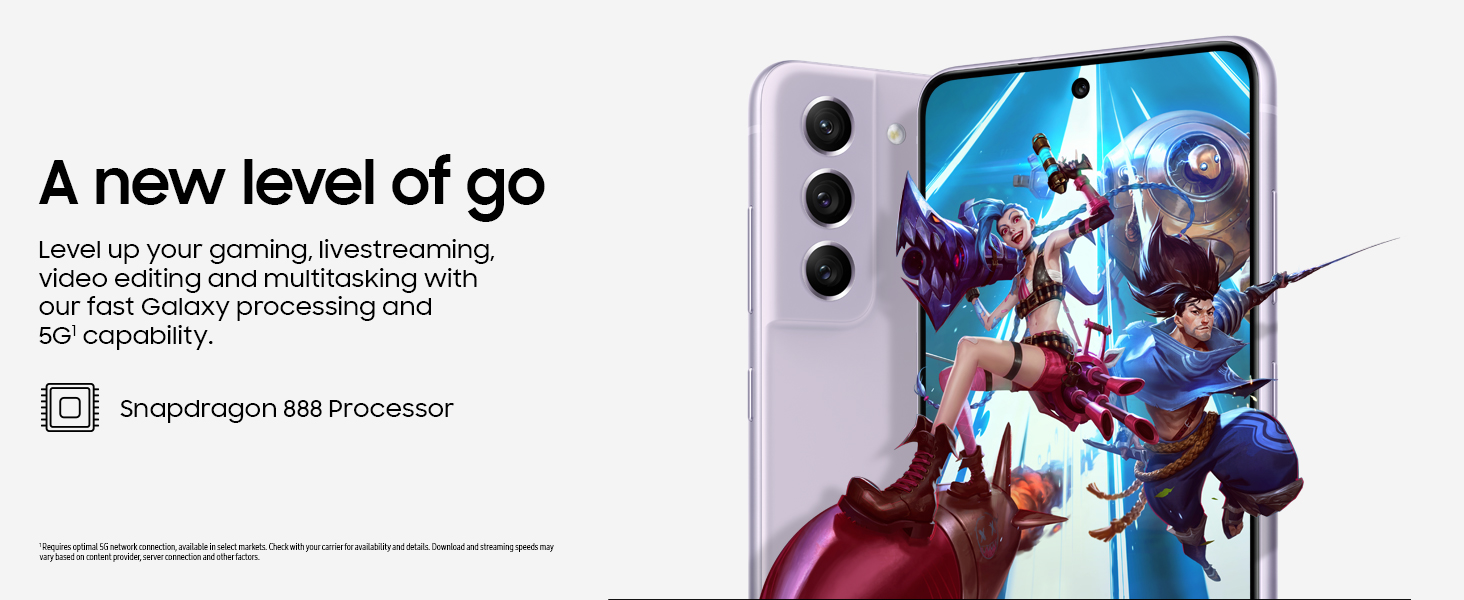
Figure 6: High-performance processor for gaming and multitasking.
Lidhshmëria
The device supports 5G cellular technology, Wi-Fi, Bluetooth, and NFC for versatile connectivity options. It is an unlocked device, allowing flexibility with wireless carriers.
Mirëmbajtja
Pastrimi
To clean your device, gently wipe the screen and body with a soft, lint-free cloth. Avoid using harsh chemicals or abrasive materials that could damage the screen or finish.
Përditësimet e softuerit
Regularly check for and install software updates to ensure your device has the latest features, security patches, and performance improvements. You can usually find this option in the device's Settings menu under 'Software update'.
Rivendosja e fabrikës
A factory reset will erase all data from your phone and restore it to its original factory settings. This can be useful for troubleshooting persistent issues or preparing the device for transfer to a new owner. Before performing a factory reset, ensure all important data is backed up to an external storage device or cloud service.
Video 1: Instructions on how to perform a factory reset on an Android phone. This process will erase all data and restore the device to its default settings.
Zgjidhja e problemeve
Nëse hasni probleme me pajisjen tuaj, provoni hapat bazë të mëposhtëm për zgjidhjen e problemeve:
- Rinisni pajisjen: Një rinisje e thjeshtë shpesh mund të zgjidhë gabime të vogla të softuerit.
- Kontrolloni për përditësime të softuerit: Ensure your device is running the latest software version.
- Fshij memorien e përkohshme/të dhënat e aplikacionit: Nëse një aplikacion specifik po shkakton probleme, provo të pastrosh memorien e përkohshme ose të dhënat e tij te Cilësimet > Aplikacionet.
- Check network connection: For connectivity issues, verify Wi-Fi or cellular data is enabled and working correctly.
- Konsultohuni me manualin e përdoruesit: For more detailed solutions, refer to the comprehensive user manual available through the device settings.
Specifikimet
| Veçori | Specifikimi |
|---|---|
| Markë | Samsung |
| Emri i modelit | Galaxy S21 FE 5G |
| Sistemi Operativ | Android 12.0 |
| Modeli i CPU-së | Snapdragon |
| Madhësia e Memories RAM të Instaluar | 6 GB |
| Kapaciteti i ruajtjes së memories | 256 GB |
| Madhësia e ekranit | 6.4 inç |
| Rezolucioni | 2560 x 1440 |
| Shpejtësia e rifreskimit | 120 Hz |
| Teknologjia celulare | 5G |
| Teknologjia e Rrjetit Pa Tel | Wi-Fi |
| Teknologjia e lidhjes | Bluetooth, NFC, USB, Wi-Fi |
| Rear Facing Camera Photo Sensor Resolution | 12 MP |
| Front Photo Sensor Resolution | 32 MP |
| Kapaciteti i baterisë | 4500 milionamp orët |
| Niveli i rezistencës ndaj ujit | I papërshkueshëm nga uji |
| Pesha e artikullit | 190 gram |
Garancia dhe Mbështetja
The Samsung Galaxy S21 FE 5G comes with a 1-Year Manufacturer Warranty. For warranty claims or technical support, please contact Samsung customer service or visit their official support website. You can also find additional support resources and user manuals in the device's settings under 'User manual'.