
1. Hyrje
This manual provides instructions for the proper setup, operation, and maintenance of your Bytech TBMOMO119AC Foldable Tablet Stand. Please read this manual thoroughly before using the product to ensure optimal performance and longevity.
2. Veçoritë
The Bytech TBMOMO119AC Foldable Tablet Stand is designed to provide a stable and adjustable platform for your tablet or other compatible portable electronic devices. Key features include:
- Dizajni i palosshëm: Allows for compact storage and easy portability.
- E rregullueshme Viewkëndet e ing: Provides multiple height and angle settings for comfortable viewing.
- Ventilimi: Open design helps prevent device overheating.
- Përputhshmëri e gjerë: Suitable for tablets and other devices ranging from 7 to 15 inches.
- Ndërtim i qëndrueshëm: Made from robust materials for long-lasting use.
3. Përmbajtja e paketës
Ju lutemi verifikoni që të gjitha artikujt janë të pranishëm në paketim:
- 1 x Bytech TBMOMO119AC Foldable Tablet Stand
4. Udhëzime për konfigurimin
Follow these steps to set up your tablet stand:
- Shpalos qëndrimin: Gently pull the two main support arms outwards until the stand is fully extended and stable on a flat surface.
- Rregulloni lartësinë dhe këndin: The stand features adjustable hinges. Carefully lift or lower the support arms to achieve your desired viewing height and angle. Ensure both sides are adjusted evenly for stability.
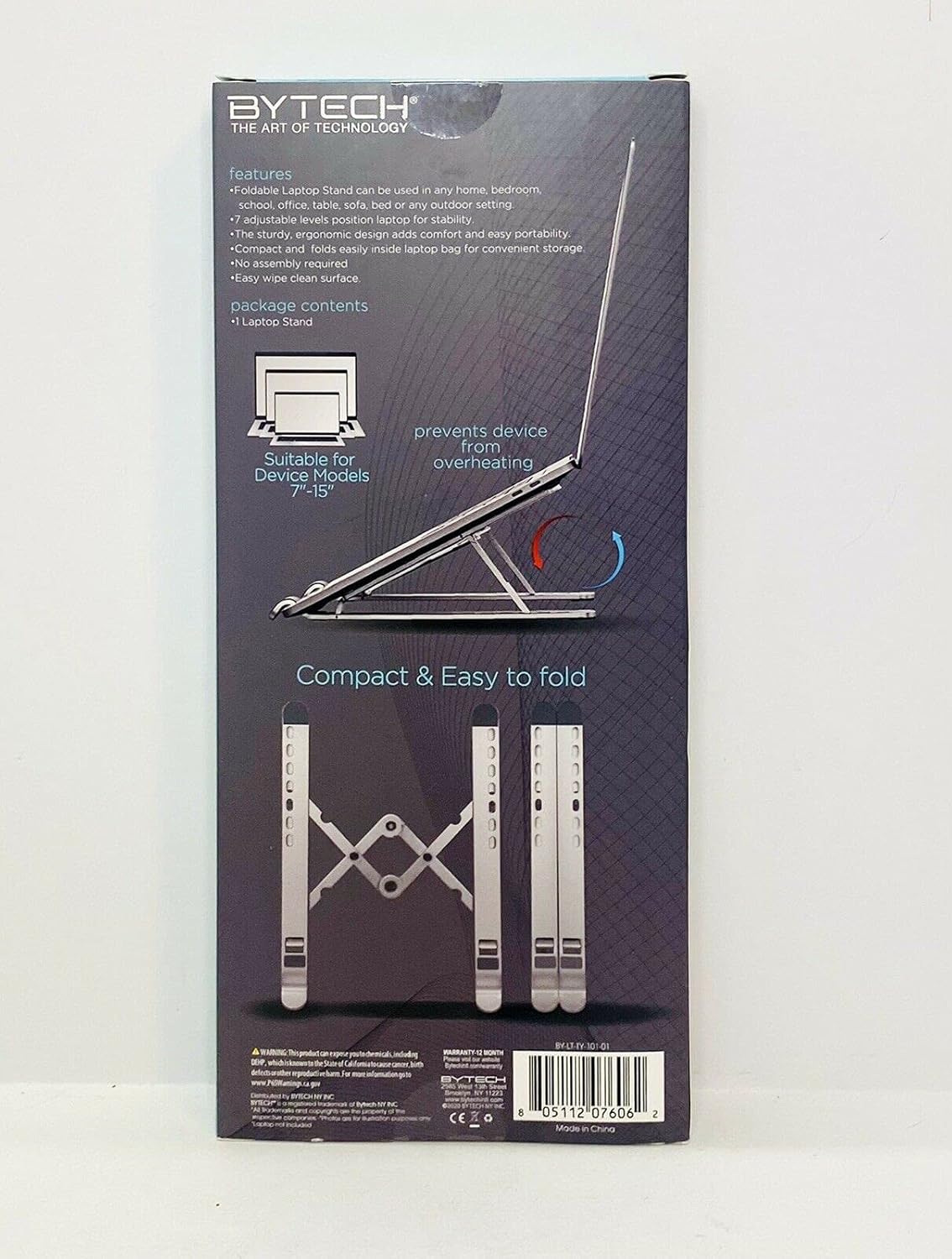
Image 1: The Bytech TBMOMO119AC Foldable Tablet Stand fully extended and ready for use. This image shows the stand's adjustable arms and base, designed to securely hold a tablet.

Image 2: The Bytech TBMOMO119AC Foldable Tablet Stand in its compact, folded state, illustrating its portability and ease of storage.
5. Udhëzimet e funksionimit
To use your tablet stand:
- Vendosni pajisjen tuaj: Carefully place your tablet or compatible device onto the support hooks at the front of the stand. Ensure the device rests securely against the back support.
- Rregullimet përfundimtare: Make any final adjustments to the stand's height and angle to achieve your preferred viewing position. Ensure the stand remains stable with your device in place.
6. Mirëmbajtja
To maintain your Bytech TBMOMO119AC Foldable Tablet Stand:
- Pastrimi: Fshijeni mbështetësen me një leckë të butë, damp cloth to remove dust and smudges. Avoid using harsh chemicals or abrasive cleaners.
- Magazinimi: When not in use, fold the stand into its compact form and store it in a dry place away from direct sunlight.
7. Troubleshooting
If you encounter issues with your tablet stand, consider the following:
- Paqëndrueshmëria e qëndrimit: Ensure the stand is fully unfolded and placed on a flat, stable surface. Verify that both adjustable arms are set to the same height and angle.
- Device Not Secure: Confirm that your device is properly seated on the support hooks and rests against the back support. The stand is designed for devices between 7 and 15 inches.
8. Specifikimet
| Markë | Bytech |
| Numri i modelit | TBMOMO119AC |
| Ngjyra | E zezë |
| Pajisjet e përputhshme | Tablets (7-15 inches) |
| Lloji i montimit | E palosshme |
| Gjatësia e Rregullueshme | po |
| Pesha e artikullit | 0.17 kilogramë |
| Materiali | Plastike |
| UPC | 805112077328 |
9. Garanci dhe Mbështetje
The Bytech TBMOMO119AC Foldable Tablet Stand comes with a 12 muaj garanci from the date of purchase. This warranty covers manufacturing defects under normal use. For warranty claims or technical support, please contact your retailer or the Bytech customer service department.