
1. Hyrje
The MAUL Commercial Calculator MXL16 is designed for commercial use, offering a stable and resilient build with an extra-large case (20.5 x 15.5 cm) for comfortable operation. It features a large, angled 16-digit display for improved readability and large, distinctively colored buttons for quick and accurate input. This calculator combines precision and reliability for both desk and mobile use.
Karakteristikat kryesore përfshijnë:
- 16-digit LCD display with 1 line.
- Angled display for optimal viewing.
- Solar and battery powered (LR44 battery included).
- Automatic shut-off to conserve energy.
- Comprehensive functions including tax calculation, 3-button memory, root calculation, and percentage.
- Durable plastic buttons for easy cleaning.
2. Konfigurimi
2.1 Burimi i energjisë
The MAUL MXL16 calculator operates using both solar power and a single LR44 battery. The solar panel provides power in well-lit environments, while the battery ensures operation when light is insufficient. An LR44 battery is included with the calculator.

Figura 2.1: Poshtë view of the calculator, indicating the battery compartment.
2.2 Përdorimi fillestar
Upon first use, ensure the calculator is exposed to adequate light for solar power or that the included LR44 battery is correctly installed. The calculator features an automatic shut-off function to conserve power when not in use.

Figura 2.2: Anash view showing the angled display for better reading.
3. Udhëzimet e funksionimit
The MAUL MXL16 calculator provides a range of functions for commercial calculations. The buttons are color-coded for easier identification and faster operation.
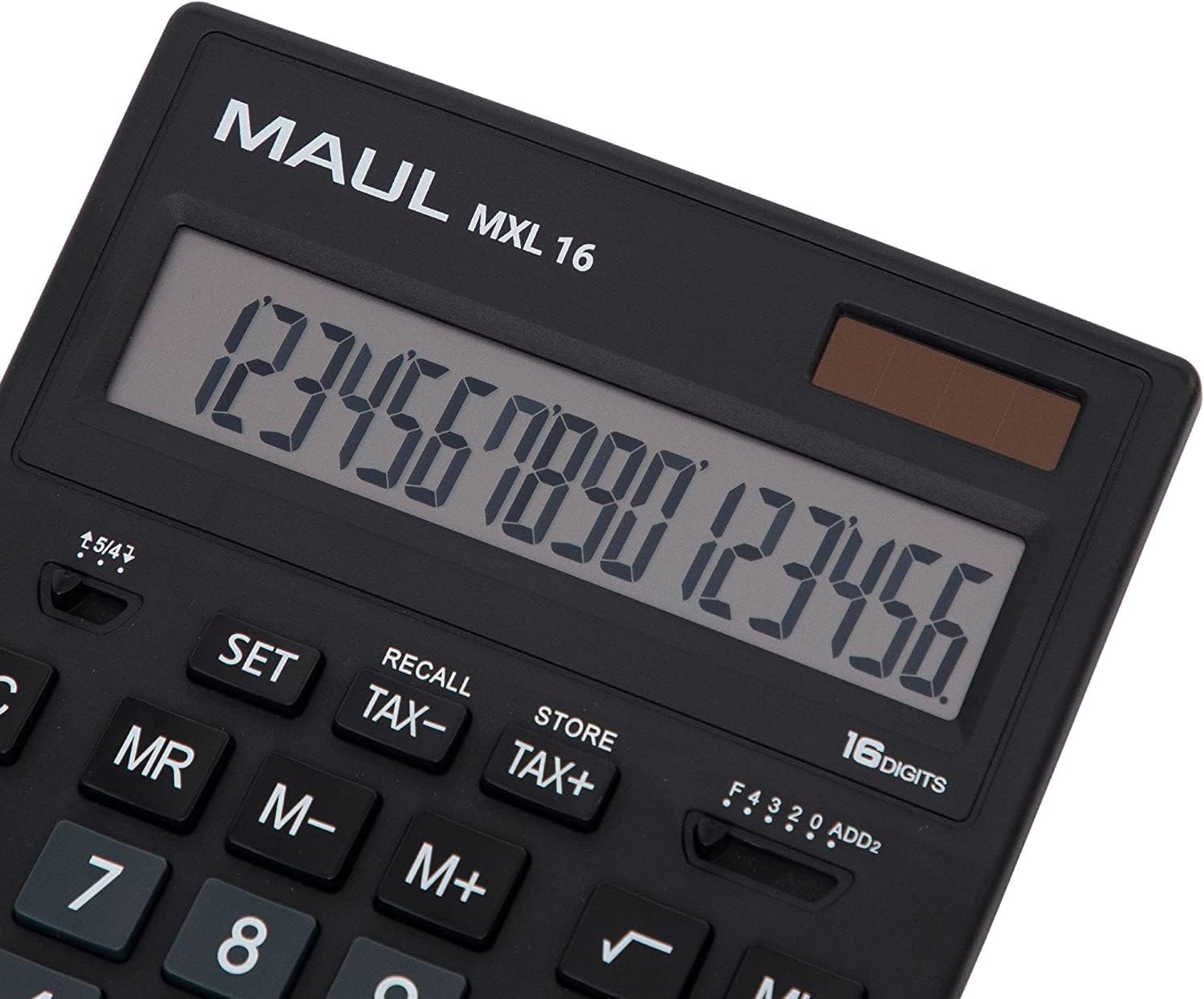
Figura 3.1: Display and key layout of the MAUL MXL16.
3.1 Operacionet Bazë
- ON/AC: Turns the calculator on or clears all entries and memory.
- CE/C: Clears the last entered number or the current calculation without affecting memory. Pressing twice may clear all.
- Çelësat e numrave (0-9): Input numerical values.
- Pika dhjetore (.): Fut një pikë dhjetore.
- Arithmetic Operators (+, -, ×, ÷): Perform addition, subtraction, multiplication, and division.
- Barabartë me (=): Displays the result of a calculation.
3.2 Funksionet e veçanta
- Llogaritja e Taksave (TAX+, TAX-): Allows for easy calculation of prices with or without tax. Use the SET button to configure the tax rate.
- Memory Functions (MR, M-, M+):
- M+: Shton vlerën e shfaqur në memorie.
- M-: Zbrit vlerën e shfaqur nga memoria.
- MR: Recalls the value stored in memory.
- MC: Clears the memory (often by pressing MR twice or a dedicated MC button).
- Root Calculation (√): Llogarit rrënjën katrore të numrit të shfaqur.
- Përqindjatage (%): Kryen përqindjetage llogaritjet.
- Ndryshimi i shenjës (+/-): Ndryshon shenjën e numrit të shfaqur (pozitiv në negativ ose anasjelltas).
- Double Zero (00) / Triple Zero (000): For quick entry of multiple zeros.
- Comma Selector Switch: Adjusts the decimal point display.
- Automatic Rounding: Allows selection of how numbers are rounded (e.g., up, down, or standard).
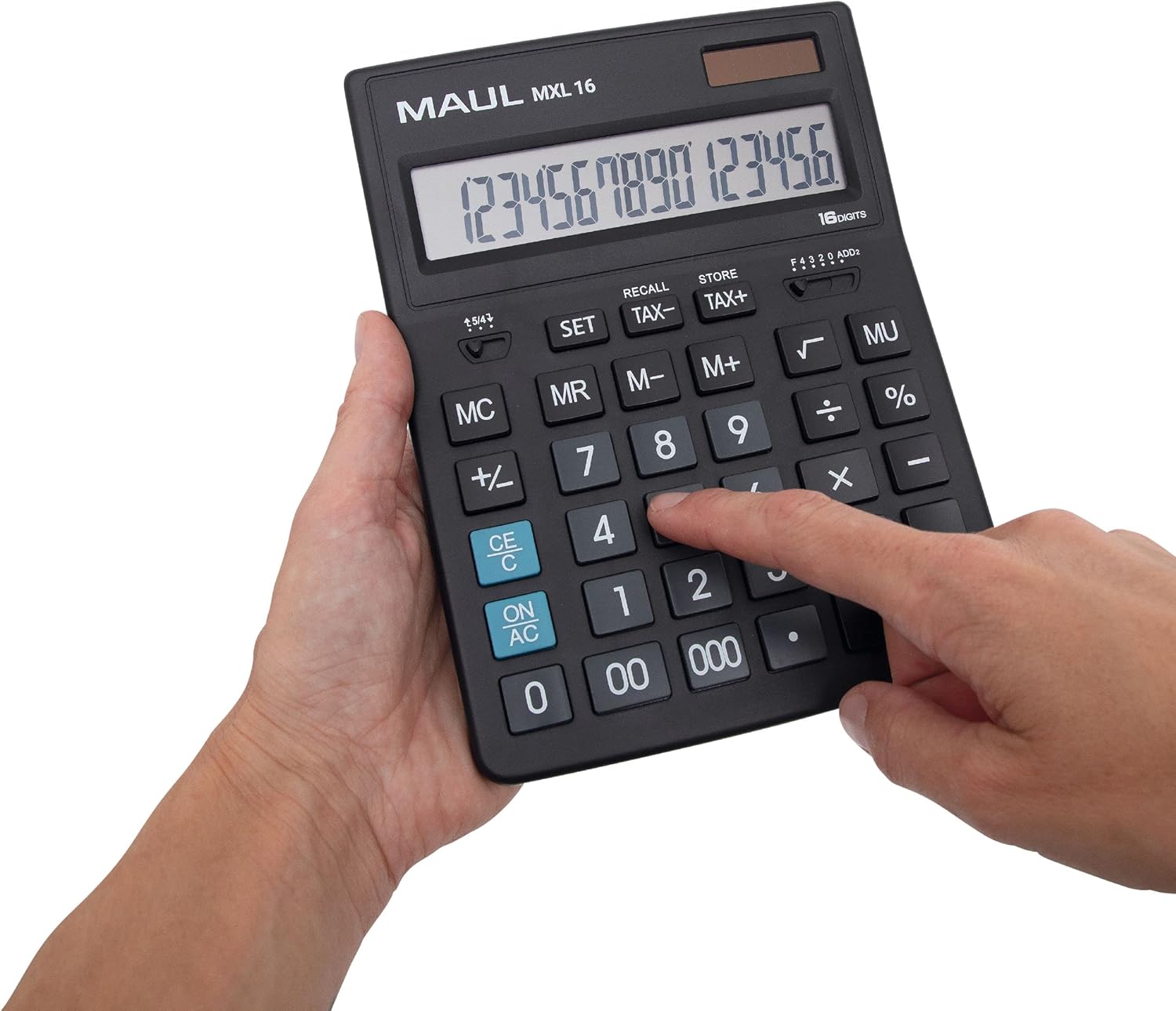
Figura 3.2: User interacting with the calculator keys.
4. Mirëmbajtja
The MAUL MXL16 calculator is designed for durability with sturdy plastic buttons that are easy to clean.
- Pastrimi: Use a soft, dry cloth to wipe the calculator's surface and keys. For stubborn dirt, a slightly damp Mund të përdoret një leckë me sapun të butë, duke u siguruar që të mos hyjë lëng në pajisje.
- Magazinimi: Ruajeni kalkulatorin në një vend të freskët dhe të thatë, larg rrezeve të diellit dhe temperaturave ekstreme.
- Ndërrimi i baterisë: If the display becomes dim or the calculator functions intermittently in low light, the LR44 battery may need replacement. Refer to the battery compartment on the underside of the calculator for access.
5. Troubleshooting
- Kalkulatori nuk ndizet:
- Sigurohuni që kalkulatori të jetë i ekspozuar ndaj dritës së mjaftueshme për energji diellore.
- Check if the LR44 battery is correctly installed and has sufficient charge. Replace if necessary.
- Llogaritje të pasakta:
- Press the ON/AC button to clear all previous entries and memory, then re-enter the calculation.
- Verify the correct input of numbers and operations.
- Ekrani është i zbehtë ose dridhet:
- Ensure adequate lighting for the solar panel.
- Zëvendësoni baterinë LR44.
6. Specifikimet
| Emri i modelit | MXL16 |
| Numri i modelit | 7267890 |
| Ekrani | 16 Digits, 1 Line LCD, Angled |
| Dimensionet (L x W) | 20.5 x 15.5 cm |
| Burimi i energjisë | Solar and 1 x LR44 Battery (included) |
| Materiali | Plastic (housing and buttons) |
| Funksionet | Tax calculation, 3-button memory, Root, Percent, Sign change, Automatic rounding, Double/Triple zero buttons, Comma selector switch |
| Mbyllje automatike | po |
7. Garancia
The MAUL Commercial Calculator MXL16 comes with a 5 vit garanciJu lutemi ruani provën e blerjes për kërkesat e garancisë. Garancia mbulon defektet e prodhimit në kushte normale përdorimi.
8. Mbështetje
For further assistance, technical support, or warranty inquiries, please contact your retailer or the MAUL customer service department. Refer to the product packaging or the MAUL official webfaqe për informacione kontakti.