
1. Hyrje
This manual provides instructions for the Re-Flix Superior Light 4-in-1 Universal Remote Control, model 747516. This remote is pre-programmed for immediate use with the Daewoo DV2500H DVD/BD player. It is designed to offer a straightforward and reliable control solution for your device.
Please read this manual carefully before using the remote control to ensure proper operation and to understand its features.
2. Konfigurimi
2.1 Instalimi i baterisë
The remote control requires two (2) AAA 1.5V batteries (not included). Follow these steps to install the batteries:
- Gjeni kapakun e ndarjes së baterisë në pjesën e pasme të telekomandës.
- Rrëshqisni kapakun poshtë ose shtypni shulën dhe ngrijeni për ta hapur.
- Vendosni dy bateri AAA, duke u siguruar që terminalet pozitive (+) dhe negative (-) përputhen me diagramet brenda ndarjes.
- Vendoseni përsëri kapakun e ndarjes së baterisë duke e rrëshqitur përsëri në vend derisa të klikojë mirë.

Imazhi 1: Pjesa e pasme view of the remote control with the battery compartment.
2.2 Përdorimi fillestar
This Re-Flix remote control is pre-programmed for the Daewoo DV2500H DVD/BD player. No code entry or additional setup is required for this specific device. Simply insert the batteries, and the remote will be ready for use.
Shënim: If you intend to program this remote for other devices, a separate USB programmer is required. This programmer is not included with the remote control.
3. Udhëzimet e funksionimit
The Re-Flix Superior Light remote control functions like your original Daewoo DV2500H remote. Point the remote directly at your Daewoo DV2500H DVD/BD player and press the desired function buttons.
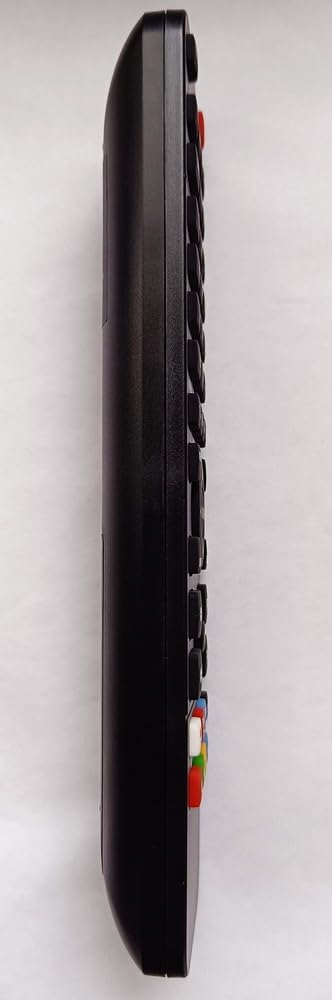
Imazhi 2: Përpara view of the remote control displaying its buttons.
- Butoni i energjisë: Ndez ose fiket pajisjen.
- Kontrollet e luajtjes: Luaj, Pauzë, Ndalo, Përshpejto përpara, Rikthehu prapa, Kapërce këngën.
- Butonat e navigimit: Lart, Poshtë, Majtas, Djathtas dhe OK/Enter për navigimin në menu.
- Tastiera numerike: Për përzgjedhje ose hyrje të drejtpërdrejtë të pistës.
- Butonat e funksionit: Specific buttons for DVD/BD functions (e.g., Menu, Title, Audio, Subtitle).
The remote is designed to retain its programming even when batteries are removed or replaced, ensuring no loss of settings.
4. Mirëmbajtja
4.1 Pastrimi
To clean the remote control, use a soft, dry cloth. Do not use abrasive cleaners, solvents, or chemical wipes, as these may damage the surface or internal components.
4.2 Ndërrimi i baterisë
Replace batteries when the remote control's response becomes sluggish or stops working. Always replace both batteries at the same time with new AAA 1.5V batteries. Do not mix old and new batteries or different types of batteries.
Hidhni bateritë e përdorura sipas rregullave lokale.
5. Troubleshooting
- Telekomanda nuk përgjigjet:
- Sigurohuni që bateritë e reja të jenë instaluar siç duhet.
- Check for any obstructions between the remote control and the Daewoo DV2500H DVD/BD player.
- Ensure you are pointing the remote directly at the device's infrared receiver.
- Verify that the Daewoo DV2500H DVD/BD player is powered on.
- Remote functions are incorrect:
- Confirm that your device is indeed the Daewoo DV2500H DVD/BD player. This remote is specifically pre-programmed for this model.
- If you are attempting to use it with a different device, remember that a separate USB programmer is required for additional device programming.
6. Specifikimet
| atribut | Detaj |
|---|---|
| Markë | Re-Flix |
| Numri i modelit | 747516 |
| Teknologjia e lidhjes | Infra të kuqe |
| Pajisjet e përputhshme | Daewoo DV2500H DVD/BD Player (Pre-programmed) |
| Pajisjet maksimale të mbështetura | 1 (Pre-programmed for Daewoo DV2500H) |
| Bateritë e nevojshme | 2 x AAA 1.5V (nuk përfshihet) |
| Pesha | 89 g |
| Dimensionet (J x P x H) | 21 x 4.7 x 2 cm |
7. Garancia dhe Mbështetja
Information regarding specific warranty terms for this product is not provided in the product details. For warranty claims or technical support, please contact the retailer or manufacturer directly. Keep your purchase receipt as proof of purchase.