
Headwolf FPad3 Ulta
Headwolf Fpad3 Mini Tablet
Manuali i Udhëzimit të Përdoruesit
Hyrje
This manual provides comprehensive instructions for the Headwolf Fpad3 Mini Tablet. It covers essential information regarding product setup, operation, maintenance, and troubleshooting to ensure optimal performance and longevity of your device. Please read this manual thoroughly before using the tablet.

Imazhi: Përpara view of the Headwolf Fpad3 Mini Tablet, showcasing ekranin e saj.
Konfigurimi
1. Përmbajtja e paketës
Pas hapjes së kutisë, verifikoni nëse përfshihen artikujt e mëposhtëm:
- Headwolf Fpad3 Mini Tablet
- Kabllo karikimi USB Type-C
- PD10W Charger
- Mjeti i nxjerrjes së kartës SIM
- Manuali i Përdoruesit (ky dokument)
2. Mbipesha fizikeview

Image: Diagram illustrating the location of the headphone jack, rear camera, volume button, reset button, power button, SIM/SD card slot, and Type-C port on the Headwolf Fpad3 Mini Tablet.
Familiarize yourself with the tablet's physical components:
- Butoni i energjisë: E vendosur në anë, përdoret për të ndezur/fikur ose zgjuar/vënë pajisjen në gjumë.
- Butonat e volumit: Rregulloni volumin e audios.
- Porta USB Type-C: Për karikimin dhe transferimin e të dhënave.
- Dalja e kufjeve 3.5 mm: Për lidhjen e kufjeve me tel.
- Vendi i kartës SIM/MicroSD: For inserting Nano SIM cards and a MicroSD card.
- Kamera e përparme: E vendosur sipër ekranit.
- Kamera e pasme: Ndodhet në pjesën e pasme të tabletës.
3. Ngarkimi i pajisjes
Before first use, fully charge the tablet. Connect the provided USB Type-C cable to the tablet's Type-C port and the other end to the PD10W charger. Plug the charger into a power outlet. The charging indicator will typically appear on the screen.
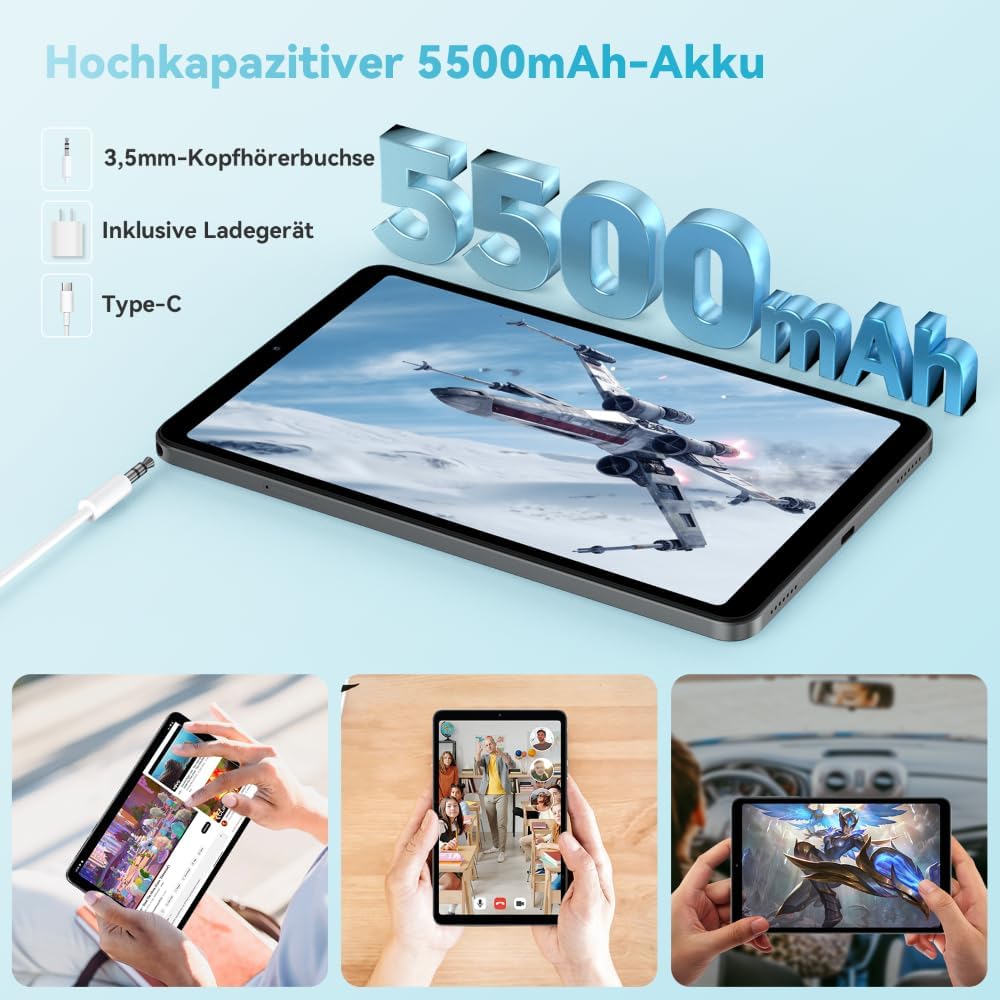
Image: The Headwolf Fpad3 Mini Tablet connected to a charger, highlighting its 5500mAh battery capacity and Type-C charging port.
4. Ndezja/Fikur
- Për të ndezur: Press and hold the Power button until the Headwolf logo appears.
- Për të fikur: Shtypni dhe mbani shtypur butonin e ndezjes derisa të shfaqet menyja e opsioneve të ndezjes, pastaj zgjidhni "Fik".
- Për të rifilluar: Shtypni dhe mbani shtypur butonin e ndezjes derisa të shfaqet menyja e opsioneve të energjisë, pastaj zgjidhni "Rinis".
5. Konfigurimi fillestar
Upon first power-on, the tablet will guide you through the initial setup process. This includes selecting your language, connecting to a Wi-Fi network, setting up your Google account, and configuring security options. The tablet runs on Android 13 and is Google GMS certified, ensuring access to Google Play services.
6. Instalimi i Kartës SIM dhe Kartës MicroSD
The Headwolf Fpad3 supports dual Nano SIM cards for 4G LTE connectivity and a MicroSD card for expandable storage up to 2TB.
- Gjeni vendin e kartës SIM/MicroSD në anën e tabletit.
- Fut mjetin e nxjerrjes së kartës SIM në vrimën e vogël pranë sirtarit për ta hapur atë.
- Tërhiqeni me kujdes tabakanë.
- Vendosni kartën/kartat tuaja Nano SIM dhe/ose kartën MicroSD në vendet e caktuara në sirtar, duke u siguruar që të jenë të orientuara saktë.
- Shtyjeni butësisht tabakanë përsëri në tabletë derisa të fiksohet në vendin e saj me një klik.
Udhëzimet e funksionimit
1. Shfaqja dhe Përvoja Vizuale
The tablet features an 8.4-inch FHD IPS In-Cell display with a resolution of 1920 x 1200 pixels, offering clear and vibrant visuals. It supports Widevine L1 for high-definition streaming from compatible services.

Image: The Headwolf Fpad3 Mini Tablet display showing high-definition content, emphasizing Widevine L1 support for streaming services like YouTube, Prime Video, Disney+, Hulu, and HBO Max.
2. Performanca dhe Ruajtja
Powered by an Unisoc T616 Octa-Core processor (2x A75 at 2.0GHz + 6x A55 at 1.8GHz) and 8GB of RAM (4GB + 4GB virtual expansion), the Fpad3 ensures smooth multitasking and efficient operation. It comes with 128GB of UFS 2.2 internal storage, which can be expanded up to 2TB using a MicroSD card.

Image: An illustration detailing the Headwolf Fpad3 Mini Tablet's powerful Octa-Core Unisoc T616 processor, Mali-G57 GPU, and Android 13 operating system, with a benchmark comparison.

Image: A visual representation of the Headwolf Fpad3 Mini Tablet's 8GB RAM (with 4GB virtual expansion) and 128GB ROM, highlighting its expandability up to 2TB via an SD card.
3. Lidhshmëria
The tablet offers versatile connectivity options:
- Wi-Fi: Supports dual-band 2.4G/5G Wi-Fi for stable and fast internet access.
- 4G LTE: Dual Nano SIM support for cellular data and phone call functionality.
- Bluetooth 5.0: For connecting wireless peripherals like headphones, keyboards, and mice.
- GPS: Integrated GPS, Beidou, and Galileo for accurate navigation.
- OTG (Në lëvizje): Allows connecting USB devices such as flash drives or external keyboards.
4. Kamerat
Capture moments with the tablet's dual cameras:
- Kamera e pasme: 13 MP
- Kamera e përparme: 8 MP
The tablet also supports Face Unlock for convenient and secure access.

Imazh: Një shpërthim view of the Headwolf Fpad3 Mini Tablet's dual cameras (8MP front, 13MP rear) and the Face Unlock feature, with examples of usage scenarios.
5.Audio
Experience immersive audio with dual box speakers. A 3.5mm headphone jack is also available for private listening.
6. Hapësira e fëmijëve Google
The tablet includes support for Google Kids Space, providing a safe and engaging environment for children with access to over 10,000 real-time resources.
Mirëmbajtja
1. Pastrimi i Pajisjes
Përdorni një leckë të butë pa push për të pastruar ekranin dhe trupin e tabletit. Shmangni përdorimin e kimikateve të ashpra ose materialeve gërryese që mund të dëmtojnë sipërfaqen.
2. Përditësimet e softuerit
Kontrolloni dhe instaloni rregullisht përditësimet e sistemit për t'u siguruar që tableti juaj ka veçoritë, përditësimet e sigurisë dhe përmirësimet më të fundit të performancës. Shkoni te Cilësimet > Sistemi > Përditësimi i sistemit për të kontrolluar për përditësime.
3. Kujdesi për baterinë
- Shmangni ekspozimin e tabletës ndaj temperaturave ekstreme.
- Mos e lini baterinë të shkarkohet plotësisht shpesh.
- Përdorni karikuesin dhe kabllon origjinal për karikim optimal.
- For long-term storage, charge the battery to around 50-60%.
Zgjidhja e problemeve
Çështjet dhe zgjidhjet e përbashkëta
| Problem | Zgjidhja e mundshme |
|---|---|
| Pajisja nuk ndizet. | Ensure the battery is charged. Press and hold the Power button for at least 10-15 seconds. If unresponsive, connect to charger and try again. |
| Nuk mund të lidhet me Wi-Fi. | Check if Wi-Fi is enabled in settings. Restart the tablet and the Wi-Fi router. Ensure you are entering the correct password. |
| Aplikacionet po bllokohen ose ngrijnë. | Clear the app's cache (Settings > Apps > [App Name] > Storage > Clear cache). Restart the tablet. Ensure the app is updated to its latest version. |
| Tableti është i ngadaltë ose nuk përgjigjet. | Close unnecessary background apps. Clear cache of frequently used apps. Restart the tablet. Consider performing a factory reset as a last resort (backup data first). |
| Karta SIM nuk u zbulua. | Ensure the SIM card is correctly inserted into the tray. Restart the tablet. Check if the SIM card is active with your carrier. |
Nëse problemet vazhdojnë, ju lutemi kontaktoni mbështetjen e klientit.
Specifikimet
| Veçori | Detaj |
|---|---|
| Markë | Ujku i kokës |
| Numri i modelit | FPad3 Ulta |
| Sistemi Operativ | Android 13 |
| Marka e procesorit | Unisoc |
| Modeli i procesorit | T616 Octa-Core |
| RAM | 8 GB (4GB + 4GB virtuale) |
| Ruajtja e brendshme | 128 GB UFS 2.2 |
| Hapësirë ruajtëse e zgjerueshme | Up to 2 TB via MicroSD |
| Madhësia e ekranit | 8.4 inç |
| Rezolucioni i ekranit | 1920 x 1200 Pixels (FHD IPS In-Cell) |
| Marka e çipseteve grafike | Arm Mali G57 |
| Kamera e pasme | 13 MP |
| Kamera e përparme | 8 MP |
| Kapaciteti i baterisë | Litium-polimer 5500 mAh |
| Porta e karikimit | USB Type-C (PD10W Fast Charging) |
| Lidhja me valë | 802.11a/b/g/n/ac (2.4G/5G WiFi), Bluetooth 5.0 |
| Lidhja celulare | Dual 4G LTE (Nano SIM) |
| Navigimi | GPS, Beidou, Galileo |
| Karakteristika të veçanta | Stereo Speakers, Expandable Storage, Phone Call Functionality, Fast Charging, Card Reader, Face ID, Widevine L1 |
| Dimensionet (J x P x H) | 25.4 x 15.24 x 7.62 cm |
| Pesha | 610 gram |
Garancia dhe Mbështetja
The Headwolf Fpad3 Mini Tablet comes with a one-year warranty from the date of purchase. For any technical assistance, product inquiries, or warranty claims, please contact Headwolf customer service. We offer 24/7 customer support to assist you.
Please refer to your purchase documentation for specific warranty terms and contact information, or visit the official Headwolf webfaqe.
Ask a question about this manual
Ask about setup, troubleshooting, compatibility, parts, safety, or missing instructions. Manuals+ will review the question and use this page’s manual context to help answer it.