
1. Hyrje
Thank you for choosing the AULCMEET Replacement Remote Control. This remote is designed to be fully compatible with specific QBell 4K OLED Smart TV models, offering a seamless replacement experience without the need for complex setup or programming. Simply insert batteries, and it's ready for use.
Modelet e TV-ve të pajtueshme: QBell 4K OLED Smart TV QT43J03, QT40K02, QT40J03.
2. Konfigurimi: Instalimi i baterisë
To begin using your remote control, you must first install the batteries. This remote requires two AAA alkaline batteries (not included).
- Gjeni ndarjen e baterisë në pjesën e pasme të telekomandës.
- Press down on the tab and slide the battery cover downwards to open it.
- Insert two AAA alkaline batteries, ensuring the positive (+) and negative (-) terminals align correctly with the markings inside the compartment.
- Rrëshqiteni kapakun e baterisë përsëri në vend derisa të klikojë mirë.
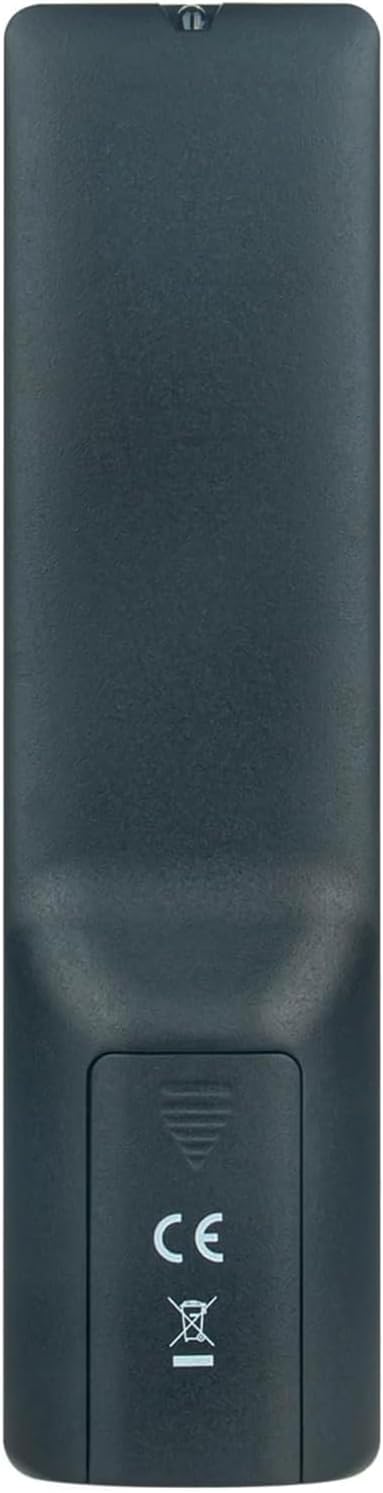
Imazhi 2.1: E pasme view of the remote control with the battery cover open, illustrating the correct orientation for AAA battery insertion.
Once batteries are installed, the remote is ready for immediate use with your compatible QBell Smart TV. No additional programming or pairing is required.
3. Udhëzimet e funksionimit
This remote control provides full functionality for your compatible QBell 4K OLED Smart TV. Below is a general overview of common buttons and their functions.

Imazhi 3.1: Përpara view of the AULCMEET remote control, displaying the layout of all control buttons.
- Butoni i energjisë (●): Ndez ose fiket televizorin.
- Butonat me numra (0-9): Zgjidhni kanalet direkt.
- CH +/-: Ndërron kanalet lart ose poshtë.
- VOL +/-: Rregullon nivelin e volumit.
- Hesht: Heq ose aktivizon zërin e televizorit.
- BURIMI: Zgjedh burimet e hyrjes (HDMI, AV, etj.).
- MENU: Qas në menynë kryesore të televizorit.
- Butonat e navigimit (Lart, Poshtë, Majtas, Djathtas, Në rregull): Lundroni nëpër menu dhe konfirmoni zgjedhjet.
- DALJE: Dil nga menyja ose funksioni aktual.
- INFO: Shfaq informacion rreth programit aktual.
- Butona me ngjyra (të kuqe, jeshile, të verdhë, blu): Access specific functions depending on the TV menu or application.
- TEKST: Activates or deactivates Teletext.
- NUBNTITULLI: Aktivizon ose çaktivizon titrat.
- MESATARE: Qas në funksionet e riprodhimit të medias.
- GJUMI: Sets the TV sleep timer.
For detailed functions of specific buttons, please refer to your QBell Smart TV's original user manual.
4. Mirëmbajtja
- Ndërrimi i baterisë: Replace batteries when the remote's response becomes sluggish or stops working. Always replace both batteries simultaneously with new AAA alkaline batteries. Do not mix old and new batteries, or different types of batteries.
- Pastrimi: Për të pastruar telekomandën, fshijeni butësisht me një leckë të butë dhe të thatë. Mos përdorni pastrues të lëngshëm, sprej ose materiale gërryese, pasi këto mund të dëmtojnë sipërfaqen ose pjesët e brendshme të telekomandës.
- Magazinimi: If the remote will not be used for an extended period, remove the batteries to prevent leakage and potential damage. Store the remote in a cool, dry place away from direct sunlight and extreme temperatures.
5. Troubleshooting
| Problem | Shkaku i mundshëm | Zgjidhje |
|---|---|---|
| Telekomanda nuk po funksionon. |
|
|
| Butonat nuk reagojnë ose vonohen. |
|
|
6. Specifikimet
| Markë | AULCMEET |
| Emri i modelit | BJKJ-MB1807-JKJBEU |
| Pajisjet e përputhshme | QBell 4K OLED Smart TV QT43J03, QT40K02, QT40J03 |
| Teknologjia e lidhjes | Infra të kuqe (IR) |
| Gama maksimale | 10 metra |
| Numri i butonave | 20 |
| Lloji i kontrolluesit | Kontrolli i butonit |
| Lloji i baterisë | AAA Alkaline (x2) |
| Veçori e veçantë | Nuk kërkohet programim |
| Vendi i origjinës | Kinë |
7. Mbështetje
For any questions, concerns, or further assistance regarding your AULCMEET Replacement Remote Control, please do not hesitate to contact the manufacturer or your retailer. We are committed to ensuring your satisfaction.
Ju lutemi ruani këtë manual për referencë në të ardhmen.