
WONLINK WL-AP7204-USHS1-YAM
WONLINK Outdoor WiFi Extender User Manual
Model: WL-AP7204-USHS1-YAM
Hyrje
Thank you for choosing the WONLINK Outdoor WiFi Extender. This device is designed to provide robust and stable wireless internet connectivity in outdoor environments, extending your existing WiFi network to cover large areas such as backyards, farms, parks, and more. This manual will guide you through the installation, setup, and operation of your new WiFi extender.

Figure 1: WONLINK Outdoor WiFi Extender
Karakteristikat kryesore
- 1200Mbps Dual-Band WiFi: Compliant with IEEE 802.11ac/a/b/g/n standards, offering speeds up to 867Mbps on 5GHz and 300Mbps on 2.4GHz for high-definition and smooth network performance.
- Instalim fleksibël me PoE: Integrated Power over Ethernet (PoE) support allows for installation in locations without direct power outlets. Includes a 24V PoE adapter.
- Dual Gigabit Ethernet Ports: Equipped with two 1000Mbps LAN/WAN Ethernet ports for excellent wired network speeds.
- Mënyra të shumta operimi: Supports Repeater, AP (Access Point), Router, and Bridge modes to suit various network environments and applications.
- High Client Capacity: A single unit can handle over 40 wireless devices on 2.4GHz and 80 on 5.8GHz concurrently.
- Advanced WiFi Security: Features 128-bit encryption and WPA/WPA2/WPA-PSK/WPA2-PSK protocols to prevent unauthorized access and interference.
- Dizajn IP66 i papërshkueshëm nga uji: Robust weatherproof and heat-resistant casing with a waterproof silicone ring ensures continuous operation in harsh outdoor conditions, including extreme cold (-10°C) to hot (60°C) and humid climates.

Figure 2: High-Speed AC1200 Dual Band Performance
Përmbajtja e paketës
Ju lutemi verifikoni që të gjitha artikujt janë të pranishëm dhe në gjendje të mirë kur hapni paketën:
- 1 x Outdoor WiFi Extender Unit
- 1 x 24V PoE Adapter
- 2 x Stainless Ties (for mounting)
- 2 x Screws (for mounting)
- 2 x Silicone Seals
- 1 x Udhëzues Instalimi i Shpejtë
Konfigurimi dhe instalimi
The WONLINK Outdoor WiFi Extender supports Power over Ethernet (PoE) for simplified installation. The main unit is weatherproof, but the PoE adapter must be installed indoors.
Lidhja PoE
The included 24V PoE adapter provides both power and data connectivity to the extender unit via a single Ethernet cable. This allows for flexible placement of the extender up to 100 meters (approximately 328 feet) from the power source.
- Connect one end of an Ethernet cable (up to 100m) to the NP port on the 24V PoE Adapter.
- Connect the other end of this Ethernet cable to the Ethernet port on the Outdoor WiFi Extender unit.
- Connect your router or network switch to the LAN port on the 24V PoE Adapter using another Ethernet cable.
- Plug the 24V PoE Adapter into a standard indoor power outlet.

Figure 3: Power Over Ethernet Connection
Montimi i Zgjeruesit
The extender can be mounted on a wall or pole using the provided stainless ties and screws. Ensure the mounting location provides optimal signal coverage and is within the 100m PoE cable limit.
Initial Configuration (Recommended AP Mode for Outdoor Use)
For optimal performance in large outdoor areas, the wired AP (Access Point) mode is strongly advised. This involves connecting the extender directly to your router via an Ethernet cable through the PoE adapter.
- Connect the extender to your computer using an Ethernet cable (via the PoE adapter) for initial setup.
- Hap a web browser and navigate to the default IP address provided in the Quick Installation Guide (typically 192.168.1.1 or similar).
- Log in using the default credentials (usually admin/admin).
- Follow the on-screen wizard to configure the device. Select Modaliteti AP për përdorim të jashtëm.
- Set your desired WiFi network name (SSID) and password.
- Save settings and restart the device if prompted.
Mënyrat e funksionimit
The WONLINK Outdoor WiFi Extender supports four primary operating modes to adapt to various network requirements:
- Modaliteti AP (Pika e Qasjes): Converts a wired network connection into a wireless one. Ideal for creating a new WiFi hotspot or extending a wired network wirelessly. This is the recommended mode for large outdoor deployments.
- Modaliteti i përsëritësit: Extends the coverage of an existing wireless network by receiving the WiFi signal and re-transmitting it. Best used when the extender is placed within 3-5 meters of the main router for optimal signal reception.
- Modaliteti i routerit: Functions as a primary router, connecting to a modem and providing both wired and wireless internet access to multiple devices.
- Modaliteti i urës: Connects two separate wired networks wirelessly, acting as a wireless bridge between them.

Figure 4: Multiple Working Modes Diagram
Mirëmbajtja
The WONLINK Outdoor WiFi Extender is designed for durability and minimal maintenance due to its IP66 weatherproof enclosure.
- Rezistenca ndaj motit: The IP66 rating ensures protection against dust ingress and powerful water jets. It is built to withstand rain, snow, wind, and extreme temperatures (-10°C to 60°C).
- Pastrimi: Fshijeni periodikisht pjesën e jashtme të njësisë me një sfungjer të butëamp cloth to remove any accumulated dirt or debris. Do not use harsh chemicals or abrasive cleaners.
- Përditësimet e firmuerit: Check the WONLINK official website periodically for firmware updates. Keeping the firmware updated ensures optimal performance, security, and access to new features.
- Inspektimi i kabllove: Regularly inspect the Ethernet cable connecting the extender to the PoE adapter for any signs of wear, damage, or degradation, especially if exposed to direct sunlight or physical stress.
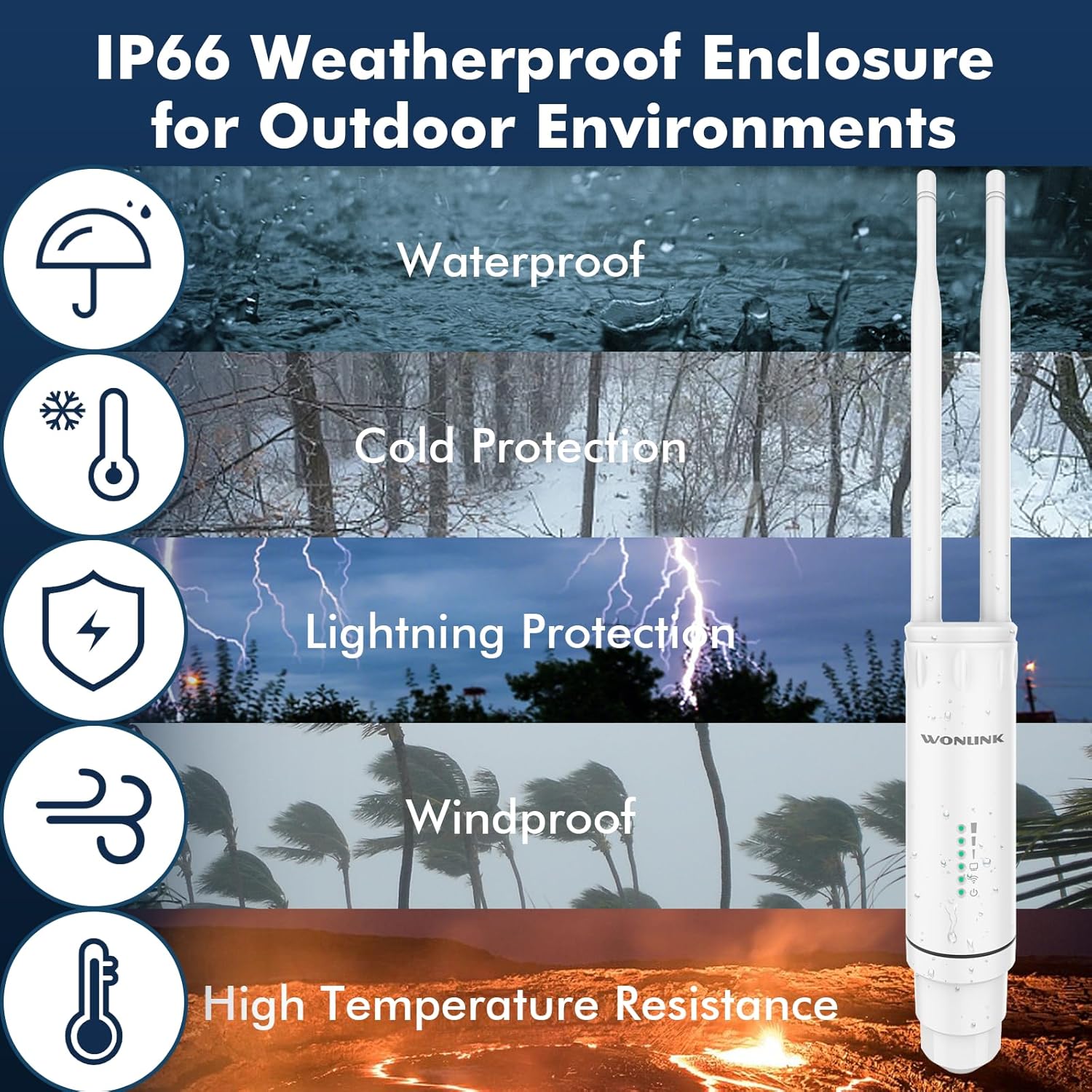
Figure 5: IP66 Weatherproof Enclosure Features
Zgjidhja e problemeve
If you encounter issues with your WONLINK Outdoor WiFi Extender, try the following troubleshooting steps:
- No Power/Lights Off:
- Ensure the PoE adapter is securely plugged into a working power outlet.
- Check the Ethernet cable connection between the PoE adapter and the extender unit.
- Verify the PoE adapter is functioning correctly.
- Nuk ka qasje në internet:
- In AP/Router mode, ensure the LAN port of the PoE adapter is connected to your main router/modem.
- Check if your main router/modem has internet access.
- If in Repeater mode, ensure the extender is receiving a strong signal from your main router. Try repositioning the extender closer to the router.
- Restart both the extender and your main router.
- Weak Signal/Slow Speed:
- Ensure the extender is placed in an optimal location, away from obstructions and sources of interference (e.g., thick walls, large metal objects, microwaves).
- For Repeater mode, ensure the extender is not too far from the main router.
- Kontrolloni për përditësime të firmuerit.
- Verify that the antennas are securely attached and oriented correctly.
- Nuk mund të qaset Web Faqja e menaxhimit:
- Ensure your computer is connected to the extender (either directly via Ethernet or its WiFi network).
- Verify you are using the correct IP address (refer to the Quick Installation Guide).
- Provo të pastrosh memorien e përkohshme të shfletuesit tënd ose të përdorësh një shfletues tjetër.
- Çaktivizoni përkohësisht çdo program antivirus ose firewall në kompjuterin tuaj.
- Rikthim ne gjendjen e fabrikes: If issues persist, you may need to perform a factory reset. Locate the reset button (usually a small pinhole) on the device. With the device powered on, press and hold the reset button for 5-10 seconds until the lights flash, then release. The device will revert to its default factory settings.
Specifikimet
| Markë | FITUAR |
| Numri i modelit | WL-AP7204-USHS1-YAM |
| Standardi i komunikimit pa tel | 802.11a/b/g/n/ac |
| Shkalla e transferimit të të dhënave | 1200 Megabit për sekondë (Mbps) |
| Klasa e brezit të frekuencës | Dy-Band (2.4GHz dhe 5GHz) |
| Furnizimi me energji elektrike | Përshtatës PoE 24 V |
| Vlerësimi rezistent ndaj motit | IP66 |
| Temperatura e funksionimit | -10°C deri në 60°C |
| Pesha e artikullit | 1.17 paund |
| Dimensionet e paketës | 9.33 x 6.02 x 2.4 inç |
Informacioni i Sigurisë
Please read and follow these safety guidelines to ensure safe operation of your device:
- Only use the provided 24V PoE adapter. Using unauthorized power adapters may damage the device and void the warranty.
- The PoE adapter is for indoor use only. Do not expose it to water, moisture, or extreme temperatures.
- Ensure proper grounding during installation to protect against lightning strikes.
- Mos u përpiqni ta çmontoni ose riparoni vetë pajisjen. Ia drejtoni të gjitha shërbimet personelit të kualifikuar.
- Mbajeni pajisjen larg burimeve të nxehtësisë, rrezeve të diellit direkte dhe materialeve të ndezshme.
- Ensure all cable connections are secure and properly sealed to maintain the weatherproof integrity of the outdoor unit.
Garancia dhe Mbështetja
For warranty information and technical support, please refer to the documentation included with your product or visit the official WONLINK webfaqe. Ju gjithashtu mund të vizitoni WONLINK Store on Amazon për më shumë detaje mbi produktin dhe opsionet e shërbimit ndaj klientit.
Ask a question about this manual
Ask about setup, troubleshooting, compatibility, parts, safety, or missing instructions. Manuals+ will review the question and use this page’s manual context to help answer it.