
WONLINK WL-AP7202-CAHS1-YAM
WONLINK Outdoor WiFi Extender User Manual
Model: WL-AP7202-CAHS1-YAM
1. Produkti i Mbaruarview
The WONLINK Outdoor WiFi Extender (Model: WL-AP7202-CAHS1-YAM) is a high-performance, dual-band (2.4GHz and 5GHz) wireless device designed to extend your WiFi network coverage outdoors. It supports speeds up to 1200Mbps and features Power over Ethernet (PoE) for flexible installation. Its IP66 weatherproof and robust design ensures reliable operation in various outdoor environments.

Figura 1.1: Përpara view of the WONLINK Outdoor WiFi Extender, illustrating its wireless signal propagation.
Karakteristikat kryesore
- Dual Band AC1200: Simultaneous 2.4GHz (300Mbps) and 5GHz (867Mbps) for high-speed connectivity.
- Fuqia mbi Ethernet (PoE): Simplifies installation by delivering power and data over a single Ethernet cable.
- IP66 Rezistencë ndaj motit: Designed to withstand harsh outdoor conditions, including rain, dust, and extreme temperatures.
- Mënyra të shumta të funksionimit: Supports Access Point (AP), Repeater, Bridge, and Router modes for versatile network deployment.
- Fuqi e lartë Amplojtarët e lirë Enhances signal strength and coverage for long-range outdoor applications.
- Gigabit Port: Ensures high-speed wired connections.
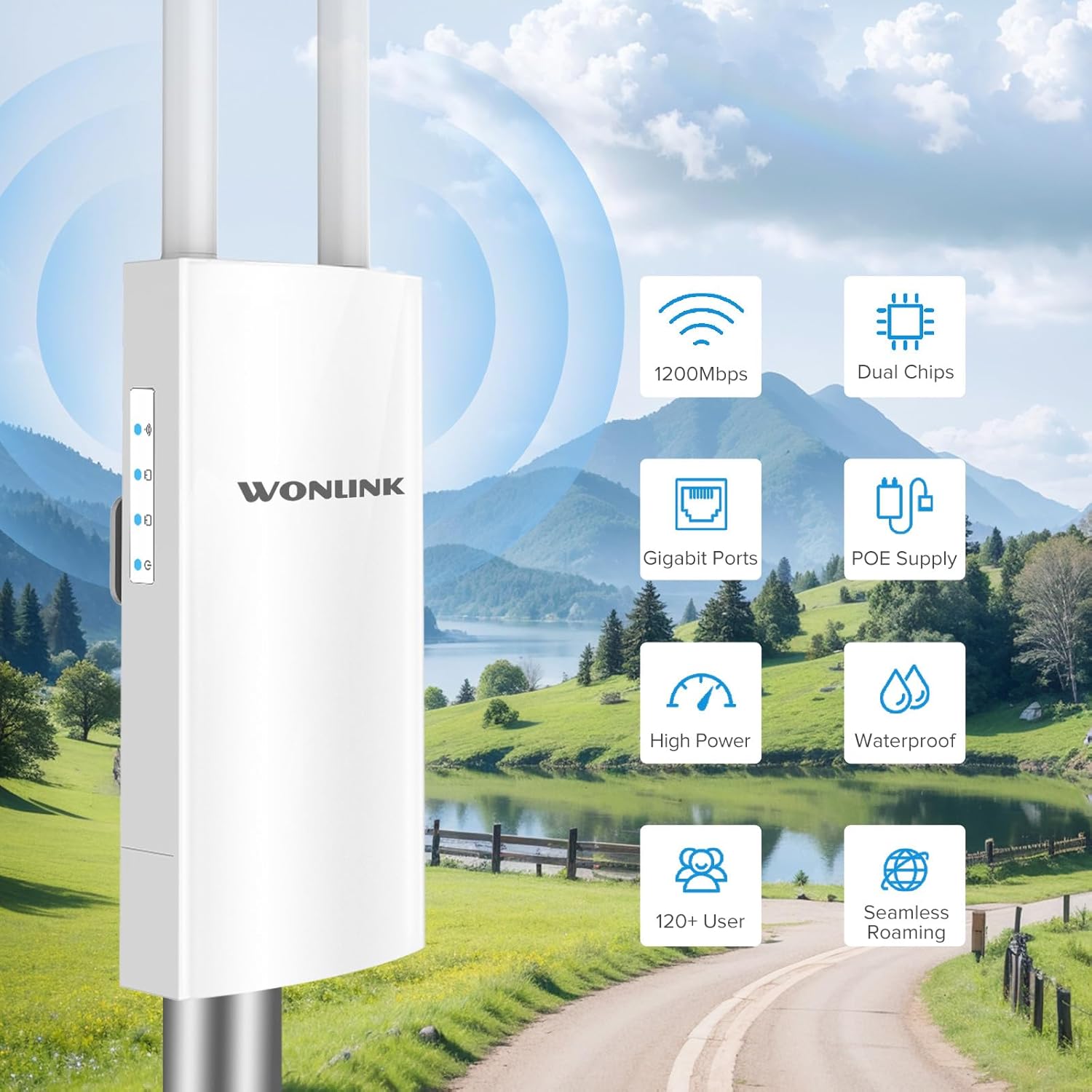
Figura 1.2: Mbiview of key features including 1200Mbps speed, dual chips, Gigabit ports, PoE supply, high power, waterproof design, support for 120+ users, and seamless roaming.

Figure 1.3: Breakdown of Dual Band AC1200 speeds, showing 5GHz (867Mbps) for less interference and faster speed, and 2.4GHz (300Mbps) for strong compatibility and better penetration.
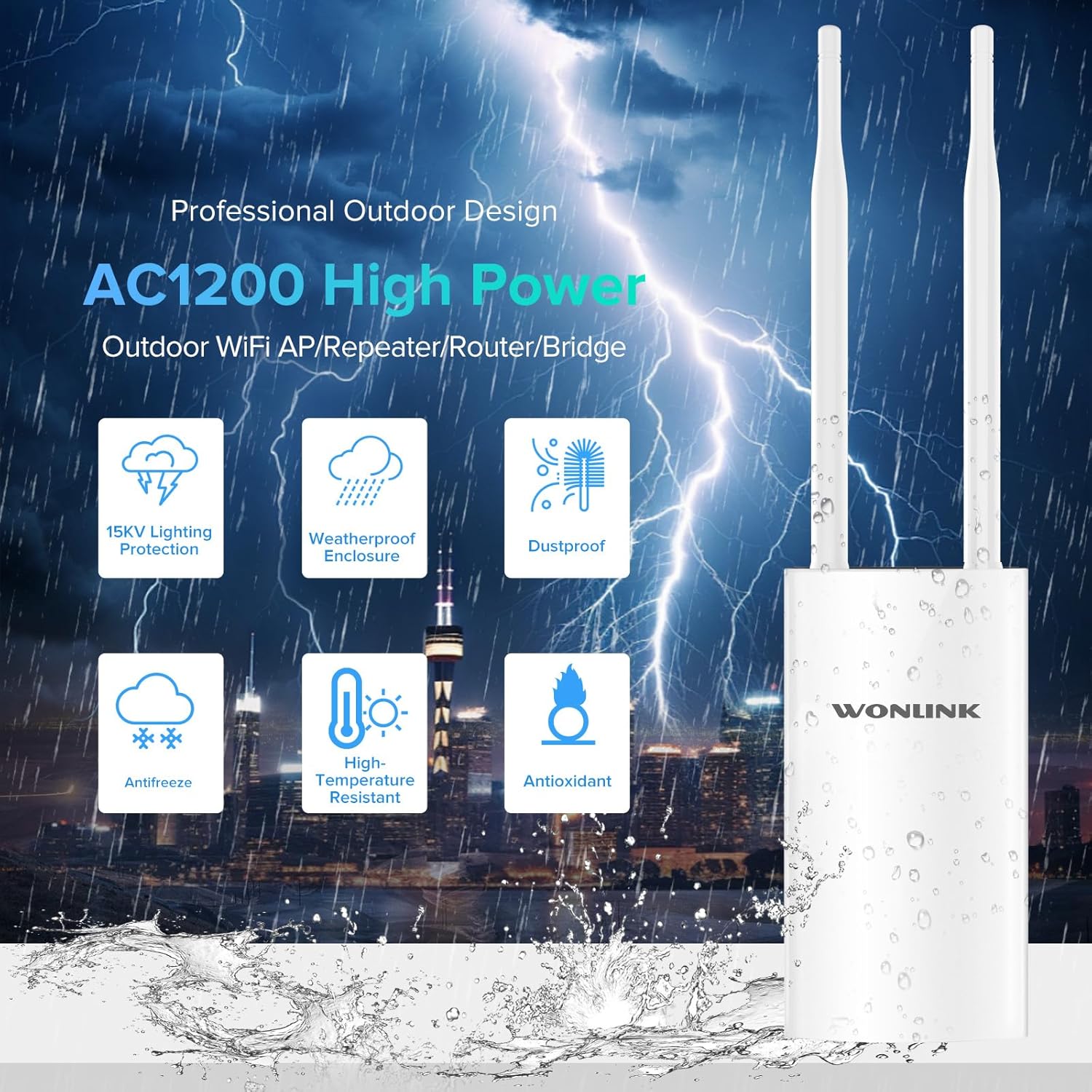
Figure 1.4: Features of the professional outdoor design, including 15KV lighting protection, weatherproof enclosure, dustproof, antifreeze, high-temperature resistance, and antioxidant properties.
2. Konfigurimi dhe instalimi
This section guides you through the physical installation and initial configuration of your WONLINK Outdoor WiFi Extender.
2.1 Përmbajtja e paketës
Para se të filloni, sigurohuni që të gjitha sendet janë të pranishme në paketim:
- 1 x Outdoor WiFi Extender
- 1 x 48V PoE Adapter
- 2 x Vida
- 1 x Udhëzues Instalimi i Shpejtë
- 2 x Silicone Seals
- 2 x Stainless Ties
2.2 Instalimi fizik
The device can be mounted on a pole or wall using the provided accessories. Choose a location that offers optimal signal coverage and is within 80 meters of the PoE adapter.
- Attach the antennas to their respective ports on the device.
- Use the stainless ties to secure the device to a pole, or use screws with the bracket for wall mounting.
- Connect an Ethernet cable from the device's WAN/PoE port to the "PoE" port on the 48V PoE Adapter.
- Connect another Ethernet cable from the "LAN" port on the PoE Adapter to your router or network switch.
- Plug the power cord of the PoE Adapter into an electrical outlet.

Figure 2.1: Diagram illustrating the Power Over Ethernet (PoE) connection, showing the 48V PoE Adapter connecting the device to the network and power source.

Figura 2.2: Shembamples of multiple application scenarios, including yard, swimming pool area, park, and farm, demonstrating the versatility of the outdoor WiFi extender.
2.3 Konfigurimi fillestar
Refer to the Quick Installation Guide for detailed steps on accessing the web management interface and configuring the device for your desired operating mode (AP, Repeater, Bridge, or Router).

Figure 2.3: Visual representation of the four main operating modes: Access Point (AP) Mode, Repeater Mode, Bridge Mode, and Router Mode, showing how the device integrates into different network setups.
3. Operating Modes and Indicators
The WONLINK Outdoor WiFi Extender supports various operating modes to suit different network requirements.
3.1 Mënyrat e funksionimit
- Modaliteti i pikës së hyrjes (AP): Lidhet me një rrjet me tela dhe transmeton një sinjal pa tel, duke lejuar që pajisjet pa tel të lidhen.
- Modaliteti i përsëritësit: Zgjeron gamën e një rrjeti ekzistues pa tel duke ritransmetuar sinjalin e tij.
- Modaliteti i urës: Connects two wired networks wirelessly.
- Modaliteti i routerit: Funksionon si një router kryesor, duke siguruar akses në internet për pajisjet e lidhura.
3.2 Treguesit LED
The device features several LED indicators to show its status:
| Treguesi | Statusi | Përshkrimi |
|---|---|---|
| Treguesi i fuqisë | Ngurtëse Aktiv | Pajisja është ndezur. |
| Treguesi LAN | Solid On/Blinking | Tregon aktivitetin e portës LAN. |
| Treguesi WAN | Solid On/Blinking | Indicates WAN port activity. |
| Treguesi i sinjalit WiFi | Solid On/Blinking | Indicates wireless signal activity. |

Figure 3.1: Detailed product overview showing the location of power, LAN, WAN, and WiFi signal indicators, antennas, bracket, LAN port, reset button, and WAN port.
4. Mirëmbajtja
Proper maintenance ensures the longevity and optimal performance of your outdoor WiFi extender.
- Pastrimi: Fshijeni periodikisht pjesën e jashtme të pajisjes me një sfungjer të butë,amp cloth. Do not use harsh chemicals or abrasive cleaners. Ensure all ports are free from debris.
- Përditësimet e firmuerit: Kontrolloni të prodhuesit website (szwonlink.com) for available firmware updates. Keeping the firmware updated can improve performance and security.
- Mbrojtja e Mjedisit: While the device is IP66 weatherproof, ensure proper installation to prevent water ingress into cable connections. Use the provided silicone seals for port protection.
5. Troubleshooting
Nëse hasni probleme me pajisjen tuaj, referojuni hapave të zakonshëm të mëposhtëm për zgjidhjen e problemeve:
- Pa fuqi:
- Ensure the PoE adapter is properly connected to a power outlet and the device.
- Verify the power indicator LED is on.
- Check the Ethernet cable connecting the PoE adapter to the device.
- Nuk ka qasje në internet:
- Confirm your main router has internet access.
- Check the WAN/LAN indicator LEDs on the device and PoE adapter for activity.
- Ensure the device is configured correctly for its operating mode (AP, Repeater, Bridge, Router).
- Weak or Unstable WiFi Signal:
- Relocate the device to a more central position or higher elevation.
- Sigurohuni që antenat të jenë të fiksuara mirë dhe të orientuara saktë.
- Check for physical obstructions between the device and client devices.
- Nuk mund të qaset Web Ndërfaqja e menaxhimit:
- Verify your computer is connected to the device's network (either wirelessly or via Ethernet).
- Ensure you are using the correct IP address for the device (refer to the Quick Installation Guide).
- Çaktivizoni përkohësisht çdo program antivirus ose firewall në kompjuterin tuaj.
- Rikthim ne gjendjen e fabrikes: If issues persist, you can perform a factory reset.
- With the device powered on, use a paperclip or pin to press and hold the Reset button (located near the ports) for approximately 5-10 seconds until the LEDs flash.
- The device will restart with factory default settings. You will need to reconfigure it.
6. Specifikimet
Detailed technical specifications for the WONLINK Outdoor WiFi Extender (WL-AP7202-CAHS1-YAM).
| Veçori | Detaj |
|---|---|
| Markë | FITUAR |
| Model | WL-AP7202-CAHS1-YAM |
| Shkalla e transferimit të të dhënave | 1200 Megabit për sekondë (Mbps) |
| Wireless standard | 802.11n, 802.11ac |
| Klasa e brezit të frekuencës | Dy-Band (2.4GHz dhe 5GHz) |
| Frekuenca | 2412 MHz (2.4GHz band) |
| Numri i Porteve | 1 (Gigabit Ethernet) |
| Teknologjia e lidhjes | Wi-Fi (802.11ac, 802.11n), Ethernet |
| Pajisjet e përputhshme | Laptop, Kompjuter personal, Smartphone |
| Protokolli i Sigurisë | WPA2, WPA3 |
| Vlerësimi i mbrojtjes nga depërtimi (IP). | IP66 i papërshkueshëm nga moti |
| Furnizimi me energji elektrike | Përshtatës PoE 48 V |
| Ngjyra | Bezhë e bardhë |
| Dimensionet e parcelës | 22.7 x 19.8 x 5.2 cm |
| Pesha e artikullit | 580 g |
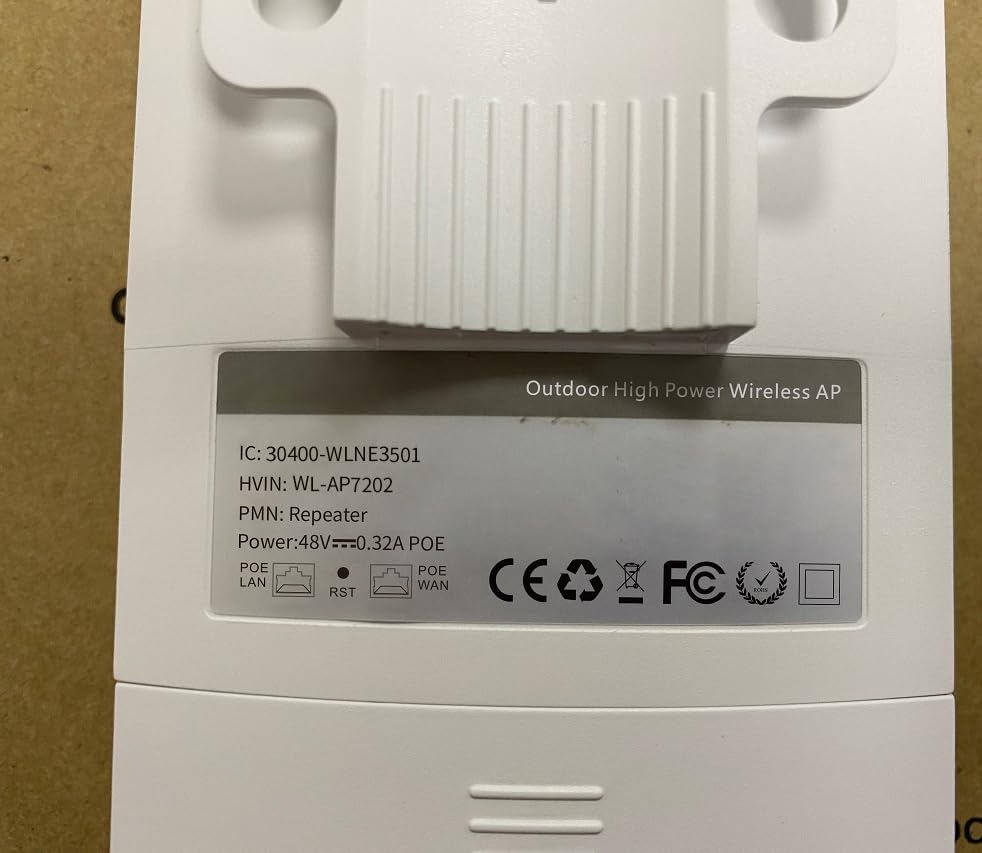
Figure 6.1: Back label of the device, displaying model number (WL-AP7202) and power specifications (48V PoE).
7. Garancia dhe Mbështetja
For warranty information, technical support, or further inquiries, please contact WONLINK customer service through their official website or the retailer from whom you purchased the product. Keep your purchase receipt for warranty claims.
zyrtare Webfaqe: szwonlink.com
Ask a question about this manual
Ask about setup, troubleshooting, compatibility, parts, safety, or missing instructions. Manuals+ will review the question and use this page’s manual context to help answer it.