
1. Hyrje
The DEWIN AC220V Automatic Voltage Protection Plug is designed to safeguard your electrical appliances from damage caused by voltage fluctuations, including overvoltage, nënvëlltage, and overcurrent conditions. This device features adjustable voltage settings and an intuitive LCD display for monitoring and control. Its plug-and-play design ensures easy installation and use, making it suitable for a wide range of household appliances.
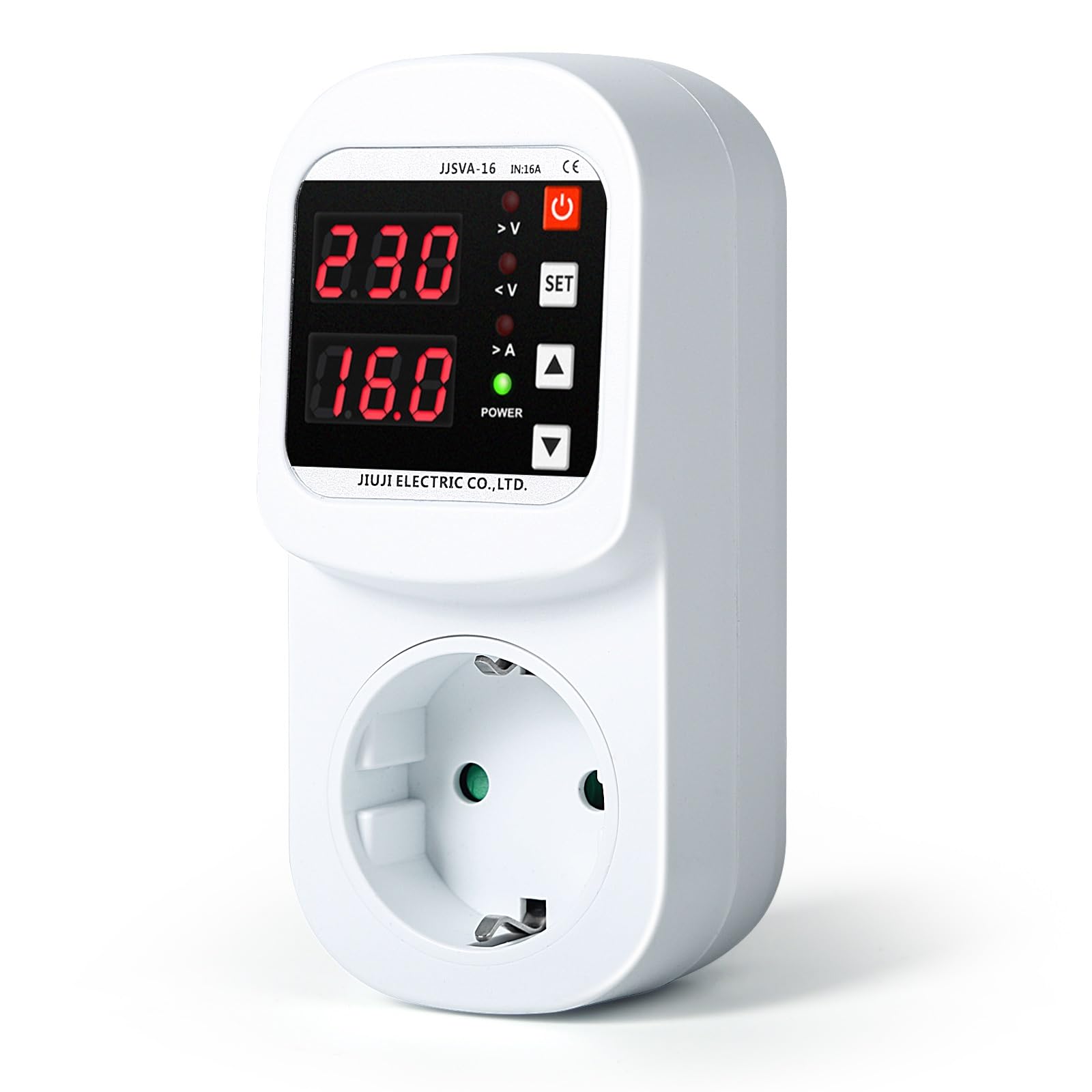
Figure 1: DEWIN Automatic Voltage Protection Plug with LED display.
2. Informacion mbi sigurinë
Please read all safety instructions before using the device. Failure to follow these instructions may result in electric shock, fire, or serious injury.
- Ensure the device is used with a compatible AC220V power supply.
- Mos e çmontoni ose modifikoni pajisjen.
- Keep out of reach of children. The safety socket is designed to prevent accidental contact by inserting fingers or small objects.
- Shmangni ekspozimin e pajisjes ndaj ujit ose lagështirës së tepërt.
- Nëse pajisja duket e dëmtuar, mos e përdorni.
- Always unplug the device from the wall socket before cleaning or if it will be unused for an extended period.
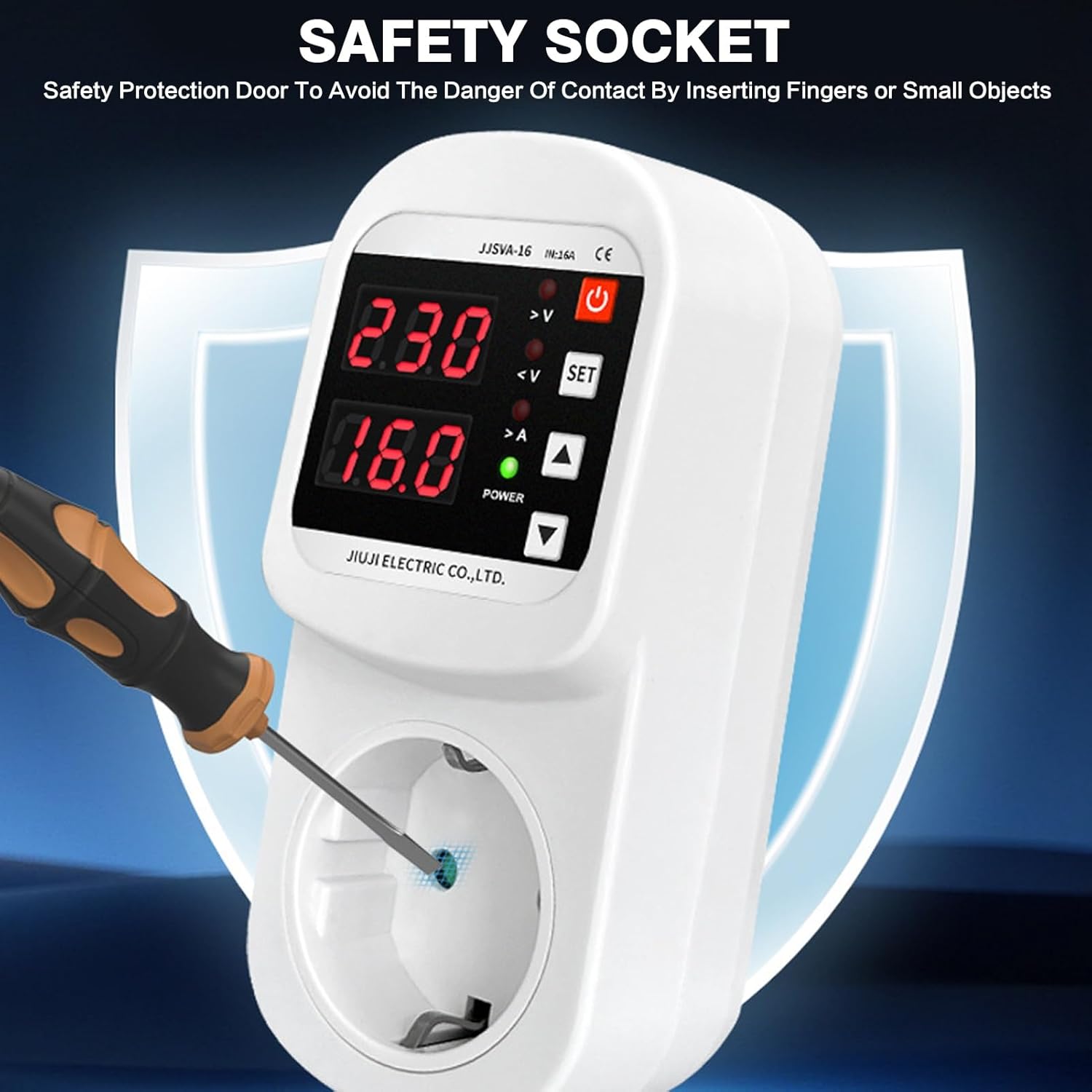
Figure 2: Safety socket design to prevent accidental insertion.
3. Produkti i Mbaruarview
The DEWIN Voltage Protection Plug features a clear LCD display and user-friendly controls for easy operation.

Figure 3: Product components and display indicators.
Karakteristikat kryesore:
- Vëllimi i rregullueshëmtage Mbrojtja: Customize overvoltage (230-300V, default 270V) and undervoltage (140-210V, default 170V) thresholds.
- Ekrani LCD: Provides clear, real-time indication of voltage and current status.
- Integrated 16A Magnetic Relay: Ensures immediate power cutoff during voltage anomalies to protect connected appliances.
- Dizajni Plug-and-Play: Instalim i thjeshtë dhe i shpejtë.
- Aplikim i gjerë: Suitable for refrigerators, air conditioners, water heaters, rice cookers, washing machines, televisions, and other electrical appliances.
- Vëlltage Correction: Lejon për vëllimintage calibration between -20V and 20V if the displayed voltage is inaccurate.
4. Konfigurimi
The DEWIN Voltage Protection Plug is designed for easy plug-and-play installation.
- Shpaketoj: Carefully remove the voltage protection plug from its packaging.
- Inspektoni: Check the device for any visible damage. Do not use if damaged.
- Lidhu në prizë: Insert the DEWIN Voltage Protection Plug directly into a standard AC220V wall socket.
- Lidhni pajisjen: Plug your electrical appliance (e.g., refrigerator, TV) into the socket on the front of the voltage protection plug.
- Ndezja: Ensure the appliance is switched on. The LCD display on the protection plug will show the current voltage dhe aktuale.
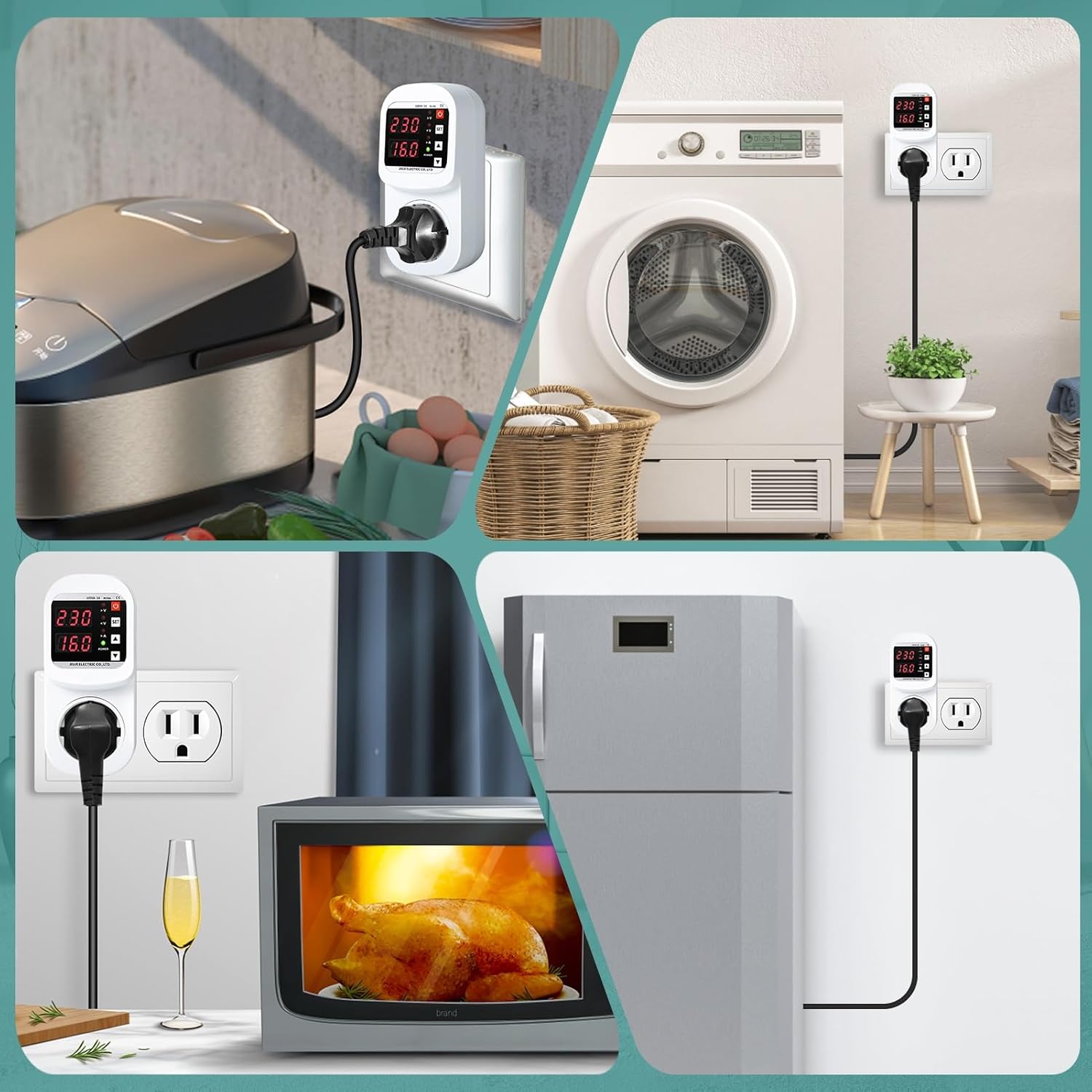
Figura 4: Shembamples of appliance connections.
5. Udhëzimet e funksionimit
The device operates automatically to protect your appliances. You can also adjust its settings.
5.1. Monitoring Display
- The LCD screen continuously displays the current voltage (V) and current (A) of the connected appliance.
- Indicators for overvoltage (>V), undervoltage (<V), and overcurrent (>A) will illuminate if these conditions are detected.
- The "POWER" indicator shows if the device is supplying power.
5.2. Rregullimi i cilësimeve
To adjust the overvoltage, nënvëlltage, or current limits:
- Hyni në modalitetin e cilësimit: Shtypni SET button. The display will start flashing, indicating you are in setting mode.
- Zgjidhni Parametrin: Përdorni Lart (▲) or Poshtë (▼) adjustment keys to cycle through the adjustable parameters: overvoltage limit, undervoltage limit, and overcurrent limit.
- Rregullo Vlerën: Once the desired parameter is flashing, use the Lart (▲) or Poshtë (▼) çelësat për të rritur ose ulur vlerën.
- Konfirmo cilësimin: Shtypni SET button again to confirm the adjusted value and move to the next parameter, or wait a few seconds for the device to automatically save the setting and exit setting mode.
Cilësimet e paracaktuara:
- Mbivolumitage Protection: 270V (Adjustable: 230V - 300V)
- Nënvoltage Protection: 170V (Adjustable: 140V - 210V)
- Overcurrent Range: 1A - 16A
5.3. Vëllimitage Korrigjim
Nëse vëllimi i shfaqurtage is inaccurate, it can be corrected within a range of -20V to +20V. Refer to the detailed instructions in the full product manual for specific steps on voltage kalibrimi.
5.4. Recovery Delay Time
Pas një vëlltage anomaly, the device has a recovery delay time (1-500 seconds) before restoring power to the appliance. This delay protects sensitive electronics from rapid power cycling.
6. Mirëmbajtja
The DEWIN Voltage Protection Plug requires minimal maintenance.
- Pastrimi: Disconnect the device from the power outlet before cleaning. Use a soft, dry cloth to wipe the exterior. Do not use liquid cleaners or abrasive materials.
- Magazinimi: If not in use for an extended period, store the device in a cool, dry place away from direct sunlight and extreme temperatures.
- Inspektimi: Periodically inspect the device for any signs of wear or damage, especially the plug pins and socket.
7. Troubleshooting
If you encounter issues with your DEWIN Voltage Protection Plug, refer to the following common problems and solutions:
| Problem | Shkaku i mundshëm | Zgjidhje |
|---|---|---|
| Device not powering on / LCD display is off. | No power from wall socket, device malfunction. | Check if the wall socket is live by plugging in another device. Ensure the plug is fully inserted. If still off, the device may be faulty. |
| Appliance not receiving power. | Vëlltage/current outside set limits, recovery delay active, appliance fault. | Check the LCD display for overvoltage/nënvoltage/overcurrent indicators. Wait for the recovery delay to complete. Test the appliance by plugging it directly into a wall socket. |
| Vëllimi i pasaktëtage reading on LCD. | Nevojitet kalibrim. | Kryeni vëlltage correction as described in section 5.3. |
| Cilësimet nuk mund të ndryshohen. | Not in setting mode, buttons unresponsive. | Shtypni dhe mbani shtypur SET button to enter setting mode. If buttons are unresponsive, try unplugging and re-plugging the device. |
If the problem persists after attempting these solutions, please contact DEWIN customer support.
8. Specifikimet
| Parametri | Vlera |
|---|---|
| Emri i produktit | Mbi dhe nën Voltage Socket |
| Numri i modelit | IXRAQCCRI-GS109785 |
| Materiali | Polikarbonat (PC) |
| Specifikimi i folesë | Standardi Evropian |
| Vlerësuar Voltage | 220 V AC |
| Rryma e vlerësuar | 16 A |
| Mbivolumitage Gama | 230-300 V (Standard: 270 V) |
| Nënvoltage Gama | 140-210 V (Standard: 170 V) |
| Gama aktuale | 1-16 A. |
| Koha e vonesës së rikuperimit | 1-500 s |
| Konsumi i energjisë | ≤ 2 W |
| Dimensionet | 12.5 x 5.7 x 4.8 cm (përafërsisht) |
| Pesha | 205 gram |
| Mënyra e funksionimit | Automatik |
| Materiali i kontaktit | Argjendi |
| Pajtueshmëria | VDE |

Figura 5: Dimensionet e produktit dhe specifikimet e detajuara.
9. Garancia dhe Mbështetja
For warranty information and customer support, please refer to the documentation included with your purchase or visit the official DEWIN webfaqe.
- Prodhuesi: DEWIN
- Kontaktoni: Refer to your purchase receipt or the DEWIN official webfaqe interneti për detajet e kontaktit të shërbimit ndaj klientit.