
Hyrje
This manual provides detailed instructions for the setup, operation, and maintenance of your Prechen 10.1 inch Portable Touchscreen Monitor, Model HD-101. Please read this manual thoroughly before using the device to ensure proper functionality and to prevent damage.
Karakteristikat e produktit
- Portable Touchscreen: This 10.1-inch monitor is compact and lightweight, designed for portability. The touchscreen functionality allows for intuitive navigation and interaction, enhancing productivity on the go.
- High-Resolution IPS Display: Features a 1920x1200 resolution with a 16:10 aspect ratio, delivering clear and vibrant visuals. IPS technology provides wide viewing angles and accurate color reproduction, suitable for various applications.
- Lidhshmëri e gjithanshme: Equipped with HDMI and USB-C ports, offering flexible connection options. It can be easily connected to Windows PCs, laptops, and gaming consoles like Xbox. Note: USB-C is for touch functionality and power.
- Folës të integruar: Built-in speakers provide clear and dynamic audio, eliminating the need for external speakers during media consumption, gaming, or virtual meetings.
- E pajtueshme me montimin VESA: The monitor supports VESA mounting standards, allowing for attachment to compatible stands or arms for customized workspace setups and comfortable viewkënde ing.
Konfigurimi
Përmbajtja e paketës
Verifikoni që të gjitha sendet janë të pranishme në paketim:
- Prechen 10.1 inch Portable Touchscreen Monitor
- Kabllo HDMI
- Kabllo USB-C në USB-C
- USB-A to USB-C Cable (for power/touch)
- Përshtatës i energjisë
- Manuali i Përdoruesit (ky dokument)
Lidhja e monitorit
- Lidhja e energjisë: Connect the provided power adapter to the DC Power Port on the monitor and plug it into a power outlet. Alternatively, if your device supports power delivery, connect a USB-C to USB-C cable to the USB-C (Power & Touch) port for both power and signal.
- Lidhja me video:
- HDMI: Connect one end of the HDMI cable to the HDMI port on the monitor and the other end to the HDMI output of your computer or device.
- USB-C (DisplayPort Alternate Mode): If your device supports DisplayPort Alternate Mode over USB-C, connect a USB-C to USB-C cable to the USB-C (Power & Touch) port on the monitor and your device. This single cable can provide video, power, and touch functionality.
- Funksionaliteti i prekjes: For touch functionality, ensure the USB-C (Power & Touch) port is connected to your device. If using HDMI for video, you will also need to connect a USB-A to USB-C cable from your device's USB-A port to the monitor's USB-C (Power & Touch) port.
- Dalja audio: If you wish to use external headphones or speakers, connect them to the 3.5mm Audio Port on the monitor.
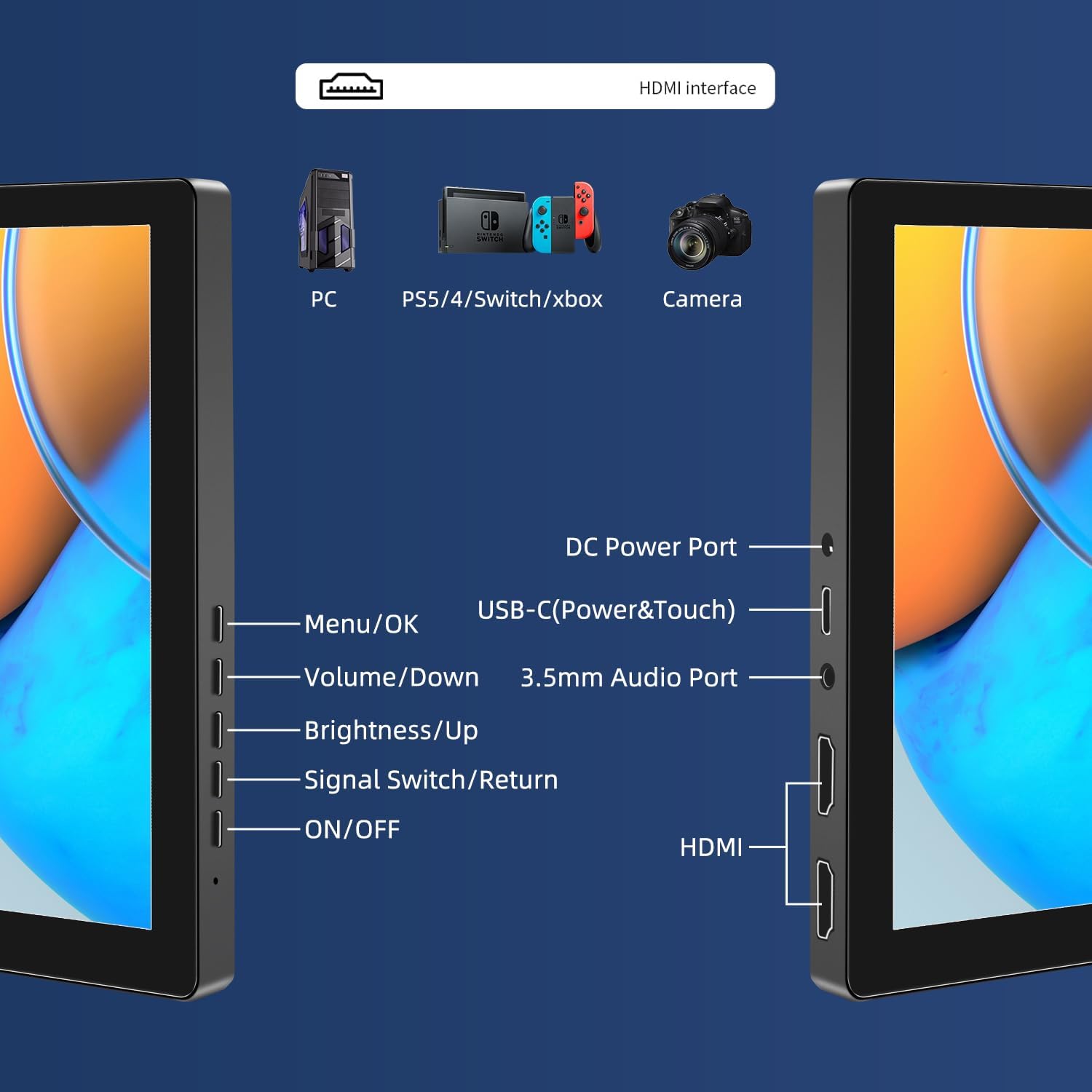
Imazh: Mbiview of the monitor's ports including DC Power, USB-C (Power & Touch), 3.5mm Audio, HDMI, and control buttons.
Udhëzimet e funksionimit
Ndezja/Fikur
- To power on the monitor, press the ON/FIKUR butonin.
- Për të fikur, shtypni dhe mbani të shtypur ON/FIKUR button for a few seconds until the screen turns off.
Përdorimi i menysë në ekran në ekran (OSD)
Menuja OSD ju lejon të rregulloni cilësime të ndryshme të ekranit.
- Shtypni Menyja / Në rregull butonin për të hapur menynë OSD.
- Përdorni Ule volumin dhe Shkëlqimi/Lart butona për të lundruar nëpër opsionet e menysë.
- Shtypni Menyja / Në rregull për të zgjedhur një opsion ose për të konfirmuar një cilësim.
- Shtypni Signal Switch/Return button to go back to the previous menu or exit the OSD.
Rregullimi i Modaliteteve të Shfaqjes
Monitori mbështet disa mënyra shfaqjeje kur lidhet me një kompjuter:
- Modaliteti i kopjuar: Displays the same content on both your primary screen and the portable monitor.
- modaliteti i zgjatjes: Zgjeron desktopin tuaj në të dy ekranet, duke ofruar më shumë hapësirë pune.
- Modaliteti i Ekranit të Dytë: Përdor vetëm monitorin portativ si ekran.
These modes are typically configured through your operating system's display settings (e.g., Windows Display Settings, macOS System Preferences).
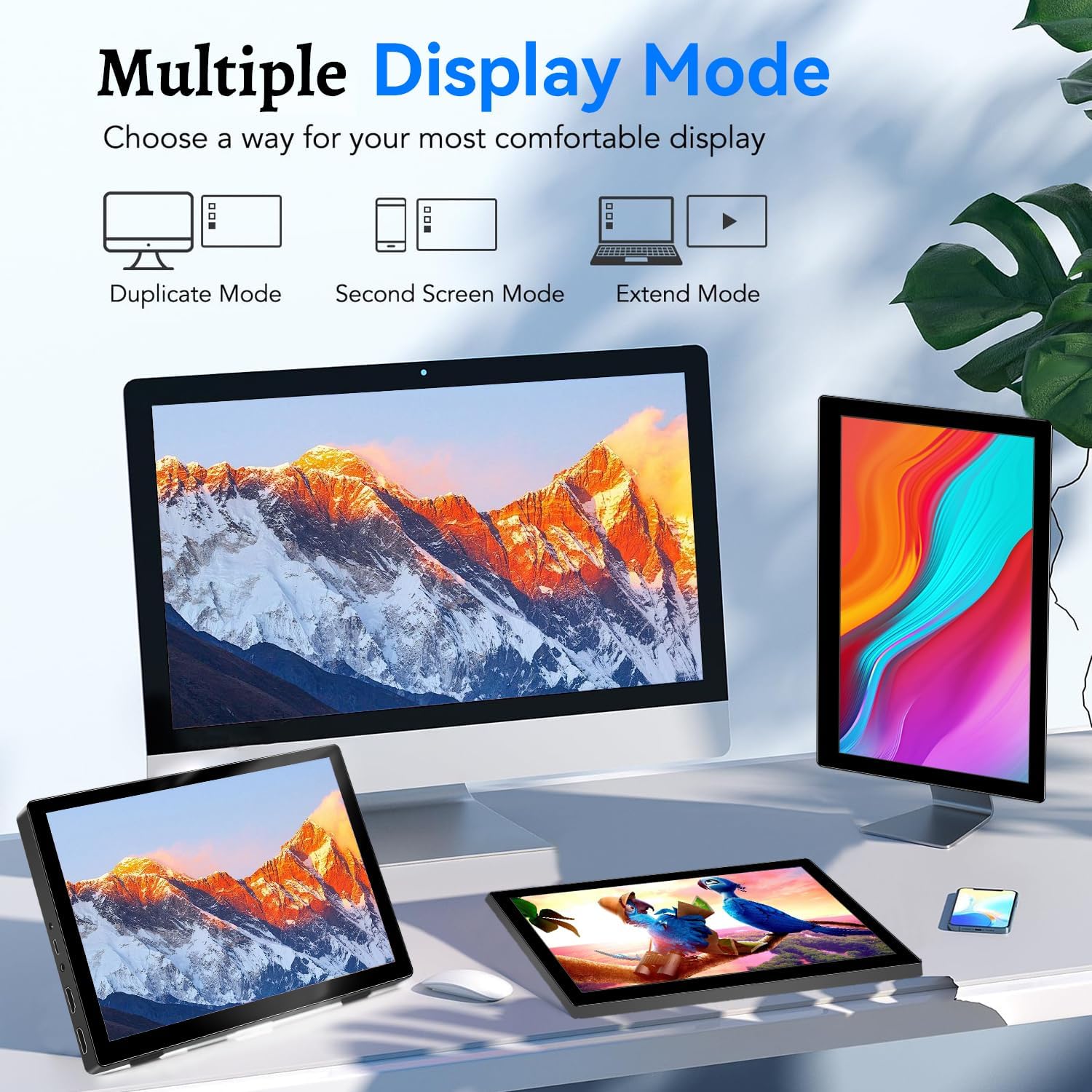
Image: Visual representation of Duplicate, Second Screen, and Extend display modes.
Using Touchscreen Functionality
The monitor supports 10-point touchscreen technology. Ensure the USB-C (Power & Touch) port is correctly connected to your device for touch input to function.

Imazhi: P.shamples of 10-point touchscreen gestures for interaction.
Mirëmbajtja
- Pastrimi i ekranit: Përdorni një leckë të butë, pa garzë pak dampened with water or a non-abrasive screen cleaner. Do not spray cleaner directly onto the screen.
- Pastrimi i C-sëasing: Fshini monitorin casinme një leckë të butë dhe të thatë. Shmangni përdorimin e detergjentëve ose tretësve të fortë.
- Magazinimi: When not in use, store the monitor in a cool, dry place, away from direct sunlight and extreme temperatures.
- Trajtimi: Shmangni rrëzimin ose ekspozimin e monitorit ndaj goditjeve të forta. Mos vendosni objekte të rënda sipër monitorit.
Zgjidhja e problemeve
| Problem | Shkaku i mundshëm | Zgjidhje |
|---|---|---|
| No display/Black screen |
|
|
| Ekrani me prekje nuk përgjigjet |
|
|
| Nuk ka audio nga altoparlantët |
|
|
| Image quality issues (blurry, distorted) |
|
|
Specifikimet
| Veçori | Detaj |
|---|---|
| Markë | Preçen |
| Numri i modelit | HD-101 |
| Madhësia e ekranit | 10.1 inç |
| Rezolucioni | 1920 x 1200 (UXGA Wide) |
| Raporti i pamjes | 16:10 |
| Lloji i panelit | IPS |
| Shpejtësia e rifreskimit | 60 Hz |
| Koha e përgjigjes | 1 ms |
| Lidhshmëria | 1x HDMI, 1x USB-C (Power & Touch), 1x 3.5mm Audio Jack, 1x DC Power Port |
| Dimensionet (J x P x H) | 21.8 x 15.8 x 1.4 cm |
| Pesha | 990 gram |
| Prodhuesi | Shenzhen Kenowa Electronics Co., LTD |
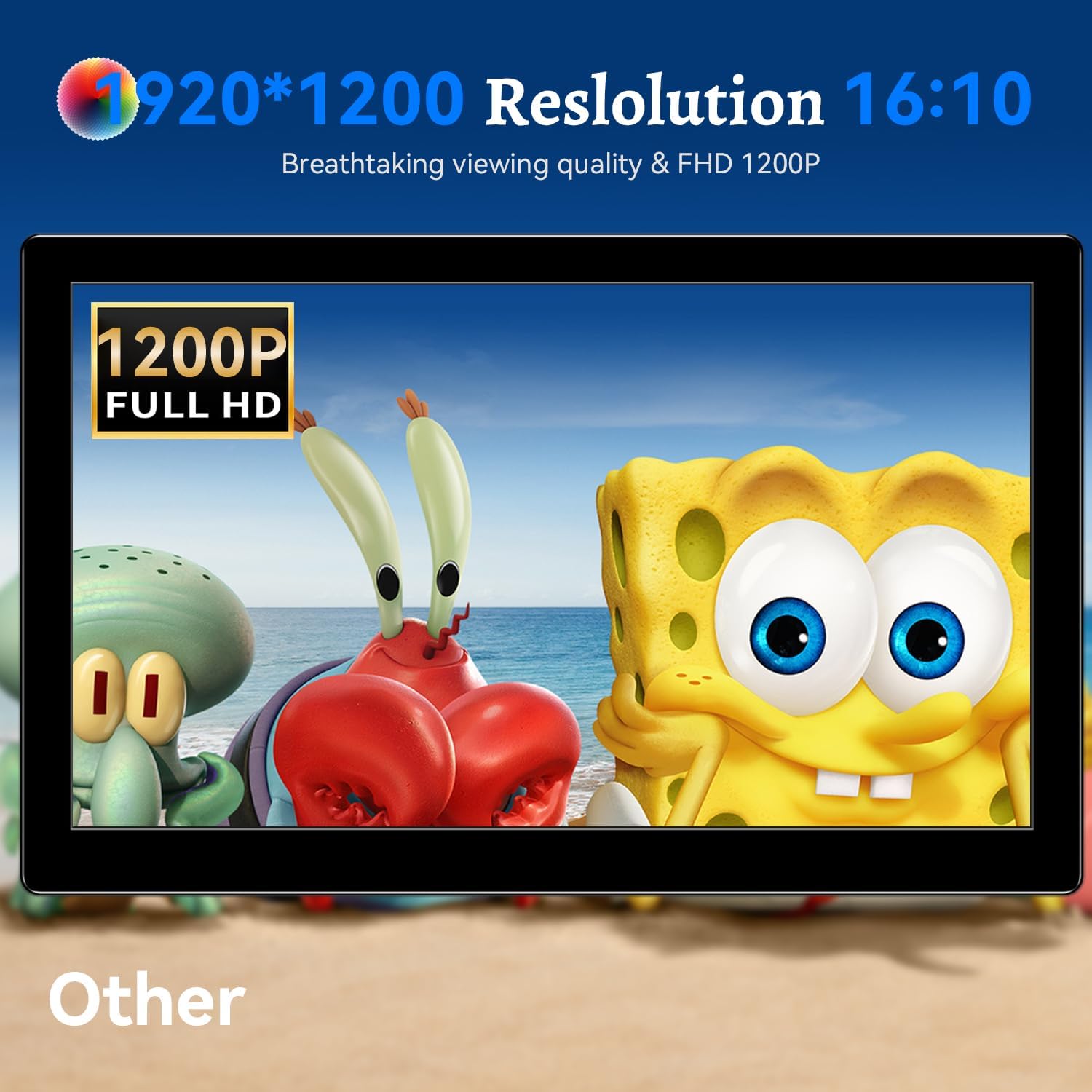
Imazh: Shfaqja e monitoritasing its 1920x1200 Full HD resolution.

Image: The monitor's IPS panel offering wide viewing angles and rich colors.
Garancia dhe Mbështetja
For warranty information and technical support, please refer to the warranty card included with your product or contact Prechen customer service through their official website. Please have your model number (HD-101) and purchase details ready when contacting support.


