
1. Hyrje
Thank you for choosing the CHiQ 22F650 22-inch FHD Monitor. This manual provides essential information for setting up, operating, and maintaining your monitor. Please read it thoroughly before use to ensure optimal performance and safety.
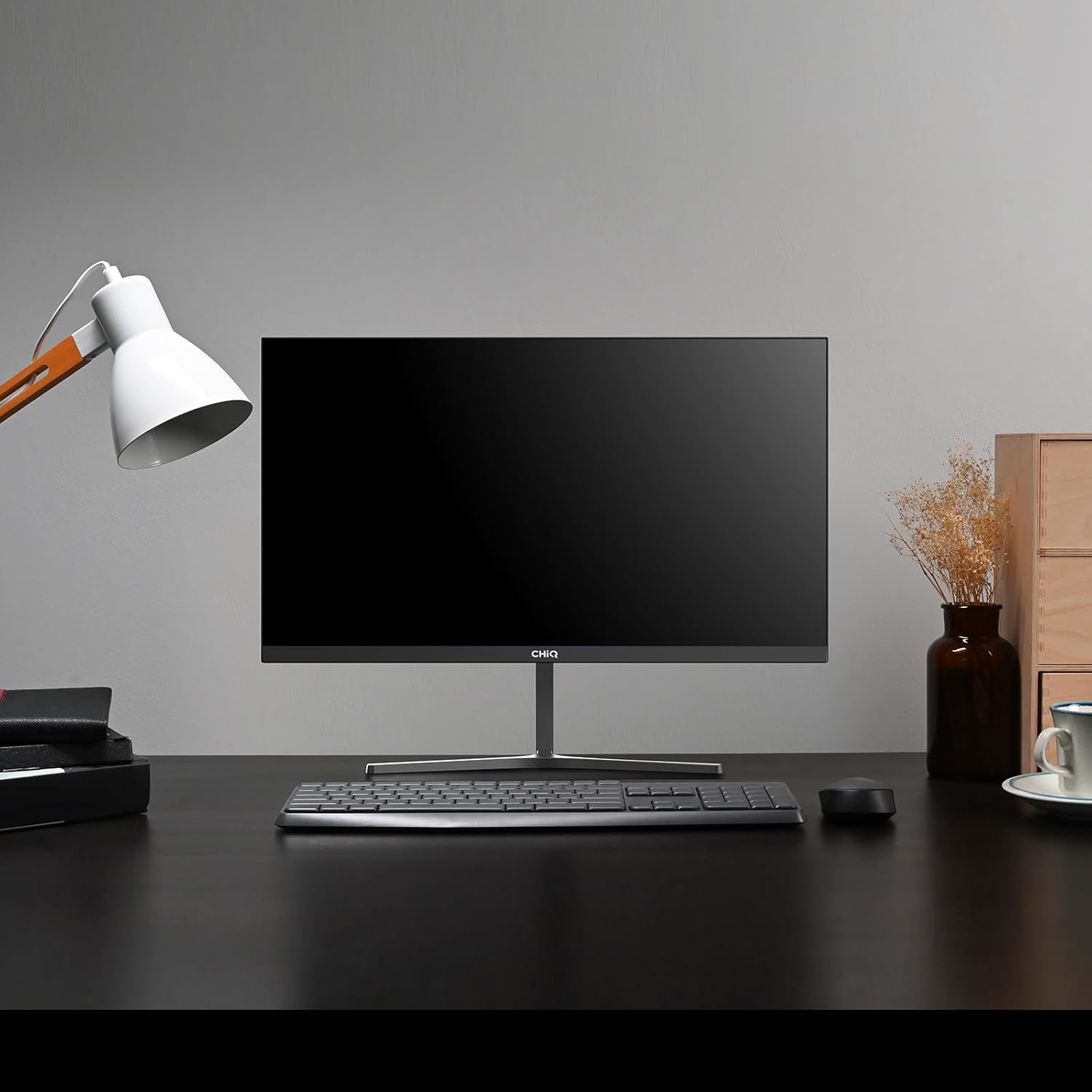
Image 1.1: The CHiQ 22F650 monitor set up on a desk.
The CHiQ 22F650 monitor features a 22-inch Full HD (1920 x 1080) display with a 100Hz refresh rate and AMD FreeSync technology for smooth visuals. Its ultra-thin, borderless design offers an immersive viewing experience, complemented by 100% sRGB color gamut and DC dimming for eye comfort.
2. Informacion mbi sigurinë
Please observe the following safety precautions to prevent damage to the monitor and ensure your safety:
- Mos e ekspozoni monitorin ndaj shiut, lagështirës ose temperaturave ekstreme.
- Sigurohuni që të ketë ventilim të duhur përreth monitorit. Mos i bllokoni hapjet e ventilimit.
- Përdorni vetëm adaptorin e energjisë dhe kabllot e ofruara ose të rekomanduara nga prodhuesi.
- Shmangni vendosjen e objekteve të rënda në kordonin e rrymës.
- Shkëputeni spinën e energjisë nga priza nëse monitori nuk do të përdoret për një periudhë të gjatë kohore.
- Mos u përpiqni ta riparoni vetë monitorin. Ia drejtoni të gjitha shërbimet personelit të kualifikuar.
3. Përmbajtja e paketës
Verifikoni që të gjitha artikujt janë të pranishëm në paketimin tuaj:
- Monitori CHiQ 22F650
- Mbështetëse monitori (Bazë dhe Qafë)
- Përshtatës i energjisë dhe kabllo
- Kabllo HDMI
- Manuali i Përdoruesit (ky dokument)
4. Montimi dhe konfigurimi
4.1 Montimi i stendës
- Hiqeni me kujdes monitorin nga paketimi i tij, duke e mbajtur ekranin të mbrojtur.
- Bashkangjitni qafën e mbështetëses në panelin e monitorit.
- Siguroni bazën e mbështetëses në qafën e mbështetëses duke përdorur vidën e dhënë.
The monitor features a quick detachable Y-shaped metal stand for easy assembly.
4.2 Lidhja e Monitorit
Connect the monitor to your computer or other devices using the available ports:
- HDMI: Lidhni një kabllo HDMI nga dalja HDMI e kompjuterit tuaj me hyrjen HDMI të monitorit.
- VGA: Lidhni një kabllo VGA nga dalja VGA e kompjuterit tuaj me hyrjen VGA të monitorit.
- Audio: Connect headphones or external speakers to the 3.5mm headphone output jack.
- Fuqia: Lidhni adaptorin e energjisë me hyrjen DC të monitorit dhe më pas lidheni atë në një prizë elektrike.

Image 4.1: Monitor connectivity ports (HDMI, VGA, Headphone Output).
4.3 Rregullimi i këndit të monitorit
The monitor's stand allows for tilt adjustment from +5° to -15° to achieve an optimal viewkënd ing.

Image 4.2: Monitor tilt adjustment and VESA mount points.
4.4 Montimi në Mur VESA
The monitor is compatible with VESA 75x75mm wall mounts. To mount the monitor on a wall, remove the stand and attach a compatible VESA bracket (sold separately) to the mounting holes on the back of the monitor.
5. Udhëzimet e funksionimit
5.1 Ndez/Fik
Shtypni butonin e ndezjes që ndodhet në pjesën e pasme të monitorit për ta ndezur ose fikur atë.
5.2 Menuja e Shfaqjes në Ekran (OSD)
The monitor features joystick-type buttons on the rear for navigating the OSD menu. Use these buttons to adjust various display settings:
- Shkëlqimi/Kontrasti: Rregulloni ndriçimin e përgjithshëm dhe ndryshimin midis zonave të ndriçuara dhe të errëta.
- Cilësimet e ngjyrave: Modifikoni temperaturën e ngjyrës, gama dhe vlerat individuale RGB.
- Burimi i hyrjes: Zgjidhni manualisht midis hyrjeve HDMI dhe VGA.
- Modaliteti i figurës: Zgjidhni nga modalitetet e paracaktuara të shfaqjes (p.sh., Standard, Lojë, Film).
- Audio: Adjust volume for the headphone output.

Image 5.1: Visual features of the CHiQ 22F650 monitor, including 100% sRGB and DC Dimming.
5.3 Teknologjia FreeSync
The CHiQ 22F650 monitor supports AMD FreeSync technology, which synchronizes the monitor's refresh rate with your graphics card's frame rate. This helps eliminate screen tearing and stuttering, providing a smoother gaming and viewing experience. FreeSync is typically enabled automatically when connected to a compatible AMD graphics card.
Video 5.1: This video demonstrates the smooth performance of the CHiQ 22F650 monitor, highlighting features like 100Hz refresh rate and FreeSync technology, and its ultra-thin design.
6. Mirëmbajtja
6.1 Pastrimi i monitorit
- Gjithmonë shkëputeni monitorin nga priza e energjisë para pastrimit.
- Përdorni lehtë një leckë të butë, pa garzë damptë larë me ujë ose me një pastrues të butë për ekranin, jo-gërryes.
- Mos e spërkatni pastruesin direkt mbi ekran.
- Fshijeni ekranin butësisht për të hequr pluhurin dhe njollat.
- Për monitorin casing, përdorni një leckë të butë dhe të thatë.
6.2 Ruajtja
Nëse e ruani monitorin për një periudhë të gjatë kohore, vendoseni në paketimin origjinal në një mjedis të thatë dhe të freskët për ta mbrojtur nga pluhuri dhe dëmtimet.
7. Troubleshooting
Nëse hasni probleme me monitorin tuaj, referojuni problemeve dhe zgjidhjeve të zakonshme të mëposhtme:
| Problem | Shkaku i mundshëm | Zgjidhje |
|---|---|---|
| Asnjë imazh në ekran | Power cable disconnected, video cable loose/disconnected, incorrect input source selected. | Check power and video cable connections. Ensure the correct input source (HDMI/VGA) is selected in the OSD menu. |
| Imazhi është i turbullt ose i shtrembëruar | Incorrect resolution, faulty video cable. | Set the display resolution to 1920 x 1080. Try a different video cable. |
| Ngjyrat janë të pasakta | Color settings in OSD, faulty video cable. | Rregulloni cilësimet e ngjyrave në menynë OSD. Provoni një kabllo tjetër videoje. |
| Dridhje e ekranit | Refresh rate mismatch, FreeSync issue, faulty cable. | Ensure your graphics card output matches the monitor's 100Hz refresh rate. Check FreeSync settings. Try a different video cable. |
| No audio from headphone output | Volume too low, incorrect audio output selected on computer. | Adjust volume in OSD. Ensure the monitor is selected as the audio output device on your computer. |
8. Specifikimet
Detailed technical specifications for the CHiQ 22F650 monitor:
| Veçori | Specifikimi |
|---|---|
| Markë | CHiQ |
| Numri i modelit | 22F650 |
| Prodhuesi | Changhong |
| Madhësia e ekranit | 22 inç |
| Rezolucioni | FHD 1080p (1920 x 1080 piksel) |
| Raporti i pamjes | 16:9 |
| Sipërfaqja e ekranit | Anti-glare / Anti-slip |
| Raporti i kontrastit | 3000:1 |
| Koha e përgjigjes | 6 milisekonda |
| Shpejtësia e rifreskimit | 100 Hz |
| Sinkronizimi adaptiv | FreeSync |
| Lloji i ekranit | LCD |
| Viewing kënd | 178 gradë |
| Shkëlqimi | 250 candelas per square meter |
| Përmirësimi i imazhit | DC Dimming, Anti-glare coating |
| Përmasat (D x L x H) | 13.9 x 49.3 x 37.7 cm |
| Pesha | 1.92 kilogramë |
| Lidhshmëria | 1x HDMI, 1x VGA, 1x Headphone Output |
| Mali VESA | Wall mount (75x75mm) |
| Vëlltage | 220 volt |
| Ngjyra | E zezë |
Image 8.1: Product Information Sheet with technical data. For more details, visit the Baza e të dhënave EPREL.
Image 8.2: EU Energy Label for the CHiQ 22F650 monitor. For more details, visit the Baza e të dhënave EPREL.
9. Garancia dhe Mbështetja
9.1 Informacioni i garancisë
CHiQ monitors are protected by a 3 vit garanciJu lutemi ruajeni provën e blerjes për kërkesat e garancisë.
9.2 Mbështetja e klientit
If you encounter any problems or have questions regarding your CHiQ 22F650 monitor, please do not hesitate to contact CHiQ customer service. An online hotline managed by professional staff is available on weekdays to assist you.
Për më shumë ndihmë, ju lutemi vizitoni faqen zyrtare të CHiQ webfaqja e internetit ose referojuni informacionit të kontaktit të dhënë me dokumentacionin e produktit tuaj.