
1. Hyrje
This manual provides detailed instructions for the Headwolf WPad5 Android 14 Tablet. Please read this guide thoroughly before using your device to ensure proper operation and to maximize its features. Keep this manual for future reference.
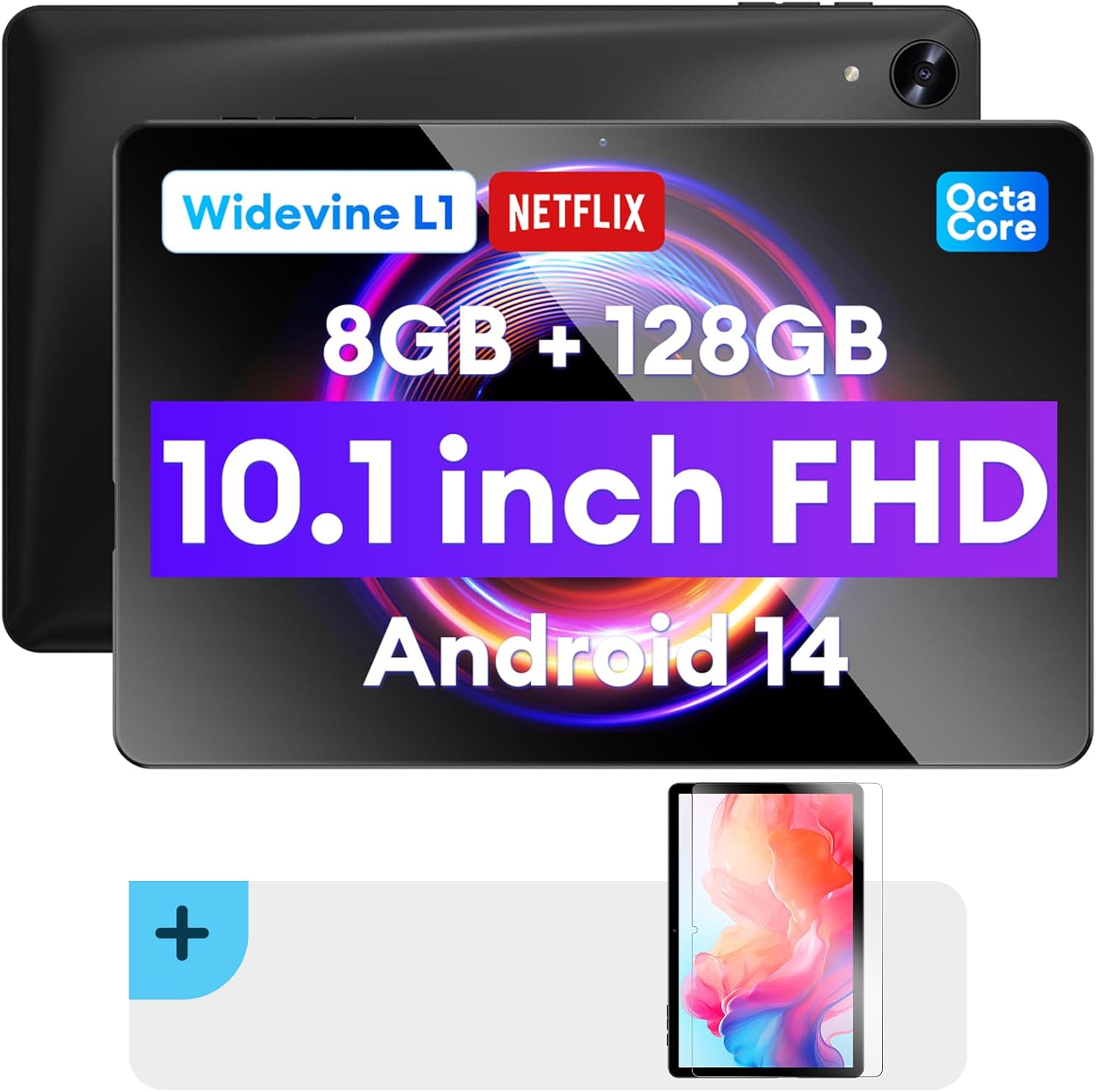
Imazh: Përpara dhe prapa view of the Headwolf WPad5 tablet, showcasing its 10.1-inch FHD display, 8GB RAM + 128GB ROM, Widevine L1 support, Octa-Core processor, and Android 14 operating system.

Imazh: Një mbiview of the Headwolf WPad5 tablet's main features, including its 10.1-inch 1920x1200 IPS FHD display, Unisoc T606 Octa-Core CPU, 8GB RAM + 128GB ROM, 5500mAh battery, 2.4G/5G WiFi, Android 14, dual stereo speakers, dual camera, and Widevine L1 support for Netflix.
2. Konfigurimi
2.1 Çfarë ka në kuti
Upon unboxing your Headwolf WPad5 tablet, please verify that all the following items are included:
- Headwolf WPad5 Tablet
- Kabllo tip-C
- Përshtatës AC
- Manuali i Përdoruesit
- 2-pack Screen Protector

Image: A visual representation of the Headwolf WPad5 tablet and its accessories (manual, Type-C cable, AC adapter). It also highlights the tablet's physical features such as the 3.5mm headphone jack, rear camera, power button, volume buttons, TF card slot, and Type-C port.
2.2 Ngarkimi i tabletit
Before initial use, fully charge your tablet. Connect the Type-C cable to the tablet's Type-C port and the other end to the AC adapter. Plug the AC adapter into a power outlet. The battery indicator on the screen will show charging status.
2.3 Ndezja/Fikja
- Për të ndezur: Press and hold the Power button located on the side of the tablet until the Headwolf logo appears on the screen.
- Për të fikur: Press and hold the Power button until a power menu appears. Select "Power off" from the options.
- Për të rifilluar: From the power menu, select "Restart".
2.4 Screen Protector Installation
Your tablet comes with two screen protectors. Follow these steps for installation:
- Clean the tablet screen thoroughly with a microfiber cloth to remove dust and smudges.
- Hiqni filmin mbrojtës nga ana ngjitëse e mbrojtësit të ekranit.
- Carefully align the screen protector with the tablet's screen, ensuring the cutouts for the camera and sensors match.
- Gently lay the protector onto the screen, starting from one edge and slowly lowering it.
- Use a soft card (e.g., a credit card wrapped in cloth) to smooth out any air bubbles, pushing them towards the edges.
- Remove the top protective film (if present).

Image: The Headwolf WPad5 tablet with an "Ultra Clear" advanced HD clarity tempered glass screen protector being shown, indicating its protective function and clear display.
3. Përdorimi i tabletit tuaj
Sistemi Operativ 3.1 Android 14
The Headwolf WPad5 runs on the latest Android 14 operating system, offering enhanced performance, improved privacy features, and a customizable user interface.
- GMS Free App Download: Access millions of applications through the Google Play Store.
- Funksioni i ekranit të ndarë: Enhance productivity by using two apps simultaneously.
- Përshtatja e ndërfaqes së përdoruesit: Personalize your interface with various themes, widgets, and settings.
- Mbrojtja e privatësisë: Advanced features to ensure your personal data remains secure and confidential.
- Personalized Screen Settings: Empower all users with enhanced usability options.

Image: A graphic illustrating the key features of the Android 14 system on the Headwolf WPad5, such as GMS free app download, UI customization, personalized screen settings, and privacy protection, enhancing user experience.
3.2 Display and Widevine L1 Certification
The tablet features a 10.1-inch FHD 1920x1200 IPS display, providing clear and vibrant visuals. With Widevine L1 certification, you can stream high-definition content from popular platforms like Netflix, Amazon Prime Video, Disney+, and YouTube without interruptions or quality degradation.

Image: A visual demonstrating the Widevine L1 certification on the Headwolf WPad5 tablet, showing high-quality streaming from services like YouTube, Netflix, Amazon Prime Video, Disney+, and Hulu, ensuring a premium viewpërvojë.
3.3 Performanca dhe Ruajtja
Powered by an octa-core Unisoc T606 CPU, the WPad5 ensures smooth multitasking and gaming. It comes with 8GB RAM (achieved via 4GB physical RAM + 4GB expansion) and 128GB of internal storage. The storage can be expanded up to 2TB using a microSD card (not included).

Image: A diagram detailing the Unisoc T606 Octa-Core CPU with 2.0 GHz peak frequency and Mali-G57 GPU, highlighting its high performance, efficient processing, and low heat generation for gaming and high-quality display.

Image: A graphic illustrating the generous storage capacity of the Headwolf WPad5, featuring 8GB RAM (4+4GB) and 128GB ROM, expandable up to 2TB via TF card, suitable for storing software, photos, music, videos, and e-books.
3.4 Lidhshmëria
The WPad5 offers versatile connectivity options:
- Wi-Fi: Dual-band (2.4GHz/5GHz) 802.11ac for fast and stable internet connection.
- Bluetooth: Versioni 5.0 për lidhjen e aksesorëve pa tel.
- Dalja e kufjeve 3.5 mm: Për dalje audio me tel.
- GPS: 4-mode satellite positioning for precise location services. For offline navigation, download maps via Wi-Fi before traveling to areas without internet access.

Image: The Headwolf WPad5 tablet displaying a navigation map, illustrating its 4-mode satellite positioning capability for precise location services and route guidance.
3.5 Kamerat
The tablet is equipped with dual cameras:
- Kamera e pasme: 8MP for capturing photos and videos.
- Kamera e përparme: 5MP, ideal for video calls and online meetings.

Imazh: Një shfaqje kolazheshasing the capabilities of the Headwolf WPad5's 8MP rear camera for capturing landscapes and moments, and the 5MP front camera for video conferencing and meetings, demonstrating its versatility.
3.6 Jetëgjatësia e baterisë
The WPad5 is powered by a 5500mAh battery, providing approximately 6-8 hours of playtime per charge, depending on usage.
3.7 Veçori shtesë
- Ekrani i ndarë: Run two applications side-by-side for enhanced productivity.
- Shkyçja me fytyrë: Securely unlock your tablet using facial recognition.
- Ekran pasqyre: Cast your tablet's display to a larger screen wirelessly.
- Dual Box Stereo Speakers: Enjoy immersive audio with enhanced sound quality.
Imazh: Një shfaqje grafikeasing various features of the Headwolf WPad5 tablet, including Split Screen functionality for multitasking, 2.4G/5G Dual Band WiFi for connectivity, Face Unlock for security, and Screen Mirroring for casting content to external displays.
4. Mirëmbajtja
4.1 Kujdesi për baterinë
- Shmangni shkarkimin e plotë të baterisë shpesh.
- Mos e ekspozoni tabletën në temperatura ekstreme.
- Përdorni vetëm karikuesin e ofruar ose një karikues të çertifikuar dhe të pajtueshëm.
- The 5500mAh battery includes overcurrent, short circuit, over-discharge, and output protection for safety.

Image: A visual highlighting the 5500mAh battery of the Headwolf WPad5 and its built-in protection features: overcurrent protection, short circuit protection, over-discharge protection, and output protection, ensuring safe and reliable power.
4.2 Pastrimi i tabletit tuaj
- Përdorni një leckë të butë pa push për të pastruar ekranin dhe trupin e tabletit.
- Për njolla kokëforta, lyejeni pakampLani leckën me ujë ose me një pastrues ekrani të projektuar posaçërisht për elektronikë.
- Shmangni përdorimin e kimikateve të ashpra, materialeve gërryese ose sprejve aerosolë.
4.3 Përditësimet e softuerit
Regularly check for and install software updates to ensure your tablet has the latest features, security patches, and performance improvements. You can usually find this option in the tablet's Settings menu under "System" or "About tablet".
5. Troubleshooting
5.1 Çështjet dhe zgjidhjet e përbashkëta
| Çështja | Zgjidhja e mundshme |
|---|---|
| Tableti nuk ndizet | Ensure the battery is charged. Connect the charger and wait a few minutes before attempting to power on again. If unresponsive, press and hold the power button for 10-15 seconds to force a restart. |
| Probleme me lidhjen Wi-Fi | Restart your Wi-Fi router and the tablet. Forget the Wi-Fi network on your tablet and reconnect. Ensure you are within range of the Wi-Fi signal. |
| Aplikacionet po bllokohen ose ngrijnë | Clear the app's cache and data in Settings > Apps. Update the app to its latest version. If the issue persists, uninstall and reinstall the app. |
| Performancë e ngadaltë | Close unnecessary background apps. Clear cache data regularly. Consider uninstalling unused apps. Ensure sufficient free storage space. |
| Ekrani nuk përgjigjet | Rinisni tabletin. Nëse problemi vazhdon, kryeni një rivendosje në cilësimet e fabrikës (të dhënat do të humbasin). |
5.2 Rivendosja e fabrikës
A factory reset will erase all data from your tablet and restore it to its original factory settings. Bëni kopje rezervë të të gjitha të dhënave të rëndësishme përpara se të vazhdoni.
- Shko tek Cilësimet.
- Navigoni te Sistemi > Rivendos opsionet.
- Zgjidhni Fshini të gjitha të dhënat (rivendosje në gjendje fabrike).
- Confirm your choice and follow the on-screen prompts.
6. Specifikimet
| Veçori | Detaj |
|---|---|
| Emri i modelit | WPad5 |
| Sistemi Operativ | Android 14 |
| Madhësia e ekranit | 10.1 inç |
| Rezolucioni i ekranit | 1920 x 1200 (FHD) |
| Përpunues | Unisoc T606 Octa-Core |
| RAM | 8GB (4GB + 4GB zgjerim) |
| Ruajtja e brendshme | 128 GB |
| Hapësirë ruajtëse e zgjerueshme | Deri në 2TB nëpërmjet kartës microSD |
| Kamera e pasme | 8 MP |
| Kamera e përparme | 5 MP |
| Kapaciteti i baterisë | 5500 mAh |
| Lidhja me valë | 802.11ac (Dual-band 2.4GHz/5GHz) |
| Bluetooth | Bluetooth 5.0 |
| Portet | Type-C, 3.5mm Headphone Jack |
| Ngjyra | E zezë |
| Karakteristika të veçanta | Widevine L1, GPS, Face Unlock, Dual Stereo Speakers, Split Screen, Screen Mirroring |
7. Garancia dhe Mbështetja
Headwolf provides a one-year repair and replacement warranty for your WPad5 tablet. For any technical assistance, product inquiries, or warranty claims, please contact our dedicated customer service and technical support team.
- Shërbimi ndaj klientit: Available 24 hours. Please refer to the contact information provided with your purchase or on the official Headwolf webfaqe.
- Mbështetje Teknike: Available for assistance with setup, troubleshooting, and feature usage.
- Burimet në internet: Vizitoni Headwolf Store on Amazon për informacion shtesë dhe mbështetje për produktin.