
Hyrje
Thank you for choosing the GOOJODOQ AD4017 20000mAh 35W Fast Charging Power Bank. This device is designed to provide portable power for your electronic devices, featuring high capacity, fast charging capabilities, and integrated cables for convenience. Please read this manual carefully to ensure proper use and optimal performance of your power bank.
Karakteristikat kryesore:
- Kapacitet i lartë 20000mAh: Ofron karikime të shumëfishta për telefonat inteligjentë dhe pajisje të tjera.
- Karikim i shpejtë dypalësh 35W: Supports Power Delivery (PD) and Quick Charge (QC) protocols for rapid charging and recharging.
- Kabllot e integruara: Includes integrated Type-C and Lightning cables, eliminating the need to carry extra wires.
- Porta të shumta daljeje: Features a Type-C port, a USB port, and the two built-in cables, allowing simultaneous charging of up to four devices.
- Ekran dixhital LED: Tregon qartë përqindjen e mbetur të baterisëtage.
- Mbrojtjet e sigurisë: Equipped with smart protection chips to prevent overheating, short circuits, and overcurrents.
Produkti Mbiview
Përmbajtja e paketës:
- GOOJODOQ AD4017 20000mAh Power Bank
- Manuali i Përdoruesit
Struktura e pajisjes:
Familiarize yourself with the various components of your power bank:
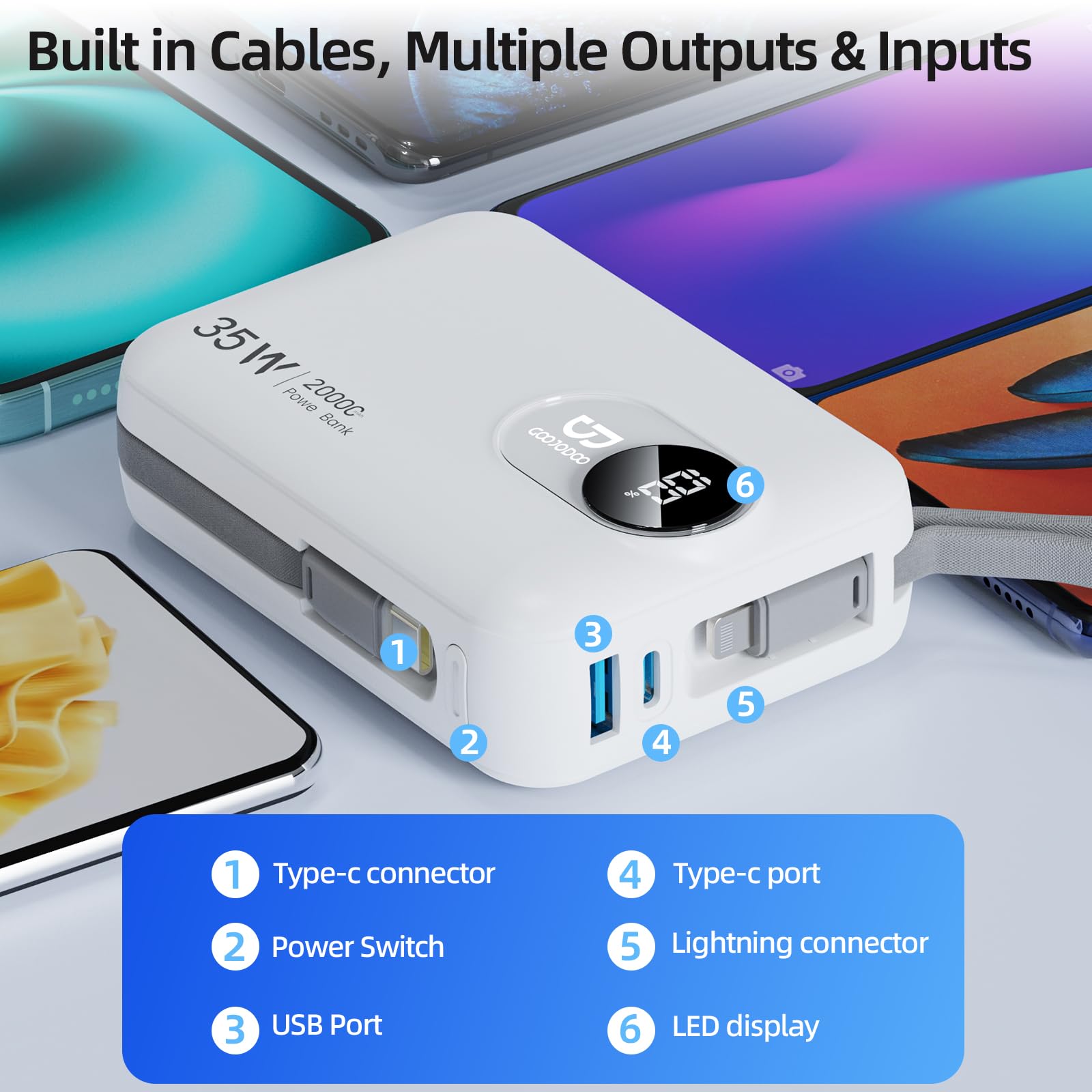
Imazh: I detajuar view of the GOOJODOQ AD4017 Power Bank showing its built-in cables, USB port, Type-C port, power switch, and LED display.
- Lidhës tip-C: Built-in cable for Type-C devices.
- Ndërprerësi i energjisë: Activates the power bank and display.
- Porta USB: Standard USB-A output port.
- Porti Type-C: Bidirectional port for input and output.
- Lidhësi Lightning: Built-in cable for Lightning devices.
- Ekran LED: Tregon përqindjen e mbetur të baterisëtage.
Konfigurimi
Ngarkimi i Power Bank:
Before first use, it is recommended to fully charge your power bank. The GOOJODOQ AD4017 supports 35W Power Delivery (PD) input for fast recharging.
- Connect the power bank to a compatible power adapter (not included) using either the built-in Type-C cable or an external Type-C to Type-C cable via the Type-C port.
- Ekrani LED do të tregojë ecurinë e karikimit.
- A full charge typically takes approximately 9 hours with a 35W PD charger.
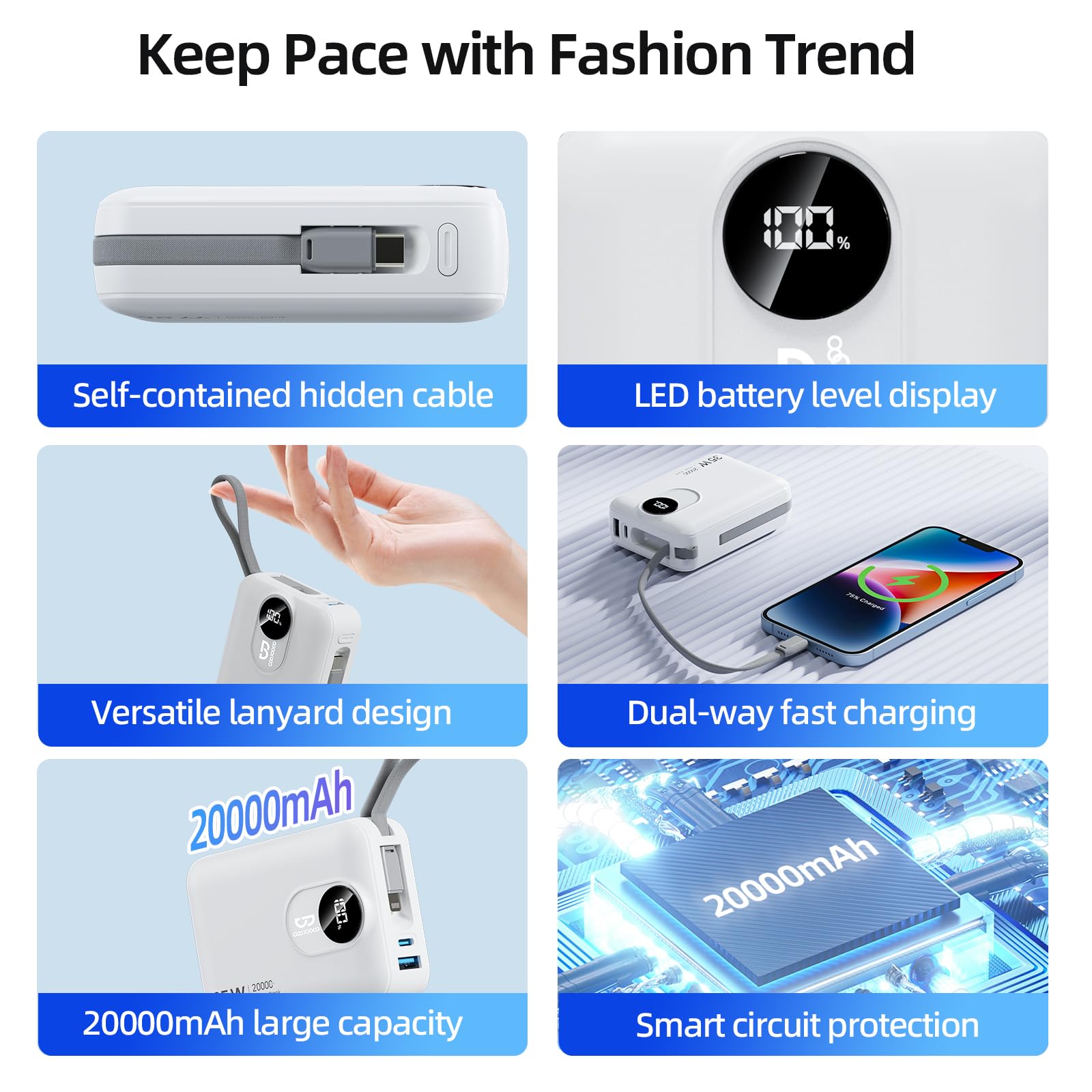
Image: The power bank being recharged using its built-in Type-C cable connected to a wall adapter, illustrating the input charging process.
Tarifa fillestare:
For optimal battery health, fully charge the power bank before its first use.
Udhëzimet e funksionimit
Ngarkimi i pajisjeve tuaja:
The power bank offers multiple output options to charge various devices simultaneously.
- Press the power switch once to activate the power bank and view the battery level on the LED display.
- Përdorimi i kabllove të integruara: Extend the integrated Type-C or Lightning cable and connect it directly to your compatible device.
- Using Ports: Connect your device's charging cable to the USB-A port or the Type-C port on the power bank.
- Banka e energjisë do të fillojë automatikisht të karikojë pajisjen tuaj.
- You can charge up to four devices concurrently using all available outputs.
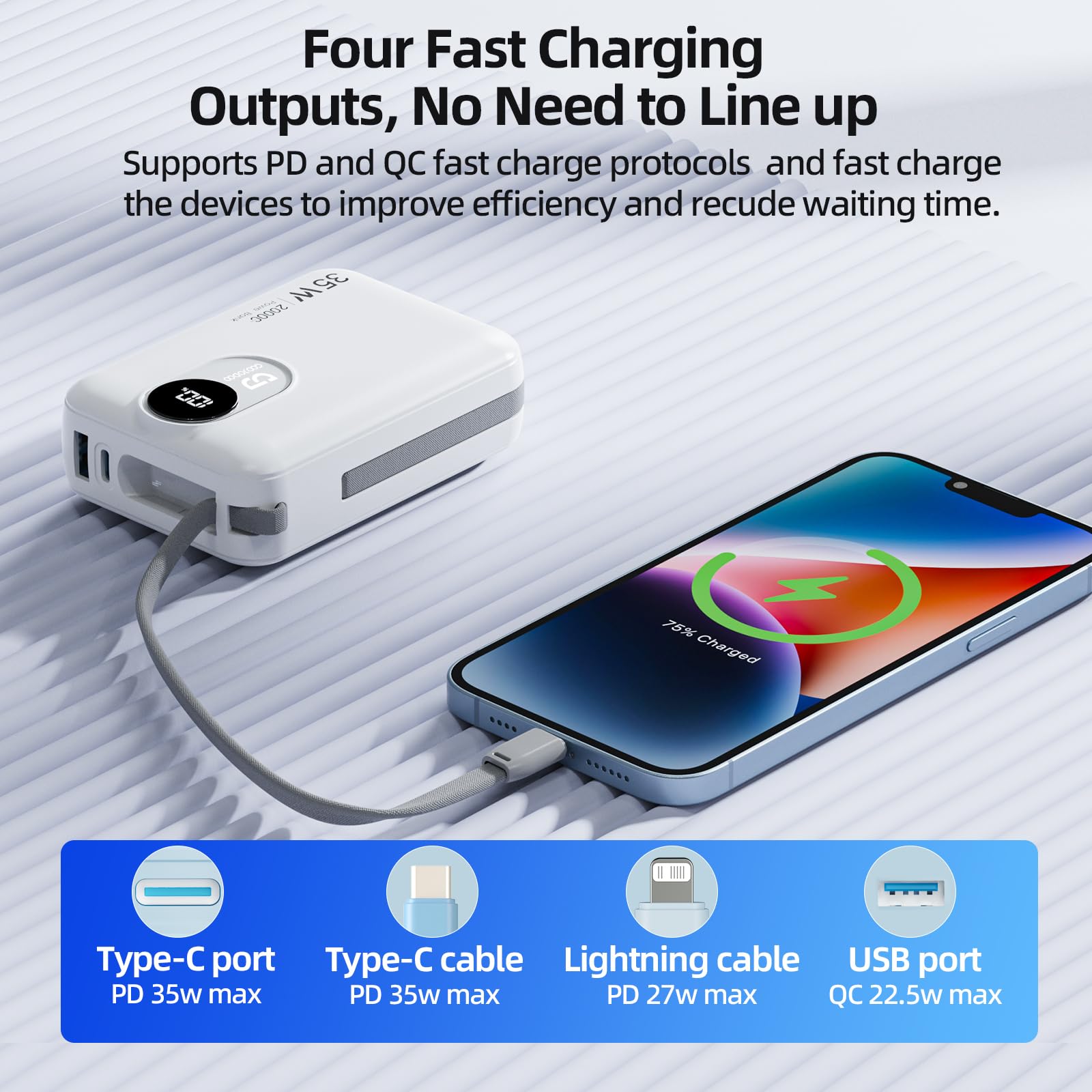
Image: A smartphone being charged by the power bank using the built-in Type-C cable, demonstrating one of the four fast charging outputs.
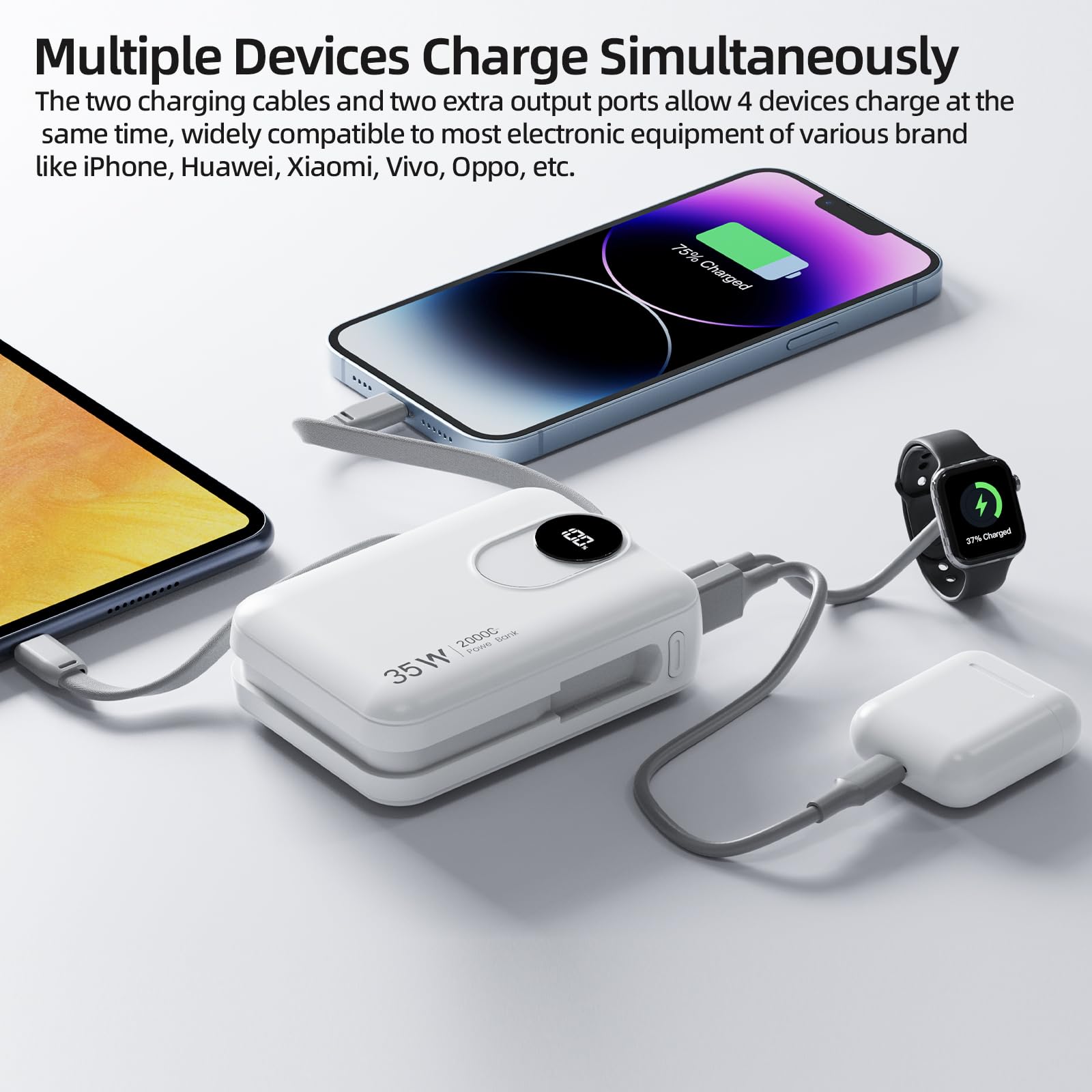
Image: The power bank charging multiple devices including a smartphone, smartwatch, and earbuds, showcasing its ability to charge four devices simultaneously.
Charging Laptops:
The GOOJODOQ AD4017 can charge laptops that require up to 35W of power. Use the Type-C port or the built-in Type-C cable for laptop charging.
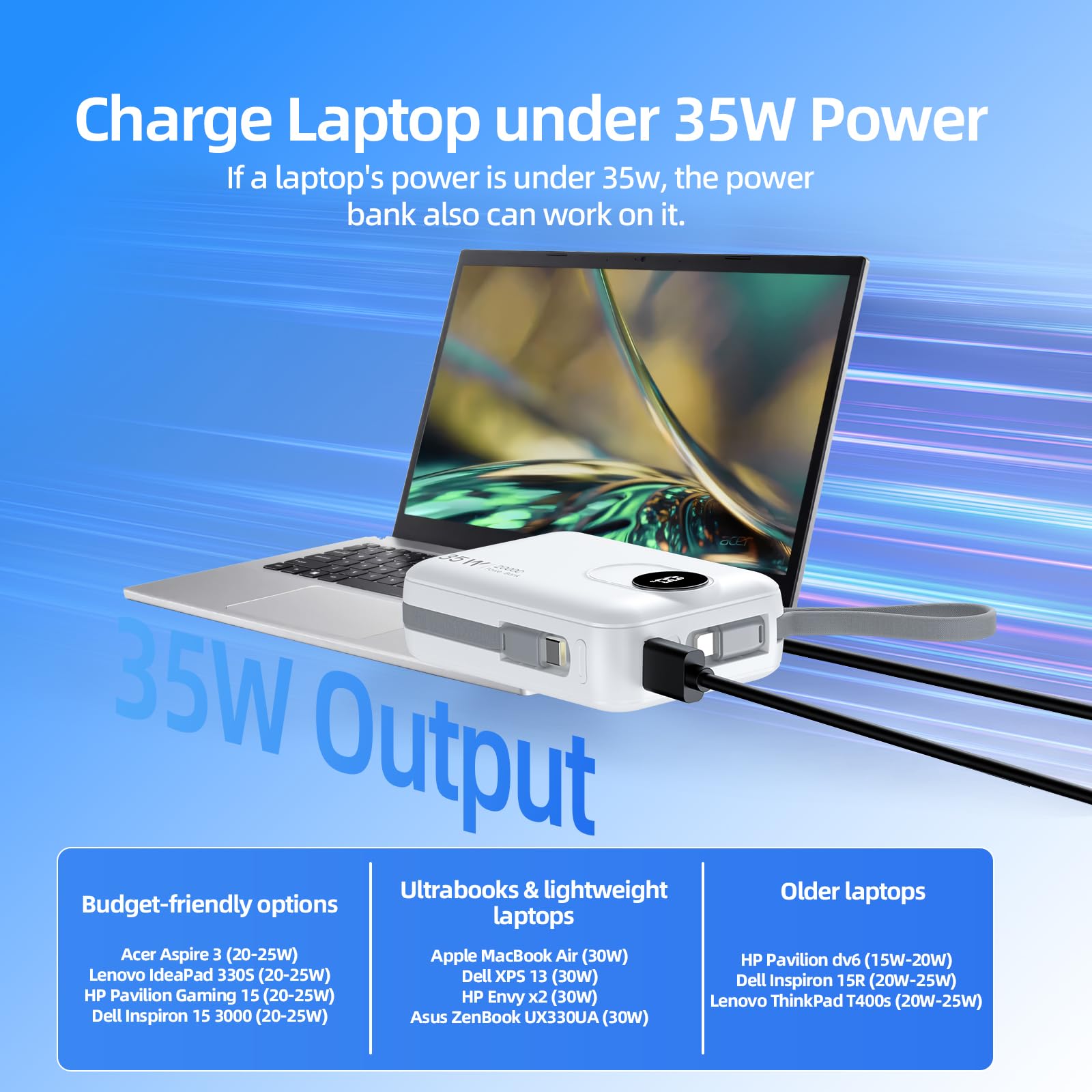
Image: The power bank connected to a laptop, demonstrating its capability to charge laptops requiring up to 35W.
Understanding the LED Digital Display:
The LED display provides real-time information about the power bank's battery status.
- When the power bank is active or charging, the display will show the remaining battery percentage.
- This allows you to monitor the power level and recharge the power bank when necessary.
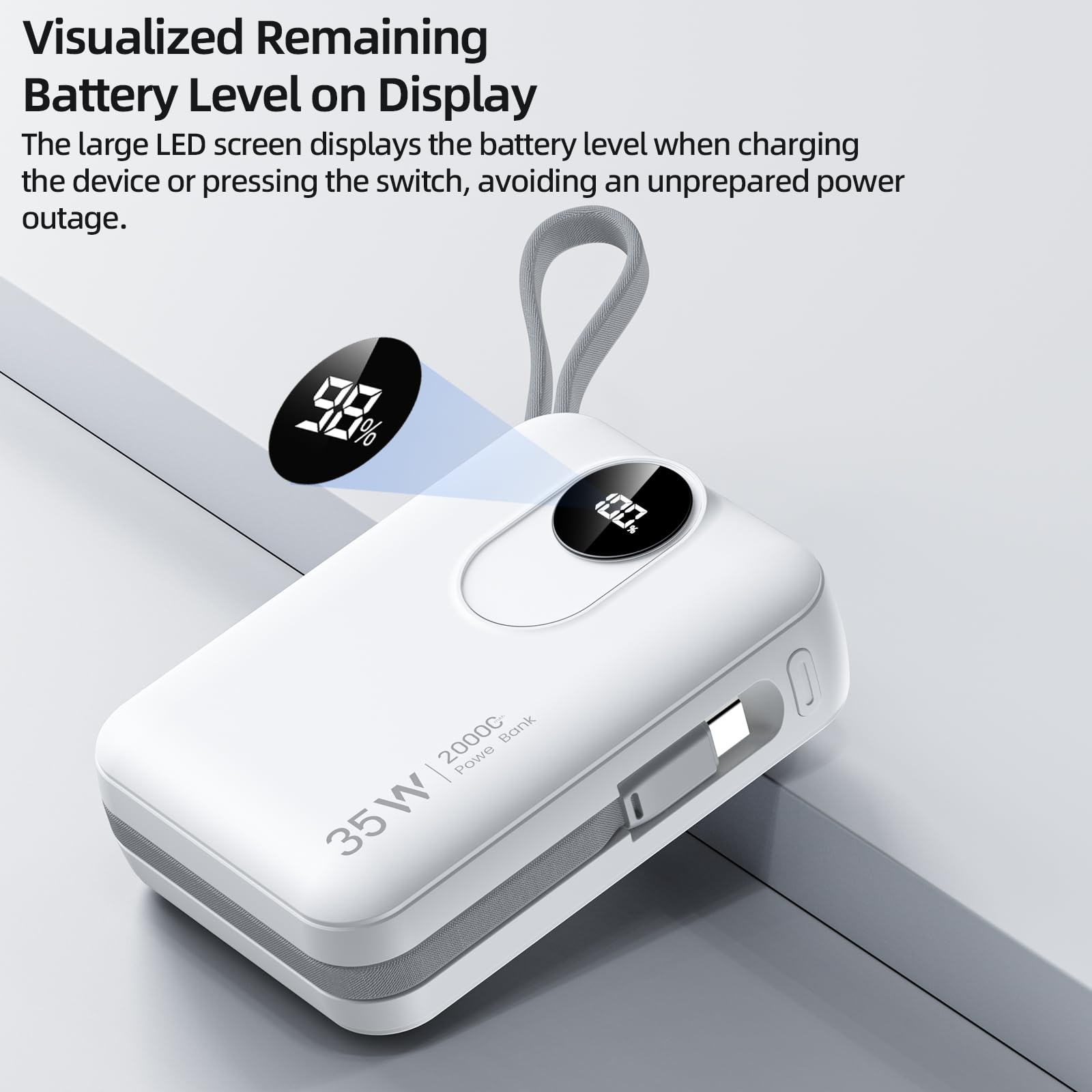
Imazh: Një pamje nga afër view of the power bank's LED digital display, indicating the remaining battery level.
Mirëmbajtja
Pastrimi:
To maintain the appearance and functionality of your power bank, wipe it with a soft, dry cloth. Avoid using harsh chemicals or abrasive materials.
Magazinimi:
Store the power bank in a cool, dry place away from direct sunlight and extreme temperatures. If storing for extended periods, ensure the battery is charged to approximately 50-70% to preserve battery health.
Kujdesi për baterinë:
To prolong the lifespan of the lithium-ion battery:
- Shmangni shkarkimin e plotë të bankës së energjisë rregullisht.
- Do not expose the power bank to temperatures above 45°C (113°F) or below 0°C (32°F).
- Recharge the power bank at least once every three months if not in regular use.
Zgjidhja e problemeve
If you encounter issues with your GOOJODOQ AD4017 Power Bank, refer to the following common problems and solutions:
- Problem: Device is not charging from the power bank.
- Zgjidhja:
- Ensure the power bank is sufficiently charged. Check the LED display.
- Press the power switch to activate the power bank.
- Verify that the charging cable (built-in or external) is securely connected to both the power bank and your device.
- Provoni një kabllo ose port tjetër për të përjashtuar një lidhje të gabuar.
- Konfirmoni që pajisja juaj është e përputhshme me specifikimet e daljes së bankës së energjisë.
- Problem: Power bank is not recharging.
- Zgjidhja:
- Ensure the charging adapter is functioning correctly and provides sufficient power (e.g., 35W PD compatible).
- Check the connection of the charging cable to both the power bank and the wall adapter.
- Try using a different Type-C cable or a different wall adapter.
- Problem: Power bank feels warm during use or charging.
- Zgjidhja:
- It is normal for power banks to generate some heat during charging or discharging, especially during fast charging.
- If the power bank becomes excessively hot, disconnect it immediately and allow it to cool down. Avoid using it in poorly ventilated areas.
- Nëse mbinxehja vazhdon, kontaktoni mbështetjen e klientit.
Specifikimet Teknike
| Veçori | Detaj |
|---|---|
| Model | 4017 pas Krishtit |
| Kapaciteti i baterisë | 20000 mAh |
| Input (Type-C Port/Cable) | PD 35W Max |
| Output (Type-C Port) | PD 35W Max |
| Dalje (Kabllo e integruar Type-C) | PD 35W Max |
| Dalje (Kabllo Lightning i integruar) | PD 27W Max |
| Dalja (porta USB) | QC 22.5W Max |
| Përmasat (Gj x Gjerësi x Th) | 10L x 7.1W x 3.2Th Centimeters |
| Pesha | 420 gram |
| Lloji i celularit të baterisë | Jon litium |
| Karakteristika të veçanta | 35W Fast Charging, Built-in Cables, Digital Display, Short Circuit Protection |
Garancia dhe Mbështetja
Informacioni i garancisë:
The GOOJODOQ AD4017 Power Bank comes with a Garanci 1-vjeçare nga prodhuesi from the original date of purchase. This warranty is non-transferable and covers manufacturing defects. Please retain your proof of purchase for warranty claims.
Kontaktoni me mbështetjen:
For technical assistance, warranty claims, or any other inquiries, please contact GOOJODOQ customer support:
- Email: maisifang_yd@163.com
- Kontakti i importuesit: VALUECART PRIVATE LIMITED, 2nd Floor, 1/1 Vinayaka Towers, 1st Cross, Gandhinagar, Bangalore, Bengaluru (Bangalore) Urban, Karnataka, 560009
- Email-i i importuesit: arun@valuecart.in
- Importer Phone: 9901545456