
1. Informacion i rëndësishëm për sigurinë
Please read all safety instructions carefully before using your COLORROOM A30 tablet. Keep this manual for future reference.
- Mos e ekspozoni pajisjen ndaj temperaturave ekstreme, rrezeve të diellit direkte ose lagështisë së lartë.
- Shmangni rënien ose ekspozimin e tabletës ndaj goditjeve të forta.
- Përdorni vetëm karikues dhe aksesorë të miratuar për të parandaluar dëmtimet dhe për të siguruar sigurinë.
- Mos u përpiqni ta çmontoni ose riparoni vetë pajisjen. Kontaktoni mbështetjen e klientit për ndihmë.
- Keep the tablet away from children and pets to prevent accidental ingestion of small parts.
2. Përmbajtja e paketës
Verifikoni që të gjitha sendet janë të pranishme në paketim:
- COLORROOM A30 Tablet
- Kabllo USB Type-C
- Power Adapter (18W PD compatible)
- Manuali i Përdoruesit
- Rasti mbrojtës
- Mbrojtës ekrani (i parapërgatitur ose i përfshirë)
- SIM Ejector Tool (SD pin)

Image: The COLORROOM A30 tablet and its included accessories, such as the USB-C cable, power adapter, and documentation, neatly arranged in the product box.
3. Pajisja Mbaroiview
Familiarize yourself with the physical components of your COLORROOM A30 tablet.
- Kamera e përparme: Ndodhet në qendër të sipërme kur mbahet horizontalisht, përdoret për videothirrje dhe selfie.
- Shfaq: 10.1-inch IPS screen for clear visuals.
- Butoni i energjisë: Zakonisht në anë, përdoret për të ndezur/fikur pajisjen ose për të zgjuar/vendosur ekranin në gjumë.
- Butonat e volumit: Ngjitur me butonin e ndezjes, për rregullimin e niveleve të audios.
- Porta USB Type-C: Për karikimin dhe transferimin e të dhënave.
- Vendi i kartës MicroSD: For expanding storage up to 2TB.
- Kamera e pasme: Located on the back, used for taking photos and videos.
- Folësit: Altoparlantë të dyfishtë për një përvojë të përmirësuar audio.
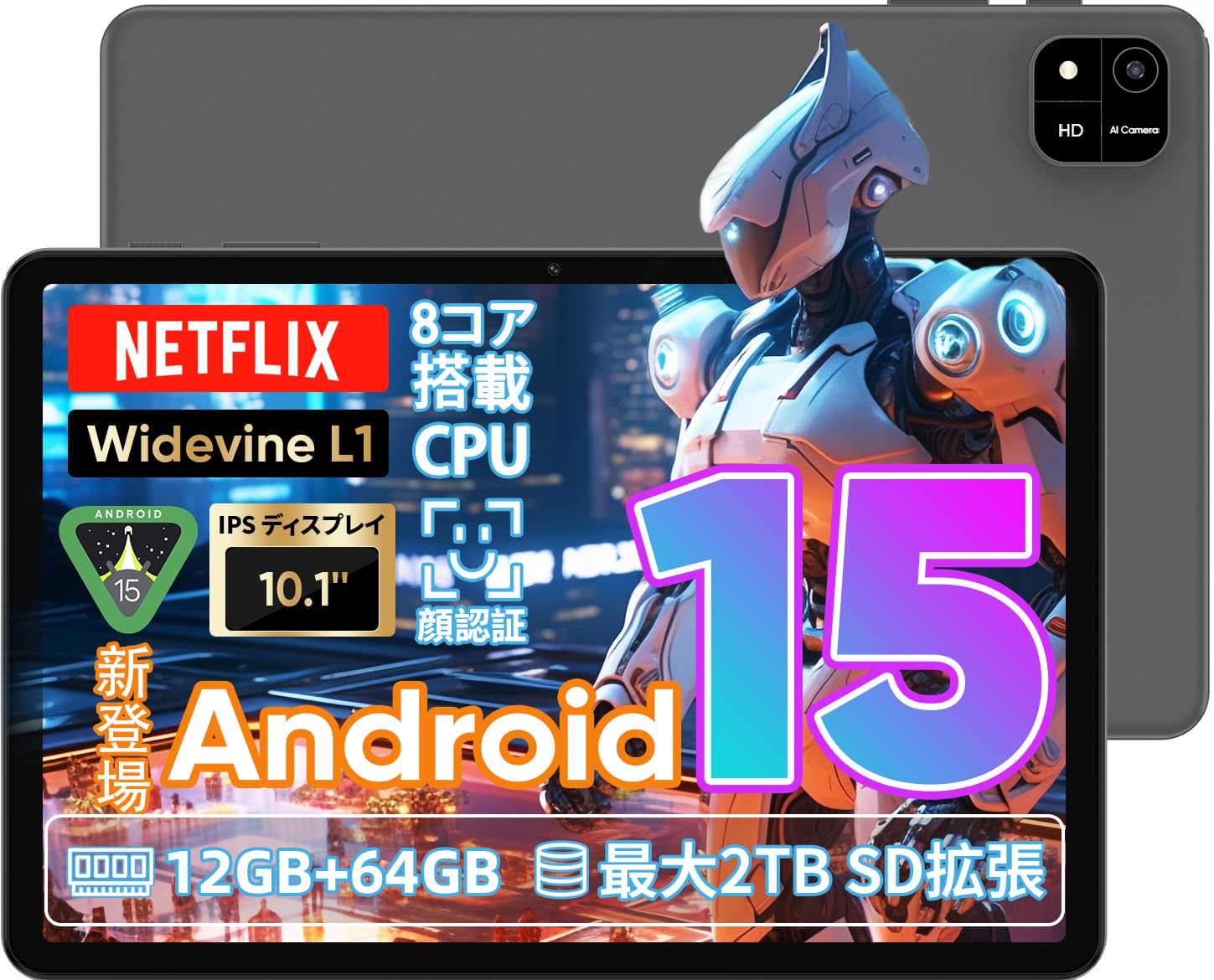
Image: A visual representation of the COLORROOM A30 tablet, highlighting its 10.1-inch display, Android 15 OS, T606 8-core CPU, 12GB RAM, 64GB ROM, 6000mAh battery, 5MP front camera, 8MP rear camera, 2.4G/5G WiFi, Bluetooth 5.0, GPS, and Widevine L1 support.
4. Konfigurimi
4.1 Ndezja Fillestare dhe Zgjedhja e Gjuhës
- Press and hold the Power button until the COLORROOM logo appears.
- Follow the on-screen prompts to select your preferred language (e.g., Japanese).
- Tap 'Start' or 'Next' to proceed.
4.2 Lidhja Wi-Fi
- Zgjidhni rrjetin Wi-Fi të dëshiruar nga lista.
- Futni fjalëkalimin Wi-Fi nëse ju kërkohet.
- Tap 'Connect'.
4.3 Konfigurimi i Llogarisë Google
- Hyr me llogarinë tënde në Google ose krijo një të re. Kjo është e nevojshme për të shkarkuar aplikacione nga Google Play Store.
- Review dhe pranoni Kushtet e Shërbimit dhe Politikën e Privatësisë të Google.
4.4 Set Screen Lock (PIN/Pattern/Password)
- For security, set a screen lock method (PIN, pattern, or password). A 6-digit PIN is recommended.
- You may choose to skip this step, but it is not recommended for device security.
Video: This video demonstrates the initial setup process for an Android 15 tablet, including language selection, Wi-Fi connection, Google account setup, and setting a screen lock. While the video features an M30 tablet, the setup steps are generally applicable to the COLORROOM A30.
5. Udhëzimet e funksionimit
5.1 Operacionet Bazë
- Veglat: Long-press on an empty area of the home screen to add widgets like a clock or calendar for quick access to information.
- Ekrani Ndez/Fikur: The tablet can be configured to turn on the screen automatically when lifted, allowing you to quickly check notifications. This setting can be found under System > Gestures.
Video: This video illustrates basic Android tablet functions, including adding and removing widgets from the home screen, and enabling the 'lift to wake' feature for notifications. Although shown on an M30 tablet, these features are common to Android 15 devices like the COLORROOM A30.
5.2 Karakteristikat e ekranit
The COLORROOM A30 features a 10.1-inch IPS display with 1280x800 resolution, offering clear and vibrant visuals for all your content. It supports Widevine L1, enabling high-definition streaming from platforms like Netflix and Hulu.

Image: The COLORROOM A30 tablet showcasing its 10.1-inch IPS display with vivid colors and sharp details, ideal for watching movies and reading e-books.
5.3 Performanca
Powered by an 8-core T606 CPU, the COLORROOM A30 delivers smooth performance for multitasking, gaming, and media consumption. It comes with 12GB (virtual) RAM and 64GB of internal storage, expandable up to 2TB via a TF (MicroSD) card.

Imazh: Një i detajuar view of the COLORROOM A30 tablet's internal components, emphasizing the T606 8-core CPU and the 6000mAh large-capacity battery, indicating high performance and extended usage.
5.4 Kamera
The tablet is equipped with an 8MP rear camera for capturing photos and videos, and a 5MP front camera for video calls and selfies. Face recognition is supported for convenient unlocking.

Image: The COLORROOM A30 tablet displayed from the front and back, showcasing its 8MP rear camera and 5MP front camera, designed for capturing moments and facilitating video communication.
5.5 Lidhshmëria
Enjoy seamless connectivity with 2.4G/5G dual-band Wi-Fi, Bluetooth 5.0, and built-in GPS for navigation and location services.
5.6 Menaxhimi i baterive
The 6000mAh battery provides extended usage, and with Type-C and 18W PD fast charging, you can quickly recharge your device.
5.7 Kids Space
The tablet includes a Kids Space feature, offering a safe and curated environment for children. Parents can manage content, set usage limits, and monitor activities remotely.
Video: This video demonstrates the Kids Space feature on a tablet, showing how children can access age-appropriate content and how parents can manage settings like usage time and content restrictions remotely. While shown on a T10 tablet, the functionality is similar for the COLORROOM A30.
5.8 Multitasking and Split Screen
Android 15 enhances multitasking capabilities. You can use the split-screen feature to run two applications simultaneously, improving productivity. For example, watch a video while browsing the web.
Video: This video showcases the unboxing of an Android 15 tablet and demonstrates various features including reading comics, watching videos, using split-screen mode for multitasking, and taking screenshots. While the video features an AvidPad S60, the demonstrated features are applicable to the COLORROOM A30.
6. Mirëmbajtja
- Pastrimi: Përdorni një leckë të butë pa push për të pastruar ekranin dhe trupin e tabletit. Shmangni përdorimin e kimikateve të ashpra ose materialeve gërryese.
- Përditësimet e softuerit: Kontrolloni dhe instaloni rregullisht përditësimet e sistemit për të siguruar performancë optimale, siguri dhe qasje në veçoritë e reja. Shkoni te Cilësimet > Sistemi > Përditësimi i sistemit.
- Menaxhimi i ruajtjes: Fshini periodikisht të panevojshmet files dhe aplikacione për të liruar hapësirë ruajtjeje dhe për të ruajtur shpejtësinë e pajisjes.
7. Troubleshooting
| Problem | Zgjidhje |
|---|---|
| Tableti nuk ndizet | Sigurohuni që bateria është e karikuar. Lidhni karikuesin dhe prisni disa minuta përpara se të provoni ta ndizni përsëri. Nëse nuk përgjigjet, kryeni një rinisje të detyruar duke mbajtur shtypur butonin e ndezjes për 10-15 sekonda. |
| Probleme me lidhjen Wi-Fi | Kontrolloni nëse Wi-Fi është aktivizuar në cilësime. Rinisni routerin dhe tabletin tuaj. Sigurohuni që jeni brenda rrezes së sinjalit Wi-Fi. |
| Aplikacionet po bllokohen ose ngrijnë | Close and reopen the app. Clear the app's cache (Settings > Apps > [App Name] > Storage > Clear cache). Ensure the app is updated to the latest version. Restart the tablet. |
| Performancë e ngadaltë | Mbyll aplikacionet e papërdorura. Pastro memorien e përkohshme dhe të përkohshmen. files. Check for system updates. Consider a factory reset if the issue persists (backup data first). |
8. Specifikimet
| Veçori | Detaj |
|---|---|
| Markë | DHOMA E NGJYRAVE |
| Model | A30 |
| Sistemi Operativ | Android 15 |
| Përpunues | Unisoc T606 8-core CPU |
| RAM | 12GB (Virtual) |
| ROM | 64 GB |
| Hapësirë ruajtëse e zgjerueshme | Up to 2TB via TF (MicroSD) card |
| Ekrani | 10.1-inch IPS, 1280x800 resolution, Widevine L1 support |
| Kapaciteti i baterisë | 6000 mAh |
| Ngarkimi | Type-C, 18W PD |
| Kamera e pasme | 8 MP |
| Kamera e përparme | 5 MP |
| Lidhshmëria | 2.4G/5G WiFi, Bluetooth 5.0, GPS |
| Dimensionet | 32.29 x 19.8 x 3.7 cm (Madhësia e Paketimit) |
| Pesha | 1.04 kg (Pesha e paketimit) |
9. Garancia dhe Mbështetja
Your COLORROOM A30 tablet comes with a manufacturer's warranty. Please refer to the warranty card included in your package for specific terms and conditions.
For technical support, troubleshooting, or warranty claims, please contact COLORROOM customer service through the retailer where you purchased the product or visit the official COLORROOM webfaqe për informacione kontakti.
Always provide your product model (A30) and purchase details when seeking support.