
1. Hyrje
This manual provides essential information for the safe and efficient operation of your ZDSSY E2 Mini Projector. Please read it thoroughly before use and retain it for future reference.
2. Konfigurimi
2.1 Hapja e kutisë dhe përbërësit
Hiqni me kujdes të gjitha artikujt nga kutia. Sigurohuni që janë të pranishëm përbërësit e mëposhtëm:
- Mini projektor
- Telekomandë
- Kordoni elektrik
- Manuali i Përdoruesit (ky dokument)
2.2 Aktivizimi
- Lidhni kabllon e energjisë me portën e hyrjes së energjisë të projektorit.
- Lidhni anën tjetër të kabllit të energjisë në një prizë elektrike të përshtatshme.
- Shtypni butonin e ndezjes në projektor ose në telekomandë për të ndezur pajisjen.
2.3 Vendosja Fillestare
Vendoseni projektorin në një sipërfaqe të qëndrueshme dhe të sheshtë. Për një viewing, ensure the projection surface (wall or screen) is clean and smooth. The projector supports various mounting options including table placement, tripod mount, and ceiling mount.
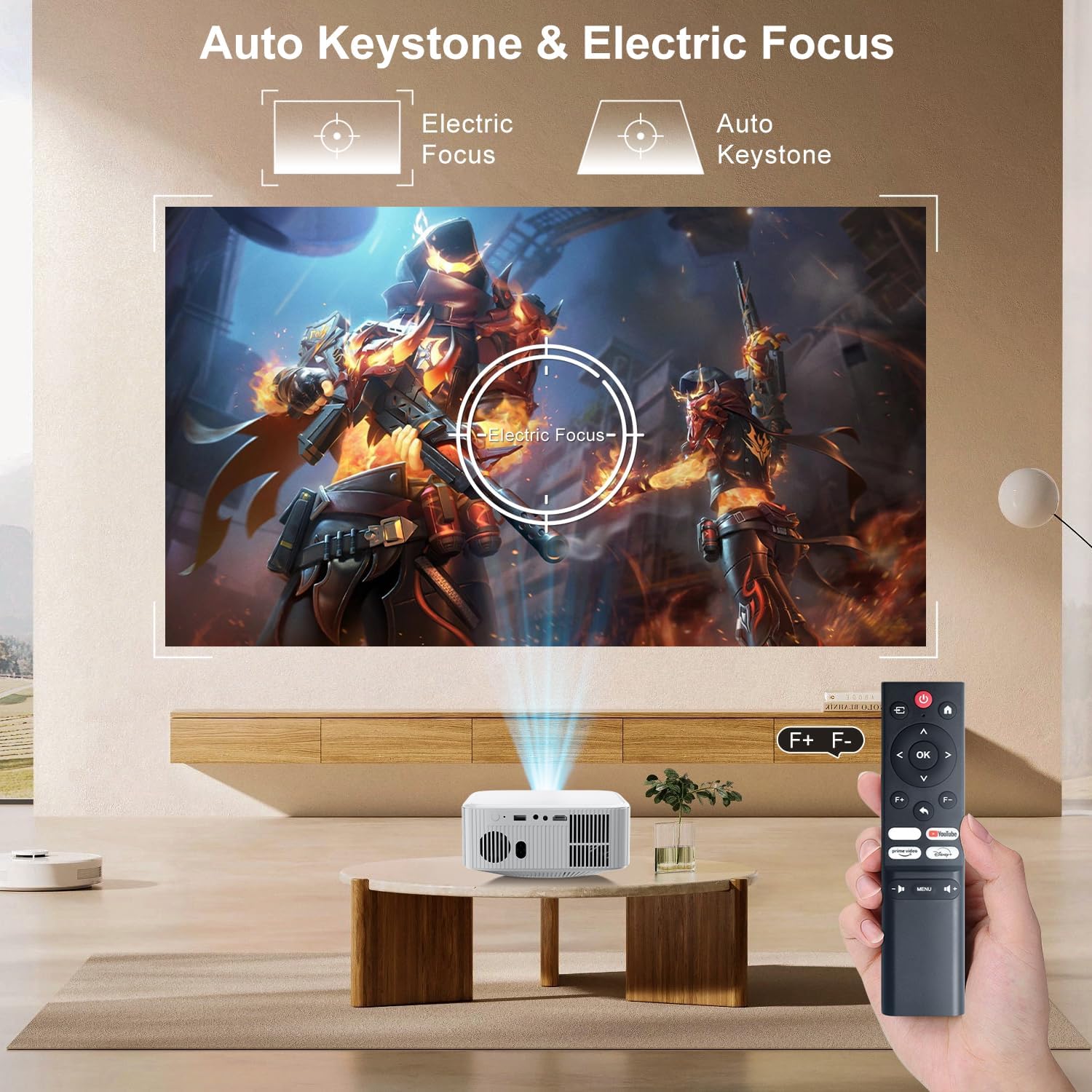
Image: The ZDSSY E2 Mini Projector demonstrating flexible placement options and screen sizes from 40 to 300 inches.
3. Operacioni
3.1 Navigation and Remote Control
Use the provided remote control to navigate the projector's interface. The remote allows you to select apps, adjust settings, and control media playback.
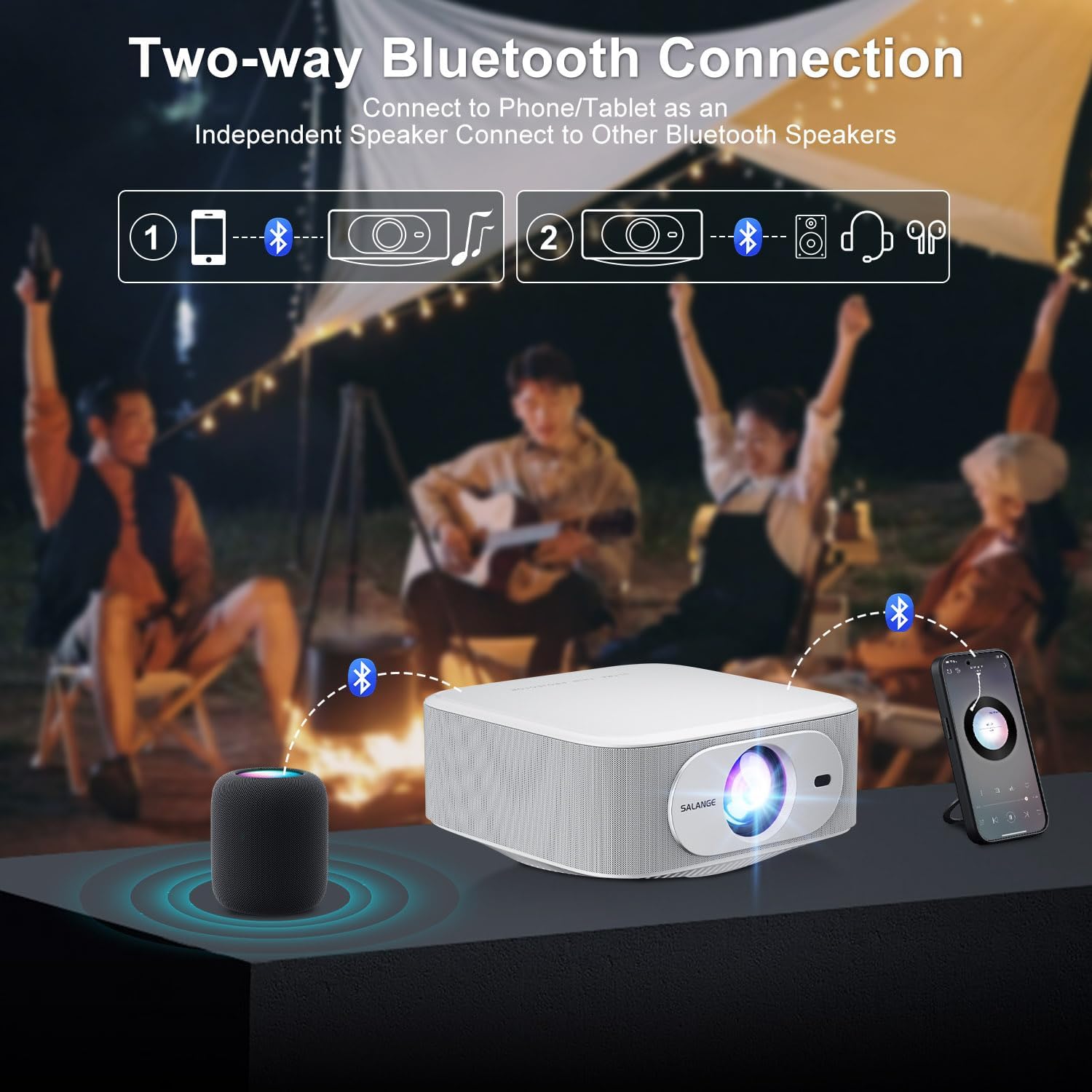
Image: The ZDSSY E2 Mini Projector and its remote control, highlighting the user interface.
3.2 Auto Keystone and Electric Focus
The projector features automatic keystone correction and electric focus for a clear and properly aligned image. These functions adjust the picture automatically upon startup or when the projector is moved.
- Fokusi elektrik: Provides instant, crystal-clear images.
- Korrigjimi i Themelit me 4 Pika: Smoothly adjusts the screen across a wide ±45° range from any direction.
- Funksioni i zmadhimit: Adjust the screen size from 100% to 50% without moving the projector.

Image: Visual representation of the auto keystone and electric focus features of the ZDSSY E2 Mini Projector.
3.3 Lidhja me Wi-Fi
The ZDSSY E2 supports dual-band 5G/2.4G Wi-Fi for fast and stable internet connectivity.
- Shko te menyja 'Cilësimet' në projektor.
- Select 'Network' or 'Wi-Fi settings'.
- Zgjidhni rrjetin Wi-Fi të dëshiruar nga lista.
- Futni fjalëkalimin nëse ju kërkohet dhe lidheni.
3.4 Lidhja Bluetooth
The projector features two-way Bluetooth 5.2, allowing it to function as a standalone speaker or connect to external Bluetooth audio devices.
- As a Bluetooth Speaker: Connect your mobile device to the projector via Bluetooth to use the projector's built-in speakers for audio playback.
- Lidhja e altoparlantëve të jashtëm: Pair the projector with external Bluetooth speakers, headphones, or soundbars for an enhanced audio experience. (Note: Bluetooth is for audio transmission only and does not support video.)

Image: Illustration of the two-way Bluetooth connectivity of the ZDSSY E2 Mini Projector.
3.5 Përdorimi i aplikacioneve të integruara
The ZDSSY E2 comes with officially licensed apps like Prime Video, YouTube, and more, pre-installed on its Android 13 Whale OS system. Access these apps directly from the home screen for instant entertainment.

Image: The ZDSSY E2 Mini Projector's home screen showing pre-installed streaming applications.
3.6 Lidhja e Pajisjes së Jashtme
Projektori është i pajisur me porta të shumta për lidhjen e pajisjeve të jashtme:
- Porta HDMI: Connect gaming consoles, laptops, Fire Sticks, or other HDMI-enabled devices.
- Porta USB: Luaj media direkt nga disqet USB.
- Dalja e kufjeve 3.5 mm: Lidhni kufje me tela ose altoparlantë të jashtëm.

Image: Close-up of the ZDSSY E2 Mini Projector's connectivity ports.
4. Mirëmbajtja
4.1 Pastrimi
- Lente: Përdorni një leckë të butë pa push, të projektuar posaçërisht për lente optike. Mos përdorni pastrues ose lecka gërryese.
- E jashtme: Fshijeni pjesën e jashtme të projektorit me një leckë të butë dhe të thatë. Për shenja kokëforta, fshijeni pak.amp Mund të përdoret një leckë, e më pas një fshirje e thatë.
- Ventilimi: Sigurohuni që hapjet e ventilimit të jenë të pastra nga pluhuri dhe pengesat për të parandaluar mbinxehjen.
4.2 Ruajtja
Kur nuk është në përdorim për periudha të gjata, ruajeni projektorin në një vend të freskët dhe të thatë, larg rrezeve të diellit dhe temperaturave ekstreme. Përdorni paketimin origjinal ose një kuti mbrojtëse për të parandaluar grumbullimin e pluhurit dhe dëmtimin.
5. Troubleshooting
| Problem | Shkaku i mundshëm | Zgjidhje |
|---|---|---|
| Nuk ka fuqi | Kablloja e energjisë nuk është e lidhur; Priza e energjisë është e dëmtuar | Sigurohuni që kablloja e energjisë është e lidhur mirë; provoni një prizë tjetër. |
| Imazhi i paqartë | Fokusi nuk është rregulluar; Projektori është shumë larg/afër ekranit | Lejoni që fokusi automatik të përfundojë ose rregulloni manualisht fokusin; Rregulloni distancën e projektorit. |
| Nuk ka zë | Volume too low; External audio device not connected/paired | Increase volume; Check Bluetooth connection or wired audio cable. |
| Problemet e lidhjes Wi-Fi | Fjalëkalim i gabuar; Probleme me ruterin; Ndërhyrje në sinjal | Verify Wi-Fi password; Restart router; Move projector closer to router. |
| Apps Not Working | No internet connection; App requires update | Check Wi-Fi connection; Update the app from the app store. |
6. Specifikimet
| Veçori | Detaj |
|---|---|
| Markë | ZDSSY |
| Numri i modelit | E2 |
| Rezolucioni i ekranit | 1920 x 1080 (1080P origjinale, mbështetje 4K) |
| Shkëlqimi | 400 Lumens ANSI |
| Sistemi Operativ | Smart Android 13.0 NTV (Whale OS) |
| Kujtesa | RAM 1GB + ROM 8GB |
| Lidhshmëria | Wi-Fi 5G/2.4G, Two-way Bluetooth 5.2 |
| Karakteristika të veçanta | Electric Focus, Auto Keystone Correction (4D/4P), Zoom (100%-50%), Built-in Apps (Prime Video, YouTube, etc.) |
| Portet | 1 HDMI, 1 USB, 1 3.5mm Headphone Jack |
| Dimensionet e produktit | 7.67 x 7.67 x 3.54 inç |
| Pesha e artikullit | 3.3 paund |
| Përdorimi i rekomanduar | Indoor/Jashtë |
7. Garancia dhe Mbështetja
The ZDSSY E2 Mini Projector comes with a standard manufacturer's warranty. For specific warranty details, including coverage and duration, please refer to the warranty card included in your product packaging or contact ZDSSY customer support.
Mbështetja e klientit
If you encounter any issues or have questions regarding your projector, please contact ZDSSY customer support through the retailer's platform or the official ZDSSY website. Our support team is available to assist you with troubleshooting, technical inquiries, and service requests.