
1. Hyrje
This manual provides essential information for the safe and efficient operation of your ZDSSY ZD-L018AQ Smart Projector. This device offers 1080P native resolution with 4K support, 600 ANSI lumens brightness, electric focus, and auto keystone correction. It features integrated WiFi 6 and Bluetooth 5.2 for seamless connectivity and a built-in Smart TV OS with access to various applications.

Image 1.1: ZDSSY ZD-L018AQ Smart Projector, a compact device with a lens on the front and a stand for adjustable positioning.
2. Çfarë ka në kuti
Verifikoni që të gjitha artikujt janë të pranishëm kur i hapni kutinë:
- Mini projektor
- Telekomandë
- Kordoni elektrik
- Manuali i Përdoruesit (ky dokument)
3. Produkti i Mbaruarview
Njihuni me komponentët dhe portat e projektorit.
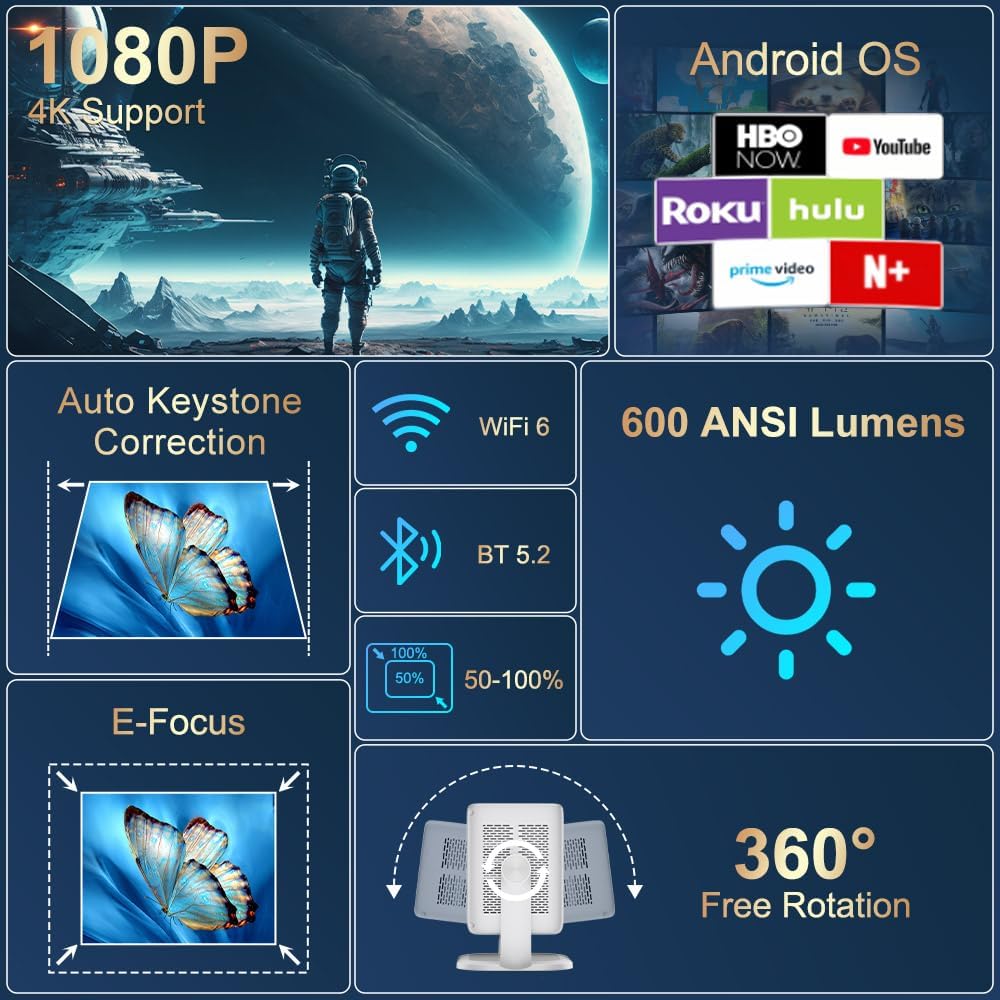
Imazhi 3.1: Mbiview of the projector's key features including 1080P 4K support, Auto Keystone, WiFi 6, Bluetooth 5.2, E-Focus, 600 ANSI Lumens, and 360° Free Rotation.
3.1 Paneli i përparmë
- Lentet e projektimit: Emits the image onto the screen or surface.
- Unaza e fokusit: Manual adjustment for image sharpness (though electric focus is primary).
3.2 Paneli i pasmë
- Porti i energjisë: Lidhet me kabllon e energjisë të përfshirë.
- Porta HDMI: Connects to external devices like laptops, gaming consoles, or DVD players.
- Porta USB: Për lidhjen e pajisjeve të ruajtjes USB ose pajisjeve të tjera periferike.
- Dalja e audios (jack 3.5 mm): Për lidhjen e kufjeve ose altoparlantëve të jashtëm.
- Butoni i energjisë: Ndez/fik projektorin.
4. Konfigurimi
4.1 Lidhja e energjisë
- Connect the included power cord to the projector's power port.
- Lidhni anën tjetër të kabllit të energjisë në një prizë elektrike standarde.
4.2 Vendosja dhe Përshtatja
Position the projector on a stable, flat surface. The integrated 360° rotatable and adjustable stand allows for flexible projection angles, including ceilings and walls.
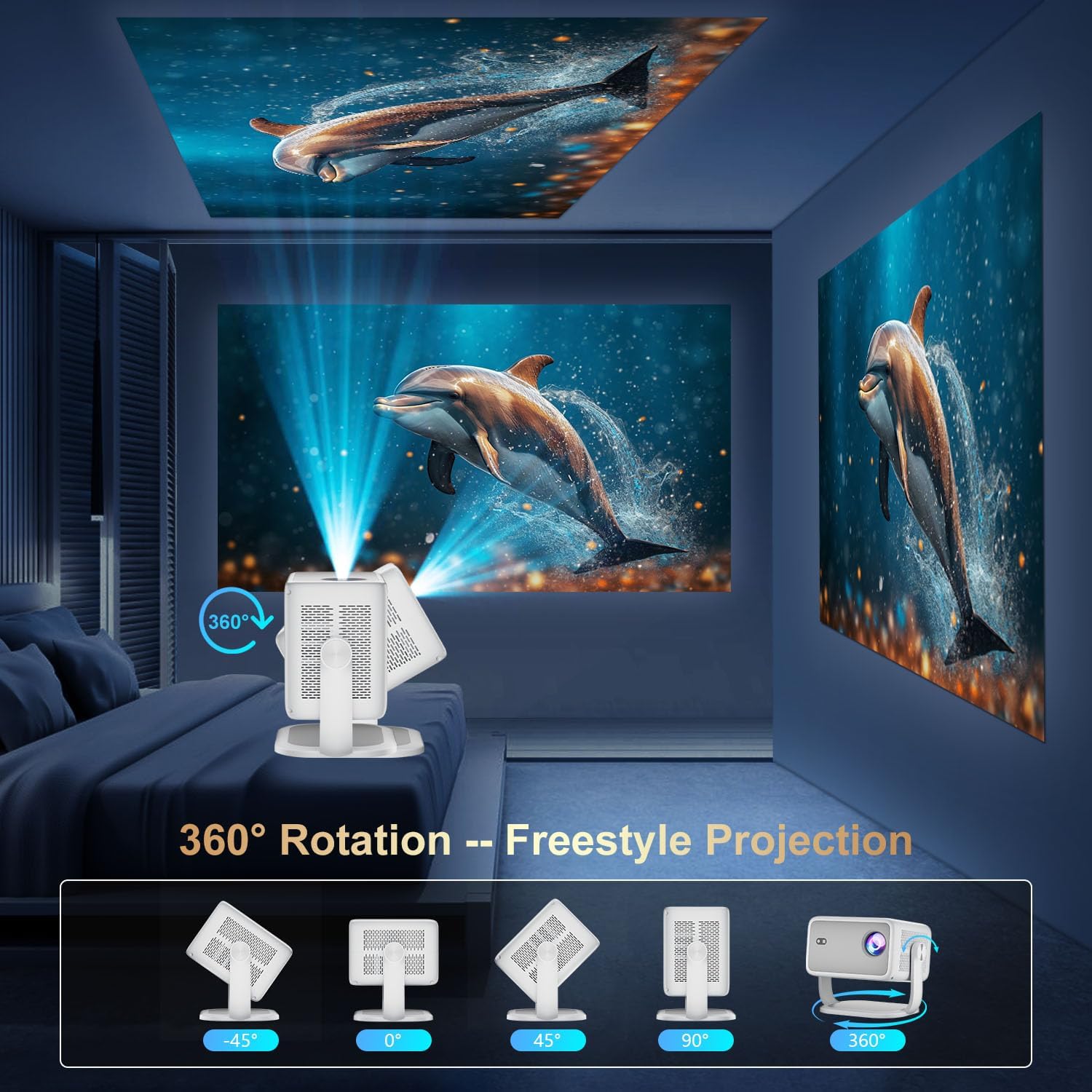
Image 4.1: The projector demonstrating its 360-degree rotation capability for versatile projection angles.
4.3 Korrigjimi i Fokusit dhe i Keystone-it
The projector features automatic keystone correction and electric focus for quick image alignment and sharpness. Digital zoom (50%-100%) allows for image resizing without moving the unit.

Image 4.2: The projector automatically adjusting focus and keystone correction for a perfectly aligned and sharp image.
4.4 Initial Network Setup
- Power on the projector using the power button on the rear panel or the remote control.
- Navigate to 'Networking Setting' on the home screen using the remote.
- Select your WiFi network and enter the password to connect.
5. Operative
5.1 Përdorimi i telekomandës
The included remote control is the primary interface for navigating the projector's Smart TV OS. It requires two AAA batteries (not included).
- Butoni i energjisë: Ndez/fik projektorin.
- Butonat e navigimit: Use the directional arrows to move between menu options.
- Butoni OK: Konfirmon zgjedhjet.
- Butoni prapa: Kthehet në ekranin e mëparshëm.
- Butonat e volumit: Rregullon daljen e audios.
5.2 Smart TV OS and Applications
The projector runs on a Smart TV OS, providing access to various streaming applications.

Image 5.1: The projector's home screen displaying various built-in applications such as Netflix, YouTube, Prime Video, and Hulu.
- From the home screen, select the desired application (e.g., Netflix, YouTube, Hulu, Prime Video).
- Hyni me kredencialet e llogarisë tuaj nëse kërkohet.
- Browse and enjoy content.
- Additional apps can be downloaded from the App Store.
5.3 Lidhshmëria me Pajisje të Jashtme
Connect external devices via HDMI or USB:
- HDMI: Connect an HDMI cable from your external device to the projector's HDMI port. Select 'HDMI' input from the projector's home screen.
- USB: Insert a USB drive into the USB port. Navigate to 'Files' on the home screen to access content.
5.4 Wireless Screen Mirroring (Miracast/AirPlay)
The projector supports Miracast and AirPlay for wireless screen mirroring from compatible devices (Windows, iOS, Android).

Image 5.2: A smartphone wirelessly mirroring its screen content to the ZDSSY ZD-L018AQ Smart Projector via WiFi.
- Sigurohuni që pajisja juaj dhe projektori të jenë të lidhur në të njëjtin rrjet WiFi.
- On the projector, select the 'AirPin' or 'ScreenCast' option (may vary by firmware version).
- Në pajisjen tuaj celulare, aktivizoni pasqyrimin/transmetimin e ekranit dhe zgjidhni projektorin nga lista e pajisjeve të disponueshme.
5.5 Audio Bluetooth
Lidhni altoparlantë ose kufje të jashtme Bluetooth për audio të përmirësuar.

Image 5.3: The projector wirelessly connected to a soundbar via Bluetooth 5.2, enhancing the audio experience.
- Navigate to 'Bluetooth Setting' on the projector's home screen.
- Aktivizo Bluetooth dhe kërko për pajisjet e disponueshme.
- Select your Bluetooth audio device to pair.
6. Mirëmbajtja
Mirëmbajtja e rregullt siguron performancë optimale dhe jetëgjatësi të projektorit tuaj.
- Pastrimi i lenteve: Use a soft, lint-free cloth specifically designed for optical lenses to gently wipe the projection lens. Avoid abrasive materials or harsh chemicals.
- Ventilimi: Ensure the projector's ventilation openings are clear of dust and obstructions to prevent overheating. Do not block the vents during operation.
- Magazinimi: When not in use, store the projector in a cool, dry place, away from direct sunlight and extreme temperatures. Use the original packaging or a protective case if available.
- Fike: Always power off the projector properly before unplugging it.
7. Troubleshooting
Referojuni këtij seksioni për zgjidhjet e problemeve të zakonshme.
| Problem | Shkaku i mundshëm | Zgjidhje |
|---|---|---|
| Nuk ka fuqi | Kablloja e energjisë nuk është e lidhur; problem me prizën e energjisë. | Kontrolloni lidhjen e kabllos së energjisë; provoni një prizë tjetër. |
| Nuk ka imazh | Input source not selected; external device not connected. | Select correct input source (HDMI, USB); ensure external device is on and connected. |
| Imazhi i paqartë | Fokusi nuk është rregulluar; projektori është shumë afër/larg. | Use electric focus or manual focus ring; adjust projector distance. |
| Nuk ka zë | Volumi është shumë i ulët; pajisja audio e jashtme nuk është lidhur/çiftuar. | Increase volume; check Bluetooth pairing or 3.5mm audio cable connection. |
| WiFi/Bluetooth Connectivity Issues | Incorrect password; device out of range; interference. | Re-enter password; move closer to router/device; reduce interference. |
8. Specifikimet
| Veçori | Detaj |
|---|---|
| Markë | ZDSSY |
| Numri i modelit | ZD-L018AQ |
| Rezolucioni i ekranit | 1920 x 1080 (Origjinale) |
| Mbështetje 4K | po |
| Shkëlqimi | 600 Lumens ANSI |
| Teknologjia e lidhjes | Bluetooth 5.2, HDMI, USB, Wi-Fi 6 |
| Karakteristika të veçanta | Auto Screen Alignment, Built-In Speaker, Built-In Wi-Fi, Portable, Electric Focus |
| Përdorimet e rekomanduara | Indoor/Jashtë |
| Dimensionet e produktit | 6.69 x 5.9 x 9.05 inç |
| Pesha e artikullit | 2.97 paund |
9. Garancia dhe Mbështetja
ZDSSY is committed to providing high-quality products and customer satisfaction.
- Shërbimi ndaj klientit: 24/7 Professional Service is available for any inquiries or assistance.
- Kthimet/Shkëmbimet: A 30-day return or exchange policy is offered.
- Mbështetje Teknike: Lifetime technical support is provided for your product.
For further assistance, please refer to the contact information provided with your purchase or visit the official ZDSSY webfaqe.