
1. Hyrje
Thank you for choosing the InnoView 23.8" 2K Dual Portable Monitor. This device is designed to enhance your productivity and viewing experience with its dual QHD screens, foldable design, and versatile connectivity. This manual provides essential information for setting up, operating, and maintaining your monitor.
2. Çfarë ka në kuti
Ju lutemi verifikoni që të gjitha artikujt janë të pranishëm në paketën tuaj:
- Multifunctional Type-C Data Cable (x2)
- DisplayPort Cable 1.4
- Ultra High Speed HDMI Cable 2.1
- Përshtatës i rrymës 65W
3. Produkti i Mbaruarview dhe Karakteristikat
The InnoView 23.8" 2K Dual Portable Monitor offers a range of features designed for optimal performance and user comfort.

Key features: 2K QHD resolution, 1000:1 contrast ratio, 10-bit color, 0-315° adjustable foldable design, blue light filter, and 100% sRGB color gamut.
Ekran me rezolucion të lartë
Both screens feature 2K QHD (2560 x 1440P) resolution with 100% sRGB wide color gamut and 10-bit color depth, providing precise color reproduction, sharp clarity, and exquisite detail. The IPS panel ensures true colors from a 178° viewkënd ing.

Visual comparison of 2K QHD versus 1080P resolution, highlighting superior detail.
Dizajn i rregullueshëm dhe i palosshëm
The monitor features a foldable and stackable design with 315° screen adjustment and a 180° stand, allowing for flexible viewing angles and space-saving storage. This design facilitates various work and collaboration scenarios.
Teknologjia e Kujdesit për Sytë
An integrated blue light filter reduces eye strain during extended use, promoting a more comfortable viewpërvojë.
Portet dhe butonat
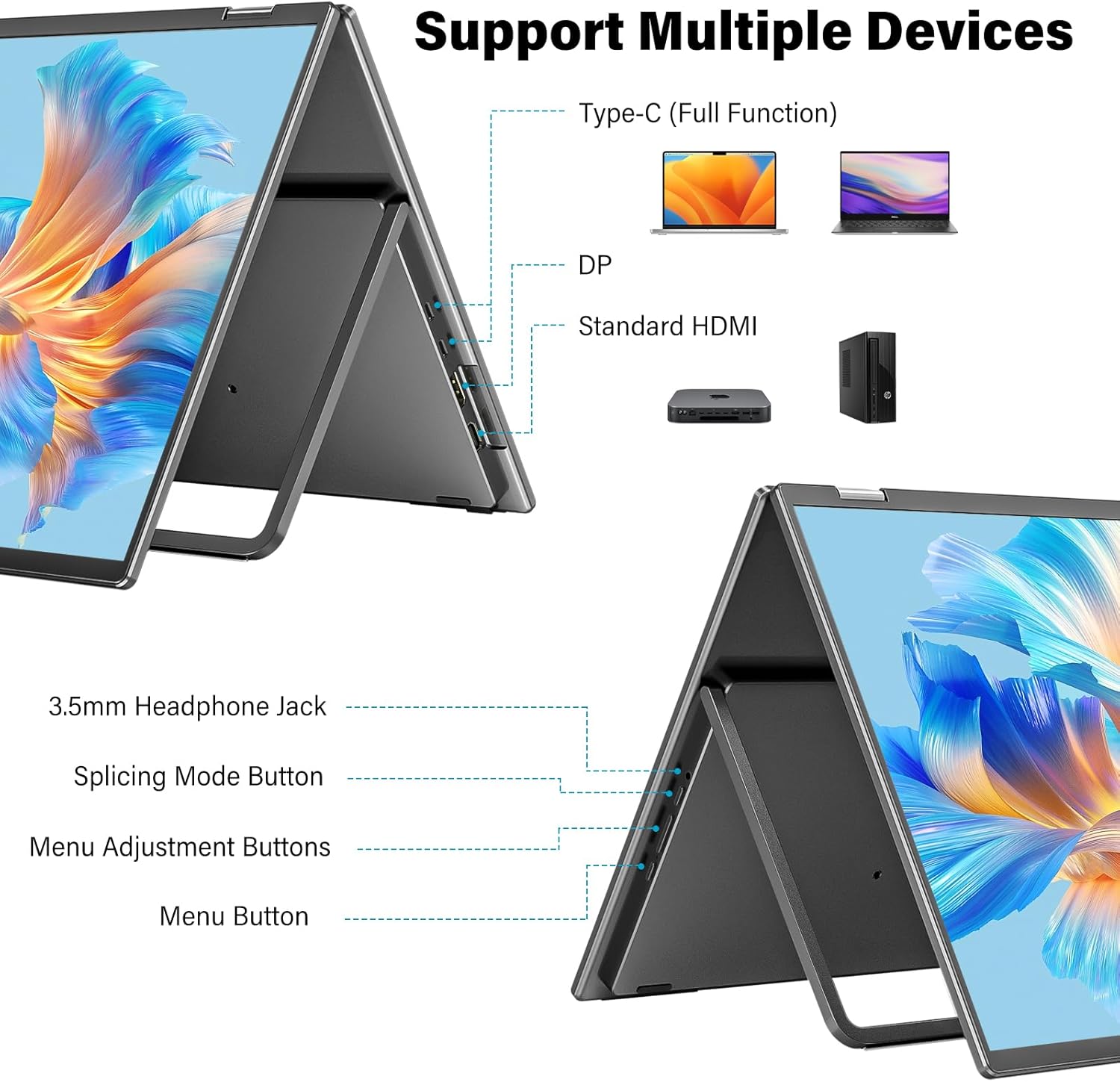
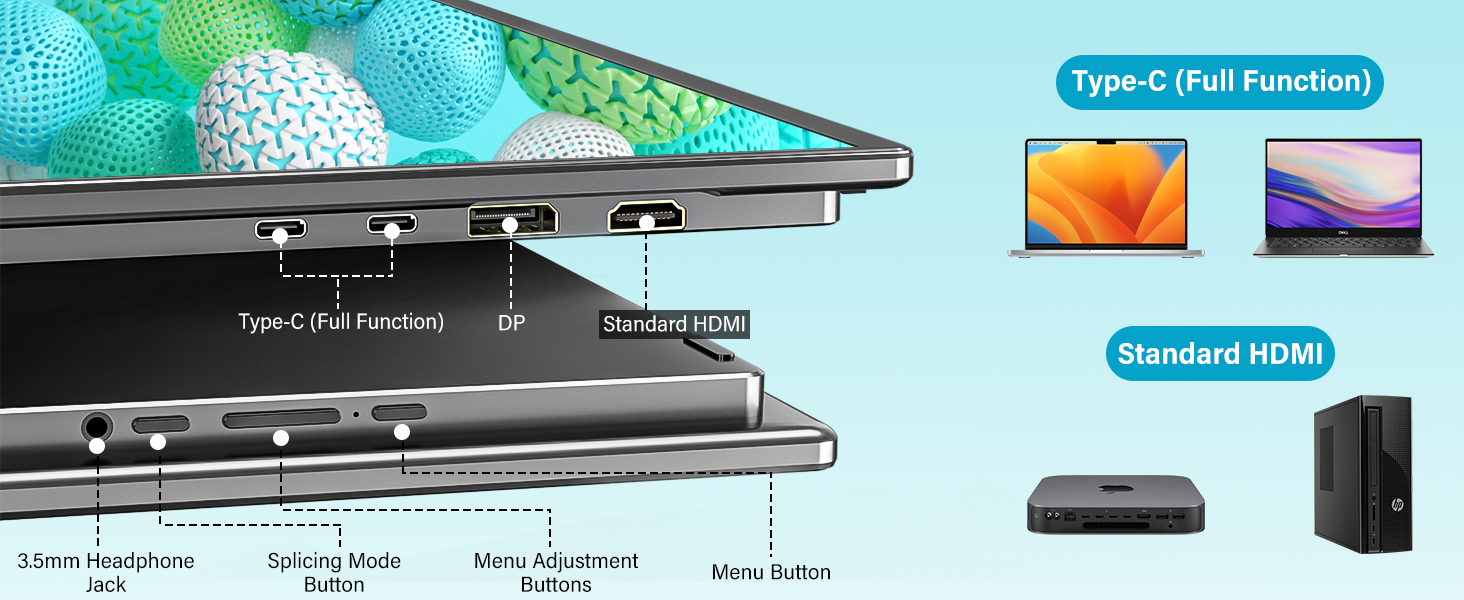
Mbiview të portave të lidhjes dhe butonave të kontrollit të monitorit.
- Tipi C (Funksion i plotë): For power, video, and data transmission.
- DP (DisplayPort): Për hyrje videoje.
- HDMI standarde: Për hyrje videoje.
- Dalja e kufjeve 3.5 mm: Për dalje audio.
- Splicing Mode Button: To toggle between display modes.
- Menu Adjustment Buttons: For navigating and adjusting OSD settings.
- Butoni i menysë: To access the On-Screen Display (OSD) menu.
4. Konfigurimi dhe lidhja
This section guides you through connecting your InnoView dual monitor to your devices.
Lidhja e energjisë
- Connect the provided 65W power adapter to a power source.
- Plug the other end of the power cable into one of the monitor's full-feature Type-C ports.
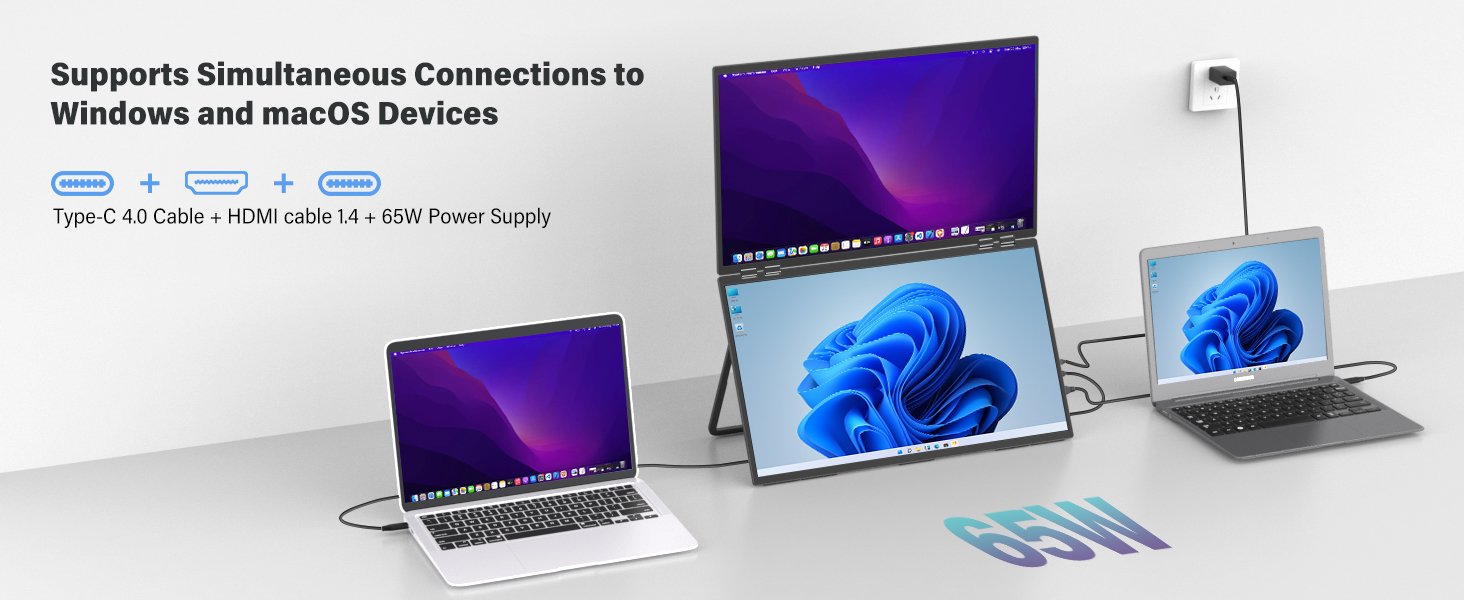
Device Connection (Windows)
For Windows laptops, you can use a single full-feature Type-C cable for both video and power, or a combination of DP/HDMI and a Type-C power cable.
Windows connection options for the dual monitor.
Device Connection (macOS)
For macOS devices, extended mode typically requires both a full-feature Type-C cable and an HDMI cable for dual video outputs. With a single source, you are limited to Combine or Duplicate modes.

macOS connection options for the dual monitor.
Video Guide: Connecting to MacBook
This video demonstrates how to connect the InnoView 23.8 inch 2K Dual Portable Monitor to a MacBook, including cable connections and display settings configuration.
Identifying Compatible USB-C Ports
Ensure your computer's USB-C port supports video output. Look for symbols next to the port:
Symbols indicating compatible USB-C ports for video output.
If you see a Thunderbolt symbol, your port is compatible. If unsure, consult your computer's manufacturer website or technical specifications.
5. Modalitetet e operimit
The InnoView dual monitor supports several display modes to suit your needs:
Visual representation of the different display modes.
- Copy Mode (Mirror): Both the upper and lower screens display the same content.
- Splice Mode (Ultra-Wide): Combines the upper and lower screens into one larger, continuous display.
- Extended Mode (Dual-Screen): The upper and lower screens display different content, extending your desktop.
- Modaliteti i rrotullimit: The top screen can be flipped 180° for face-to-face collaboration, displaying the same content as the bottom screen.
Përdorni Splicing Mode Button on the monitor to cycle through these modes.
6. Cilësimet e ekranit
After connecting, you may need to adjust your computer's display settings to optimize your dual monitor setup.
Windows Display Settings
- Right-click on your desktop and select "Display settings."
- Under "Multiple displays," choose your preferred option (e.g., "Extend these displays," "Duplicate these displays").
- Drag and drop the display icons to match your physical monitor arrangement.
- Adjust resolution, orientation, and brightness as needed.
macOS Display Settings
- Shko te "Cilësimet e Sistemit" (ose "Preferencat e Sistemit" në versionet më të vjetra të macOS).
- Click on "Displays."
- Click "Arrange Displays" to drag and drop the display icons to match your physical setup.
- Select "Extended Display" or "Mirror for Built-in Display" based on your requirement.
- Adjust resolution, refresh rate, and color profile sipas dëshirës.
Monitor OSD Menu
Use the Menu Adjustment Buttons and Menu Button on the monitor to access and navigate the On-Screen Display (OSD) menu. Here you can fine-tune settings such as brightness, contrast, color temperature, and input source.
7. Skenarët e përdorimit
The InnoView dual monitor is versatile for various applications:
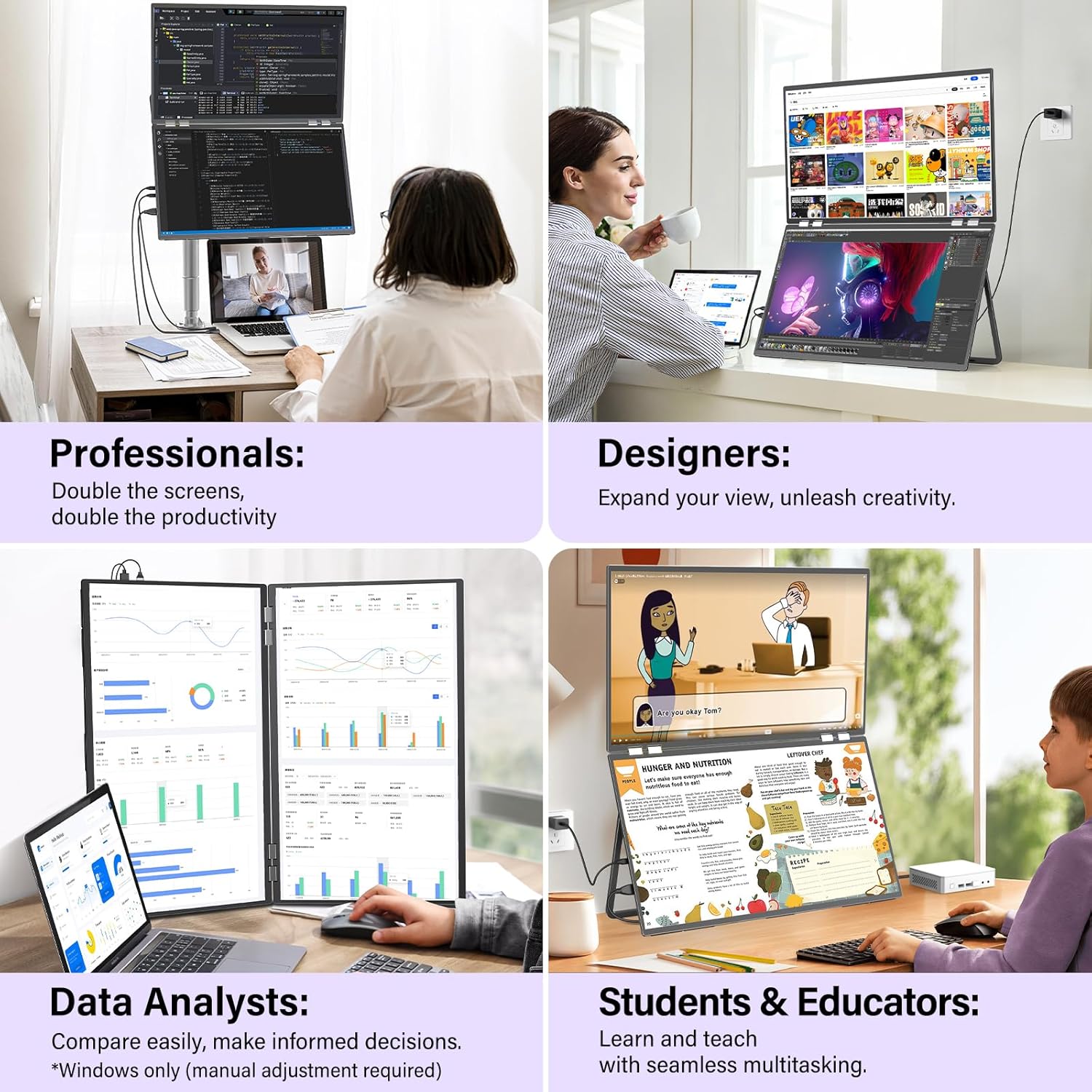
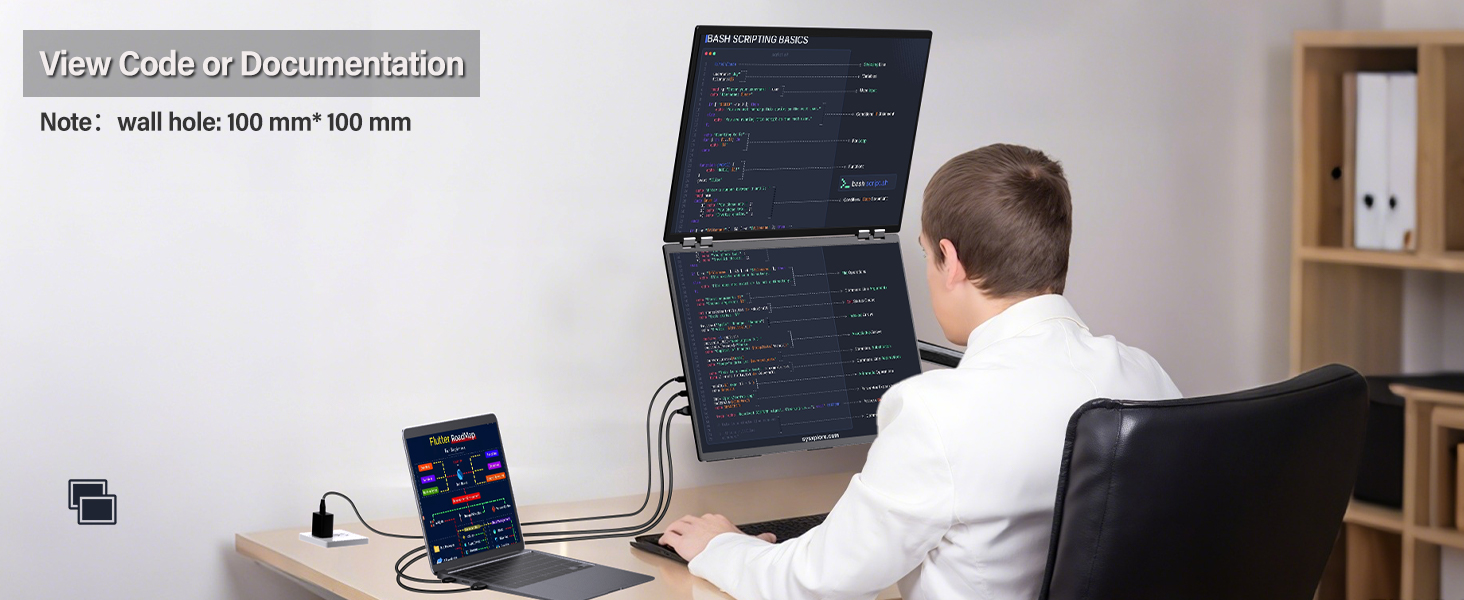
- Profesionistët: Double your workspace for documents, code, and previews krah për krah.
- Dizajnerët: Zgjeroni tuajin view for creative projects, ensuring precise color reproduction.
- Data Analysts: Compare data easily and make informed decisions with extensive screen real estate.
- Students & Educators: Learn and teach with seamless multitasking, viewing videos and documents simultaneously.
The dual monitor enhances productivity for various professional and educational tasks.
Portability Considerations
Note that while the monitor has a foldable design, its 23.8-inch size and power requirements make it more suitable for fixed office or home use rather than frequent travel.
The monitor is designed for fixed placement, not for frequent travel.
8. Specifikimet
| Veçori | Specifikimi |
|---|---|
| Dimensionet e produktit | 0.65 x 21.33 x 12.71 inç |
| Pesha e artikullit | 12.82 paund |
| ASIN | B0F83RGKDV |
| Numri i modelit të artikullit | INVPM609 01B |
| Madhësia e ekranit në këmbë | 23.8 inç |
| Raporti i pamjes | 16:9 |
| Rezolucioni | 2560 x 1440 piksel (QHD i gjerë 1440p) |
| Shkëlqimi i imazhit | 300 Candela |
| Totali i portave USB | 2 (Type-C Full Function) |
| Përshkrimi i Sipërfaqes së Ekranit | Mat |
9. Troubleshooting
If you encounter issues with your InnoView dual monitor, refer to these common troubleshooting steps:
Pa sinjal / Ekran i zi
- Kontrolloni lidhjet: Ensure all cables (power, USB-C, HDMI, DP) are securely connected to both the monitor and your device.
- Verifiko fuqinë: Confirm the monitor is receiving power from the 65W adapter. The power indicator light should be on.
- Burimi i hyrjes: Use the monitor's OSD menu to manually select the correct input source (USB-C, HDMI, or DP).
- Compatible Port: Ensure your computer's USB-C port supports video output (look for the Thunderbolt or DisplayPort Alt Mode symbol).
- Rinisni pajisjet: Restart your laptop/PC and the monitor.
Incorrect Display Mode / Resolution
- Rregulloni cilësimet e ekranit: Access your computer's display settings (as described in Section 6) to configure Extend, Duplicate, or Combine modes.
- Splicing Mode Button: Press the Splicing Mode Button on the monitor to cycle through available display modes.
- Rezolucioni: In your computer's display settings, ensure the resolution is set to 2560 x 1440 for optimal clarity.
Flickering or Unstable Display
- Cilësia e kabllit: Use the provided high-quality cables. Faulty or low-quality cables can cause display issues.
- Furnizimi me energji elektrike: Ensure the monitor is receiving sufficient power from the 65W adapter.
- Drejtues i grafikës: Update your computer's graphics drivers to the latest version.
10. Garancia dhe Mbështetja
InnoView is committed to providing reliable products and excellent customer service.
Informacioni i Garancisë


Your InnoView monitor comes with an 18 muaj garanci e plote. We also offer 30-day no-questions-asked returns dhe 60-day free returns.
Brand Logo Update

InnoView has updated its brand logo. During this transition, products with either the old or new logo may be shipped. This does not affect product quality or functionality.
Mbështetja e klientit
For any questions, technical assistance, or warranty claims, please contact InnoView customer support through the retailer where you purchased the product or visit the official InnoView webfaqe.
11. Videoja e Produktit Mbiview
Shikoni këtë video të shkurtër për një përmbledhje vizualeview of the InnoView 23.8" 2K Dual Monitor's features and capabilities.
Një përmbledhje e shkurtërview shfaqjeasing the InnoView 23.8 inch 2K Dual Monitor's design, display modes, and key features.