
1. Hyrje
Thank you for choosing the TCL Gaming Monitor 25G54. This monitor is designed to provide an immersive gaming experience with its advanced display technology and high performance. This manual will guide you through the setup, operation, and maintenance of your new monitor.
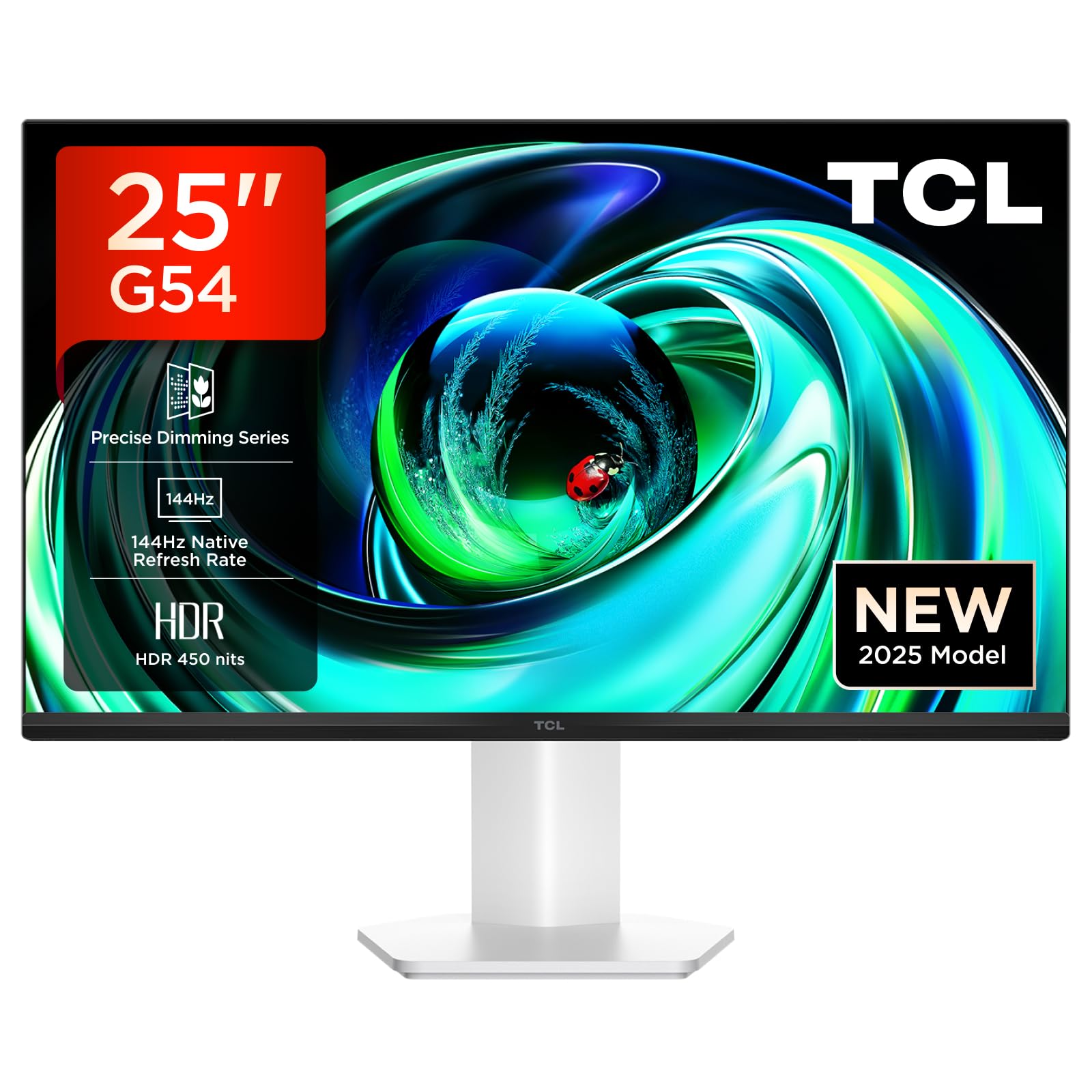
Figura 1: Përpara view of the TCL Gaming Monitor 25G54.
2. Informacion mbi sigurinë
Ju lutemi lexoni me kujdes të gjitha udhëzimet përpara se të përdorni monitorin. Ruajeni këtë manual për referencë në të ardhmen.
- Mos e ekspozoni monitorin ndaj shiut ose lagështirës për të parandaluar zjarrin ose goditjen elektrike.
- Mos e hapni monitorin casing. Brenda nuk ka pjesë që mund të riparohen nga përdoruesi. Ia drejtoni të gjitha shërbimet personelit të kualifikuar.
- Vendoseni monitorin në një sipërfaqe të qëndrueshme dhe të sheshtë për të parandaluar rënien e tij.
- Sigurohuni që të ketë ventilim të duhur përreth monitorit. Mos i bllokoni hapjet e ventilimit.
- Përdorni vetëm adaptorin e energjisë dhe kabllot e ofruara nga prodhuesi.
- Shkëputeni spinën e energjisë nga priza nëse monitori nuk do të përdoret për një periudhë të gjatë kohore.
3. Përmbajtja e paketës
Verifikoni që të gjitha artikujt janë të pranishëm në paketimin tuaj:
- TCL Gaming Monitor 25G54
- Mbështetëse monitori (Bazë dhe Qafë)
- Kabllo energjie
- Kabllo HDMI
- Manuali i Përdoruesit dhe Karta e Garancisë
Note: Specific cable types (e.g., DisplayPort) may vary by region or package.
4. Konfigurimi
4.1 Montimi i stendës
- Hiqni me kujdes monitorin dhe pjesët e mbështetëses nga paketimi.
- Bashkangjitni qafën e mbështetëses në panelin e monitorit. Sigurohuni që të fiksohet mirë në vend ose të jetë i fiksuar me vida siç tregohet në udhëzuesin e shpejtë të fillimit.
- Bashkangjitni bazën e mbështetëses në qafën e mbështetëses, duke e siguruar atë me vidën e dhënë.
- Vendoseni monitorin e montuar mbi një tavolinë të qëndrueshme.
4.2 Lidhja e Monitorit
The monitor supports various input options. Connect the appropriate cable from your computer or gaming console to the monitor.
- Lidhja HDMI: Use an HDMI cable to connect your device to the monitor's HDMI port.
- Lidhja e DisplayPort: Use a DisplayPort cable to connect your device to the monitor's DisplayPort.
- Lidhjet USB: Përdorni portat USB për lidhjen e pajisjeve periferike.

Figura 2: E pasme view showing the monitor's connectivity ports including HDMI, DisplayPort, and USB.
4.3 Aktivizimi
- Lidhni kabllon e energjisë me hyrjen e energjisë së monitorit dhe pastaj me një prizë elektrike.
- Press the power button, usually located on the back or bottom of the monitor, to turn it on.
5. Udhëzimet e funksionimit
5.1 Menuja e Shfaqjes në Ekran (OSD)
The OSD menu allows you to adjust various monitor settings. Access it using the joystick button, typically located on the back of the monitor.

Figure 3: Illustration of the joystick button for OSD menu navigation.
Cilësimet e zakonshme të OSD-së:
- Shkëlqimi/Kontrasti: Rregulloni nivelet e ndriçimit dhe kontrastit të ekranit.
- Cilësimet e ngjyrave: Modify color temperature, gamma, and color space (e.g., DCI-P3, sRGB).
- Burimi i hyrjes: Manually select the active input (HDMI, DisplayPort).
- Karakteristikat e lojës: Enable/disable FreeSync, adjust response time, and other gaming-specific enhancements.
- Modaliteti i figurës: Select preset display modes for different content types (e.g., Standard, Game, Movie).
5.2 Rregullime Ergonomike
Mbështetësja e monitorit ofron rregullime ergonomike për një performancë optimale. viewngushëllim
- anim: Rregulloni këndin vertikal të ekranit.
- Rrotullues: Rrotulloni ekranin horizontalisht.
- Rregullimi i lartësisë: Ngritni ose ulni ekranin në nivelin e syve.
- Pivot: Rrotulloni ekranin në orientim portret ose peizazh.

Figure 4: Illustration of the monitor's ergonomic stand, showing tilt and height adjustment capabilities.
6. Veçoritë
The TCL Gaming Monitor 25G54 incorporates several key technologies for superior performance:
- Teknologjia Mini LED: Combines QLED and OLED advantages for precise, pixel-level illumination, offering sharp contrast and a wide color gamut.
- Seria e Errësimit të Preciz: Enhances overall image quality by optimizing light and shadow, providing a high-quality visual experience.
- HDR 400 nit Brightness: With a peak brightness of 450 nits and a contrast ratio of 4,500,000:1, it delivers extended dynamic range and vivid details in both dark and bright areas.
- Shpejtësia e rifreskimit 144 Hz: Ensures smooth and fluid images in all gaming scenes and actions, minimizing motion blur.
- 1ms (GTG) Response Time: An extremely fast response time reduces ghosting and blurring, allowing for quick target acquisition.
- 93% DCI-P3 Wide Color Gamut: Displays vibrant colors with professional-level accuracy, revealing an immersive world of color.
- TÜV Rheinland Flicker-Free & Low Blue Light: Certified for eye protection, this mode blocks harmful blue light and eliminates flicker for prolonged viewngushëllim

Figura 5: Mbiview of the TCL 25G54 Mini LED Monitor's key features.
7. Mirëmbajtja
Mirëmbajtja e duhur siguron jetëgjatësinë dhe performancën optimale të monitorit tuaj.
- Pastrimi i ekranit: Fshijeni butësisht ekranin me një leckë të butë pa push. Për njollat kokëforta, përdorni një tretësirë pastrimi specifike për monitorin të aplikuar në leckë, jo direkt në ekran.
- Pastrimi i C-sëasing: Përdorni një leckë të butë dhe të thatë për të fshirë monitorin casing. Shmangni pastruesit gërryes.
- Ventilimi: Ensure the ventilation openings are clear of dust and debris. Use compressed air to clean if necessary.
- Fike: Always turn off and unplug the monitor before cleaning or if it will be unused for an extended period.
8. Troubleshooting
Nëse hasni probleme me monitorin tuaj, referojuni zgjidhjeve të zakonshme të mëposhtme:
| Problem | Shkaku i mundshëm | Zgjidhje |
|---|---|---|
| Asnjë imazh në ekran | Power cable disconnected, input cable loose, incorrect input source selected. | Check power and input cable connections. Select correct input source via OSD. |
| Imazhi është i turbullt ose i shtrembëruar | Incorrect resolution, faulty cable, graphics driver issue. | Set display resolution to 1920x1080. Try a different cable. Update graphics drivers. |
| Ekran që dridhet | Refresh rate mismatch, faulty cable, external interference. | Ensure refresh rate is set to 144Hz. Try a different cable. Check for nearby electronic devices. |
| Asnjë zë | Audio cable not connected, volume too low, incorrect audio output selected. | Connect headphones to the monitor's audio output. Adjust volume. Select monitor as audio output on your device. |
Nëse problemi vazhdon pasi të provoni këto zgjidhje, ju lutemi kontaktoni mbështetjen e klientit të TCL.
9. Specifikimet
| Veçori | Specifikimi |
|---|---|
| Markë | TCL |
| Numri i modelit | 25G54 |
| Madhësia e ekranit | 25 inç |
| Rezolucioni | 1920x1080 (FHD) |
| Lloji i panelit | IPS |
| Shpejtësia e rifreskimit | 144 Hz |
| Koha e përgjigjes | 1 ms (GTG) |
| Shkëlqimi | 450 nits |
| Raporti i kontrastit | 4,500,000:1 |
| Mbështetje HDR | VESA Display HDR 400 |
| Gama e ngjyrave | 93% DCI-P3 |
| Viewing kënd | 178 gradë |
| Lidhshmëria | 1x HDMI, 1x DisplayPort, 4x USB, Headphone Output |
| Sinkronizimi adaptiv | FreeSync |
| Dimensionet (DxWxH) | 18.2 x 55.6 x 43.9 cm |
| Pesha | 4.39 kg |
| Karakteristika të veçanta | Mini LED, Flicker-Free, Low Blue Light |
10. Garancia dhe Mbështetja
Your TCL Gaming Monitor 25G54 comes with a 2-year manufacturer's warranty. For warranty claims, technical support, or service inquiries, please visit the official TCL support webvend ose kontaktoni shitësin tuaj lokal.
Për më shumë informacion, vizitoni Dyqani TCL në Amazon.
11. Informacioni i riciklimit
Please dispose of this product responsibly. Electronic waste should not be disposed of with household waste. Follow local regulations for the proper disposal of electronic devices. This helps protect the environment and human health.