
1. Hyrje
Faleminderit për blerjenasing the BESUS Q5 Mate Wireless Mini Projector. This compact and versatile projector is designed to provide a high-quality viewing experience for home entertainment, presentations, and more. Featuring WiFi 6 and 5G connectivity, 4K/1080P support, and a 180° rotatable design, it offers flexibility and convenience. This manual provides detailed instructions for setup, operation, maintenance, and troubleshooting to ensure optimal performance and longevity of your device.
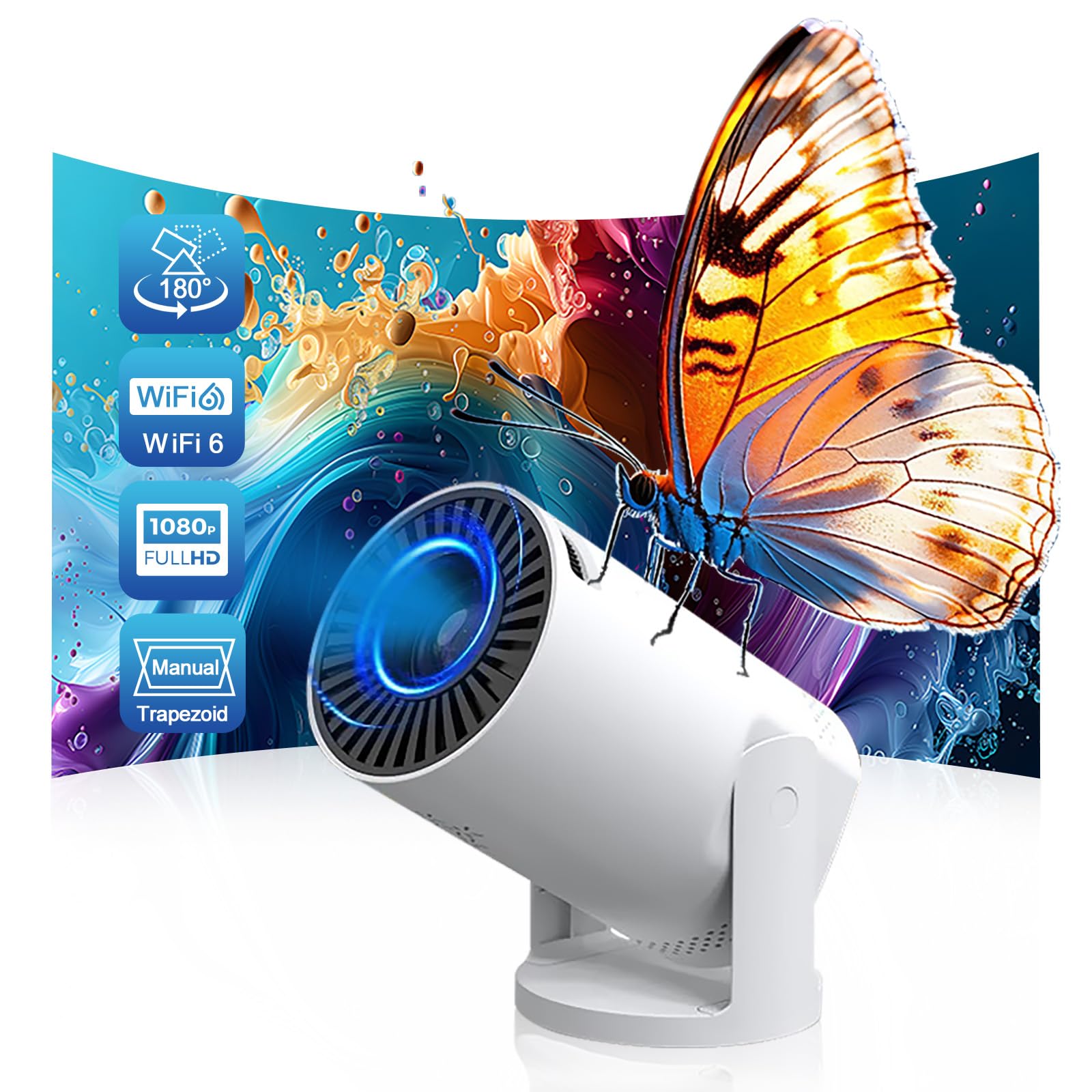
Image 1.1: The BESUS Q5 Mate Wireless Mini Projector, showcasing dizajni i saj kompakt.
2. Informacion mbi sigurinë
Ju lutemi lexoni me kujdes të gjitha udhëzimet e sigurisë përpara se të përdorni projektorin. Ruajeni këtë manual për referencë në të ardhmen.
- Mos shikoni drejtpërdrejt në lentet e projektorit kur lamp është ndezur, pasi drita e fortë mund të shkaktojë dëmtime të syve.
- Sigurohuni që projektori të jetë vendosur në një sipërfaqe të qëndrueshme dhe të niveluar për të parandaluar rënien e tij.
- Do not block the ventilation openings, as this can lead to overheating and damage the device.
- Mbajeni projektorin larg ujit, lagështirës dhe temperaturave ekstreme.
- Përdorni vetëm adaptorin e energjisë që vjen me projektorin.
- Mos u përpiqni ta hapni ose riparoni vetë projektorin. Për çdo shërbim, drejtojuni personelit të kualifikuar.
- Mbajeni projektorin larg fëmijëve.
3. Përmbajtja e paketës
Verifikoni që të gjitha artikujt e listuar më poshtë janë të përfshirë në paketën tuaj. Nëse ndonjë artikull mungon ose është i dëmtuar, ju lutemi kontaktoni mbështetjen ndaj klientit.
- BESUS Q5 Mate Mini Projector
- Telekomandë
- Përshtatës i energjisë
- Manuali i Përdoruesit (ky dokument)

Image 3.1: Contents of the BESUS Q5 Mate projector package, including the projector, remote, power adapter, and user manual.
4. Produkti i Mbaruarview
Familiarize yourself with the various parts of your BESUS Q5 Mate projector.
4.1 Fronti View

Imazhi 4.1: I detajuar view of the projector lens, highlighting its high refractive index coating for clear image quality.
- Lentet e projektimit: Emits the image onto the screen. Features a high refractive index coating for enhanced clarity.
- Grilë ventilimi: Ensures proper airflow for cooling.
4.2 Pjesa e pasme/anësore View (Porte)
- Hyrja DC: Lidhet me përshtatësin e energjisë.
- Porta AV: Për lidhjen e pajisjeve të vjetra duke përdorur një kabllo AV.
- Porta USB: For connecting USB flash drives or other USB devices.
- Porta e kufjeve 3.5 mm: Për lidhjen e pajisjeve të jashtme audio si kufje ose altoparlantë.
5. Konfigurimi
5.1 Vendosja dhe Lidhja me Energjinë Elektrike
- Place the projector on a stable surface. Ensure there is adequate space around the projector for ventilation.
- Connect the power adapter to the DC input port on the projector, then plug the adapter into a power outlet.
- Shtypni butonin e ndezjes në projektor ose në telekomandë për të ndezur pajisjen.

Image 5.1: The projector set up in a living room environment, demonstrating its use for home entertainment.
5.2 Rregullimi i fokusit
Once the projector is powered on and displaying an image, rotate the focus ring (usually located near the lens) until the image appears sharp and clear on your projection surface.
5.3 Projection Angle Adjustment (180° Swivel)
The BESUS Q5 Mate features a 180° rotatable base, allowing you to adjust the projection angle from the wall to the ceiling. Gently hold the projector body and rotate it to achieve your desired viewing angle. The image will automatically adjust for keystone correction.

Image 5.2: Diagram illustrating the 180-degree flexible projection angle of the projector, allowing projection from wall to ceiling.
5.4 Lidhshmëria
Projektori mbështet metoda të ndryshme lidhjeje:
- Wireless (WiFi 6 & 5G):
- Shkoni te menyja "Cilësimet" në projektor.
- Zgjidhni "Rrjeti" ose "Cilësimet e WiFi-t".
- Choose your desired WiFi network (2.4GHz or 5GHz/WiFi 6) and enter the password.
- Screen Mirroring (Smartphone/Laptop):
Once connected to the same WiFi network, select the "Screen Mirroring" or "Cast" option on the projector's main menu. Follow the on-screen instructions to connect your smartphone or laptop (e.g., AirPlay for iOS, Miracast for Android/Windows).
- Lidhja USB:
Insert a USB flash drive into the USB port. The projector will typically prompt you to browse its contents (videos, photos, documents).
- Lidhja AV:
Connect your device to the AV port using an AV cable. Select "AV" as the input source from the projector's menu.
6. Udhëzimet e funksionimit
6.1 Ndez/Fik
- Ndezja: Shtypni butonin e ndezjes në projektor ose në telekomandë.
- Fike: Shtypni përsëri butonin e ndezjes. Konfirmoni fikjen nëse kërkohet.
6.2 Navigimi i menysë
Use the arrow buttons on the remote control to navigate through the on-screen menus. The "OK" or "Enter" button confirms selections, and the "Back" or "Return" button goes back to the previous menu.
6.3 Përzgjedhja e Burimit të Hyrjes
From the main menu or by pressing the "Source" button on the remote, select the desired input source (e.g., WiFi, USB, AV) corresponding to your connected device.
6.4 Cilësimet e audios
Adjust the volume using the volume buttons on the remote control. You can also access advanced audio settings (e.g., sound modes, equalizer) through the projector's settings menu. The projector has a built-in speaker, but external speakers can be connected via the 3.5mm audio jack.
7. Mirëmbajtja
Mirëmbajtja e duhur siguron jetëgjatësinë dhe performancën optimale të projektorit tuaj.
- Pastrimi i lenteve: Use a soft, lint-free cloth specifically designed for optical lenses. Do not use abrasive cleaners or harsh chemicals. Gently wipe the lens to remove dust or smudges.
- Pastrimi i pjesës së jashtme: Fshijeni pjesën e jashtme të projektorit me një leckë të butë dhe të thatë. Për papastërtitë kokëforta, një copë pak e thatëamp Mund të përdoret një leckë, e më pas një leckë e thatë.
- Ventilimi: Regularly check that the ventilation openings are clear of dust and debris to prevent overheating. Do not spray cleaning liquids directly into the vents.
- Magazinimi: Kur nuk e përdorni për periudha të gjata, ruajeni projektorin në një vend të freskët dhe të thatë, larg rrezeve të diellit dhe temperaturave ekstreme.
- Lamp Jeta: The projector features advanced LED technology with an extended lamp jetëgjatësia deri në 55,000 orë, duke reduktuar nevojën për l të shpeshtaamp zëvendësim.
8. Troubleshooting
Nëse hasni probleme me projektorin tuaj, referojuni problemeve dhe zgjidhjeve të zakonshme të mëposhtme:
| Problem | Shkaku i mundshëm | Zgjidhje |
|---|---|---|
| Asnjë imazh nuk shfaqet | Power cable disconnected, incorrect input source, device not connected properly. | Check power connection. Select correct input source. Ensure source device is on and connected. |
| Imazhi është i paqartë | Focus not adjusted, projector too close/far from screen. | Adjust the focus ring. Reposition the projector for optimal distance. |
| Asnjë zë | Volume too low, mute enabled, external audio device not connected. | Increase volume. Check mute settings. Ensure external speakers/headphones are connected correctly. |
| Nuk mund të lidhet me WiFi | Fjalëkalim i pasaktë, jashtë rrezes së veprimit, problem me rrjetin. | Verify WiFi password. Move projector closer to router. Restart router and projector. |
| Projektori mbinxehet | Ventilim i bllokuar, përdorim i zgjatur në mjedis të nxehtë. | Sigurohuni që kanalet e ventilimit të jenë të lira. Përdoreni në një zonë të ajrosur mirë. Lëreni projektorin të ftohet. |
9. Specifikimet
Key technical specifications for the BESUS Q5 Mate Wireless Mini Projector:
- Marka: BESUS
- Modeli: Q5 Mate
- Përdorimet e rekomanduara: Kinema në shtëpi
- Karakteristikë e veçantë: Built-In Cooling System, 180° Rotatable Base
- Teknologjia e lidhjes: AV, USB, Wi-Fi (WiFi 6 & 5G)
- Rezolucioni i ekranit: 1280 x 720 (Supports 1080P/4K input)
- Madhësia e ekranit të projektimit: 17-140 inç
- Lamp Jeta: Deri në 55,000 orë

Image 9.1: Illustration of the projector's flexible screen size, ranging from 17 to 120 inches, adapting to various spaces.

Image 9.2: Comparison highlighting key features of the BESUS Q5 Mate, such as lamp life, brightness, screen size, 1080P decoding, built-in speaker, and keystone correction.
10. Garancia dhe Mbështetja
For warranty information and technical support, please refer to the warranty card included in your package or visit the official BESUS website. If you experience any issues not covered in this manual, please contact our customer service team for assistance.
Kontakti për Mbështetjen e Klientit: Please refer to your product packaging or the official BESUS webfaqe interneti për informacionin më të fundit të kontaktit.