
Hyrje
Thank you for choosing the Fisher Pro Active Noise Cancelling Headphones. This manual provides essential information for setting up, operating, and maintaining your headphones. Please read it thoroughly to ensure optimal performance and longevity of your device.
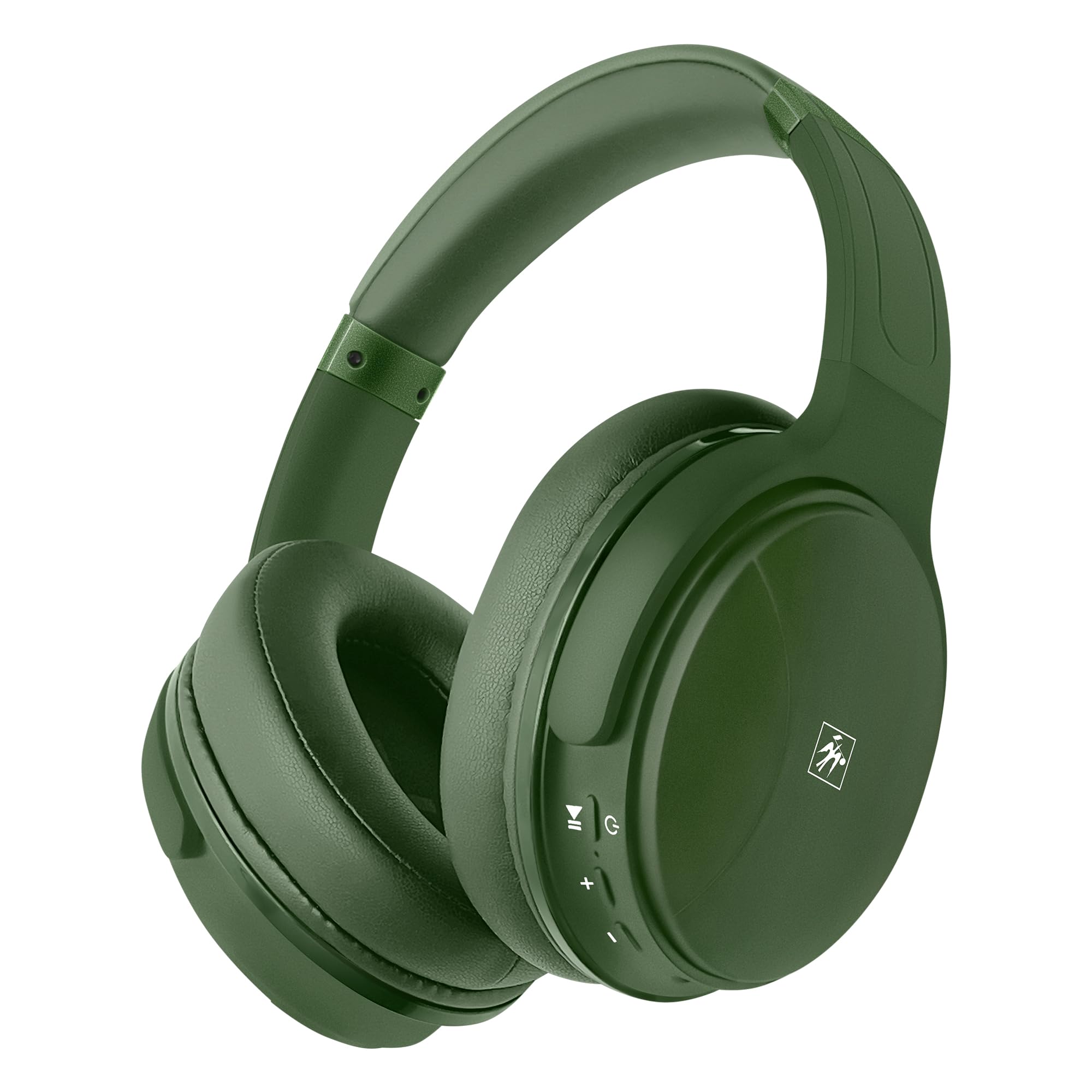
Imazhi: Përpara view of the Fisher Pro Active Noise Cancelling Headphones in dark green.
Përmbajtja e paketës
Sigurohuni që të gjitha sendet janë të pranishme në paketim:
- Fisher Pro Active Noise Cancelling Headphones
- Kabllo karikimi USB-C
- 3.5mm Stereo AUX Cable
- Manuali i Përdoruesit (ky dokument)
- Karta e garancisë
Kontrollet dhe veçoritë
Familiarize yourself with the headphone controls and key features:

Image: Right earcup showing control buttons for power, volume, and ANC.
- Butoni i energjisë: Shtypni dhe mbani shtypur për të ndezur/fikur.
- Volumi lart/Pjesa tjetër: Shtypje e shkurtër për të rritur volumin, shtypje e gjatë për këngën tjetër.
- Ulja e volumit/Pjesa e mëparshme: Shtypje e shkurtër për uljen e volumit, shtypje e gjatë për këngën e mëparshme.
- Butoni shumëfunksional (MFB): Luaj/pauzo muzikë, përgjigju/mbaro thirrjet, aktivizo asistentin zanor.
- Butoni ANC: Aktivizoni/çaktivizoni Anulimin aktiv të Zhurmës.
- Porta USB-C: Për karikimin e kufjeve.
- Jack audio 3.5 mm: Për lidhje me tel.
- Mikrofoni: Për telefonata pa duar.

Imazh: Mbiview of headphone features including Active Noise Cancellation, 16-hour battery life, voice assistant support, premium sound, device compatibility, foldable design, adjustable headband, easy-access buttons, hands-free microphone, and comfort cushions.
Konfigurimi
1. Ngarkimi i kufjeve
Para përdorimit të parë, ngarkoni plotësisht kufjet.
- Connect the provided USB-C charging cable to the headphone's USB-C port.
- Lidhni anën tjetër të kabllit me një burim energjie USB (p.sh., adaptor muri, portë USB për kompjuterin).
- Treguesi LED do të tregojë statusin e karikimit (p.sh., e kuqe për karikim, blu për karikim të plotë).
A full charge provides up to 16 hours of playback. Quick charging is supported.

Image: Visual representation of the 16-hour battery life feature.
2. Ndez/Fik
- Për të ndezur: Shtypni dhe mbani shtypur butonin e ndezjes për afërsisht 3 sekonda derisa treguesi LED të ndizet me ngjyrë blu.
- Për të fikur: Shtypni dhe mbani shtypur butonin e ndezjes për afërsisht 3 sekonda derisa treguesi LED të fiket.
3. Çiftimi Bluetooth
Pair your headphones with a Bluetooth-enabled device:
- Sigurohuni që kufjet të jenë të fikur.
- Shtypni dhe mbani shtypur butonin e ndezjes për 5-7 sekonda derisa treguesi LED të ndizet me të kuqe dhe blu në mënyrë alternative, duke treguar modalitetin e çiftëzimit.
- Në pajisjen tuaj (smartfon, laptop, tablet), aktivizoni Bluetooth dhe kërkoni për pajisje të disponueshme.
- Select "Fisher Pro" from the list of devices.
- Pasi të lidhet, treguesi LED do të ndizet blu ngadalë.
Kufjet do të përpiqen automatikisht të rilidhen me pajisjen e fundit të çiftuar kur të ndizen.

Image: Illustration showing the headphones' compatibility with various devices via Bluetooth 5.3.
4. Lidhja me tela (Modaliteti AUX)
Use the included 3.5mm AUX cable for a wired connection:
- Plug one end of the 3.5mm AUX cable into the headphone's audio jack.
- Plug the other end into your audio source's 3.5mm audio output.
- The headphones will automatically switch to AUX mode. Bluetooth functionality is disabled in this mode.
Udhëzimet e funksionimit
1. Anulimi Aktiv i Zhurmës (ANC)
The Fisher Pro headphones feature Active Noise Cancellation to reduce ambient sounds.
- To Activate/Deactivate ANC: Press the dedicated ANC button. The LED indicator for ANC will illuminate when active.

Image: Diagram illustrating how Active Noise Cancellation works by generating anti-phase sound waves to cancel ambient noise.
2. Luajtja e muzikës
- Luaj/Ndalu: Shtypni MFB një herë.
- Pjesa tjetër: Shtypni gjatë butonin e rritjes së volumit.
- Pjesa e mëparshme: Shtypni gjatë butonin e uljes së volumit.
- Vëllimi lart: Shtypni shkurt butonin e rritjes së volumit.
- Ule volumin: Shtypni shkurt butonin e uljes së volumit.
3. Menaxhimi i Thirrjeve
- Përgjigja/Përfundimi i telefonatës: Shtypni MFB një herë.
- Refuzo thirrjen: Shtypni dhe mbani MFB për 2 sekonda.
- Ribllokoni numrin e fundit: Shtypni dy herë MFB.

Image: Icon indicating the presence of a hands-free microphone for calls.
4. Voice Assistant
Aktivizoni asistentin zanor të pajisjes suaj (Siri, Google Assistant, etj.):
- Aktivizo "Asistentin e zërit": Triple-press the MFB.
Mirëmbajtja
Për të siguruar jetëgjatësinë dhe performancën optimale të kufjeve tuaja, ndiqni këto udhëzime mirëmbajtjeje:
- Pastrimi: Përdorni një leckë të butë dhe të thatë për të pastruar kufjet. Mos përdorni pastrues ose tretës gërryes.
- Magazinimi: Kur nuk janë në përdorim, ruajini kufjet në një vend të freskët dhe të thatë, larg rrezeve të diellit dhe temperaturave ekstreme. Dizajni i palosshëm lejon ruajtje kompakte.
- Shmangni lagështinë: Mos i ekspozoni kufjet ndaj ujit ose lagështirës së tepërt.
- Trajto me kujdes: Shmangni rrëzimin ose ekspozimin e kufjeve ndaj goditjeve të forta.

Image: Detail of the earcup, showing the comfortable memory foam cushions and foldable design for easy storage.
Zgjidhja e problemeve
Nëse hasni probleme me kufjet tuaja, referojuni zgjidhjeve të zakonshme të mëposhtme:
| Problem | Zgjidhja e mundshme |
|---|---|
| Kufjet nuk ndizen. | Sigurohuni që kufjet të jenë të ngarkuara plotësisht. Lidheni me një burim energjie duke përdorur kabllon USB-C. |
| Nuk mund të çiftëzohet nëpërmjet Bluetooth. | Sigurohuni që kufjet janë në modalitetin e çiftëzimit (me të kuqe/blu që pulson). Çaktivizoni dhe aktivizoni Bluetooth-in në pajisjen tuaj. Afroni më shumë pajisjen. |
| Pa zë ose me volum të ulët. | Check volume levels on both headphones and connected device. Ensure headphones are properly paired or AUX cable is fully inserted. |
| ANC nuk funksionon në mënyrë efektive. | Ensure ANC is activated via the ANC button. Adjust headphone fit to ensure a good seal around your ears. |
| Mikrofoni nuk punon. | Ensure headphones are connected via Bluetooth (microphone functionality is not available in AUX mode). Check device settings for microphone input. |
Specifikimet
| Veçori | Detaj |
|---|---|
| Emri i modelit | SBHP550ADG |
| Teknologjia e lidhjes | Wireless (Bluetooth 5.3), Wired (3.5mm AUX) |
| Versioni Bluetooth | 5.3 |
| Kontrolli i zhurmës | Anulimi i Zhurmës Aktive (ANC) |
| Lloji i drejtuesit të audios | Drajver Dinamik, 40 mm |
| Përgjigja e frekuencës | 15 Hz - 20 kHz |
| Impedanca | 32 Ohm |
| Jetëgjatësia e baterisë | Deri në 16 orë |
| Porta e karikimit | USB-C |
| Mikrofoni | I integruar për telefonata pa duar |
| Metoda e kontrollit | Prekje/Buton |
| Forma e kufjes | Mbi vesh |
| Dimensionet | 8.1 x 7.5 x 3.15 inç |
| Pesha e artikullit | 6.6 ons |
| Materiali | Plastike |

Imazh: I detajuar view of the 40mm Hi-Res Audio driver, responsible for clear and immersive sound.
Garancia dhe Mbështetja
Informacioni i Garancisë
Your Fisher Pro Active Noise Cancelling Headphones come with a limited warranty. Please refer to the included Warranty Card for detailed terms and conditions, including coverage period and how to make a claim.
Mbështetja e klientit
For technical assistance, troubleshooting beyond this manual, or warranty inquiries, please contact Fisher customer support. Contact details can be found on the Warranty Card or the official Fisher webfaqe.