
NIMO Nimo N155
NIMO 15.6-inch FHD Laptop Nimo N155 User Manual
Modeli: Nimo N155
1. Hyrje
This manual provides essential information for setting up, operating, and maintaining your NIMO 15.6-inch FHD Laptop Nimo N155. Please read this manual thoroughly before using your device to ensure proper function and longevity.

Figure 1: NIMO 15.6-inch FHD Laptop Nimo N155 Overview
The NIMO N155 laptop is equipped with an AMD Ryzen 7 6800H processor, 32GB DDR5 RAM, and a 1TB PCIe 4.0 SSD, designed for efficient performance in various computing tasks. It features a 15.6-inch Full HD IPS anti-glare display, a backlit keyboard, and an integrated fingerprint sensor for enhanced security and user experience.
2. Çfarë ka në kuti
Verifikoni që të gjitha sendet janë të pranishme në paketim:
- 1 x Laptop Nimo N155
- 1 x Karikues i Shpejtë Type-C 100W PD
- 1 x Manual Përdoruesi (ky dokument)
- Sistemi Operativ Windows 11 Home (i parainstaluar)
3. Konfigurimi fillestar
3.1. Ngarkimi i laptopit
Before first use, connect the laptop to the power adapter and charge it fully. The Type-C 100W PD Fast Charger provides rapid charging capabilities.
- Connect the Type-C charger to a power outlet.
- Plug the Type-C connector into one of the Type-C ports on your laptop.
- The charge LED indicator will illuminate, indicating that the laptop is charging.

Figure 2: Connecting the Type-C 100W PD Fast Charger
3.2. Aktivizimi
Press the power button located on the keyboard to turn on the laptop. Follow the on-screen instructions to complete the initial Windows 11 setup, including language selection, network connection, and user account creation.
4. Laptop Components and Ports
Familiarize yourself with the various components and ports of your NIMO N155 laptop.

Figura 3: Portat dhe Konektorët e Laptopit
4.1. Portat e anës së majtë
- Porta USB 2.0: Për lidhjen e pajisjeve të vjetra USB.
- Porta USB 3.0: Për lidhjen e pajisjeve USB me shpejtësi të lartë.
- Foleja e kartës Micro SD: For reading and writing to Micro SD cards.
- Jack kufje: Për lidhjen e kufjeve ose altoparlantëve të jashtëm.
- Sloti Kensington Lock: Për të siguruar laptopin tuaj me një bravë të pajtueshme.
4.2. Portat e anës së djathtë
- LED e karikimit: Tregon statusin e karikimit.
- Type-C (PD/Charging) Port: Primarily for power delivery and charging.
- Type-C (Multifunction) Port: Mbështet transferimin e të dhënave dhe daljen e ekranit.
- Portet USB 3.0 (x2): Për lidhjen e pajisjeve USB me shpejtësi të lartë.
- Porta HDMI: Për t'u lidhur me ekrane ose projektorë të jashtëm.
4.3. Komponentët e Brendshëm
- Procesori: AMD Ryzen 7 6800H (8 Cores, 16 Threads, up to 4.7 GHz).
- Grafika: GPU e integruar AMD Radeon 680M.
- RAM: 32GB DDR5 (upgradeable).
- Magazinimi: 1TB PCIe 4.0 SSD (upgradeable).
- Shfaq: 15.6-inch FHD (1920x1080) IPS Anti-Glare Display.
- Webkamera: 2.0 MP with privacy shield.
- Wireless: 802.11a/b/g/n/ac (Wi-Fi 5) and Bluetooth 5.2.

Figure 4: AMD Ryzen 7 6800H Processor Details

Figure 5: High-Speed RAM and PCIe SSD
5. Operimi i laptopit tuaj
5.1. Ekrani
The 15.6-inch Full HD IPS display offers a resolution of 1920x1080 pixels. Adjust brightness and display settings through Windows settings (Right-click on desktop > Display settings).
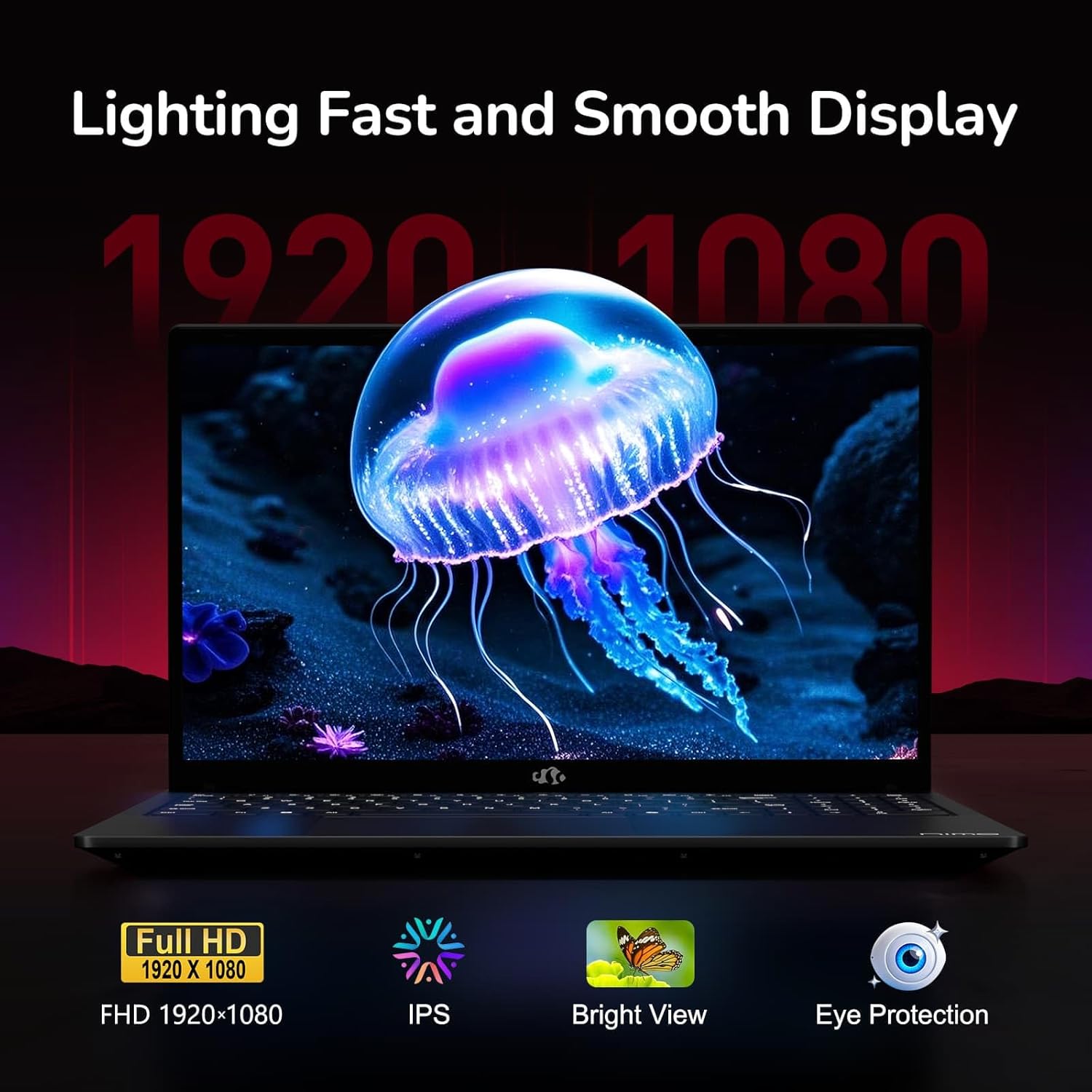
Figure 6: Laptop Display Features
5.2. Tastiera dhe Touchpad
The laptop features a backlit keyboard and a responsive touchpad with multi-touch gesture support. The integrated fingerprint sensor is located on the touchpad for secure login.
- Tastierë me dritë prapa: Shtypni Fn + Fx (where Fx is the backlight key, typically F3 or F4) to adjust keyboard backlight brightness.
- Sensori i gjurmës së gishtit: Enroll your fingerprints via Windows Settings > Accounts > Sign-in options for quick and secure access.
- Webcam Privacy Shield: Slide the physical cover over the webcam for privacy when not in use.

Figure 7: Keyboard and Input Features

Figure 8: Seamless Security Integration (Fingerprint and Webcam Shield)
5.3. Menaxhimi i energjisë
The laptop is equipped with a 4700mAh (53.58Wh) Lithium Polymer battery. Battery life can vary based on usage. To optimize battery life, adjust power settings in Windows and close unnecessary applications.

Figura 9: Specifikimet e Baterisë
6. Mirëmbajtja dhe Kujdesi
6.1. Pastrimi
- Përdorni një leckë të butë pa push për të pastruar ekranin dhe pjesën e jashtme.
- Për shenja kokëforta, dampLani leckën me ujë ose me një pastrues ekrani. Shmangni kimikatet e ashpra.
- Sigurohuni që laptopi të jetë i fikur dhe i shkëputur nga priza para se ta pastroni.
6.2. Magazinimi dhe Trajtimi
- Ruajeni laptopin në një vend të freskët dhe të thatë, larg rrezeve të diellit dhe temperaturave ekstreme.
- Shmangni vendosjen e objekteve të rënda mbi laptop.
- Do not expose the laptop to liquids.
6.3. Upgrades
The NIMO N155 laptop supports detachable RAM and SSD, allowing for user upgrades. Refer to the official NIMO support website or contact customer service for detailed upgrade instructions to avoid voiding your warranty.
7. Troubleshooting
Ky seksion trajton problemet e zakonshme që mund të hasni me laptopin tuaj NIMO N155.
| Problem | Zgjidhja e mundshme |
|---|---|
| Laptopi nuk ndizet. | Sigurohuni që karikuesi të jetë i lidhur siç duhet dhe që bateria të ketë ngarkesë të mjaftueshme. Provoni një prizë tjetër. |
| Ekrani është bosh. | Check if the laptop is powered on. Adjust screen brightness. Connect to an external monitor to check if the issue is with the laptop's display. |
| Probleme me lidhjen Wi-Fi. | Sigurohuni që Wi-Fi është i aktivizuar në cilësimet e Windows. Rinisni routerin dhe laptopin. Përditësoni drajverët e Wi-Fi. |
| Ndriçimi i prapmë i tastierës nuk funksionon. | Press the Fn key combined with the appropriate function key (e.g., F3 or F4) to toggle or adjust the backlight. |
| Fingerprint sensor not responding. | Ensure your finger is clean and dry. Re-enroll your fingerprints in Windows settings. Update fingerprint sensor drivers. |
Nëse hasni probleme që nuk janë renditur këtu ose keni nevojë për ndihmë të mëtejshme, ju lutemi kontaktoni mbështetjen e klientëve të NIMO.
8. Specifikimet teknike
| Veçori | Specifikimi |
|---|---|
| Emri i modelit | Nimo N155 |
| Ekrani | 15.6-inch FHD (1920x1080) IPS Anti-Glare |
| Përpunues | AMD Ryzen 7 6800H (8 bërthama, 16 fije, deri në 4.7 GHz) |
| Grafika | Integrated AMD Radeon 680M |
| RAM | 32GB DDR5 4800 MHz (Dual-channel, upgradeable) |
| Magazinimi | SSD PCIe 4.0 1TB (i përditësueshëm) |
| Sistemi Operativ | Windows 11 Home |
| Lidhja me valë | Wi-Fi 5 (802.11a/b/g/n/ac), Bluetooth 5.2 |
| Portet | 1x USB 2.0, 3x USB 3.0, 2x Type-C (1x PD, 1x Multifunction), 1x HDMI, 1x Micro SD, 1x Headphone Jack, 1x Kensington Lock |
| Webkamera | 2.0 MP (with privacy shield) |
| Bateria | 4700mAh / 53.58Wh Lithium Polymer |
| Përshtatës i energjisë | Karikues i shpejtë Type-C 100W PD |
| Dimensionet (LxWxH) | 14.07 x 8.98 x 0.76 inç (357.4 x 228 x 19.2 mm) |
| Pesha | 3.8 paund (1.7 kg) |
| Karakteristika të veçanta | Tastierë me ndriçim nga prapa, Lexues i gjurmëve të gishtave, Audio HD, Tastierë numerike |
9. Garancia dhe Mbështetja
9.1. Garancia e Prodhuesit
Laptopi juaj NIMO N155 vjen me një Garanci 2-vjeçare e prodhuesitKjo garanci mbulon defektet në materiale dhe prodhim nën përdorim normal. Ju lutemi ruani provën e blerjes për kërkesat e garancisë.
9.2. Politika e Kthimit
NIMO ofron një Politikë kthimi pa probleme brenda 90 ditëve from the date of purchase. For details on eligibility and the return process, please refer to your purchase documentation or contact customer support.
9.3. Mbështetja e klientit
For technical assistance, warranty claims, or any other inquiries, please visit the official NIMO support website or contact their customer service team. Contact information can typically be found on the NIMO brand store page or included documentation.
NIMO Brand Store: Visit NIMO Store on Amazon