
1. Hyrje
This manual provides essential information for setting up, operating, and maintaining your Samsung QE43Q7FAAU 43-inch QLED 4K Smart TV. Please read this manual thoroughly to ensure safe and optimal use of your television.
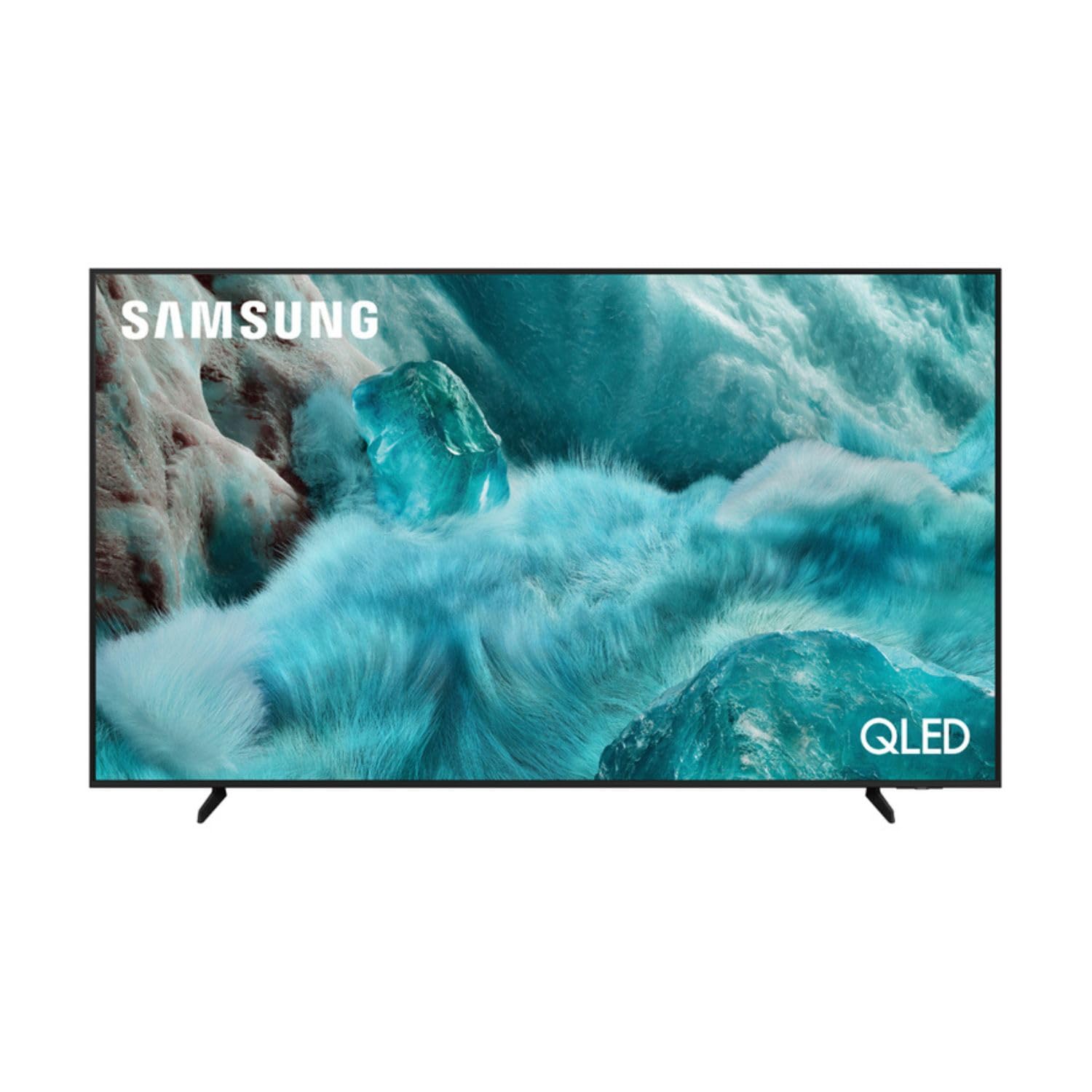
Imazhi: Përpara view of the Samsung QE43Q7FAAU 43-inch QLED 4K Smart TV, showcasindizajnin e tij të hollë dhe ekranin e gjallë.
2. Informacion mbi sigurinë
Ndiqni gjithmonë masat themelore të sigurisë kur përdorni këtë televizor për të zvogëluar rrezikun e zjarrit, goditjes elektrike dhe lëndimeve.
- Mos e ekspozoni televizorin ndaj shiut ose lagështisë.
- Mos bllokoni hapjet e ventilimit.
- Sigurohuni që kordoni i rrymës të mos jetë i mbërthyer ose i ecur.
- Përdorni vetëm bashkëngjitje/pajisje shtesë të specifikuara nga prodhuesi.
- Shkëputeni televizorin nga priza gjatë stuhive me rrufe ose kur nuk përdoret për periudha të gjata kohore.
3. Çfarë ka në kuti
Verify that the following items are included with your television:
- Samsung QE43Q7FAAU 43-inch QLED 4K Smart TV
- Remote Control (Bluetooth with solar energy technology)
- Kabllo energjie
- Stand Components (if not wall-mounted)
- Manuali i Përdoruesit (ky dokument)
4. Konfigurimi
4.1 Instalimi fizik
Your TV can be placed on a stand or wall-mounted. Ensure proper ventilation around the TV.
- Instalimi i stendës: Attach the provided stand components securely to the TV base. Refer to the separate stand assembly guide for detailed instructions.
- Montimi në mur: The TV supports a VESA standard mount of 200 x 200 mm. Use appropriate wall-mounting hardware (not included) and consult a professional for installation if unsure.

Image: Diagram showing the dimensions of the Samsung QE43Q7FAAU TV, including height, width, and depth.
4.2 Initial Power On and Connections
- Lidhni kabllon e energjisë me televizorin dhe më pas me një prizë muri.
- Connect your external devices (e.g., cable box, game console, Blu-ray player) to the HDMI ports. The TV has 3 HDMI 2.0 ports.
- For USB devices, use the USB 2.0 port.
- Shtypni butonin e ndezjes në telekomandë për të ndezur televizorin.
- Follow the on-screen instructions for initial setup, including language selection and channel scanning (DVB-T2/C/S2 tuner).
4.3 Konfigurimi i rrjetit
To access Smart TV features, connect your TV to the internet.
- Wi-Fi: Navigate to the TV's settings menu, select 'Network', then 'Network Settings'. Choose your Wi-Fi network and enter the password.
- Bluetooth: The TV supports Bluetooth 5.3 for connecting compatible devices like soundbars or headphones. Pair devices through the TV's settings menu.
5. Përdorimi i televizorit
5.1 Funksionet themelore
- Fuqia: Use the remote control to turn the TV on or off.
- Vëllimi: Adjust volume using the volume buttons on the remote.
- Kanali: Change channels using the channel buttons.
- Burimi: Select input sources (HDMI 1, HDMI 2, USB, etc.) using the 'Source' button.
5.2 Smart TV Features (One UI Tizen)
Your Samsung TV runs on the One UI Tizen operating system, offering a range of smart functionalities.
- Kontrolli i zërit: Integrated voice assistants include Bixby, Amazon Alexa, and Google Assistant. Use the voice control button on your remote to activate.
- SmartThings: Connect and control compatible smart home devices through the SmartThings app on your TV.
- ShumëView: Shfaq burime të shumta përmbajtjeje njëkohësisht në ekran.
- Samsung TV Plus: Access a variety of free streaming channels.
- Apple AirPlay: Share content from your Apple devices to the TV.
5.3 Karakteristikat e Lojërave
The TV is equipped with features to enhance your gaming experience:
- Modaliteti i Lojës Automatike me IA: Optimizon automatikisht cilësimet për lojëra.
- Motion Xcelerator: Reduces motion blur for smoother gameplay.
- Lojë Super UltrawideView: Provides an expanded view për lojëra të pajtueshme.
5.4 Cilësimet e figurës dhe zërit
Personalizojeni tuajën viewpërvojën e dëgjimit dhe të dëgjimit përmes menysë së cilësimeve të televizorit.
- Foto: Adjust brightness, contrast, sharpness, and color. Utilize features like Quantum HDR, HDR10+, HDR10+ Adaptive, HLG, Filmmaker Mode, and Eye Comfort Mode for optimized visuals.
- Tingulli: The TV features a 2.0 channel, 2x10W audio system with Dolby Atmos support. Enhance audio with Q-Symphony (when paired with compatible Samsung soundbars) and Adaptive Sound.
6. Mirëmbajtja
Mirëmbajtja e duhur siguron jetëgjatësinë dhe performancën e televizorit tuaj.
- Pastrimi i ekranit: Fshijeni butësisht ekranin me një leckë të butë dhe të thatë nga mikrofibra. Për shenja kokëforta, fshijeni pak.ampLani leckën me ujë ose me një pastrues të specializuar për ekranin. Mos spërkatni lëng direkt mbi ekran.
- Pastrimi i kornizës: Përdorni një leckë të butë dhe të thatë për të pastruar kornizën e televizorit.
- Ventilimi: Sigurohuni që hapjet e ventilimit të jenë të pastra nga pluhuri dhe pengesat.
7. Troubleshooting
Nëse hasni probleme me televizorin tuaj, referojuni zgjidhjeve të zakonshme të mëposhtme:
- Pa fuqi: Kontrolloni nëse kablloja e energjisë është e lidhur mirë si me televizorin ashtu edhe me prizën e murit. Sigurohuni që priza të jetë funksionale.
- Pa figurë/tingull: Verifikoni që është zgjedhur burimi i saktë i hyrjes. Kontrolloni lidhjet e kabllove me pajisjet e jashtme.
- Telekomanda nuk funksionon: Ensure the remote is charged (solar charging) or replace batteries if applicable. Check for obstructions between the remote and the TV.
- Probleme me lidhjen e rrjetit: Rinisni routerin dhe modemin tuaj. Futni përsëri fjalëkalimin e Wi-Fi në cilësimet e rrjetit të televizorit.
- Probleme me cilësinë e imazhit: Adjust picture settings. Ensure your content source is providing a high-quality signal.
Për probleme më komplekse, konsultohuni me mbështetjen e Samsungut webfaqe ose kontaktoni shërbimin e klientit.
8. Specifikimet
| Veçori | Specifikimi |
|---|---|
| Madhësia e ekranit | 43 inç (108 cm) |
| Teknologjia e shfaqjes | QLED, Edge-LED Backlighting |
| Rezolucioni | 4K Ultra HD (3840 x 2160 piksele) |
| Shpejtësia e rifreskimit | 120 Hz |
| Mbështetje HDR | HDR10, HDR10+, HDR10+ Adaptive, HLG |
| Sistemi Operativ | Tizen me një ndërfaqe përdoruesi |
| Kontrolli i zërit | Bixby, Alexa, Asistent Google |
| Lidhshmëria | Wi-Fi, Bluetooth 5.3, 3x HDMI 2.0 (eARC), 1x USB 2.0, Ethernet |
| Dalja audio | 2 x 10 W (2.0 Channel), Dolby Atmos |
| Konsumi i energjisë (SDR) | 53 W |
| Konsumi i energjisë (HDR) | 102 W |
| Dimensionet (W x H x D) | 97 x 59.2 x 19.7 cm (me mbështetëse) |
| Pesha | 8.9 kg (with stand), 8.6 kg (without stand) |
| Standardi i Montimit VESA | 200 x 200 mm |
| Ngjyra | E zezë |

Image: EU Energy Label for the Samsung QE43Q7FAAU TV, showing energy efficiency class G for SDR and HDR.
9. Garancia dhe Mbështetja
Your Samsung QE43Q7FAAU TV comes with a 2 vit garanci e kufizuar. Spare parts are available for 7 years from the end of product availability.
For technical support, warranty claims, or further information, please visit the official Samsung support website or refer to the product information on the EPREL database:
- Mbështetja Zyrtare e Samsung: Vizitoni Dyqanin Samsung
- EPREL Product Information: Lidhja e Bazës së të Dhënave EPREL