
1. Hyrje
This manual provides essential information for setting up, operating, maintaining, and troubleshooting your NIMO N158 15.6-inch laptop. Please read this manual thoroughly before using your device to ensure optimal performance and longevity.
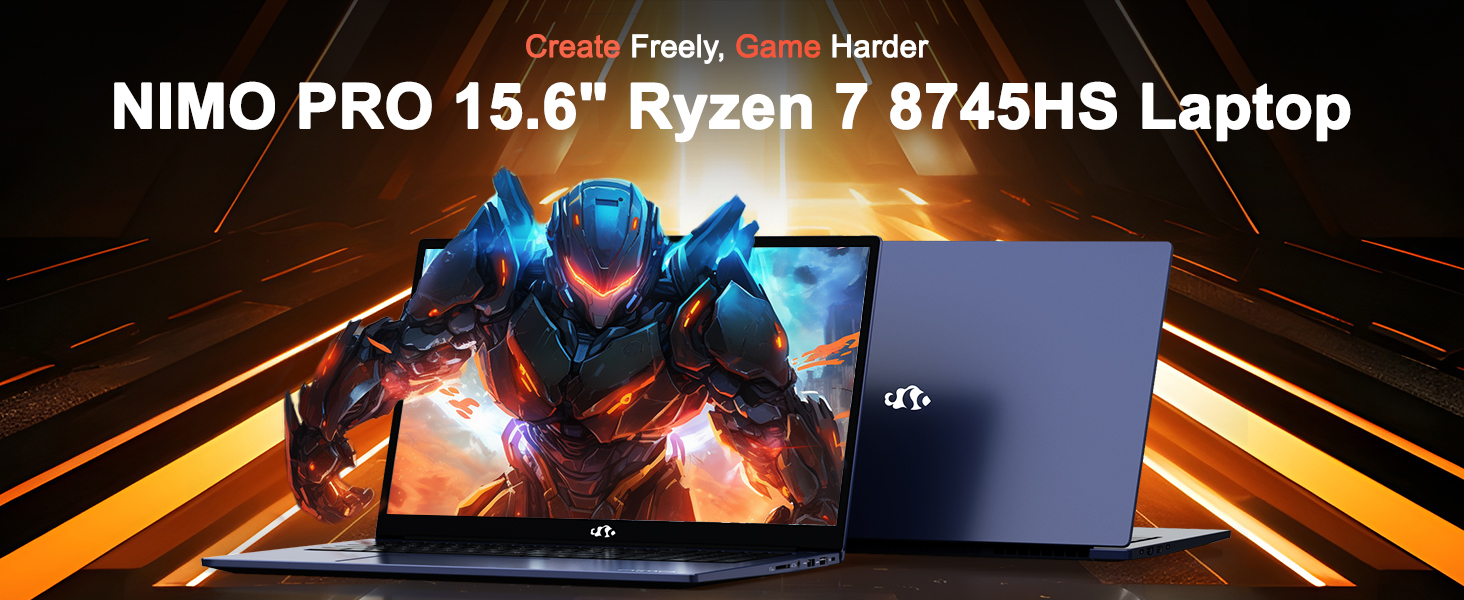
Image: The NIMO N158 15.6-inch laptop, showcasindizajnin dhe karakteristikat kryesore të tij.
2. Produkti i Mbaruarview
The NIMO N158 is a high-performance laptop designed for productivity and entertainment. It features an AMD Ryzen 7 8745HS processor, 64GB DDR5 RAM, and a 1TB PCIe 4.0 SSD.
2.1 Komponentët kryesorë
- Procesori: AMD Ryzen 7 8745HS (8 bërthama, 16 fije, deri në 4.9 GHz)
- Grafika: AMD Radeon 780M Integrated Graphics
- Kujtesa: 64GB DDR5 RAM (4800 MHz)
- Magazinimi: SSD PCIe 4.0 1TB
- Shfaq: 15.6 inç Full HD (1920x1080) IPS Anti-Glare
- Sistemi operativ: Windows 11 Home
- Bateria: 75Wh Lithium Polymer
2.2 Portat dhe Ndërfaqet
The NIMO N158 laptop offers a variety of ports for connectivity:

Image: Diagram illustrating the various ports and interfaces on the NIMO N158 laptop.
- 1 x porte USB 2.0
- 3 x porte USB 3.0
- 1 x USB 4.0 Type-C Port (with 100W PD fast charging support)
- 1 x Port HDMI
- 1 x fole kufjesh
- 1 x Lexues i Kartës SD
- 1 x Slot Kensington Lock
3. Konfigurimi
3.1 Ndezja dhe karikimi fillestar
- Unpack the laptop and the included 100W Type-C PD Fast Charger.
- Connect the charger to the USB Type-C port on the laptop and to a power outlet. The Charger LED will illuminate.
- Lëreni laptopin të karikohet për të paktën 30 minuta para përdorimit të parë ose derisa treguesi i baterisë të tregojë ngarkesë të mjaftueshme.
- Shtypni butonin e energjisë për të ndezur laptopin.

Image: The NIMO N158 laptop connected to its 100W Type-C fast charger, illustrating the charging process.
3.2 Konfigurimi i sistemit operativ
Upon first boot, you will be guided through the Windows 11 Home setup process. Follow the on-screen instructions to configure your language, region, network connection, and user account.
3.3 Konfigurimi i Lexuesit të Gjurmëve të Gishtërinjve
For enhanced security, set up the integrated fingerprint reader during the Windows 11 setup or later via Windows Settings > Accounts > Sign-in options. This allows for quick and secure login.
4. Udhëzimet e funksionimit
4.1 Tastiera dhe Touchpad
- Tastierë me dritë prapa: The keyboard features backlighting for comfortable typing in low-light conditions. Use the designated function key (Fn + F key combination, typically) to adjust brightness or toggle the backlight.
- Tastiera numerike: Një tastierë numerike e dedikuar është përfshirë për futjen efikase të të dhënave.
- Precision Gesture Touchpad: Touchpad-i mbështet gjestet me shumë prekje për navigim. Referojuni cilësimeve të Windows për personalizimin e gjesteve të touchpad-it.

Image: A user interacting with the NIMO N158 laptop, highlighting the backlit keyboard and fingerprint reader on the touchpad.
4.2 Ekrani
The 15.6-inch Full HD IPS anti-glare display provides clear and vibrant visuals. Adjust display settings (resolution, brightness, color) through Windows Display Settings.

Image: The NIMO N158 laptop displaying a vibrant image on its 15.6-inch Full HD IPS screen, emphasizing visual quality.
4.3 Webkamera
Laptopi përfshin një kamerë 2MP webcam. For privacy, a physical webcam shield or switch is integrated. Ensure the webcam is open when in use and closed when not needed.

Image: A visual representation of the NIMO N158 laptop's privacy-focused camera, showing the open and closed states of the webcam switch.
4.4 Performanca dhe kryerja e shumë detyrave njëkohësisht
The AMD Ryzen 7 8745HS processor and 64GB DDR5 RAM provide robust performance for demanding tasks, content creation, and gaming. The 1TB PCIe 4.0 SSD ensures fast boot times and application loading.

Image: A close-up of the AMD Ryzen 7 8745HS processor chip, highlighting its core specifications.
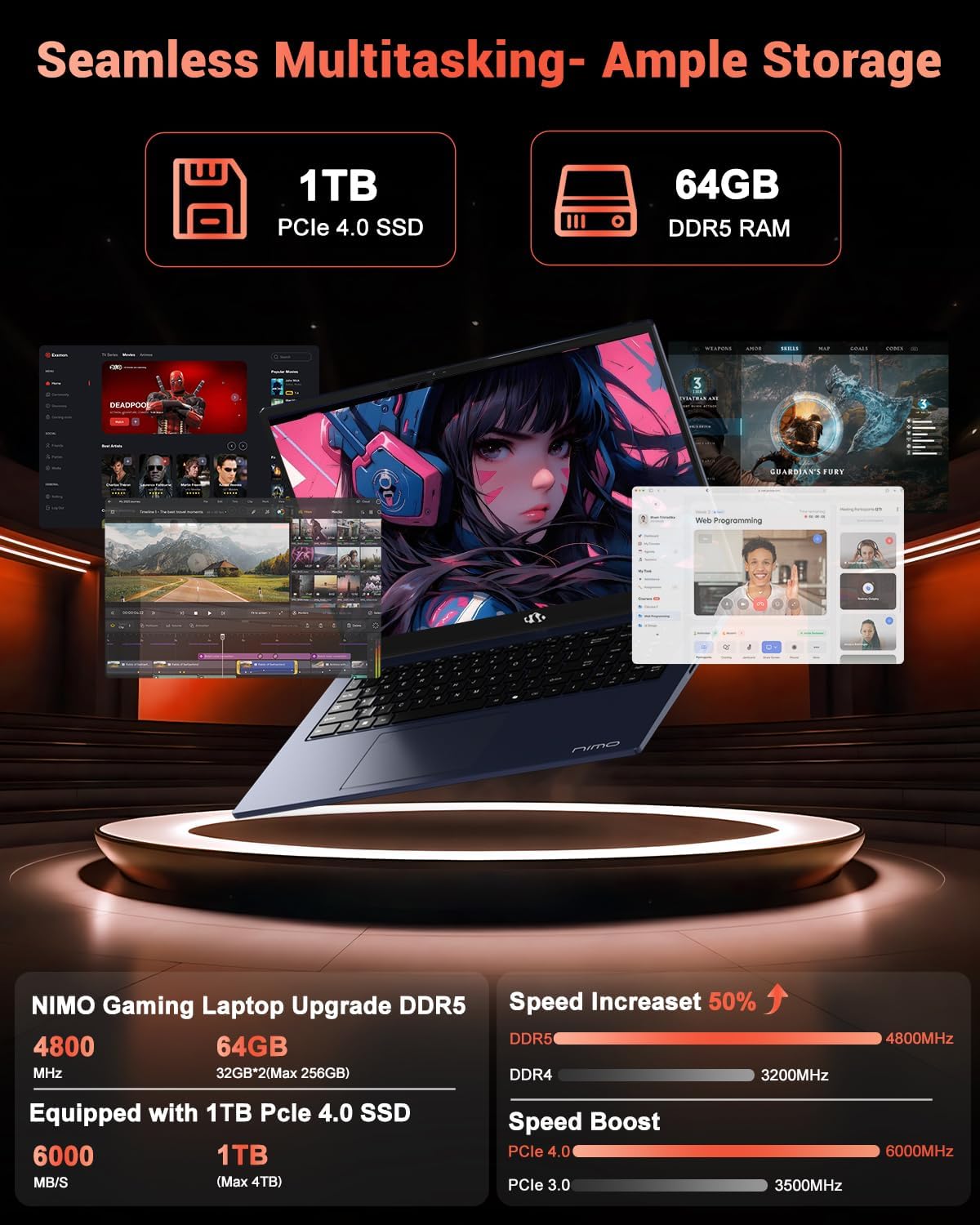
Image: The NIMO N158 laptop displaying multiple applications open, demonstrating its multitasking capabilities with 64GB RAM and 1TB SSD.
5. Mirëmbajtja
5.1 Kujdesi i Përgjithshëm
- Mbajeni laptopin të pastër duke fshirë sipërfaqet me një leckë të butë dhe të thatë.
- Avoid exposing the laptop to extreme temperatures, direct sunlight, or moisture.
- Mos vendosni objekte të rënda mbi laptop.
- Siguroni ajrosjen e duhur duke mos i bllokuar hapjet e ajrit.
5.2 Mundësia e përmirësimit
The NIMO N158 features an upgradable design, allowing for expansion of memory (RAM) and storage (SSD). Consult a qualified technician or refer to official NIMO support resources before attempting any internal upgrades to avoid voiding your warranty.
6. Troubleshooting
If you encounter issues with your NIMO N158 laptop, consider the following basic troubleshooting steps:
- Pa fuqi: Ensure the charger is securely connected and the power outlet is functional. Try a different outlet.
- Problemet e shfaqjes: Check external display connections if using one. Adjust screen brightness. Restart the laptop.
- Performanca e ngadaltë: Mbyll aplikacionet e panevojshme. Kontrollo për përditësime në sfond. Siguro hapësirë të mjaftueshme të lirë ruajtjeje.
- Problemet e lidhjes: Restart your Wi-Fi router. Reconnect to the Wi-Fi network. Update network drivers.
- Ngrirjet e sistemit: Shtypni dhe mbani shtypur butonin e ndezjes për 10-15 sekonda për ta fikur me forcë, pastaj rifillojeni.
For persistent issues, refer to the NIMO support webfaqe ose kontaktoni shërbimin e klientit.
7. Specifikimet
| Veçori | Specifikimi |
|---|---|
| Markë | NIMO |
| Emri i modelit | NIMO N158B |
| Madhësia e ekranit | 15.6 inç |
| Rezolucioni i ekranit | 1920 x 1080 piksel (FHD IPS) |
| Përpunues | AMD Ryzen 7 8745HS (deri në 4.9 GHz) |
| RAM | 64 GB DDR5 (4800 MHz) |
| Hard Drive | 1024 GB SSD (PCIe 4.0) |
| Bashkëprocesor grafik | AMD Radeon 780M |
| Sistemi Operativ | Windows 11 Home |
| Lloji me valë | 802.11a/b/g/n/ac (Wi-Fi 6E) |
| Portet USB 2.0 | 1 |
| Portet USB 3.0 | 3 |
| Portat USB 4.0 Type-C | 1 |
| Jetëgjatësia mesatare e baterisë | 15.5 orë |
| Pesha e artikullit | 3.8 paund |
| Dimensionet e produktit | 14.07 x 8.98 x 0.76 inç |
| Karakteristika të veçanta | Tastierë me ndriçim nga prapa, Lexues i gjurmëve të gishtave, Audio HD, Tastierë numerike |
8. Garancia dhe Mbështetja
NIMO është e përkushtuar për të ofruar shërbim të shkëlqyer ndaj klientit dhe mbështetje për produktet.
8.1 Informacioni i garancisë
Laptopi juaj NIMO N158 vjen me një 2 vit garanci nga data e blerjes. Kjo garanci mbulon defektet e prodhimit dhe keqfunksionimet e pajisjeve nën përdorim normal. Ju lutemi ruani provën e blerjes për kërkesat e garancisë.

Image: A technician performing maintenance on a laptop, representing the 2-year support provided by NIMO.
8.2 Politika e Kthimit
NIMO ofron një Politikë kthimi pa probleme brenda 90 ditëve. If you are not satisfied with your purchase, you may return the product within 90 days from the date of purchase. Please refer to the official NIMO return policy for detailed terms and conditions.

Image: A delivery person handing a package to a customer, illustrating the 90-day return policy.
8.3 Mbështetja e klientit
Our dedicated support team is available to assist you with any questions or issues. You can reach us via:
- Email: service@nimopc.com
- Online: Vizitoni NIMO-n zyrtare webfaqe interneti për pyetje të shpeshta dhe burime mbështetjeje.
We strive to provide quick solutions and a worry-free experience.

Image: Customer service representatives wearing headsets, representing professional customer assistance.