
Hyrje
This manual provides essential information for the NIMO 15.6-inch Light Gaming Laptop N15A. It covers setup, operation, maintenance, troubleshooting, and product specifications. Please read this manual thoroughly before using your new laptop to ensure proper function and longevity.

Image: NIMO 15.6-inch Light Gaming Laptop N15A, showcasing ekranin dhe tastierën e tij të plotë.
Përmbajtja e paketës
Verify that all items listed below are present in your product packaging. If any items are missing or damaged, please contact NIMO customer support.
- 1 x Laptop NIMO N15A
- 1 x Karikues i Shpejtë Type-C 100W PD
- 1 x Manuali i Përdoruesit
- Sistemi Operativ Windows 11 Home (i parainstaluar)
Produkti Mbiview
The NIMO N15A laptop is designed for balanced performance, featuring an AMD Ryzen 7 Pro 6850U processor, 32GB LPDDR5 RAM, and a 1TB PCIe 4.0 SSD. It includes a 15.6-inch Full HD IPS display, a backlit keyboard, and an integrated fingerprint reader for secure access.
Karakteristikat kryesore:
- Procesori: AMD Ryzen 7 Pro 6850U with 8 Cores and 16 Threads, up to 4.7GHz.
- Grafika: GPU e integruar AMD Radeon 680M.
- Kujtesa: 32GB LPDDR5 RAM for efficient multitasking.
- Magazinimi: 1TB PCIe 4.0 SSD for fast boot times and data access.
- Shfaq: 15.6-inch Full HD (1920x1080) IPS Anti-Glare Display.
- Ngarkimi: 100W USB-C Power Delivery fast charging.
- Siguria: Integrated fingerprint reader for secure login.
- Tastiera: Backlit keyboard for use in various lighting conditions.

Image: Visual representation of the AMD Ryzen 7 Pro 6850U processor's core and thread count, and turbo boost speed.
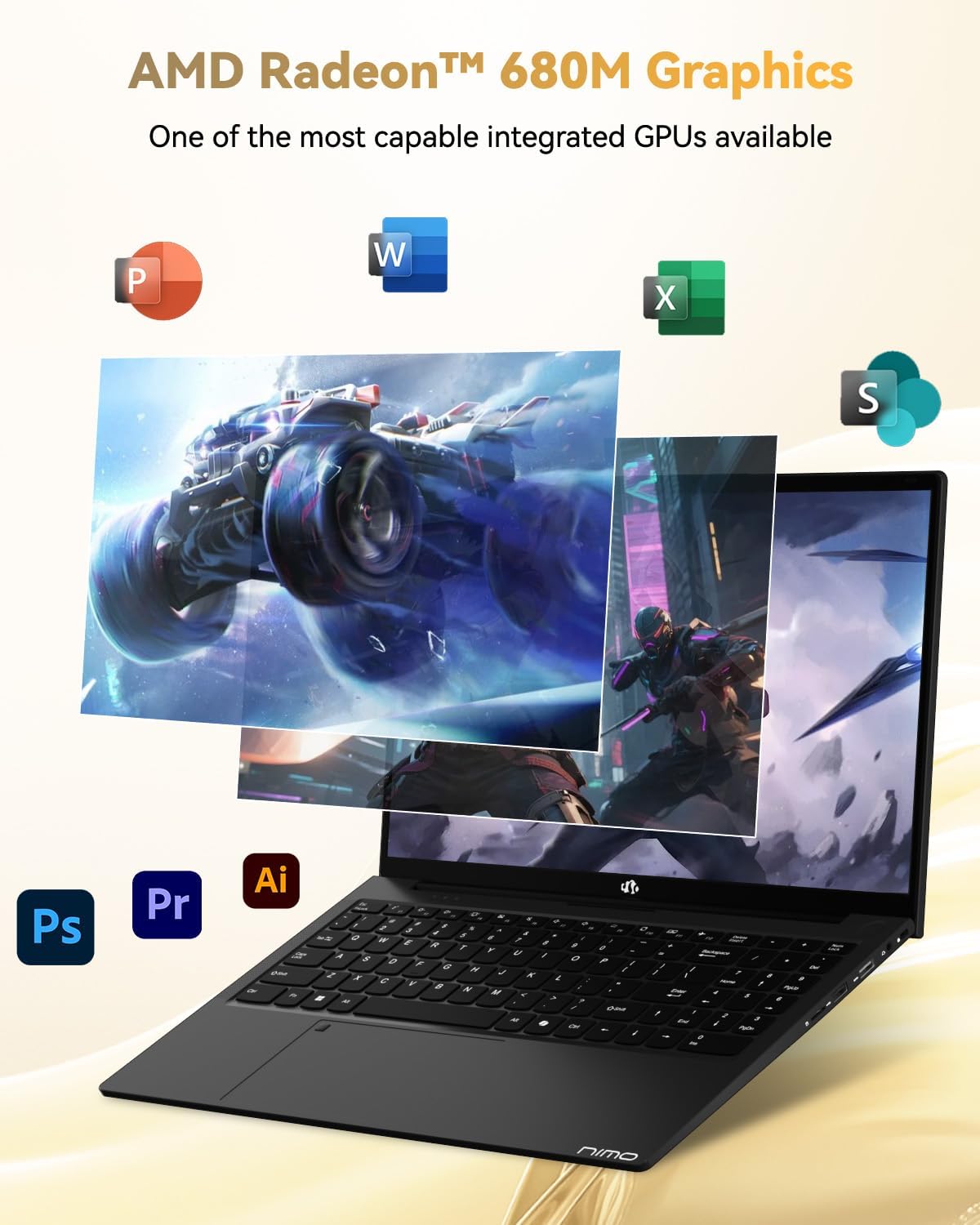
Image: Illustration highlighting the capabilities of the AMD Radeon 680M integrated graphics for various applications.

Image: Diagram showing the 32GB LPDDR5 RAM and 1TB PCIe 4.0 SSD for seamless multitasking and ampmagazinimi.
Image: The NIMO N15A laptop displaying a vibrant image on its 15.6-inch Full HD IPS screen.
Portet dhe lidhja:

Image: Diagram illustrating the various ports on the NIMO N15A laptop, including USB, HDMI, and Type-C.
- Lexues Micro SD
- Porta USB 2.0
- USB 3.2 Ports (multiple)
- Jack i kufjeve
- Kolegji i bllokuar i Kensington
- Type-C (Multifunction) Ports (supporting charging and data transfer)
- Porta HDMI
Konfigurimi
1. Initial Charging and Power On:
- Connect the provided 100W Type-C PD Fast Charger to the laptop's Type-C charging port and a power outlet.
- Allow the laptop to charge for at least 30 minutes before initial use, or until the charging indicator shows sufficient battery.
- Shtypni butonin e energjisë që ndodhet në tastierë për të ndezur laptopin.

Image: Illustration of the NIMO N15A laptop being charged with the 100W Type-C PD Fast Charger.
2. Windows 11 Initial Setup:
Ndiqni udhëzimet në ekran për të përfunduar procesin e konfigurimit të Windows 11. Kjo zakonisht përfshin:
- Zgjedhja e rajonit dhe paraqitjes së tastierës.
- Lidhja me një rrjet Wi-Fi.
- Hyrja me një llogari Microsoft ose krijimi i një llogarie lokale.
- Vendosja e një PIN ose fjalëkalimi.
- Konfigurimi i cilësimeve të privatësisë.
Udhëzimet e funksionimit
Menaxhimi i energjisë:
- Ndezja: Shtypni butonin e energjisë.
- Modaliteti i gjumit: Mbylleni kapakun ose shtypni shkurtimisht butonin e ndezjes.
- Mbyllni: Klikoni butonin Start, pastaj Ndez dhe më pas Fike.
- Rinis: Click the Start button, then Power, then Restart.
Tastiera dhe tastiera me prekje:

Imazh: Nga afër view of the NIMO N15A laptop's backlit keyboard and the integrated fingerprint reader on the touchpad.
- Tastierë me dritë prapa: Use the dedicated function key (usually Fn + Fx) to toggle the keyboard backlight on/off and adjust brightness levels.
- Lexuesi i gjurmëve të gishtave: The fingerprint reader is integrated into the touchpad. During Windows setup, you can configure your fingerprint for secure, quick login.
- Precision Touchpad: Mbështet gjestet me shumë prekje për navigim. Referojuni cilësimeve të Windows për personalizim.
Lidhja e pajisjeve periferike:
Utilize the various ports to connect external devices such as monitors, printers, external storage, and audio devices.
- Pajisjet USB: Plug USB devices into the available USB 2.0 or USB 3.2 ports.
- Ekran i jashtëm: Connect an external monitor or TV using the HDMI port or a compatible Type-C adapter.
- Audio: Përdorni prizën e kufjeve 3.5 mm për kufje ose altoparlantë të jashtëm.
Privatësia e kamerës:

Image: Illustration of the NIMO N15A laptop's built-in privacy camera switch, allowing users to easily disable the webqelqi.
The NIMO N15A laptop features a built-in privacy camera switch. This allows you to physically disable the 2.0MP webcam when not in use, ensuring your privacy.
Mirëmbajtja
Cleaning the Laptop:
- Power off the laptop and disconnect the charger before cleaning.
- Përdorni një leckë të butë, pa garzë pak damptë larë me ujë ose me një pastrues ekrani.
- Për tastierën dhe shasinë, përdorni një leckë të butë. Shmangni kimikatet e ashpra ose materialet gërryese.
- Përdorni ajër të kompresuar për të pastruar pluhurin nga tastet e tastierës dhe vrimat e ventilimit.
Kujdesi për baterinë:
- Shmangni shkarkimin e plotë të baterisë shpesh.
- Ruajeni laptopin në një vend të freskët dhe të thatë nëse nuk përdoret për periudha të gjata, me baterinë e ngarkuar në rreth 50-70%.
- Use only the original NIMO 100W Type-C PD Fast Charger.
Përditësimet e softuerit:
- Kontrolloni dhe instaloni rregullisht përditësimet e Windows për të siguruar stabilitetin dhe sigurinë e sistemit.
- Keep device drivers updated, especially for graphics and chipset, by checking the NIMO support webfaqja e internetit ose Windows Update.
Zgjidhja e problemeve
| Problem | Zgjidhja e mundshme |
|---|---|
| Laptopi nuk ndizet. | Ensure the charger is properly connected and the power outlet is functional. Allow the battery to charge for at least 30 minutes. If the issue persists, contact support. |
| Ekrani është bosh ose dridhet. | Try connecting an external monitor to check if the issue is with the laptop's display. Adjust display brightness. Restart the laptop. |
| Performancë e ngadaltë. | Close unnecessary applications. Check for background processes consuming high resources. Ensure sufficient free storage space. Run a system scan for malware. |
| Ndriçimi i prapmë i tastierës nuk funksionon. | Press the dedicated function key combination (e.g., Fn + Fx) to toggle or adjust the backlight. Check keyboard settings in Windows. |
| Fingerprint reader not responding. | Ensure your finger is clean and dry. Re-register your fingerprint in Windows settings. Restart the laptop. |
For issues not listed here or if solutions do not resolve the problem, please refer to the Warranty and Support section for assistance.
Specifikimet
| Veçori | Detaj |
|---|---|
| Markë | NIMO |
| Emri i modelit | NIMO N15AL (N15A) |
| Madhësia e ekranit | 15.6 inç |
| Rezolucioni i ekranit | 1920 x 1080 piksele (Full HD) |
| Përpunues | AMD Ryzen 7 Pro 6850U (8 Cores, up to 4.7 GHz) |
| RAM | 32 GB LPDDR5 (6400 MHz) |
| Hard Drive | 1024 GB SSD (PCIe 4.0, Solid State) |
| Bashkëprocesor grafik | AMD Radeon 680M (e integruar) |
| Sistemi Operativ | Windows 11 |
| Lloji me valë | 802.11a/b/g/n/ac |
| Portet USB 2.0 | 1 |
| Porta USB 3.0/3.2 | 4 |
| Jetëgjatësia mesatare e baterisë | 9 orë |
| Pesha e artikullit | 3.75 paund |
| Dimensionet e produktit | 14.07 x 8.98 x 0.76 inç |
| Ngjyra | E zezë |
| E pasme WebRezolucioni i kamerës | 2 MP |
| Karakteristika të veçanta | Tastierë me ndriçim nga prapa, Lexues i gjurmëve të gishtave, Audio HD, Tastierë numerike |
Garancia dhe Mbështetja
NIMO provides comprehensive support for your laptop.
- Garancia: Your NIMO N15A laptop comes with a 2-year manufacturer's warranty.
- Politika e kthimit: A 90-day hassle-free return policy is offered from the date of purchase.
- Mbështetja e klientit: For technical assistance, warranty claims, or product-related inquiries, please contact NIMO customer support.
Contact information for support is typically available on the official NIMO website or through the product's packaging.
Informacioni i Sigurisë
E rëndësishme: Read and follow these safety guidelines to prevent damage to your device or personal injury.
- Përdorni vetëm karikues origjinalë dhe kontrolloni rregullisht kabllot për dëmtime.
- Mbajeni laptopin nga baza e tij dhe merrni në konsideratë përdorimin e një mbulese mbrojtëse. Shmangni vendosjen e objekteve të rënda mbi të.
- Vendoseni laptopin në një sipërfaqe të fortë dhe të sheshtë për të siguruar ventilim të duhur dhe për të parandaluar mbinxehjen. Mbajeni larg temperaturave dhe lagështisë ekstreme.
- Do not overcharge the battery. Discontinue use if the battery shows signs of swelling or damage.
- Set strong passwords, keep software updated, use antivirus software, and regularly back up your data.
- Në rast derdhjeje të lëngjeve, shkëputeni menjëherë laptopin nga priza dhe lëreni të thahet plotësisht përpara se të përpiqeni ta ndizni.
- For any issues, consult qualified professionals. Do not attempt to disassemble or repair the device yourself.
Mohim Ligjor
This NIMO laptop is provided "as is," without express or implied warranties, except for any applicable manufacturer's limited warranty. Implied warranties of merchantability or fitness for a specific purpose are disclaimed. NIMO is not liable for damages resulting from misuse (e.g., non-approved chargers, unauthorized repairs), physical damage, or failure to adhere to safety guidelines, including data loss or business interruption. Users are responsible for regularly backing up their data. This disclaimer does not exclude liability for manufacturing defects or violations of mandatory local laws. By using this laptop, you accept these terms, which are governed by the laws of the applicable jurisdiction.