
1. Hyrje
This manual provides essential information for setting up, operating, and maintaining your Samsung Galaxy A17 5G smartphone. The Galaxy A17 5G is designed for performance and practicality, featuring a vibrant display, powerful camera system, and long-lasting battery.
Karakteristikat kryesore:
- Immersive 6.7" AMOLED Display: Enjoy vibrant colors and sharp details on a large FHD+ AMOLED screen with a smooth 90Hz refresh rate for responsive scrolling and viewing.
- Performanca e fuqishme: Equipped with 8GB RAM and 256GB internal storage (expandable via microSD) for efficient multitasking and ample space for your data.
- 50MP Triple Camera System: Capture detailed photos with the high-resolution 50MP main camera, complemented by wide-angle and depth sensors. The 13MP front camera is ideal for clear selfies and video calls.
- Bateri 5000mAh që zgjat shumë: Power through your day with a large capacity battery, supported by 25W fast charging for quick power-ups.
- International 5G & 4G LTE Compatibility: Supports a wide range of global bands for reliable connectivity. Features Dual SIM flexibility for managing multiple numbers or expanding storage.
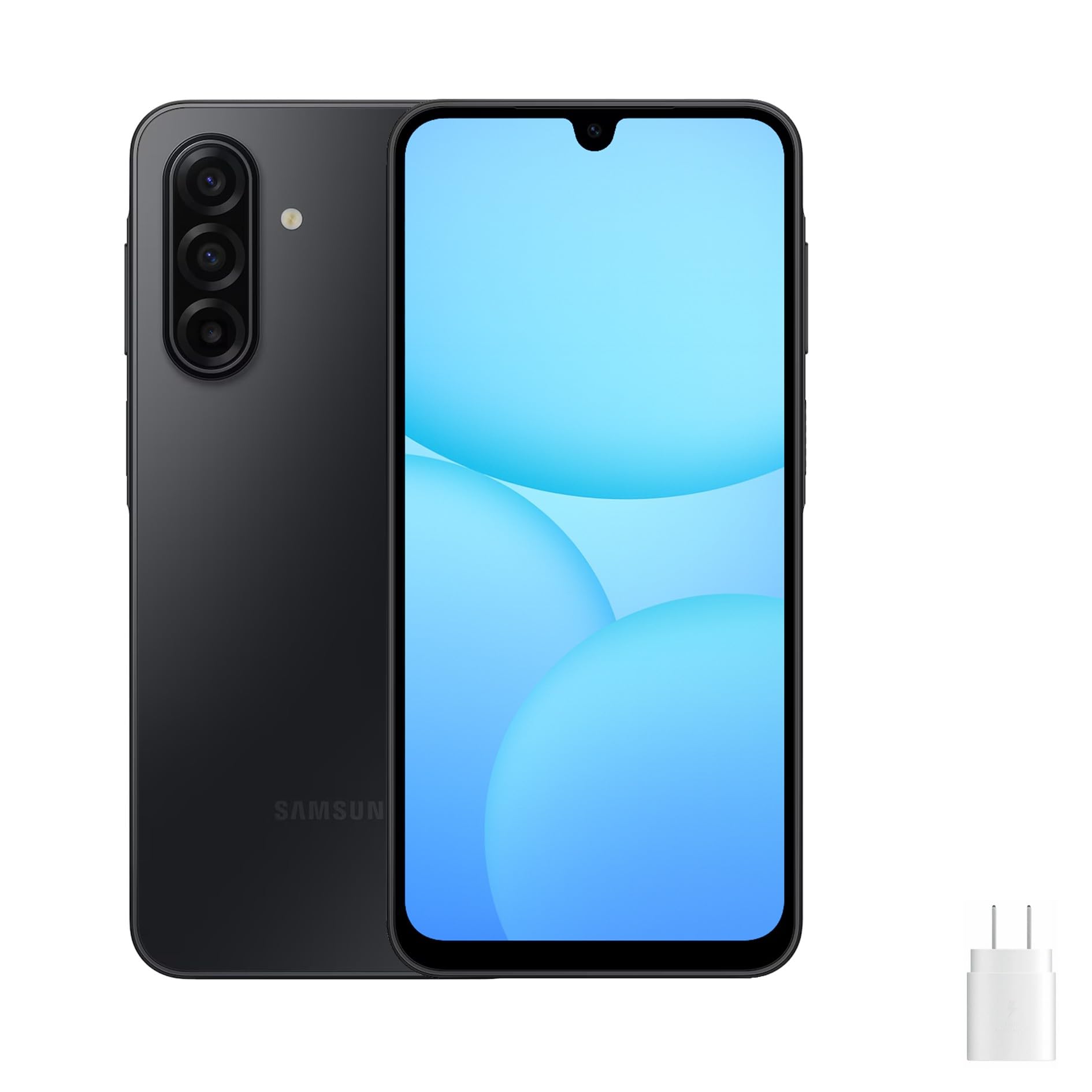
Figura 1: Përpara dhe anash views of the Samsung Galaxy A17 5G smartphone.
2. Çfarë ka në kuti
Pasi të hapni kutinë e Samsung Galaxy A17 5G tuaj, ju lutemi verifikoni që të gjitha artikujt e mëposhtëm janë të përfshirë:
- Smartphone Samsung Galaxy A17 5G
- Kabllo USB (Tipi-C)
- Power Adapter (25W Fast Charger)

Figure 2: Included items: Samsung Galaxy A17 5G phone, USB Type-C cable, and power adapter.
3. Konfigurimi
3.1. Ngarkimi i baterisë
Before initial use, fully charge your device. Connect the USB Type-C cable to the phone's charging port and the power adapter. Plug the adapter into a wall outlet. The device supports 25W fast charging.
3.2. Vendosja e kartës SIM dhe kartës MicroSD
- Gjeni tabakanë e kartës SIM në anën e telefonit tuaj.
- Insert the ejection pin (not included) into the small hole on the SIM tray to open it.
- Place your Nano-SIM card(s) and/or a microSD card into the tray with the gold contacts facing down. The Galaxy A17 5G supports Dual SIM or one SIM and one microSD card.
- Shtyjeni butësisht tabakanë përsëri në vrimë derisa të fiksohet në vendin e saj me një klik.
3.3. Ndezja/Fikur
- Për të ndezur: Shtypni dhe mbani shtypur butonin anësor (butonin e ndezjes) derisa të shfaqet logoja e Samsungut.
- Për të fikur: Press and hold the Side key, then tap 'Power off' on the screen. Alternatively, swipe down from the top of the screen to open the Quick Panel, tap the Power icon, and then tap 'Power off'.
3.4. Initial Setup Wizard
Upon first power-on, follow the on-screen prompts to configure your device. This includes selecting your language, connecting to a Wi-Fi network, setting up your Google account, and transferring data from a previous device if desired.
4. Përdorimi i pajisjes suaj
4.1. Shfaqja dhe Navigimi
The Galaxy A17 5G features a 6.7-inch AMOLED display with a 90Hz refresh rate. Navigate the interface using touch gestures: tap to select, swipe to scroll, pinch to zoom, and long-press for additional options. The Side key and Volume keys provide physical controls.
4.2. Përdorimi i kamerës
Your device is equipped with a 50MP Triple Camera system on the rear and a 13MP front camera. Open the Camera app to capture photos and videos. Tap the shutter button to take a picture, or hold it to record a video. Swipe left or right to switch between camera modes like Portrait, Pro, and Night mode. Optical Image Stabilization (OIS) helps reduce blur in photos and videos.
4.3. Menaxhimi i baterive
The 5000mAh battery provides extended usage. To optimize battery life, adjust screen brightness, disable unused features like Wi-Fi or Bluetooth when not needed, and close background apps. Use the included 25W fast charger for quick recharging.
4.4. Lidhshmëria
- Wi-Fi: Lidhu me rrjetet pa tel për qasje në internet. Shko te Cilësimet > Lidhjet > Wi-Fi.
- Të dhënat celulare: Enable or disable mobile data for internet access via your cellular network. Go to Cilësimet > Lidhjet > Përdorimi i të dhënave.
- Bluetooth: Çifto me pajisje të tjera Bluetooth si kufje ose altoparlantë. Shko te Cilësimet > Lidhjet > Bluetooth.
- Rrjeti 5G: The device supports 5G connectivity where available. Ensure your SIM card and plan support 5G for optimal speeds.
5. Mirëmbajtja
5.1. Pastrimi i pajisjes suaj
Use a soft, lint-free cloth to clean the screen and body of your phone. Avoid using harsh chemicals or abrasive materials that could damage the device. Do not expose the phone to excessive moisture.
5.2. Përditësimet e softuerit
Kontrolloni dhe instaloni rregullisht përditësimet e softuerit për t'u siguruar që pajisja juaj ka veçoritë, përditësimet e sigurisë dhe përmirësimet më të fundit të performancës. Shkoni te Cilësimet > Përditësimi i softuerit > Shkarko dhe instalo.
5.3. Menaxhimi i ruajtjes
Për të ruajtur performancën optimale, menaxhoni rregullisht hapësirën ruajtëse të pajisjes suaj. Fshini të panevojshmet files, çinstaloni aplikacionet e papërdorura dhe zhvendosni media të mëdha files to a microSD card or cloud storage. Go to Cilësimet > Kujdesi për baterinë dhe pajisjen > Hapësira e ruajtjes te view and manage your storage.
6. Troubleshooting
6.1. Probleme të zakonshme
- Pajisja nuk ndizet: Sigurohuni që bateria është e ngarkuar. Lidhni ngarkuesin dhe prisni disa minuta përpara se të provoni ta ndizni përsëri.
- Aplikacionet që ngrijnë ose bllokohen: Mbylle aplikacionin problematik dhe rihape atë. Nëse problemi vazhdon, rinisë pajisjen.
- Lidhje e dobët në rrjet: Check if your SIM card is properly inserted. Ensure mobile data or Wi-Fi is enabled. Try restarting your device or toggling Airplane mode on and off.
- Bateria zbrazet shpejt: Reduce screen brightness, disable background app refresh, and close unused apps. Check battery usage in settings to identify power-hungry apps.
6.2. Rivendosja e të dhënave të fabrikës
If your device experiences persistent issues, a factory data reset can resolve them. This will erase all data on your phone, so back up important information beforehand. Go to Cilësimet > Menaxhimi i përgjithshëm > Rivendosja > Rivendosja e të dhënave të fabrikës.
7. Specifikimet
| Veçori | Specifikimi |
|---|---|
| Emri i modelit | A17 (SM-A176B/DS) |
| Markë | Samsung |
| Sistemi Operativ | Android 14 |
| Madhësia e ekranit | 6.7 inç |
| Lloji i ekranit | AMOLED (90Hz Refresh Rate) |
| Madhësia e Memories RAM të Instaluar | 8 GB |
| Kapaciteti i ruajtjes së memories | 256 GB (Expandable via microSD) |
| Teknologjia celulare | 5G |
| Transportues me valë | Unlocked for All Carriers (International Version) |
| Vlerësimi i fuqisë së baterisë | 5000 mAh |
| Ngarkimi | 25W Fast Charging (Power Adapter included) |
| Lloji i lidhësit | USB Lloji C |
| Pesha e artikullit | 12 ons |
| Ngjyra | E zezë |
8. Garancia dhe Mbështetja
8.1. Informacioni i garancisë
Please note that this is an International Model (Global Version) of the Samsung Galaxy A17 5G. As such, there is no U.S. manufacturer warranty. Any warranty or return policy will be subject to the seller's terms at the point of purchase. Please refer to your purchase documentation for specific details regarding returns or seller-provided warranties.
8.2. Mbështetja e klientit
For technical assistance, troubleshooting, or further inquiries, please contact the seller from whom you purchased the device. You may also visit the official Samsung support website for general product information and software updates, though specific warranty claims for this international model should be directed to your seller.