
1. Produkti i Mbaruarview
The Philips 55MLED610/94 is a 55-inch 4K Ultra HD QLED Smart QD-Mini LED Google TV. It features advanced display technology, smart connectivity, and integrated audio solutions for an enhanced viewpërvojë.

Përpara view of the Philips 55MLED610/94 55-inch 4K QD-Mini LED Google TV.
Karakteristikat kryesore:
- Shfaq: 4K QD-Mini LED Panel, Philips Halo Control Technology, Dolby Vision, Local Dimming, 120 Hz Motion Clarity HSR, HDR 10+, 178 Degree Wide Viewing Angle, MEMC, ALLM.
- Smart TV: Google TV operating system, 2GB RAM, 32GB ROM, Quad Core Processor, Dual band WIFI 5, Hands-Free Voice Control, Screen Mirroring, Google Assistant compatibility.
- Audio: 36 Watts Output, Dolby Atmos, Dolby Audio.
- Lidhshmëria: 3 HDMI Ports (including HDMI 2.1), 2 USB Ports, 1 LAN Port, 1 Antenna Input, 1 Satellite Input, 1 Digital Audio Out (Optical), 1 AV-IN, 1 Earphone port.
2. Konfigurimi dhe instalimi
2.1 Shpaketimi dhe Përmbajtja
Carefully unpack the television and ensure all components are present.
- 1N TV Unit
- 2N Stand Bases
- Udhëzues i shpejtë për fillimin e 1N
- Karta e garancisë 1N
- 1N Telekomanda
- Bateri 2N AAA (për telekomandën)
- 1N Power Cord
- Vida 4N (për mbështetëse/montim)
- 1N AV Converting Cable

Illustration showing the TV unit and its included accessories for setup.
2.2 Instalimi i mbështetëses ose montimi në mur
The television supports both table-top stand installation and wall mounting.
- Montimi i tavolinës: Attach the provided stand bases to the bottom of the TV unit using the included screws. Ensure the stand is stable on a flat surface.
- Montimi i murit: For wall mounting, use a compatible VESA wall mount (not included) and follow the instructions provided with the wall mount. Refer to the TV's back panel for mounting points.

E pasme view of the television, highlighting the mounting points and various input/output ports.
2.3 Lidhja e pajisjeve periferike
Connect your external devices such as set-top boxes, gaming consoles, and audio systems to the TV using the appropriate ports.
- HDMI: Use HDMI ports for high-definition video and audio from devices like Blu-ray players or gaming consoles. HDMI 2.1 supports advanced features.
- USB: Lidhni disqet USB për të luajtur media ose për të ruajtur të dhëna të jashtme.
- LAN: Për një lidhje interneti të qëndrueshme me kabllo.
- Antena/Sateliti: Connect your antenna or satellite dish for broadcast TV.
- Dalja dixhitale e audios (optike): Për t'u lidhur me sisteme të jashtme zanore.
- AV-IN: Për pajisjet më të vjetra që përdorin video të përbërë dhe audio stereo.
- Kufje: Për dëgjim privat.

I detajuar view of the television's input and output ports, including HDMI, USB, LAN, and audio connections.
3. Udhëzimet e funksionimit
3.1 Ndezja fillestare dhe konfigurimi i Google TV
After connecting the power cord, press the power button on the remote control or TV. Follow the on-screen instructions to complete the initial setup, including language selection, network connection (Wi-Fi or LAN), and Google account sign-in.

The Google TV interface, showing various streaming applications and content recommendations.
3.2 Funksionet e telekomandës
The provided remote control uses both IR and Bluetooth technology. Insert the two AAA batteries as indicated.

The remote control for the Philips 55MLED610/94 TV, featuring dedicated buttons for streaming services and Google Assistant.
- Butoni i energjisë: Ndez ose fiket televizorin.
- Tastiera e navigimit: Për navigimin dhe përzgjedhjen në menu.
- Butoni i Asistentit të Google: Aktivizon kontrollin zanor për komandat dhe kërkimet.
- Butonat e volumit/kanalit: Rregullon volumin dhe ndryshon kanalet.
- Butonat e shkurtoreve të aplikacionit: Direct access to popular streaming services like Netflix and Prime Video.
3.3 Smart TV Features and Applications
The Google TV platform provides access to a wide range of applications and services.
- Aplikacionet e para-instaluara: Access popular streaming services such as Prime Video, Netflix, Hotstar, Zee5, YouTube, Eros Now, Hungama, JioCinema, and SonyLiv.
- Asistenti i Google: Përdorni kontrollin zanor pa duar për të kërkuar përmbajtje, për të kontrolluar pajisjet inteligjente të shtëpisë dhe për të marrë informacion.
- Pasqyrimi i ekranit (Miracast): Cast content from compatible mobile devices to the TV screen.
- Web Shfletuesi: Shfletoni internetin direkt në televizorin tuaj.
3.4 Cilësimet e ekranit dhe audios
Rregulloni cilësimet e figurës dhe zërit për të optimizuar viewpërvojën e të dëgjuarit dhe të dëgjuarit.
- Mënyrat e figurës: Select from various picture modes (e.g., Standard, Vivid, Movie, Game) or customize settings like brightness, contrast, color, and sharpness.
- Dolby Vision & HDR10+: The TV automatically detects and optimizes content for Dolby Vision and HDR10+ for enhanced dynamic range and color.
- Mënyrat e zërit: Choose sound modes (e.g., Standard, Music, Movie) or adjust equalizer settings. Dolby Atmos provides immersive audio.
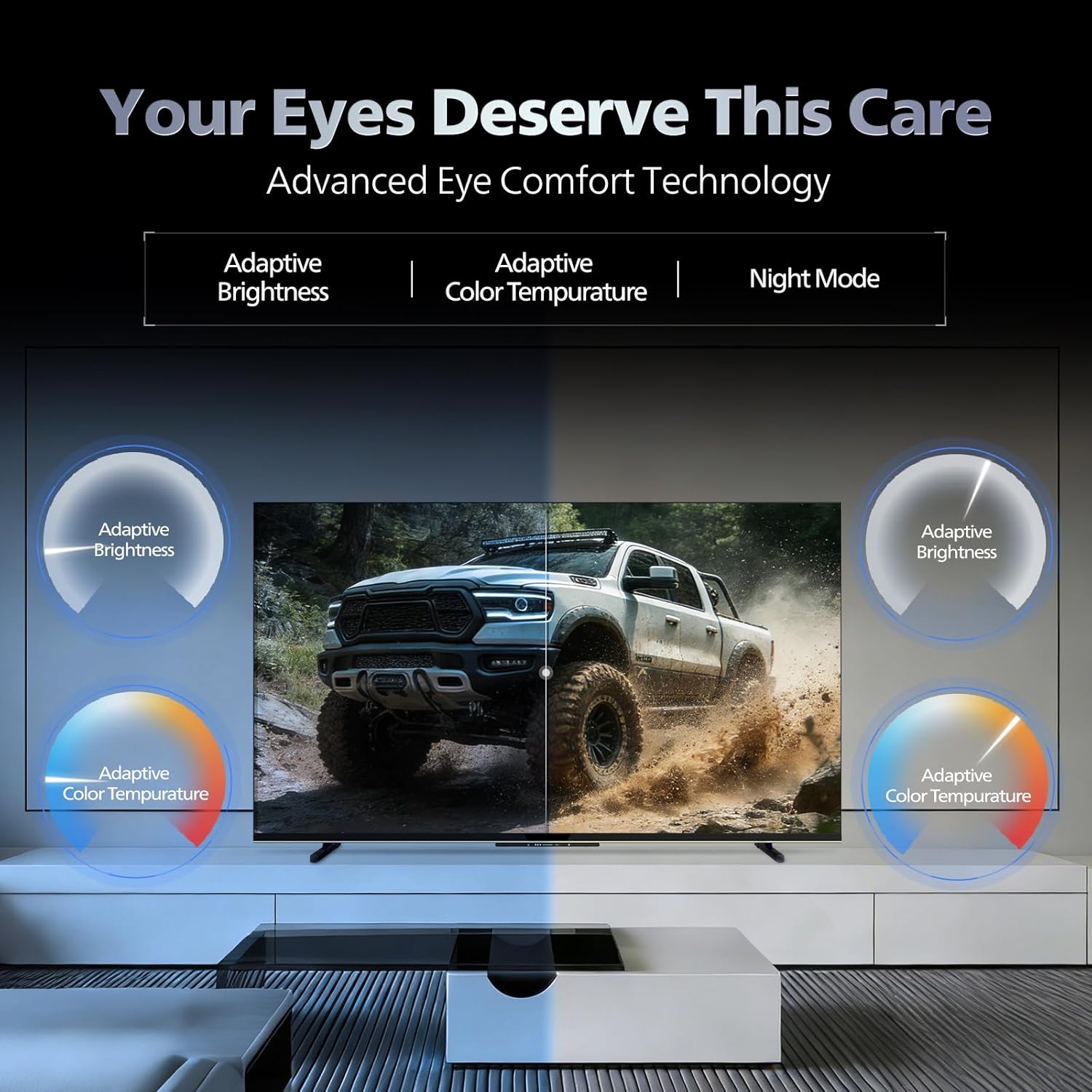
- Teknologjia e rehatisë së syve: Features like Adaptive Brightness, Adaptive Color Temperature, and Night Mode are available to reduce eye strain.

Visual representation of the TV's advanced eye comfort technology, including adaptive brightness and color temperature.

A visual demonstrating the immersive multi-dimensional audio experience provided by Dolby Atmos on the television.
4. Mirëmbajtja
4.1 Pastrimi i televizorit
To clean the screen and cabinet, first unplug the power cord. Use a soft, lint-free cloth. For stubborn marks, lightly dampLani leckën me ujë ose me një pastrues të butë ekrani, jo-gërryes. Mos spërkatni kurrë pastrues direkt mbi ekran.
E rëndësishme: The television is jo rezistent ndaj ujit. Avoid exposing it to liquids.
4.2 Përditësimet e softuerit
Ensure your TV's software is up to date for optimal performance and security. The TV will typically prompt you for available updates. You can also manually check for updates in the settings menu.
5. Troubleshooting
If you encounter issues with your television, try the following basic troubleshooting steps before contacting support.
- Pa fuqi: Ensure the power cord is securely plugged into both the TV and a working power outlet. Try a different outlet.
- Pa figurë/tingull: Check all cable connections (HDMI, AV, Antenna). Ensure the correct input source is selected on the TV.
- Telekomanda nuk funksionon: Zëvendësoni bateritë në telekomandë. Sigurohuni që nuk ka pengesa midis telekomandës dhe sensorit IR të televizorit.
- Probleme me lidhjen e internetit: Restart your Wi-Fi router. Check the TV's network settings and ensure it's connected to the correct network. Try a wired LAN connection if possible.
- Probleme me cilësinë e imazhit: Rregulloni cilësimet e figurës (ndriçimin, kontrastin, mprehtësinë). Sigurohuni që burimi i përmbajtjes të jetë me cilësi të lartë.
The television displaying a fast-paced gaming scene, highlighting its 120Hz refresh rate and gaming optimization features.
6. Specifikimet
| Veçori | Detaj |
|---|---|
| Numri i modelit | 55MLED610/94 |
| Madhësia e ekranit | 55 inç (138 cm) |
| Teknologjia e shfaqjes | QD-Mini LED |
| Rezolucioni | 4K Ultra HD (3840 x 2160) |
| Shpejtësia e rifreskimit | 120 Hz HSR |
| Formati HDR mbështetet | HDR10+, Dolby Vision |
| Viewing kënd | 178 gradë |
| Dalja e zërit | 36 Watts |
| Kodimi i audios | Dolby Atmos, Dolby Audio |
| Sistemi Operativ | Google TV |
| RAM | 2 GB |
| ROM | 32 GB |
| Lidhshmëria | Wi-Fi (Dual band WIFI 5), Bluetooth 5.1, 3 HDMI (1x HDMI 2.1 eARC), 2 USB, 1 LAN, 1 Antenna, 1 Satellite, 1 Digital Audio Out (Optical), 1 AV-IN, 1 Earphone |
| Dimensionet e produktit (D x W x H) | 8Th x 144.5Gj x 84L Centimetra |
| Item Weight Without Stand | 9.4 kilogramë |
| Konsumi i energjisë | 130 Watts |
| Vlerësimi i energjisë | 3 Yll |
| Konsumi Vjetor i Energjisë | 182 kWh / Vit |
| Komponentët e përfshirë | TV Unit, Stand Bases, Quick Start Guide, Warranty Card, Remote, Batteries, Power cord, Screws, AV Converting Cable |

Dimensional drawing of the Philips 55MLED610/94 TV, showing height, width, and depth measurements.
7. Garancia dhe Mbështetja
7.1 Informacioni i garancisë
A 1-year warranty is provided by the manufacturer from the date of purchase. Warranty claims can be processed using your Amazon e-invoice.
The warranty covers manufacturing defects but does not cover spares.
7.2 Mbështetja e klientit
For assistance, contact the brand's toll-free number: 18004256396. Please provide the product's model name (55MLED610/94) and seller's details from your invoice. The service center will schedule a convenient service slot.
Prodhuesi: Radiant Appliances And Electronics Private Limited
Survey No. 111, 112, S-2 A 1, Ecity, Fabcity, Maheshwaram Mandal Raviryala Village, Ranga Reddy, Telangana- 501141
Importuesi: TPV Technology India Private Limited
Unit No. 307-308 3rd Floor, SEWA Corporate Park MG Road Gurugram Haryana 122002