
1. Hyrje
Thank you for choosing the Intempo Alto Primo Wireless Noise-Cancelling Headphones. These headphones are designed to provide a superior audio experience with active noise cancellation, transparency mode, and Bluetooth connectivity. Please read this manual carefully before using the product to ensure proper operation and to maximize your listening enjoyment.
2. Informacion mbi sigurinë
- Mos i ekspozoni kufjet ndaj temperaturave ekstreme, lagështirës ose substancave gërryese.
- Shmangni rrëzimin ose ekspozimin e kufjeve ndaj goditjeve të forta.
- Do not attempt to disassemble or repair the headphones yourself. This will void the warranty.
- Clean the headphones with a soft, dry cloth. Do not use abrasive cleaners.
- Dëgjimi i zgjatur në nivele të larta volumit mund të shkaktojë dëmtim të dëgjimit. Rregulloni volumin në një nivel të sigurt.
- Mbajeni jashtë mundësive të fëmijëve.
3. Përmbajtja e paketës
Sigurohuni që të gjitha sendet janë të pranishme në kuti:
- 1 x Intempo Alto Primo Noise-Cancelling Headphones
- 1 x Kabë karikimi USB-C
- Rasti 1 x Carry
- 1 x Manual Përdoruesi (ky dokument)
4. Produkti i Mbaruarview
Familiarize yourself with the components and controls of your Intempo Alto Primo headphones.

Figure 4.1: Right Earcup Controls and Ports
This image displays a close-up of the right earcup, highlighting the USB-C charging port, 3.5mm audio input, power/pairing button, and the button for switching between noise-cancelling, transparency, and normal modes.
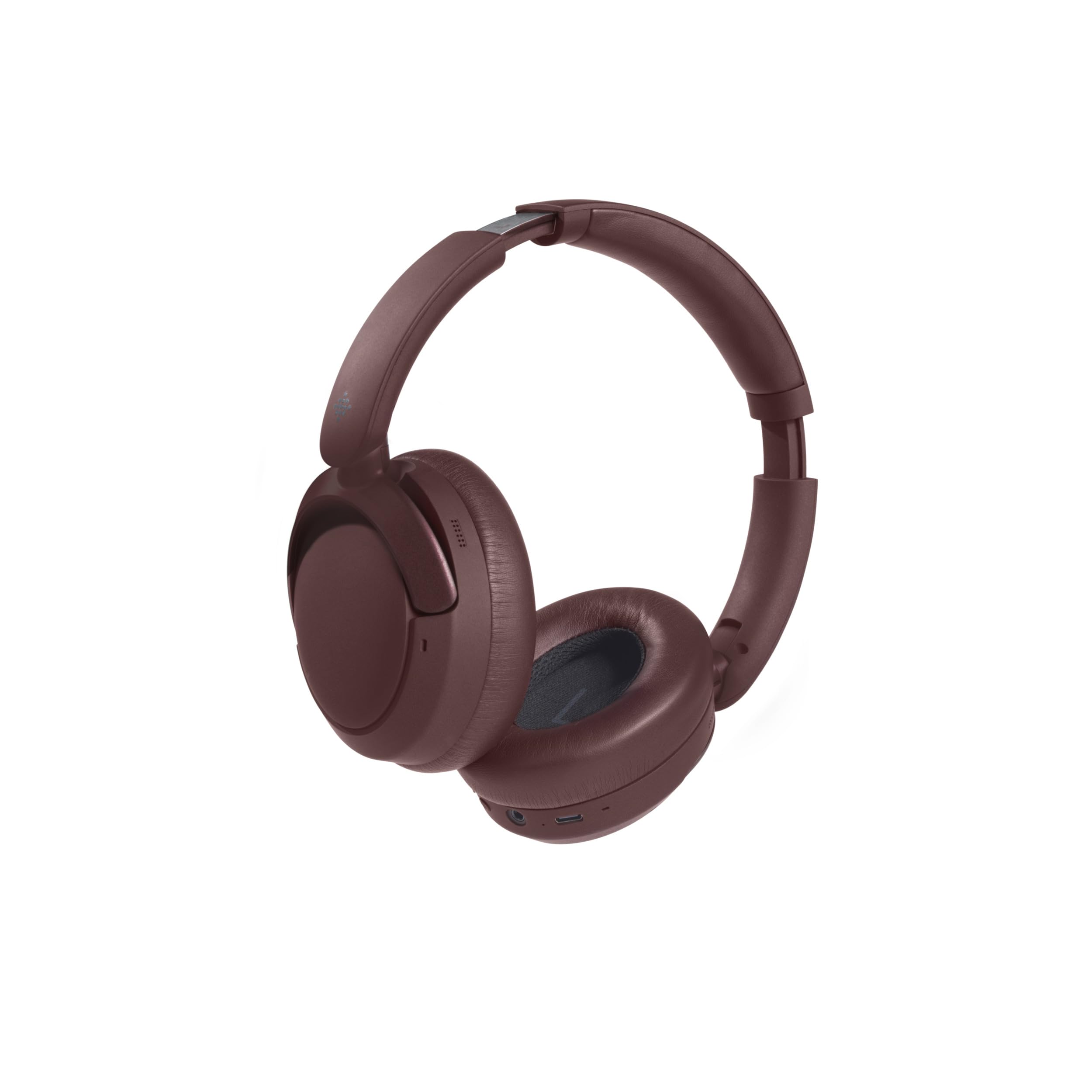
Figura 4.2: Dizajn i palosshëm
The headphones are shown in their folded position, demonstrating their compact design for easy storage and portability in the included carry case.
Kontrollet dhe treguesit:
- Butoni i energjisë: Press and hold to power on/off. Short press for play/pause, answer/end calls.
- Volumi lart/Pjesa tjetër: Shtypje e shkurtër për të rritur volumin. Shtypje e gjatë për këngën tjetër.
- Ulja e volumit/Pjesa e mëparshme: Shtypje e shkurtër për uljen e volumit. Shtypje e gjatë për këngën e mëparshme.
- Butoni i modalitetit: Press to cycle through Active Noise Cancellation (ANC), Transparency Mode, and Normal Mode.
- Porta e karikimit USB-C: Për karikimin e kufjeve.
- Jack audio 3.5 mm: For wired connection (cable not included, but common for headphones).
- Treguesi LED: Tregon statusin e energjisë, statusin e karikimit dhe statusin e çiftëzimit Bluetooth.
5. Ngarkimi i kufjeve
- Connect the USB-C charging cable to the charging port on the right earcup.
- Lidhni anën tjetër të kabllit me një adaptor rryme USB (rekomandohet 5V/1A) ose me portën USB të një kompjuteri.
- Treguesi LED do të ndizet gjatë karikimit.
- Karikimi zakonisht zgjat afërsisht 1.5 orë për një karikim të plotë.
- Once fully charged, the LED indicator will typically turn off or change color to indicate completion.
- Një karikim i plotë siguron deri në 55 orë kohë riprodhimi.
6. Konfigurimi: Çiftimi me Bluetooth
Për të lidhur kufjet me një pajisje të aktivizuar me Bluetooth:
- Sigurohuni që kufjet të jenë të ngarkuara plotësisht.
- Power on the headphones by pressing and holding the Power Button until the LED indicator flashes (e.g., blue and red alternately), indicating pairing mode.
- On your device (e.g., smartphone, tablet, computer), enable Bluetooth and search for available devices.
- Select "Intempo Alto Primo" from the list of found devices.
- Once paired, the LED indicator will typically show a steady blue light or flash slowly.
- Kufjet do të përpiqen automatikisht të rilidhen me pajisjen e fundit të çiftuar kur të ndizen.
7. Udhëzimet e funksionimit
7.1. Ndez/Fik
- Ndezja: Press and hold the Power Button for approximately 3 seconds until the LED indicator lights up.
- Fike: Shtypni dhe mbani shtypur butonin e ndezjes për afërsisht 3 sekonda derisa treguesi LED të fiket.
7.2. Riprodhimi i audios
- Luaj/Ndalu: Shtypni shkurt butonin e energjisë.
- Vëllimi lart: Shtypni shkurt butonin e rritjes së volumit.
- Ule volumin: Shtypni shkurt butonin e uljes së volumit.
- Pjesa tjetër: Shtypni gjatë butonin e rritjes së volumit.
- Pjesa e mëparshme: Shtypni gjatë butonin e uljes së volumit.
7.3. Menaxhimi i Thirrjeve
- Përgjigja/Përfundimi i telefonatës: Shtypni shkurt butonin e energjisë.
- Refuzo thirrjen: Shtypni gjatë butonin e energjisë.
7.4. Modalitetet e Kontrollit të Zhurmës
The headphones offer three distinct noise control modes:
- Anulimi aktiv i zhurmës (ANC): Reduces ambient noise for an immersive listening experience. Press the Mode Button to activate.
- Modaliteti i transparencës: Allows you to hear your surroundings while still enjoying your audio. Press the Mode Button again to switch to this mode.
- Modaliteti normal: Standard audio playback without noise cancellation or transparency. Press the Mode Button a third time to return to this mode.
8. Mirëmbajtja dhe Kujdesi
- Pastrimi: Fshini kufjet me një peshqir të butë dhe pak të thatë.amp pëlhurë. Mos përdorni kimikate të forta ose tretës.
- Magazinimi: When not in use, store the headphones in their carry case to protect them from dust and damage. Store in a cool, dry place.
- Kujdesi për baterinë: Për të zgjatur jetëgjatësinë e baterisë, shmangni shkarkimin e plotë të shpeshtë të kufjeve. Karikojini ato rregullisht, edhe nëse nuk përdoren për periudha të gjata kohore.
9. Troubleshooting
| Problem | Zgjidhja e mundshme |
|---|---|
| Kufjet nuk ndizen. | Sigurohuni që kufjet janë të ngarkuara plotësisht. Lidheni me një burim energjie dhe provoni përsëri. |
| Nuk mund të çiftëzohet me një pajisje Bluetooth. |
|
| Pa zë ose me volum të ulët. |
|
| Noise cancellation is not effective. |
|
10. Specifikimet
| Emri i modelit: | Alto Primo |
| Numri i modelit: | EE8031 |
| Marka: | INTEMPO |
| Teknologjia e lidhjes: | Bluetooth |
| Faktori i formës: | Circum-Aural (Over-Ear) |
| Ngjyra: | Kafe |
| Materiali: | ABS, PP, METAL |
| Koha e karikimit: | 1.5 orë |
| Koha e riprodhimit: | Deri në 55 orë |
| Pajisjet e përputhshme: | Android (and generally other Bluetooth-enabled devices) |
11. Garancia dhe Mbështetja
This product is stated to have "No Guarantee" according to the provided information. For any product-related issues, technical support, or inquiries, please contact the retailer from whom you purchased the product. Please retain your proof of purchase for any potential support claims.