1. Hyrje
This manual provides detailed instructions for the operation and maintenance of your Casio W-735H-8A2VDF Digital Wristwatch. This timepiece is designed for durability and functionality, featuring a 10-year battery, 100-meter water resistance, and a vibration alarm. Please read this manual thoroughly to ensure proper use and to maximize the lifespan of your watch.

Imazhi 1.1: Përpara view of the Casio W-735H-8A2VDF Digital Wristwatch. The watch features a grey resin case and strap, a black digital display with time, date, and mode indicators, and buttons labeled 'ADJUST', 'MODE', 'LIGHT', 'SPLIT', and 'START'. The bezel is marked 'VIBRATION ALARM' and 'SUPER ILLUMINATOR'.
2. Konfigurimi
2.1 Vendosja e orës dhe datës
- In Timekeeping Mode, hold down the RREGULLONI button (top left) until the seconds begin to flash, indicating the setting screen.
- Shtypni MODE butonin (poshtë majtas) për të kaluar nëpër cilësime: Sekonda → DST (Ora Verore) → Orë → Minutë → Viti → Muaji → Dita.
- Përdorni FILLO butonin (sipër djathtas) për të rritur vlerën që ndizet ose ndarje button (bottom right) to decrease it. For seconds, pressing FILLO resets them to 00.
- Pasi të gjitha cilësimet të jenë të sakta, shtypni butonin RREGULLONI butonin për të dalë nga ekrani i cilësimeve.
2.2 Vendosja e alarmit
- Nga Modaliteti i Matjes së Kohës, shtypni butonin MODE button until you reach the Alarm Mode (indicated by 'ALM' on the display).
- Mbani të shtypur RREGULLONI butonin derisa shifrat e orës së alarmit të fillojnë të pulsojnë.
- Përdorni FILLO dhe ndarje buttons to set the desired alarm hour and minute.
- Shtypni MODE button to toggle between setting the hour and minute.
- Shtypni RREGULLONI button to exit the alarm setting screen.
2.3 Activating Vibration Alarm and Hourly Sinjali i kohës
- Në Modalitetin e Alarmit, shtypni butonin FILLO button to toggle the alarm ON/OFF. An alarm indicator will appear when active.
- Shtypni ndarje button to toggle the Hourly Time Signal ON/OFF. A signal indicator will appear when active.
- To activate the vibration for the alarm, press and hold the FILLO button in Alarm Mode until 'VIB' appears on the display. Repeat to deactivate.
3. Udhëzimet e funksionimit
3.1 Modaliteti i Navigimit
Shtypni MODE button (bottom left) to cycle through the different modes:
- Modaliteti i matjes së kohës (ora aktuale, data)
- Stopwatch Mode ('ST')
- Countdown Timer Mode ('TR')
- Alarm Mode ('ALM')
Imazhi 3.1: Anash view of the Casio W-735H-8A2VDF Digital Wristwatch. This image highlights the four operational buttons on the watch's sides, labeled 'ADJUST', 'MODE', 'SPLIT', and 'START', which are used for navigating modes and setting functions.
3.2 Funksioni i kronometrit
- Enter Stopwatch Mode ('ST').
- Shtypni FILLO (top right) to begin timing.
- Shtypni FILLO again to stop timing.
- Shtypni RREGULLONI (top left) to reset the stopwatch to zero.
- Për të regjistruar kohët e ndarjes, shtypni ndarje (bottom right) while the stopwatch is running. The display will show the split time. Press ndarje again to return to elapsed time.
3.3 Countdown Timer Function
- Enter Countdown Timer Mode ('TR').
- Mbani të shtypur RREGULLONI button until the timer settings begin to flash.
- Përdorni FILLO dhe ndarje butonat për të vendosur kohën e numërimit mbrapsht të dëshiruar (orë, minuta, sekonda).
- Shtypni RREGULLONI për të dalë nga ekrani i cilësimeve.
- Shtypni FILLO për të filluar numërimin mbrapsht. Shtypni FILLO përsëri për të ndaluar/rifilluar.
- When the countdown reaches zero, the watch will emit an alarm or vibrate (if set). Press any button to stop the alert.
3.4 Using the Illuminator (LED Backlight)
Shtypni DRITË button (bottom center) to illuminate the display for easy viewing in low-light conditions. The backlight duration is preset.
4. Mirëmbajtja
4.1 Pastrimi i orës suaj
Regularly wipe your watch with a soft, dry cloth to remove dirt and moisture. For stubborn dirt, use a soft cloth dampened with water and a mild neutral detergent, then wipe dry. Avoid using volatile agents like thinner or benzine, as they may damage the resin components.
4.2 Water Resistance Precautions
Your Casio W-735H-8A2VDF is rated for 100-meter water resistance. This means it is suitable for swimming and snorkeling. However, avoid operating the watch buttons while it is submerged in water. Do not use the watch for scuba diving or other types of diving that require air tanks.
4.3 Ndërrimi i baterisë
The watch is equipped with an LR44 battery designed for approximately 10 years of operation. When the display becomes dim or functions become erratic, it indicates that the battery power is low. Battery replacement should be performed by a qualified technician to ensure proper water resistance and function. Do not attempt to replace the battery yourself.

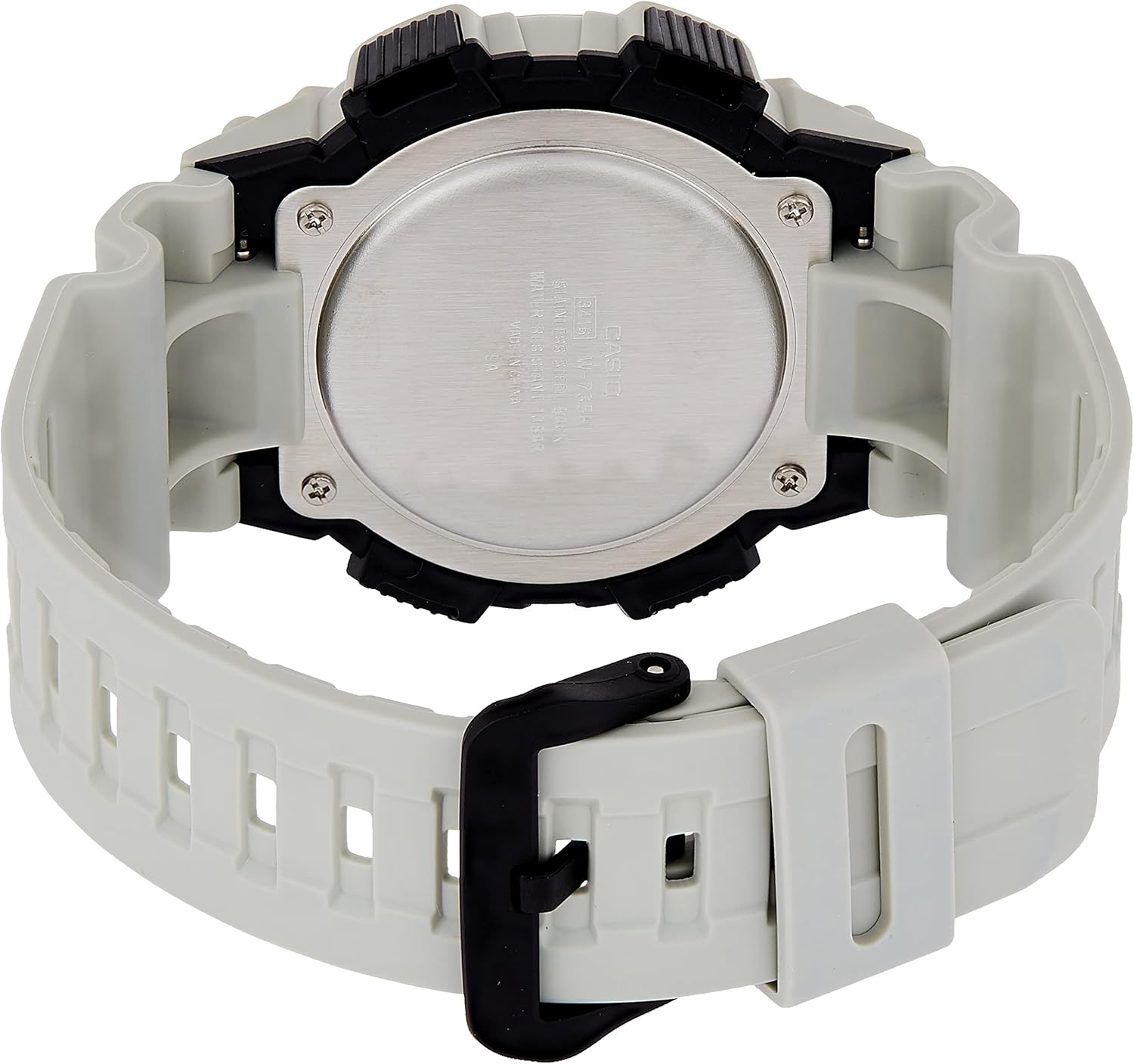
Imazhi 4.1: Mbrapa view of the Casio W-735H-8A2VDF Digital Wristwatch. The stainless steel case back is visible, engraved with 'CASIO', 'WATER RESIST 10BAR', 'STAINLESS STEEL BACK', and 'SHOCK RESIST', along with the model number.
5. Troubleshooting
- Time/Date is Incorrect: Re-enter the Timekeeping Mode and adjust the time and date settings as described in Section 2.1. Ensure DST (Daylight Saving Time) is set correctly for your region.
- Alarm Not Sounding/Vibrating: Check if the alarm is activated in Alarm Mode (Section 2.3). Verify that the vibration alarm is enabled if you prefer vibration over sound.
- Display is Blank or Faint: This usually indicates a low battery. Contact a qualified watch technician for battery replacement.
- Buttons Are Unresponsive: If the watch is unresponsive, try pressing all four buttons simultaneously for a few seconds to perform a soft reset. If the issue persists, the battery may be completely depleted or there may be an internal malfunction requiring professional service.
6. Specifikimet
| Numri i modelit | W-735H-8A2VDF |
| Rezistenca ndaj ujit | 100 metra (10 BAR) |
| Lloji i baterisë | 1 x LR44 (approx. 10-year life) |
| Saktësia | ±30 seconds per month (average) |
| Funksionet | Timekeeping, Stopwatch, Countdown Timer, Multi-function Alarms (with vibration), Hourly Time Signal, LED Backlight |
| Dimensionet | 3.15 x 4.8 x 3.54 inç |
| Pesha | 1.06 ons |

Imazhi 6.1: The Casio W-735H-8A2VDF Digital Wristwatch displayed on a wrist, illustrating its size and fit for daily wear.
7. Garancia dhe Mbështetja
For detailed information regarding the product warranty, please refer to the warranty card included with your purchase or visit the official Casio website. For customer support, service, or inquiries about replacement parts, please contact Casio customer service directly through their official channels.
Zyrtari i Casio-s Webfaqe: www.casio.com


