Hyrje
Faleminderit për blerjenasing the GPX 9-inch Portable DVD Player, Model PD901BDLP. This manual provides essential information for the safe and efficient operation of your device. Please read it thoroughly before use and retain it for future reference.
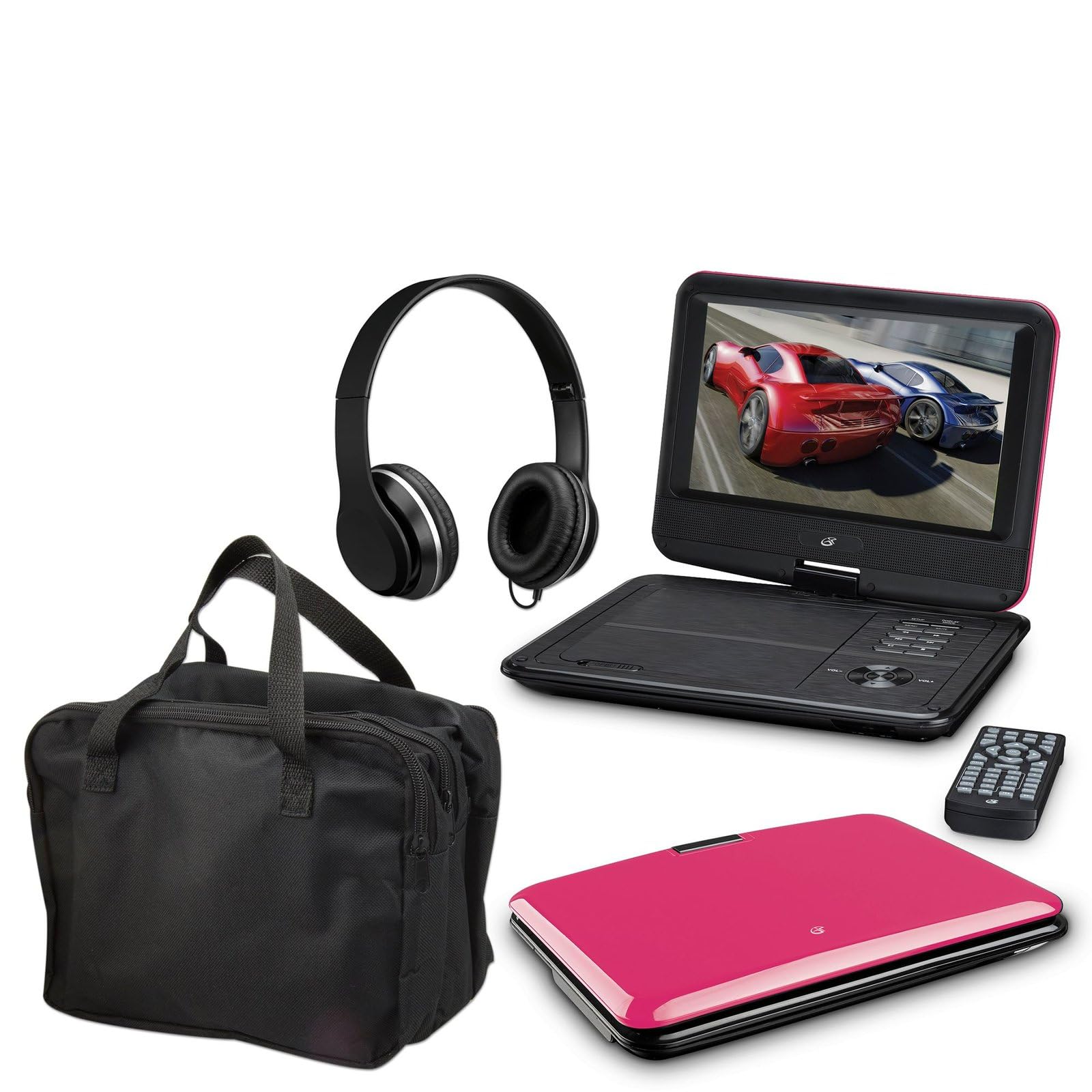
Image: The GPX 9-inch Portable DVD Player in its closed position, showcasing its vibrant pink top casing and sleek design.
Përmbajtja e paketës
Verifikoni që të gjitha artikujt e listuar më poshtë janë të përfshirë në paketën tuaj:
- GPX 9-inch Portable DVD Player (Model PD901BDLP)
- Telekomanda (kërkon 2 bateri AAA, të përfshira)
- Përshtatës i rrymës AC/DC
- Përshtatës makine 12 V
- 3.5mm-to-RCA audio/video cable
- Kutia mbajtëse
- kufje
- Manual udhëzimi (ky dokument)
Karakteristikat e produktit
- 9-inch 800x480 LCD screen
- Screen tilts and swivels for versatile viewkënde ing
- Rechargeable lithium polymer battery with up to 2 hours of battery life
- Altoparlantët stereo të integruar
- Fole kufjesh për dëgjim privat
- RCA output for connection to external displays
- Supports DVD, DVD-R/RW, DVD+R/RW, CD, CD-R/RW, JPEG, MP3 formats
Konfigurimi
1. Ngarkimi i baterisë
Before first use, fully charge the internal lithium polymer battery. Connect the AC/DC power adapter to the DC IN port on the DVD player and plug the other end into a standard wall outlet. The charging indicator light will illuminate. Charging typically takes approximately 3-4 hours for a full charge, providing up to 2 hours of playback.
2. Instalimi i baterive me telekomandë
Open the battery compartment on the back of the remote control. Insert two (2) AAA batteries, ensuring correct polarity (+/-). Close the compartment securely.
3. Connecting to a Television (Optional)
te view content on a larger screen, use the included 3.5mm-to-RCA audio/video cable. Connect the 3.5mm end to the AV OUT port on the DVD player. Connect the RCA (red, white, yellow) ends to the corresponding AV INPUT ports on your television. Select the correct AV input source on your TV.
4. Using the Car Adapter (Optional)
For in-car use, connect the 12V car adapter to the DC IN port on the DVD player and plug the other end into your vehicle's cigarette lighter socket.
Udhëzimet e funksionimit
1. Ndezja/Fikur
Shtypni dhe mbani shtypur PUSHTETI button on the player or remote control to turn the device on or off.
2. Vendosja e një DVD-je
- Gently open the DVD player lid.
- Place a DVD disc onto the spindle with the label side facing up.
- Press down gently on the center of the disc until it clicks into place.
- Close the lid. The player will automatically begin reading the disc.
3. Rregullimi i ekranit
The LCD screen can be tilted and swiveled to achieve the optimal viewing angle. Carefully adjust the screen to your preferred position.
4. Kontrollet bazë të riprodhimit
- LUAJ/PAUZI: Press to start or pause playback.
- STOP: Shtypni për të ndaluar riprodhimin.
- KALO (<< / >>): Press to skip to the previous or next chapter/track.
- FF/REW: Press and hold to fast forward or rewind.
- VËLIMI (+/-): Adjust the audio volume.
5. Përdorimi i kufjeve
Plug the included headphones into the KUFJE jack for private listening. The built-in speakers will automatically mute when headphones are connected.
Mirëmbajtja
- Pastrimi i ekranit: Use a soft, lint-free cloth to gently wipe the LCD screen. Do not use liquid cleaners or abrasive materials.
- Pastrimi i sirtarit të diskut: Keep the disc tray free of dust and debris. Use a soft brush or compressed air if necessary.
- Kujdesi për baterinë: To prolong battery life, avoid fully discharging the battery frequently. If storing the player for an extended period, charge it periodically.
- Magazinimi: Store the DVD player in a cool, dry place away from direct sunlight and extreme temperatures. Use the included carrying case for protection during transport.
Zgjidhja e problemeve
| Problem | Zgjidhje |
|---|---|
| Luajtësi nuk ndizet. | Ensure the battery is charged or the AC/DC adapter is securely connected to a working power outlet. Check the power switch. |
| Asnjë disk nuk u zbulua. | Verify the disc is inserted correctly with the label side up and seated properly on the spindle. Ensure the disc is clean and free of scratches. Try a different disc. |
| Asnjë zë. | Check the volume level. Ensure headphones are not plugged in if you intend to use the built-in speakers. If connected to a TV, check the TV's volume and input settings. |
| Telekomanda nuk funksionon. | Check and replace the AAA batteries in the remote. Ensure there are no obstructions between the remote and the player's IR sensor. |
| Picture is distorted or blurry. | Clean the disc. Adjust the screen angle. If connected to a TV, check the AV cable connections. |
Specifikimet
- Modeli: PD901BDLP
- Madhësia e ekranit: 9 inç
- Lloji i ekranit: LCD
- Rezoluta origjinale: 800 x 480
- Lloji i medias: DVD, DVD-R/RW, DVD+R/RW, CD, CD-R/RW, JPEG, MP3
- Bateria: Polimer litiumi i rikarikueshëm
- Jetëgjatësia e baterisë: Deri në 2 orë
- Lidhshmëria: 3.5mm AV Out, Headphone Jack, DC In
- Fuqia hyrëse: AC/DC Adapter, 12V Car Adapter
- Pesha: Përafërsisht 1.9 paund (0.86 kg)
- Ngjyra: Rozë
- UPC: 047323179044
Garancia dhe Mbështetja
This GPX Portable DVD Player is covered by a 90 ditë garanci e kufizuar nga prodhuesi nga data e blerjes origjinale. Kjo garanci mbulon defektet në materiale dhe prodhim nën përdorim normal.
For warranty service or technical support, please refer to the contact information provided with your product packaging or visit the official GPX webfaqe interneti. Ruajeni faturën e blerjes si provë të blerjes.
Për më shumë informacion, mund të vizitoni GPX Store on Amazon.