Hyrje
Thank you for choosing the Technoline WT 745 Radio Controlled Alarm Clock. This digital alarm clock features precise timekeeping, dual alarms with snooze, date and weekday display, and indoor temperature monitoring. Please read this manual carefully to ensure proper setup and operation.
Përmbajtja e paketës
- Technoline WT 745 Radio Controlled Alarm Clock
- Manuali i Përdoruesit
Shënim: Nevojiten 2 bateri AAA, të cilat nuk përfshihen.
Produkti Mbiview
Familiarize yourself with the main components of your WT 745 alarm clock.
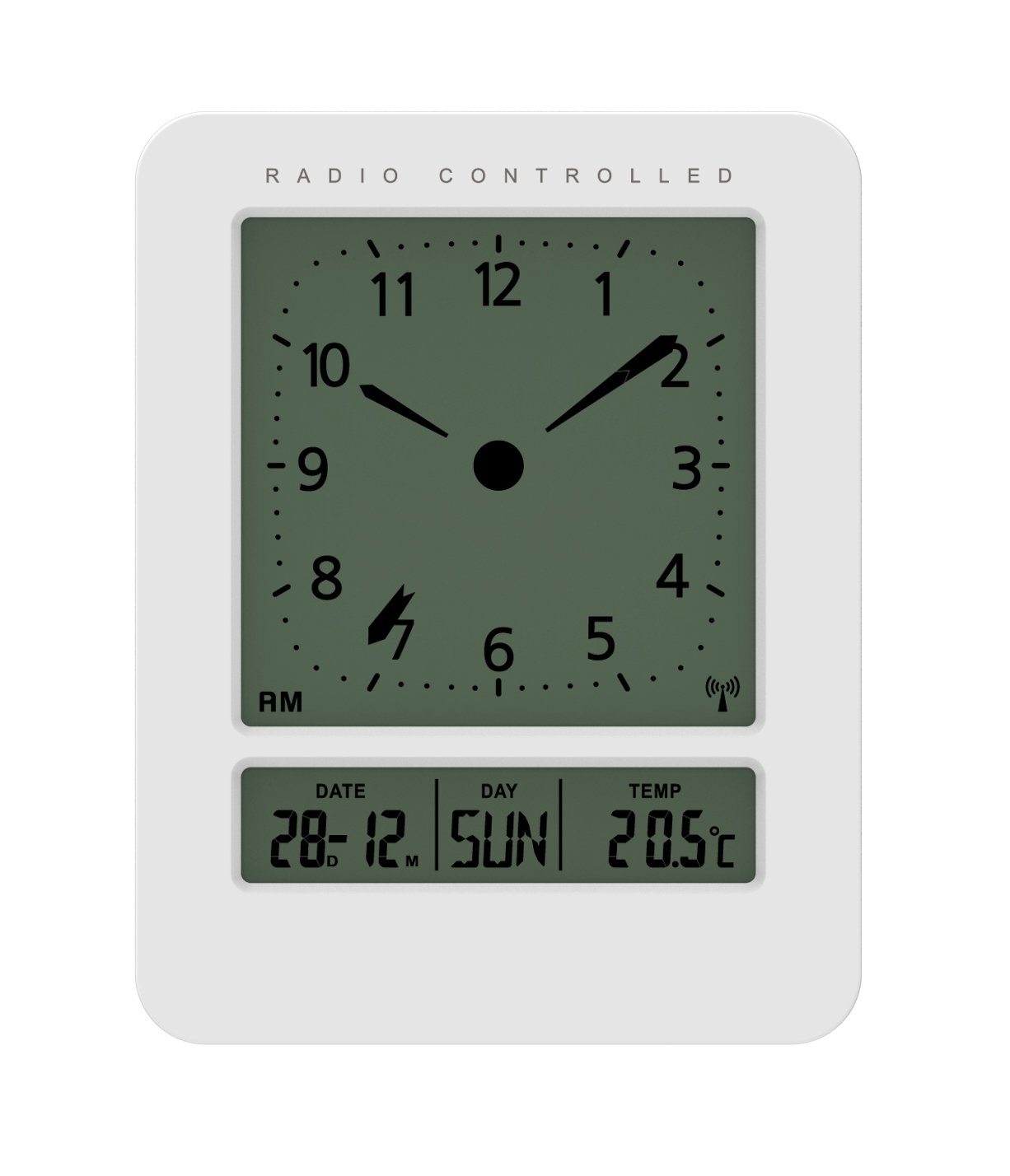
Imazh: Përpara dhe anash view of the Technoline WT 745 Radio Controlled Alarm Clock, showing the digital display with time, date, day, and temperature, and the analog clock face. The clock is white with a light grey display.
- Analog Clock Face: Displays current time with hour, minute, and second hands.
- Shfaqja dixhitale: Shows date, day of the week, and indoor temperature.
- Radio Controlled Indicator: Symbol indicating successful radio signal reception.
- Butonat e kontrollit: Buttons for setting time, alarm, and other functions, typically located on the back or side.
- Ndarja e baterisë: Located on the back for 2x AAA batteries.
Konfigurimi
1. Futja e baterive
- Hapni kapakun e ndarjes së baterisë në pjesën e pasme të orës me zile.
- Insert 2 new AAA batteries, observing the correct polarity (+/-).
- Mbyllni mirë kapakun e ndarjes së baterisë.
Note: The clock will automatically start searching for the radio time signal after battery insertion. This process may take several minutes.
2. Initial Radio Signal Reception
- Vendoseni orën pranë një dritareje për pritje optimale të sinjalit.
- Shmangni vendosjen e tij pranë pajisjeve elektronike që mund të shkaktojnë ndërhyrje.
- Once the signal is received, the time, date, and day will be automatically set. The radio controlled indicator will appear on the display.
If the signal is not received within 10 minutes, try repositioning the clock or manually setting the time (see "Manual Time Setting").
Udhëzimet e funksionimit
Vendosja e alarmit
- Shtypni SETARI I ALARMIT button (location not specified, assume standard placement). The alarm time will flash.
- Përdorni UP or POSHTE butonat për të rregulluar orën.
- Shtypni SETARI I ALARMIT përsëri për të konfirmuar orën dhe për të kaluar te minutat.
- Përdorni UP or POSHTE butonat për të rregulluar minutat.
- Shtypni SETARI I ALARMIT për të kursyer kohën e alarmit.
- Për të aktivizuar/çaktivizuar alarmin, shtypni butonin ALARM ON / OFF butonin. Një ikonë alarmi do të shfaqet/zhduket në ekran.
The WT 745 supports two independent alarms. Repeat the steps above to set the second alarm.
Funksioni i shtyrjes
- Kur të bjerë alarmi, shtypni ZGJIDH button (usually a large button on top). The alarm will pause for approximately 5 minutes and then sound again.
- To stop the alarm completely, press any other button (e.g., ALARM ON/OFF) or let it ring for its full duration.
Backlight Activation
- Shtypni DRITË or ZGJIDH button to temporarily illuminate the display for easy viewnë kushte të ndriçimit të ulët.
Viewing Date, Day, and Temperature
- The digital display continuously shows the current date, day of the week, and indoor temperature. No specific action is required to view këto.
Manual Time Setting (if radio signal is unavailable)
- Shtypni dhe mbani shtypur Caktimi i kohës button for a few seconds until the hour digits flash.
- Përdorni UP or POSHTE butonat për të rregulluar orën.
- Shtypni Caktimi i kohës përsëri për të konfirmuar orën dhe për të kaluar te minutat.
- Përdorni UP or POSHTE butonat për të rregulluar minutat.
- Vazhdoni të shtypni Caktimi i kohës to cycle through and adjust year, month, and day as needed.
- Shtypni Caktimi i kohës one last time to exit manual setting mode.
Mirëmbajtja
- Pastrimi: Fshijeni orën me një leckë të butë dhe të thatë. Mos përdorni pastrues ose tretës gërryes.
- Ndërrimi i baterisë: Replace batteries when the display dims or functions become erratic. Always replace both batteries simultaneously with new ones.
- Magazinimi: Nëse e ruani orën për një periudhë të gjatë kohore, hiqni bateritë për të parandaluar rrjedhjen.
- Mjedisi: Mbajeni orën larg rrezeve të diellit direkte, temperaturave ekstreme dhe lagështisë së lartë.
Zgjidhja e problemeve
| Problem | Shkaku i mundshëm | Zgjidhje |
|---|---|---|
| Ekrani është bosh ose i zbehtë. | Bateritë janë të ulëta ose të futura gabimisht. | Zëvendësoni bateritë me bateri të reja AAA, duke u siguruar që polariteti të jetë i saktë. |
| Clock does not receive radio signal. | Interference, poor location, or signal too weak. | Move the clock closer to a window, away from electronic devices. Try manual time setting. |
| Alarmi nuk bie. | Alarmi nuk është aktivizuar ose është vendosur gabimisht. | Ensure the alarm icon is visible on the display. Recheck alarm time settings. |
| Ora e shfaqur gabimisht. | Radio signal lost or manual time set incorrectly. | Allow the clock to resynchronize with the radio signal. If persistent, manually set the time. |
Specifikimet
- Modeli: WT 745
- Marka: Technoline
- Dimensionet: 7.1 x 4.5 x 9.2 cm (L x P x Lartë)
- Pesha: 150 g
- Materiali: Plastike
- Lloji i ekranit: Digital with Analog Clock Face
- Burimi i energjisë: 2 x bateri AAA (nuk përfshihen)
- Karakteristikat e veçanta: Radio Controlled Time, Dual Alarms, Snooze Function, Date Display, Day of Week Display, Indoor Temperature Display, Backlight.
- Përdorimi: Të brendshme
Garancia dhe Mbështetja
For warranty information or technical support, please refer to the warranty card included with your product or visit the official Technoline webfaqe interneti. Ruajeni faturën e blerjes si provë të blerjes.
zyrtare Webfaqe: www.technoline.eu


