Hyrje
The HyperGear Rave Wireless Stereo Speaker delivers high-fidelity sound with an interactive multi-colored LED light show. It features Bluetooth connectivity, a built-in speakerphone, and an FM radio, making it suitable for various audio needs.
Përmbajtja e paketës
- Rave Wireless Speaker
- 3.5mm Stereo Auxiliary Cable
- Kabllo karikimi mikro USB
- Manuali i Përdoruesit (ky dokument)

Produkti Mbiview
Njihuni me kontrollet dhe portat e altoparlantit.

Butonat e kontrollit
- Butoni i energjisë: Shtypni dhe mbani shtypur për të ndezur ose fikur altoparlantin.
- Butoni i modalitetit (M): Press to switch between Bluetooth, FM Radio, and AUX modes.
- Play/Pause Button (►/∕): Shtypni për të luajtur ose ndaluar audion. Në modalitetin e thirrjes, shtypni për t'iu përgjigjur/përfunduar thirrjet.
- Volume Down / Previous Track (-/◀◀): Shtypni për të ulur volumin. Shtypni dhe mbani shtypur për të shkuar te kënga e mëparshme.
- Volume Up / Next Track (+/►►): Shtypni për të rritur volumin. Shtypni dhe mbani shtypur për të kaluar te kënga tjetër.
- Light Mode Button (*): Press to cycle through different LED light patterns or turn off the light show.
Portet
- Porta e karikimit Micro USB: Për të karikuar baterinë e brendshme të altoparlantit.
- Hyrja AUX 3.5 mm: Për lidhjen e pajisjeve të jashtme audio nëpërmjet kabllit ndihmës.
Konfigurimi
Ngarkimi i altoparlantit
Before first use, fully charge the speaker. Connect the Micro USB charging cable to the speaker's charging port and the other end to a USB power adapter (not included) or a computer's USB port. The charging indicator light will illuminate during charging and turn off when fully charged. A full charge takes approximately 3-4 hours and provides up to 8 hours of playback.
Ndezja/Fikur
Shtypni dhe mbani shtypur Butoni i energjisë for approximately 3 seconds to turn the speaker on or off. A voice prompt will indicate the power status.
Udhëzimet e funksionimit
Piftimi i Bluetooth
- Sigurohuni që altoparlanti të jetë i ndezur dhe në modalitetin Bluetooth. Nëse jo, shtypni butonin Butoni i modalitetit (M) until you hear the Bluetooth pairing prompt. The LED indicator will flash, indicating it is ready to pair.
- Në pajisjen tuaj celulare, aktivizoni Bluetooth dhe kërkoni për pajisjet e disponueshme.
- Select "HyperGear Rave" from the list of devices.
- Pasi të çiftëzohet, altoparlanti do të lëshojë një ton konfirmimi dhe treguesi LED do të ndalojë së pulsuari.

Luajtja e muzikës
Modaliteti Bluetooth
After successful pairing, you can play music from your connected device. Use the speaker's Luaj/Puzë, Volumi Up/Pjesa tjetër, dhe Zbritja e vëllimit/Pjesa e mëparshme buttons to control playback, or control directly from your device.
Modaliteti AUX
Connect one end of the 3.5mm auxiliary cable to the speaker's AUX input and the other end to the audio output of your external device. Press the Butoni i modalitetit (M) to switch to AUX mode. Audio will play directly from your connected device.
Thirrje pa duar
When connected via Bluetooth, the speaker can be used as a speakerphone. When a call comes in, the music will pause. Press the Butoni i luajtjes/pauzës to answer an incoming call. Press it again to end the call. Press and hold the Butoni i luajtjes/pauzës për të refuzuar një telefonatë në hyrje.
Funksionimi i radios FM
Shtypni Butoni i modalitetit (M) to switch to FM Radio mode. The speaker will automatically scan and save available stations. Use the Volumi Up/Pjesa tjetër dhe Zbritja e vëllimit/Pjesa e mëparshme buttons to navigate between saved stations. Press and hold these buttons to fine-tune the frequency.
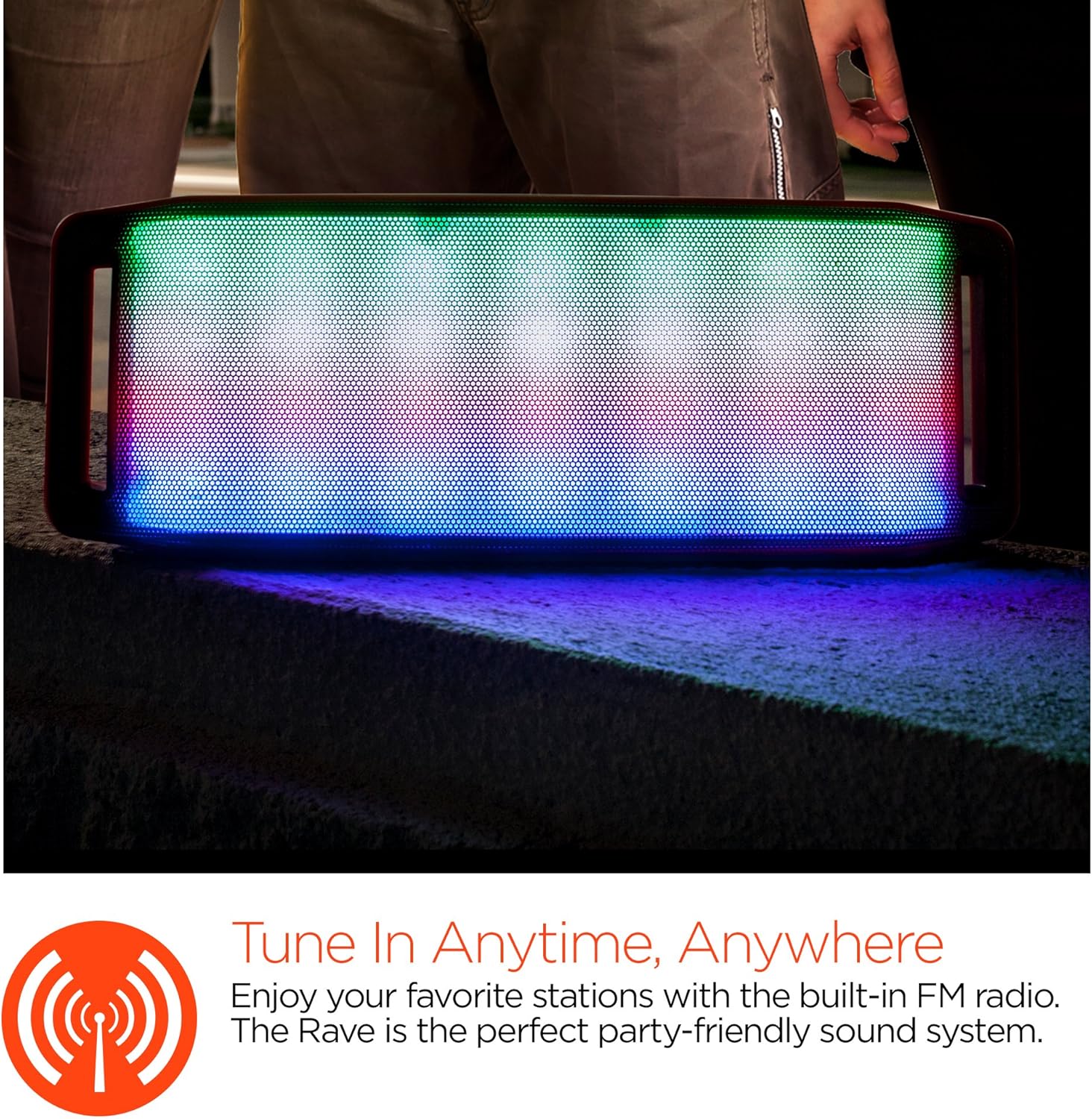
Shfaqja e dritës LED
The speaker features an interactive multi-colored LED light show. Press the Light Mode Button (*) to cycle through different light patterns or to turn the light show off.

Mirëmbajtja
Pastrimi
Wipe the speaker with a soft, dry cloth. Do not use abrasive cleaners or solvents. Avoid exposing the speaker to excessive moisture.
Magazinimi
Ruajeni altoparlantin në një vend të freskët dhe të thatë, larg rrezeve të diellit dhe temperaturave ekstreme. Nëse e ruani për një periudhë të gjatë, karikojeni baterinë periodikisht për të ruajtur jetëgjatësinë e saj.
Kujdesi për baterinë
To prolong battery life, avoid fully discharging the speaker frequently. Charge the speaker regularly, even if not in use, to prevent deep discharge.
Zgjidhja e problemeve
| Problem | Shkaku i mundshëm | Zgjidhje |
|---|---|---|
| Altoparlanti nuk ndizet. | Bateria është e mbaruar. | Ngarkoni altoparlantin duke përdorur kabllon Micro USB. |
| Nuk mund të çiftëzohet nëpërmjet Bluetooth. | Altoparlanti nuk është në modalitetin e çiftëzimit; Bluetooth është i çaktivizuar në pajisje; pajisja është shumë larg. | Ensure speaker is in Bluetooth pairing mode (flashing LED). Turn on Bluetooth on your device. Move device closer to speaker (within 10 meters). |
| Asnjë zë. | Volume is too low; incorrect mode selected; device not playing. | Increase volume on both speaker and connected device. Ensure correct mode (Bluetooth/AUX/FM) is selected. Verify audio is playing on the source device. |
| Shtrembërimi i zërit. | Volumi është shumë i lartë; bateri e ulët; ndërhyrje. | Ul volumin. Ngarkoni altoparlantin. Lëvizeni altoparlantin larg pajisjeve të tjera elektronike. |
| Marrja e sinjalit të radios FM është e dobët. | Sinjal i dobët; ndërhyrje nga mjedisi. | Relocate the speaker to an area with better reception. Extend the charging cable (if connected) as it can act as an antenna. |
Specifikimet
| Veçori | Detaj |
|---|---|
| Numri i modelit | 13604 |
| Versioni Bluetooth | 3.0 ± EDR |
| Fuqia dalëse e altoparlantit | 2 x 5W (Gjithsej 10W) |
| Raporti sinjal-zhurmë (S/N) | 80dB |
| Kapaciteti i baterisë | 1500 mAh |
| Koha e luajtjes | Deri në 8 orë |
| Gama e Bluetooth | Deri në 33 këmbë / 10 m |
| Teknologjia e lidhjes | Bluetooth, Pa tel |
| Modaliteti i daljes audio | Stereo |
| Metoda e kontrollit | Prekni |
| Pesha | 2.25 paund |
| Karakteristika të veçanta | Bass Boost, Display, Multi-colored LED Light Show, Built-in Speakerphone, FM Radio |
Garancia dhe Mbështetja
For warranty information or technical support, please refer to the contact details provided on the product packaging or visit the official HYPERGEAR webfaqe interneti. Ruajeni faturën e blerjes si provë të blerjes.


