1. Hyrje
This manual provides detailed instructions for the installation, operation, maintenance, and troubleshooting of the Hikvision DS-9632NI-I8 32-Channel 4K Network Video Recorder (NVR). Please read this manual thoroughly before using the product to ensure proper and safe operation. Keep this manual for future reference.
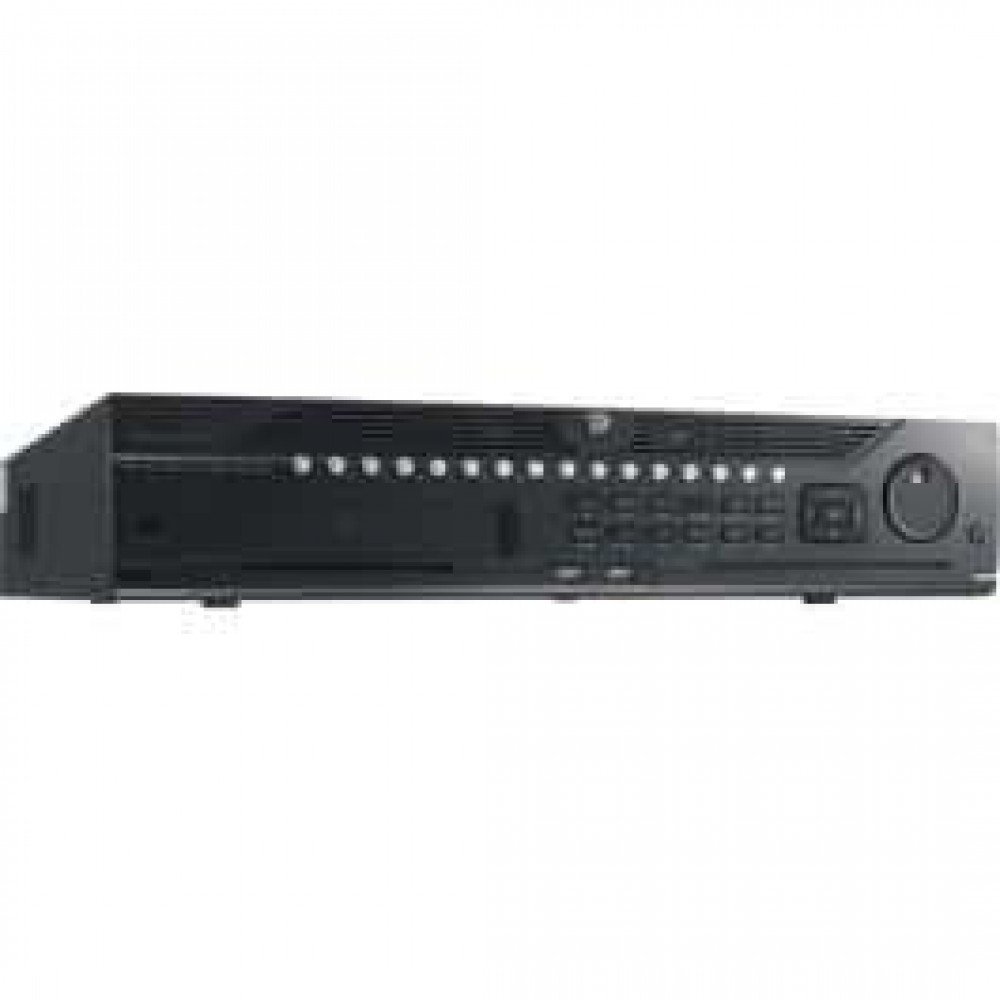
Figura 1: Përpara view of the Hikvision DS-9632NI-I8 NVR, showing its robust chassis and various interface ports.
2. Informacion mbi sigurinë
Always follow basic safety precautions to reduce the risk of fire, electric shock, and injury to persons. This includes, but is not limited to:
- Përdorni vetëm adaptorin e energjisë të specifikuar nga prodhuesi.
- Siguroni ventilimin e duhur për të parandaluar mbinxehjen.
- Mos e ekspozoni NVR-in ndaj ujit ose lagështirës.
- Avoid placing the NVR near heat sources or in direct sunlight.
- Referojuni të gjitha servisimet te personeli i kualifikuar i shërbimit.
3. Përmbajtja e paketës
Verify that all items are present and in good condition. If any item is missing or damaged, contact your dealer immediately.
- Hikvision DS-9632NI-I8 NVR Unit
- Përshtatës/Kabllo energjie
- Miu USB
- Vida për instalimin e HDD-së
- Udhëzues për fillimin e shpejtë
- CD-ROM (containing software and full manual)
4. Konfigurimi
4.1 Instalimi i harduerit
- Prepare Hard Disk Drives (HDDs): The DS-9632NI-I8 supports up to 8 SATA HDDs. Install HDDs into the NVR chassis using the provided screws. Ensure each HDD is securely mounted.
- Lidhni pajisjet periferike:
- Lidhni një monitor me portën dalëse HDMI ose VGA.
- Connect the included USB mouse to a USB port.
- Lidheni NVR me rrjetin tuaj duke përdorur një kabllo Ethernet.
- Ndezja: Connect the power adapter to the NVR and then to a power outlet. Press the power button on the front panel.
4.2 Konfigurimi fillestar
Upon first boot, the NVR will guide you through an initial setup wizard.
- Vendos fjalëkalimin e administratorit: Create a strong password for the 'admin' user.
- Cilësimet e rrjetit: Configure network parameters (DHCP or Static IP). Ensure the NVR is accessible on your local network.
- Data dhe Ora: Vendosni datën, orën dhe zonën kohore të saktë.
- Inicializimi i HDD-së: The NVR will prompt you to initialize the installed HDDs. This process will format the drives for recording.
- Shtoni kamera IP: Use the wizard to search for and add compatible Hikvision IP cameras to the NVR.
5. Udhëzimet e funksionimit
5.1 Drejtpërdrejt View
After logging in, the NVR will display the live view interface, showing feeds from connected cameras. You can switch between different camera views and layouts.
- Kamera e vetme View: Double-click a camera window to view atë në ekran të plotë.
- Layout Selection: Use the layout icons at the bottom of the screen to choose different grid arrangements (e.g., 4-channel, 9-channel).
5.2 Menaxhimi i regjistrimit
The NVR supports continuous, scheduled, and event-triggered recording.
- Configure Recording Schedule: Navigoni te Configuration > Storage > Schedule Settings to define recording times for each camera.
- Regjistrimi manual: Click the record icon on the live view interface to start/stop manual recording.
5.3 Riprodhimi
Shqyerjeview e regjistruar footage:
- Shkoni në Riprodhimi menu.
- Zgjidhni kamerën (kamerat) e dëshiruar dhe diapazonin e datës/orës.
- Përdorni vijën kohore për të lundruar nëpër regjistrime.
- Playback controls (play, pause, fast forward, rewind) are available.
5.4 Qasja në distancë
NVR mund të aksesohet nga distanca nëpërmjet një web browser or Hik-Connect mobile app.
- Web Shfletuesi: Enter the NVR's IP address into a web shfletuesi.
- Hik-Connect: Download the Hik-Connect app, register an account, and add your NVR by scanning its QR code or entering its serial number.
6. Mirëmbajtja
6.1 Përditësimet e firmuerit
Regularly check for and install firmware updates to ensure optimal performance and security. Firmware can be downloaded from the official Hikvision webfaqe.
- Navigoni te Configuration > System > Maintenance > Upgrade.
- Follow the on-screen instructions to perform the upgrade. Do not power off the NVR during the update process.
6.2 Menaxhimi i hard diskut
Monitor the health of your HDDs and manage storage space.
- HDD Status: Check HDD status in Configuration > Storage > HDD Management.
- Modaliteti i mbishkrimit: Configure the NVR to overwrite old recordings when storage is full (default behavior).
6.3 Pastrimi
Keep the NVR clean to prevent dust buildup, which can affect performance and lifespan.
- Power off and unplug the NVR before cleaning.
- Përdorni një leckë të butë dhe të thatë për të fshirë pjesën e jashtme.
- Përdorni ajër të kompresuar për të hequr pluhurin nga vrimat e ventilimit.
7. Troubleshooting
| Problem | Shkaku i mundshëm | Zgjidhje |
|---|---|---|
| Nuk ka dalje video në monitor. | Lidhje e lirshme kabllore, burim hyrjeje i gabuar në monitor, NVR nuk është i ndezur. | Check HDMI/VGA cable connections. Ensure monitor is set to correct input. Verify NVR power. |
| Nuk mund të hyjë në NVR nga distanca. | Network configuration issues, firewall blocking, incorrect port forwarding. | Verify NVR network settings. Check router firewall and port forwarding rules. Ensure Hik-Connect is properly configured. |
| Cameras not recording. | HDD nuk është inicializuar, orari i regjistrimit nuk është vendosur, HDD është plot. | Initialize HDDs. Configure recording schedule. Check HDD status and capacity. |
| Keni harruar fjalëkalimin e administratorit. | Fjalëkalimi është humbur. | Refer to the full manual or Hikvision support for password reset procedures. This often involves a security code or a physical reset button. |
8. Specifikimet
| Veçori | Detaj |
|---|---|
| Model | DS-9632NI-I8 |
| Hyrja e videos | 32-Channel IP Video Input |
| Dalje video | HDMI (deri në 4K), VGA |
| Formati i dekodimit | H.265 + / H.265 / H.264 + / H.264 |
| Hyrja/Dalja audio | 1-ch, RCA (2.0 Vp-p, 1 kΩ) / 2-ch, RCA (Linear, 1 kΩ) |
| SATA | 8 SATA interfaces for 8 HDDs |
| Kapaciteti | Up to 10 TB for each HDD (example, actual capacity may vary) |
| Ndërfaqja e rrjetit | 2 RJ-45 10M/100M/1000M self-adaptive Ethernet interfaces |
| Ndërfaqja USB | Front panel: 2 × USB 2.0; Rear panel: 1 × USB 3.0 |
| Dimensionet (W × D × H) | 23 x 22 x 8 inç (përafërsisht) |
| Furnizimi me energji elektrike | 100 deri në 240 VAC, 50 deri në 60 Hz |
9. Garancia dhe Mbështetja
9.1 Garanci e kufizuar
Hikvision products are covered by a limited warranty. The specific terms and duration of the warranty may vary by region and product type. Please refer to the official Hikvision webfaqen e internetit ose dokumentacionin e blerjes për informacion të detajuar të garancisë.
- Mbani dëshminë tuaj të blerjes për pretendimet e garancisë.
- Riparimet ose modifikimet e paautorizuara mund ta anulojnë garancinë.
9.2 Mbështetje teknike
For technical assistance, product inquiries, or service requests, please contact Hikvision support through the following channels:
- zyrtare Webfaqe: Vizitoni www.hikvision.com për burime mbështetjeje, pyetje të shpeshta dhe informacione kontakti.
- Shërbimi ndaj klientit: Refer to the contact details provided on the Hikvision webfaqe interneti për rajonin tuaj specifik.
- Tregtarë të Autorizuar: Your authorized Hikvision dealer can also provide support and service.


