Hyrje
This manual provides instructions for the setup, operation, and maintenance of your myTouchSmart Digital Bar Outlet Timer, Model 26745. Please read these instructions carefully before use and retain them for future reference.
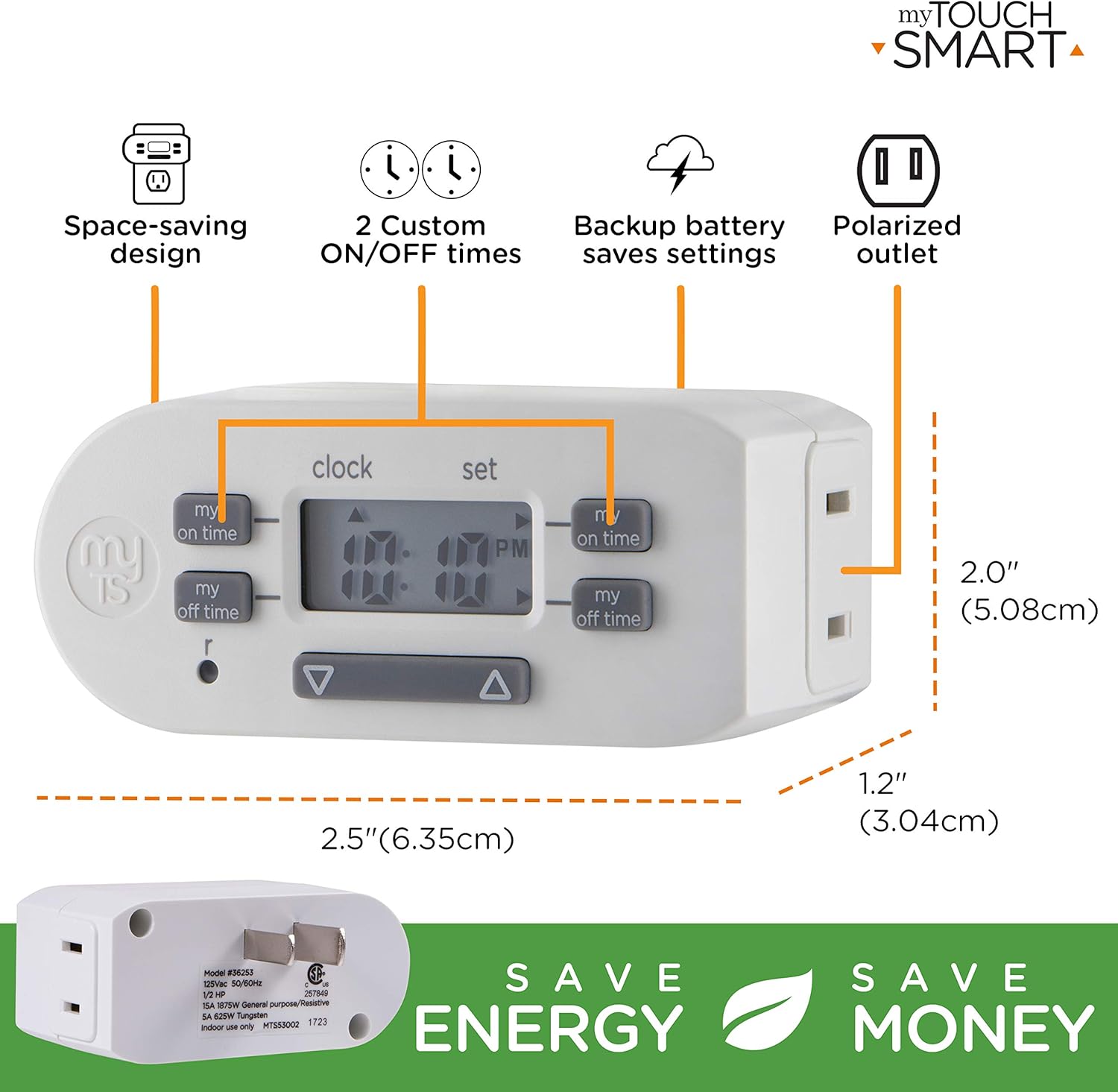
The myTouchSmart Digital Bar Outlet Timer is designed to automate the ON/OFF cycles of indoor lights, lamps, small appliances, and electronics. It features a space-saving design, a digital display, and two programmable custom ON/OFF times.
Udhëzime të rëndësishme të sigurisë
- Vetëm për përdorim të brendshëm.
- Do not exceed electrical ratings: 125V AC, 60Hz, 15A (1875W) General Purpose/Resistive, 5A (625W) Tungsten, 1/2 HP.
- Do not use with appliances that have heating elements, such as coffee makers, toasters, or heaters, as this may create a fire hazard.
- Ensure the timer is fully inserted into the outlet.
- Do not immerse in water or use in wet locations.
- Keep children away from the timer.
- Mos e çmontoni njësinë. Brenda saj nuk ka pjesë që mund të riparohen nga përdoruesi.
Karakteristikat e produktit
- Space-saving slim bar design.
- One (1) polarized outlet.
- Digital display for easy programming.
- Two custom daily ON/OFF times.
- Backup battery to save settings during power outages.
- Compatible with CFL, LED, incandescent, and halogen light sources.
Përshkrimi i imazhit: A detailed diagram of the myTouchSmart Digital Bar Outlet Timer, highlighting its components such as the custom ON/OFF time buttons, clock/set mode indicator, active program indicator, AM/PM indicator, and scroll buttons. This image helps users identify the different parts of the timer for programming.
Konfigurimi dhe Konfigurimi Fillestar
1. Charging the Backup Battery
Before initial use, plug the timer into a live electrical outlet for at least 30 minutes to charge the internal backup battery. This battery retains your settings during power outages or when the timer is unplugged.
2. Vendosja e kohës aktuale
- Shtypni dhe mbani shtypur ORË butonin.
- Gjatë mbajtjes ORË, shtypni ▲ (lart) ose ▼ (down) button to adjust the hour. The AM/PM indicator will change accordingly.
- Lëshoni ORË button when the correct hour is set.
- Shtypni dhe mbani shtypur ORË butonin përsëri.
- Gjatë mbajtjes ORË, shtypni ▲ (lart) ose ▼ (down) button to adjust the minutes.
- Lëshoni ORË button when the correct minute is set.

Përshkrimi i imazhit: This image illustrates the "Simple Setup" process for the timer. It shows the digital display and buttons, with arrows pointing to the scroll buttons for setting the current time and the "my on time" and "my off time" buttons for custom programming. The image emphasizes the ease of setting up the device.
Udhëzimet e funksionimit
Programming Custom ON/OFF Times
The timer allows for two custom daily ON/OFF programs. Follow these steps to set your desired schedules:
Programi 1:
- Shtypni MY ON TIME button (left side) once. The display will show "1 ON".
- Shtypni ▲ (lart) ose ▼ (down) button to adjust the desired ON hour for Program 1.
- Shtypni MY ON TIME button again to confirm the hour and move to minutes.
- Shtypni ▲ (lart) ose ▼ (down) button to adjust the desired ON minutes for Program 1.
- Shtypni MY ON TIME button again to save the ON time.
- Shtypni MY OFF TIME button (left side) once. The display will show "1 OFF".
- Shtypni ▲ (lart) ose ▼ (down) button to adjust the desired OFF hour for Program 1.
- Shtypni MY OFF TIME button again to confirm the hour and move to minutes.
- Shtypni ▲ (lart) ose ▼ (down) button to adjust the desired OFF minutes for Program 1.
- Shtypni MY OFF TIME button again to save the OFF time.
Programi 2:
Repeat the steps above using the MY ON TIME dhe MY OFF TIME butonat në anën e djathtë of the timer. The display will show "2 ON" and "2 OFF" respectively.
Përshkrimi i imazhit: This image displays two examples of how to program the timer. Program 1 is set to turn ON at 6:00 A.M. and OFF at 9:00 A.M. Program 2 is set to turn ON at 4:00 P.M. and OFF at 10:00 P.M. This visual guide helps users understand how to set their own custom schedules.
Connecting an Appliance
Once programmed, plug the appliance or light you wish to control into the polarized outlet on the side of the timer. Ensure the appliance's power switch is in the ON position for the timer to control its power cycle.

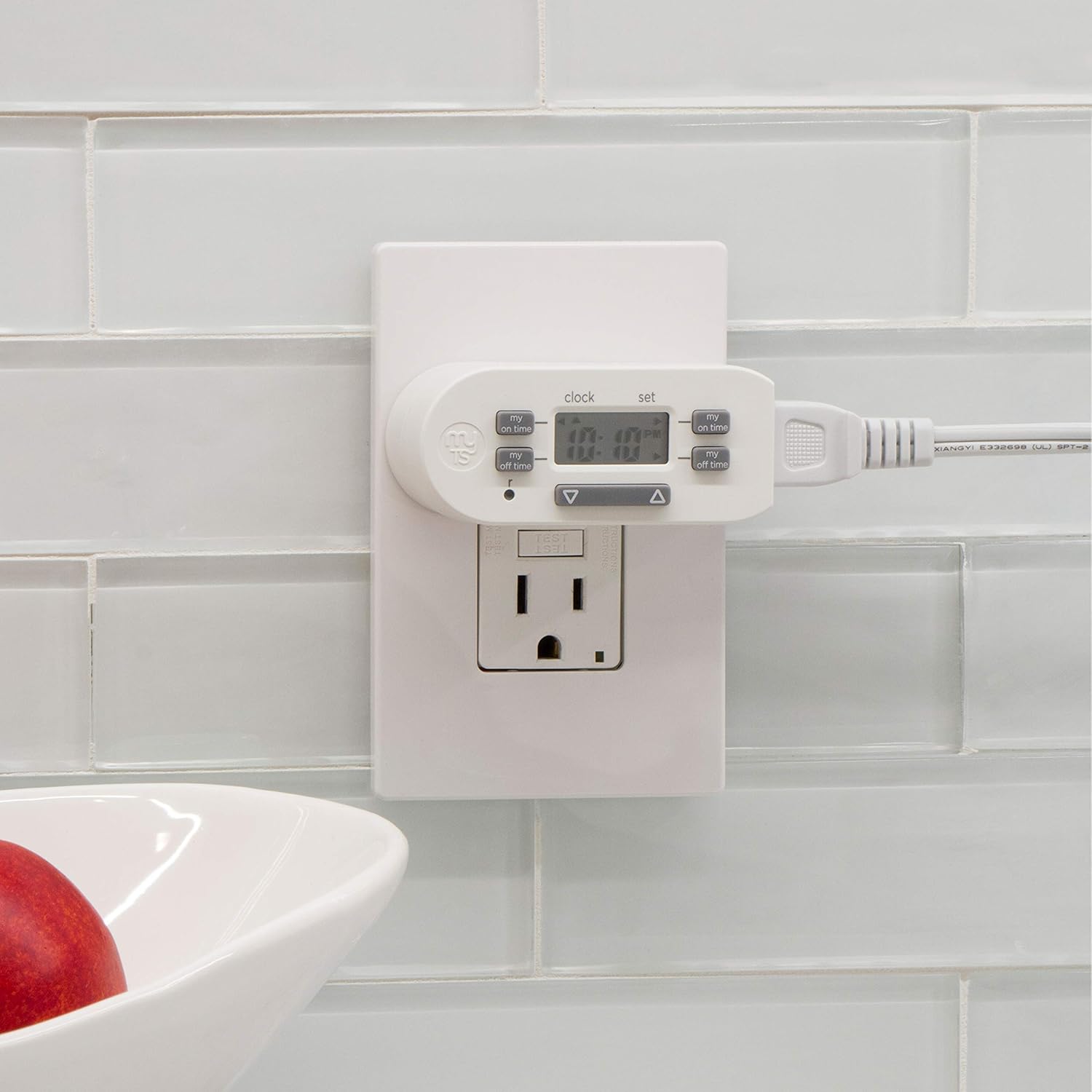
Përshkrimi i imazhit: The image shows the myTouchSmart Digital Bar Outlet Timer plugged into a standard wall outlet. A lamp's power cord is then plugged into the polarized outlet on the side of the timer, demonstrating how to connect a device for timed operation. The slim design of the timer is visible, not obstructing the second wall outlet.
Mirëmbajtja
- Pastrimi: Disconnect the timer from the power outlet before cleaning. Wipe with a dry, soft cloth. Do not use liquid or abrasive cleaners.
- Bateria: The internal backup battery is not user-replaceable. If the display becomes dim or settings are not retained after charging, the unit may need replacement.
- Magazinimi: Ruajeni kohëmatësin në një vend të freskët dhe të thatë kur nuk është në përdorim.
Zgjidhja e problemeve
| Problem | Shkaku i mundshëm | Zgjidhje |
|---|---|---|
| Pajisja nuk ndizet/fiket në kohët e programuara. |
|
|
| Ekrani është i zbehtë ose bosh. |
|
|
| Cilësimet humbasin pas ndërprerjes së energjisëtage or unplugging. | Backup battery is not sufficiently charged or has reached end of life. | Plug the timer into a live outlet for at least 30 minutes. If the issue persists, the internal battery may need replacement (unit replacement). |
Specifikimet
- Modeli: 26745
- Vlerësimi elektrik: 125 V AC, 60 Hz
- Ngarkesa maksimale: 15A (1875W) General Purpose/Resistive
- Tungsten Load: 5A (625W)
- Ngarkesa motorike: 1 / 2 HP
- Pikat kryesore: 1 Polarized
- Dimensionet: Përafërsisht 2 x 2.5 x 1.25 inç
- Certifikimi: CSA
Garancia dhe Mbështetja
This product is backed by a one-year limited warranty. For warranty claims or technical support, please contact myTouchSmart customer service. Refer to the product packaging or the manufacturer's webfaqe për informacione kontakti.
Prodhuesi: Kompania e Produkteve Jasco, LLC