1. Hyrje
The Acer Predator Cestus 500 PMW730 is a high-performance wired gaming mouse designed for precision and customization. It features an ambidextrous ergonomic design, adjustable Omron switches, and programmable buttons to enhance your gaming experience. This manual provides detailed instructions for setting up, operating, maintaining, and troubleshooting your gaming mouse.
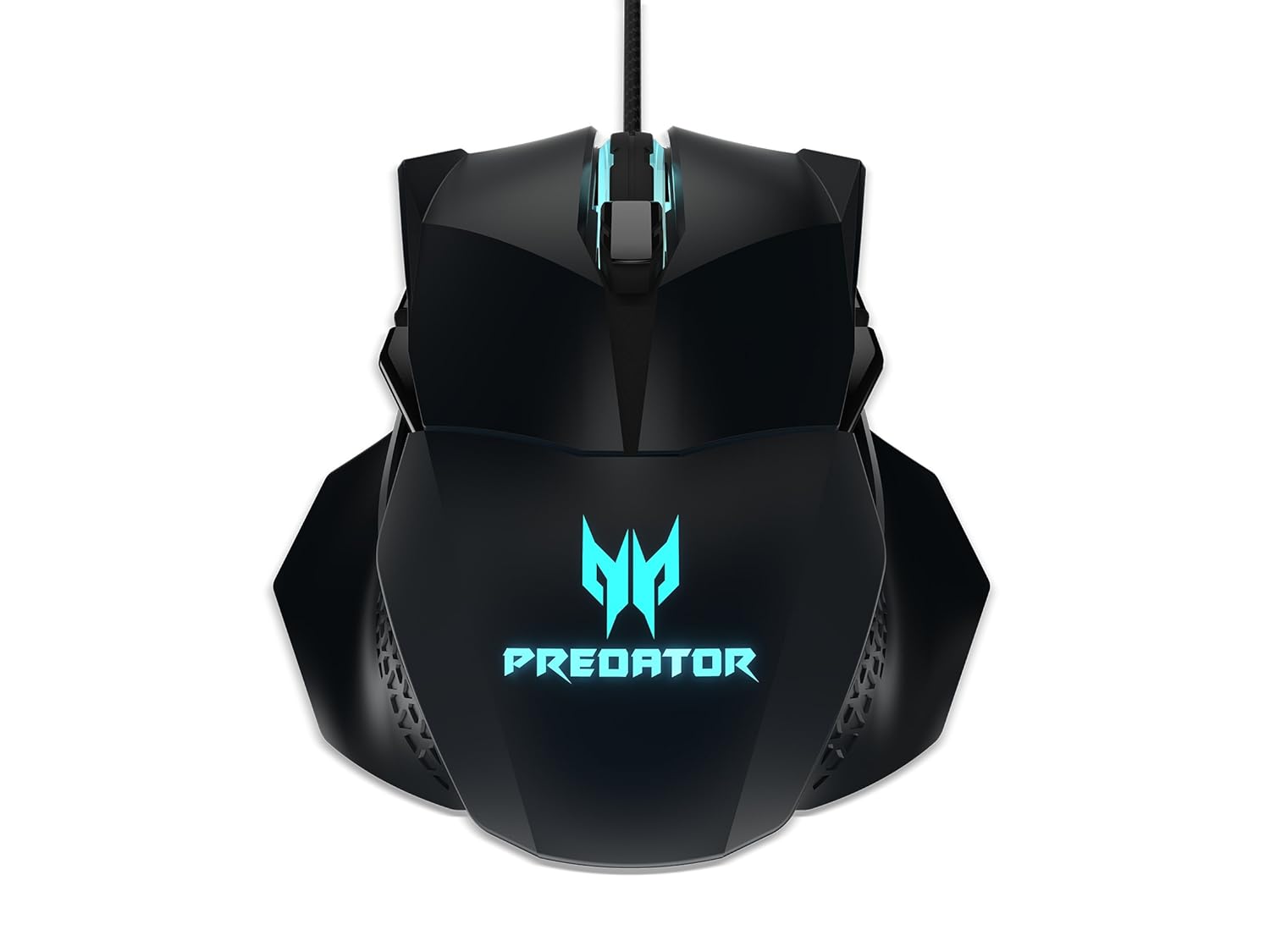
Figura 1: Top view of the Acer Predator Cestus 500 Gaming Mouse, showcasing its symmetrical design and illuminated Predator logo.
2. Përmbajtja e paketës
Ju lutemi verifikoni që të gjitha artikujt janë të pranishëm në paketën tuaj:
- 1 x Acer Predator Cestus 500 Wired Gaming Mouse
- 4 x Magnetic Side Panels (2 sets for customization)
- 1 x Udhëzues për fillimin e shpejtë
- 1 x Carry Kit
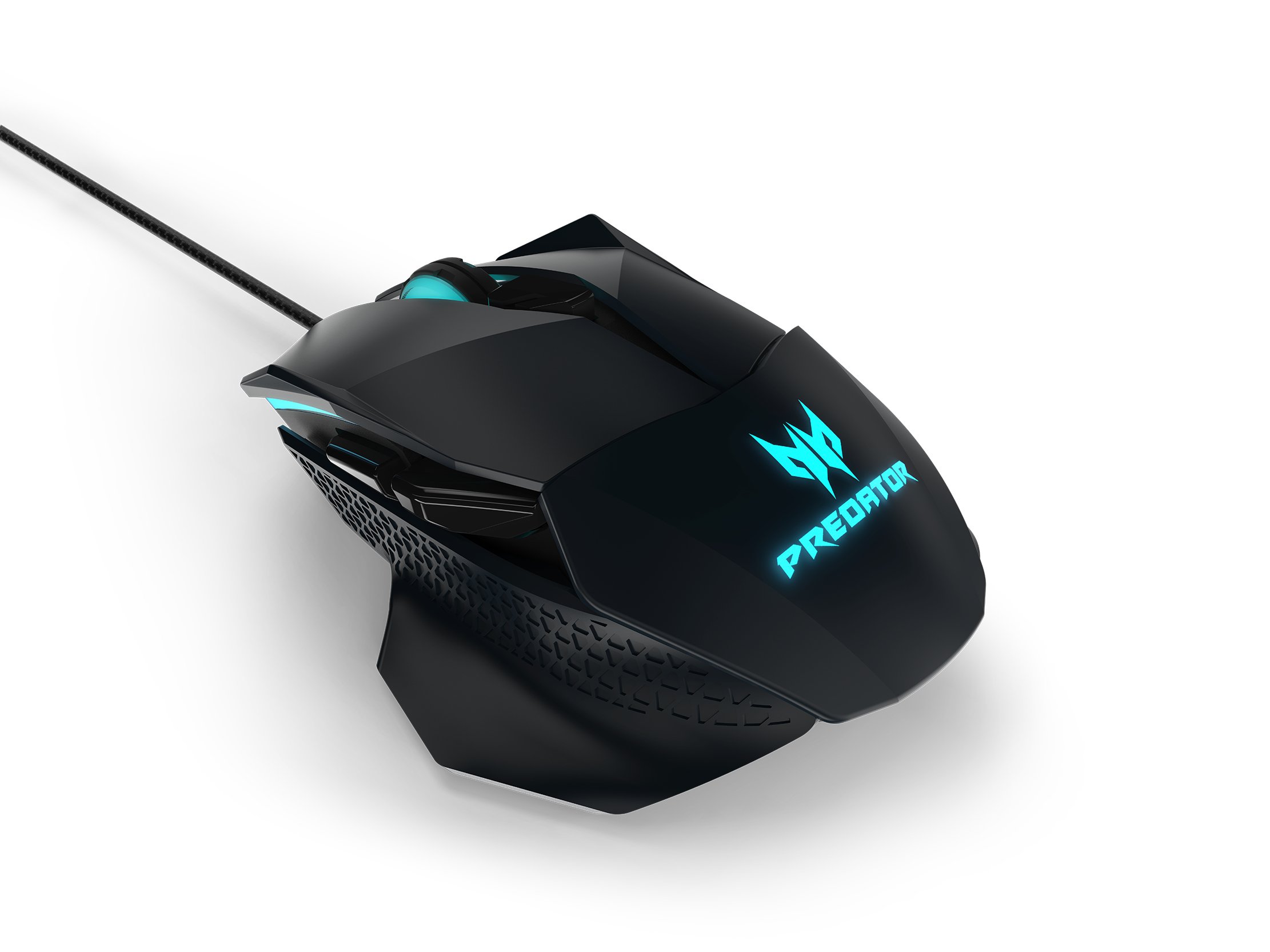
Figure 2: The Acer Predator Cestus 500 mouse with its detachable side panels, illustrating the customization options.
3. Konfigurimi
3.1 Lidhja e mausit
- Unpack the Acer Predator Cestus 500 gaming mouse from its packaging.
- Lidhni kabllon USB të mausit me një portë USB të lirë në kompjuterin tuaj.
- Sistemi operativ do të zbulojë dhe instalojë automatikisht drejtuesit e nevojshëm.
3.2 Attaching Side Panels
The mouse comes with two sets of magnetic side panels to accommodate different grip styles (claw or palm) and hand sizes. To attach or swap panels:
- Align the desired side panel with the magnetic connectors on either side of the mouse.
- Gently push the panel until it snaps securely into place.
- Përsëriteni për anën tjetër.
3.3 Installing Predator Quartermaster Software
For full customization of DPI settings, programmable buttons, and RGB lighting, install the Predator Quartermaster software. This software can typically be downloaded from the official Acer support webfaqe interneti për modelin tuaj specifik.
- Visit the Acer support webfaqe.
- Kërko për 'Predator Quartermaster' or navigate to the support page for the Predator Cestus 500 (Model NP.MCE11.008).
- Shkarkoni dhe ekzekutoni instaluesin.
- Ndiqni udhëzimet në ekran për të përfunduar instalimin.
4. Udhëzimet e funksionimit
4.1 Funksionet Bazë të Mausit
The mouse functions as a standard plug-and-play device for basic navigation (left-click, right-click, scroll wheel).
4.2 Rregullimi i DPI
The Predator Cestus 500 features a maximum DPI of 7200 and a tracking speed of 150 IPS. DPI settings can be adjusted on-the-fly using dedicated buttons on the mouse or through the Predator Quartermaster software. The software allows for precise configuration of multiple DPI levels to suit different gaming scenarios.
4.3 butona të programueshëm
The mouse is equipped with 8 programmable buttons. These buttons can be assigned various functions, macros, or key combinations using the Predator Quartermaster software. Refer to the software's user interface for detailed instructions on button mapping.
4.4 Adjustable Omron Switches
The mouse features dual Omron switches with a total lifespan of 70 million clicks (50M + 20M). A unique toggle on the base of the mouse allows you to adjust the click force, providing a personalized tactile response.
4.5 RGB Lighting Profiles
Customize the mouse's 16.8 million RGB lighting with five distinct profiles. Këto profiles can be configured and saved using the Predator Quartermaster software, allowing you to switch between different lighting effects and colors for various games or moods.

Figura 3: Ana view of the Acer Predator Cestus 500, highlighting its ergonomic contours and side buttons.
5. Mirëmbajtja
5.1 Pastrimi i Mausit
Për të ruajtur performancën dhe pamjen optimale:
- Shkëputeni mausin nga kompjuteri para pastrimit.
- Përdorni një leckë të butë, të thatë dhe pa push për të fshirë sipërfaqen e mausit.
- Për papastërti kokëfortë, pakampLani leckën me ujë ose me një tretësirë të butë pastrimi. Shmangni kimikatet e ashpra.
- Use a can of compressed air to clear dust from crevices and around buttons.
- Mos e zhytni mausin në ujë ose në ndonjë lëng tjetër.
5.2 Menaxhimi i kabllove
Avoid sharp bends or kinks in the mouse cable to prevent damage. Store the mouse and its cable neatly when not in use, ideally in the provided carry kit.
6. Troubleshooting
6.1 Miu nuk përgjigjet
- Ensure the USB cable is securely connected to a functioning USB port on your computer.
- Provo ta lidhësh mausin me një port tjetër USB.
- Test the mouse on another computer to determine if the issue is with the mouse or your system.
- Rinisni kompjuterin tuaj.
6.2 DPI or Button Settings Not Working
- Ensure the Predator Quartermaster software is installed and running.
- Check for software updates for Predator Quartermaster.
- Verify that the settings are correctly configured and saved within the software.
- If using multiple profiles, sigurohuni që pro-ja e saktëfile është aktiv.
6.3 Probleme me ndriçimin RGB
- Confirm that the Predator Quartermaster software is installed and that lighting effects are enabled.
- Kontrolloni për çdo softuer që mund të jetë në konflikt me ndriçimin RGB.
- Ensure the mouse firmware is up to date via the Predator Quartermaster software.
7. Specifikimet
| Veçori | Specifikimi |
|---|---|
| Markë | Acer |
| Seria | Predator Cestus |
| Numri i modelit | NP.MCE11.008 |
| Ngjyra | E zezë |
| Teknologjia e lidhjes | Tela |
| DPI | Deri në 7200 DPI |
| IPS Speed | 150 SPI |
| Numri i butonave | 8 (I programueshëm) |
| Lloji i ndërprerësit | Omron (Adjustable Click Force) |
| Ndërroni jetëgjatësinë | 70 Million Clicks (50M + 20M) |
| Ndriçimi RGB | 16.8 Million Colors, 5 Customizable Profiles |
| Dizajn | Ambidextrous, Ergonomic with 4 Magnetic Side Panels |
| Platforma e harduerit | Laptop, Kompjuter personal |
| Përputhshmëria e Sistemit Operativ | Linux, Windows 7, Windows XP (dhe versionet më të reja të Windows) |
| Dimensionet e produktit (LxWxH) | 12.4 x 9.64 x 4.03 cm |
| Pesha e artikullit | 100 g |
| Komponentët e përfshirë | Gaming Mouse, 4 Side Panels, Quick Start Guide, Carry Kit |
8. Informacioni i garancisë
For detailed warranty information, please refer to the warranty card included in your product packaging or visit the official Acer support webfaqja. Kushtet dhe afatet e garancisë mund të ndryshojnë në varësi të rajonit dhe datës së blerjes.
9. Mbështetje
If you encounter issues not covered in this manual or require further assistance, please contact Acer customer support through their official website or the contact information provided in your product documentation. Ensure you have your product model number (NP.MCE11.008) and serial number ready when contacting support.
Mbështetje Acer Webfaqe: https://www.acer.com/support


