Hyrje
The Canon VIXIA HF G50 4K30P Camcorder is designed for capturing high-quality video with exceptional detail and color. Featuring a large-format CMOS Sensor and DIGIC DV 6 Image Processor, it delivers brilliant results. The advanced 20x Optical Zoom lens provides impressive telephoto power and a wide angle of view, complemented by a 5-axis Image Stabilization system for steady footage. This manual provides essential information for setting up, operating, and maintaining your camcorder.
Çfarë ka në Kuti
Para se të filloni, sigurohuni që të gjithë përbërësit janë të pranishëm:
- VIXIA HF G50 Camcorder Body
- Compact Power Adapter CA-570
- Paketa e baterisë BP-820
- Mbulesë lenteje me barrierë lenteje
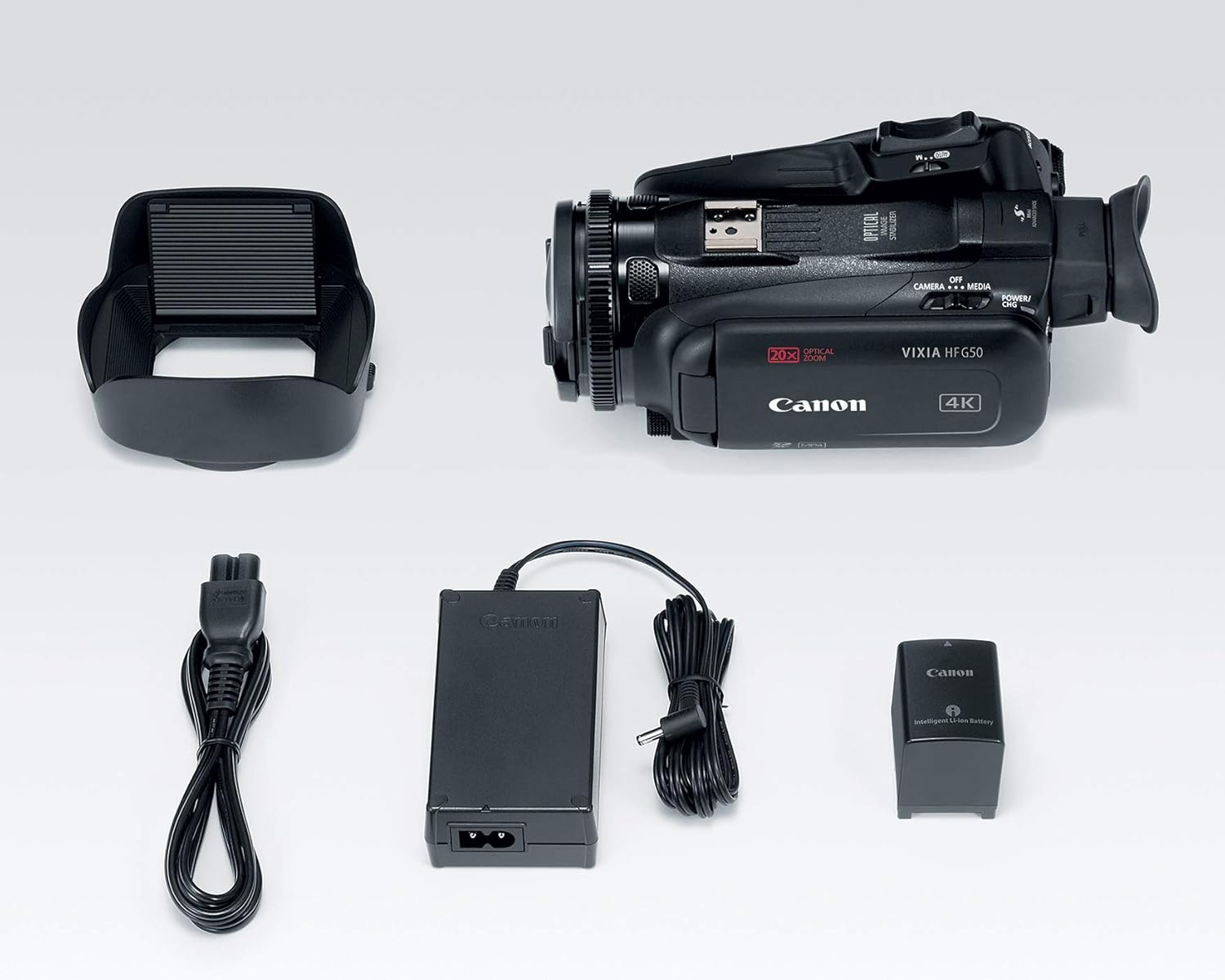
Image: All components included in the Canon VIXIA HF G50 camcorder package.
Konfigurimi
1. Ngarkimi i baterisë
- Connect the Compact Power Adapter CA-570 to the camcorder and a power outlet.
- Insert the Battery Pack BP-820 into the camcorder. The charging indicator will illuminate.
- Charge until the indicator turns off, signifying a full charge.
2. Futja e një karte SD
- Hapni kapakun e folesë së kartës SD.
- Insert an SDXC memory card into one of the dual slots until it clicks into place.
- Mbyllni kapakun e folesë së kartës SD.

Imazh: Pjesa e pasme view of the camcorder, highlighting the battery and dual SD card slots.
3. Vendosja e Kapakut të Lentes
- Vendosni mbrojtësen e lentes në një vijë me pjesën e përparme të lentes.
- Twist the lens hood clockwise until it locks securely.
- Ensure the lens barrier is open before recording.
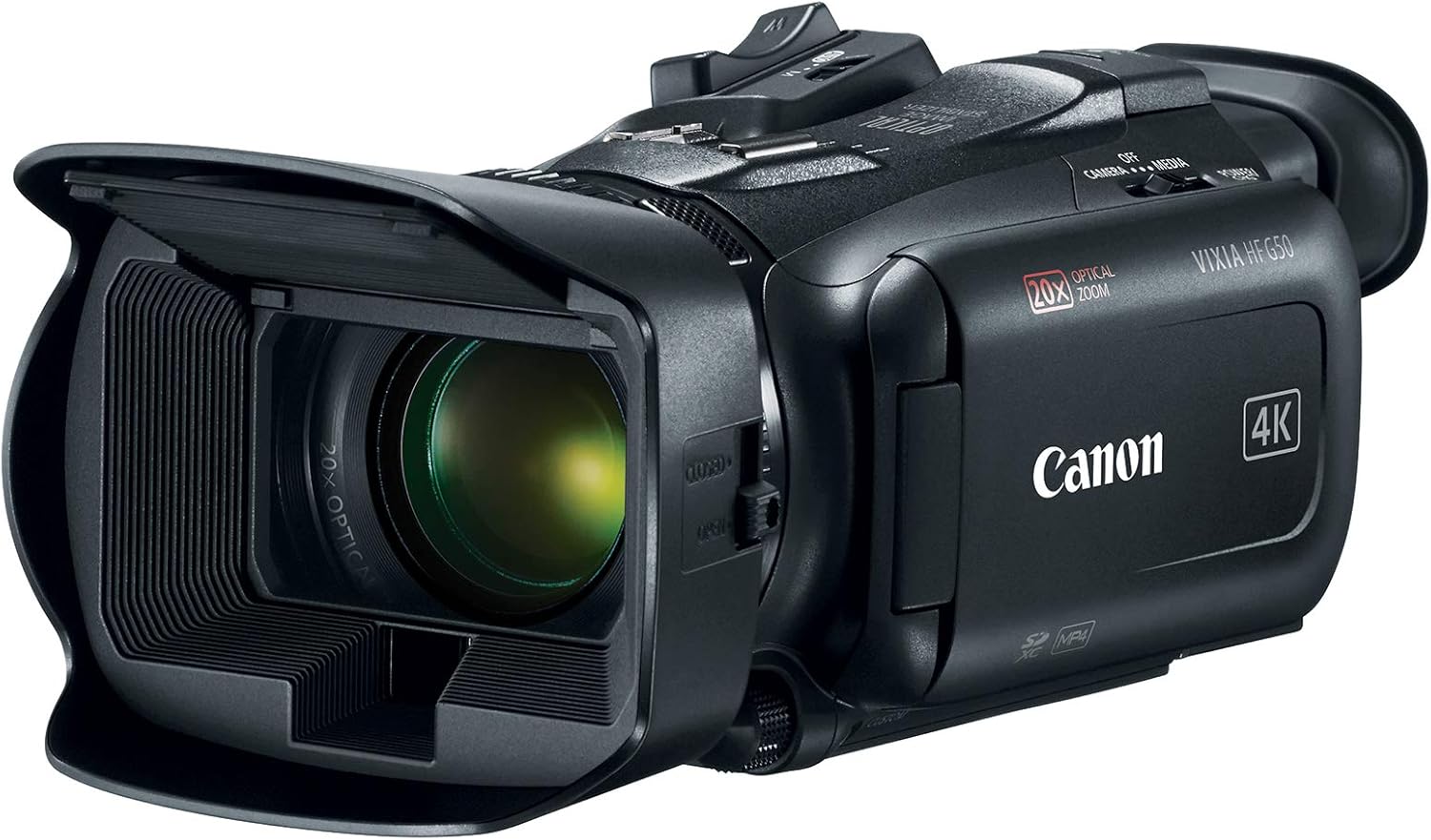
Image: The Canon VIXIA HF G50 camcorder with its lens hood and open LCD screen.
4. Ndezja/Fikur
To power on the camcorder, slide the POWER switch to the 'CAMERA' or 'MEDIA' position. To power off, slide the switch to 'OFF'.
Udhëzimet e funksionimit
Recording 4K UHD 30p Video
The VIXIA HF G50 supports 4K UHD 30p recording for high-resolution video. Ensure your SD card has sufficient space and speed for 4K recording. Press the record button to start and stop recording.
Zmadhimi optik 20x
Utilize the zoom lever to control the 20x optical zoom lens. Push the lever towards 'W' for wide-angle shots and towards 'T' for telephoto magnification.
Intelligent 5-axis Image Stabilization
The camcorder features Intelligent 5-axis Image Stabilization to reduce blur caused by camera shake. This function is automatically engaged during recording to ensure smooth footage.
Shfaq dhe Viewgjetës
The 3.0-inch LCD Capacitive Touchscreen allows for intuitive control and menu navigation. For bright conditions or precise framing, use the Tiltable Electronic Viewgjetësi

Image: The camcorder with its LCD screen open, showing the interface for operation.
Kontrollet e personalizuara
Personalize your shooting experience using the five assignable buttons, joystick, lens ring, and custom dial. These controls can be configured for quick access to frequently used functions.
Special Recording Modes
Explore creative options with Slow and Fast Motion recording, including Interval Recording, available for both 4K and Full HD resolutions.
Webcam Functionality with Clean HDMI Output
Transform your VIXIA HF G50 into a high-quality webcam using its clean HDMI output. This feature allows you to stream video without on-screen display information, ideal for live streaming and video conferencing.
Video: Official Canon guide on using your camcorder for livestreaming with clean HDMI output.
Mirëmbajtja
Pastrimi i kamerës video
- Përdorni një leckë të butë dhe të thatë për të pastruar trupin e videokamerës.
- For the lens, use a lens brush or a soft, lint-free cloth specifically designed for optical surfaces. Avoid touching the lens directly with your fingers.
- Do not use organic solvents such as alcohol or benzene, as these may damage the finish.
Kujdesi për baterinë
- Ruani bateritë në një vend të freskët dhe të thatë kur nuk janë në përdorim.
- Shmangni shkarkimin e plotë të baterisë për periudha të gjata.
- Charge the battery at least once every six months to maintain its lifespan.
Magazinimi
When storing the camcorder for an extended period, remove the battery and store it separately. Keep the camcorder in a dry, dust-free environment, ideally in a protective case.
Zgjidhja e problemeve
Nuk ka fuqi
- Sigurohuni që bateria të jetë plotësisht e ngarkuar dhe e futur saktë.
- Verify the power adapter is securely connected to both the camcorder and a working power outlet.
- Kontrolloni pozicionin e çelësit POWER.
Çështjet e regjistrimit
- Confirm an SD card is inserted and has sufficient free space.
- Check the SD card's write-protect tab.
- Ensure the camcorder is in recording mode.
Shqetësimet për cilësinë e imazhit
- Clean the lens if images appear blurry or smudged.
- Adjust lighting conditions for optimal exposure.
- Check image stabilization settings if footagështë i lëkundshëm.
For more detailed troubleshooting or persistent issues, please refer to the comprehensive user manual available on the Canon support webfaqe ose kontaktoni mbështetjen e klientit të Canon.
Specifikimet
| Veçori | Detaj |
|---|---|
| Dimensionet e produktit | 9.1 x 4.5 x 3.3 inç |
| Pesha e artikullit | 1.25 paund |
| Numri i modelit të artikullit | 3667C002 |
| Bateritë | Kërkohen 1 bateri litium-jon (të përfshira) |
| Teknologjia e sensorit të fotove | CMOS |
| Rezolucioni i kapjes së videos | 4K, 1080p |
| Gjatësia maksimale fokale | 73.4 milimetra |
| Hapja maksimale | 2.8 f |
| Lloji i kujtesës flash | SDXC |
| Formati i kapjes së videos | MPEG-4 |
| Format i mbështetur audio | AAC, Dolby Digital/AC-3 |
| Madhësia e ekranit | 3 inç |
| Teknologjia e lidhjes | USB, me valë |
| 4K UHD 30p Recording | po |
| Zmadhimi optik | 20x |
| Stabilizimi i imazhit | Intelligent 5-axis |
| Clean HDMI Output | po |
| Dy vende për karta SD | po |
Garancia dhe Mbështetja
The Canon VIXIA HF G50 Camcorder is covered by a manufacturer's warranty. For specific warranty terms and conditions, please refer to the documentation included with your product or visit the official Canon webfaqe.
For technical support, driver downloads, or to access the full user manual, please visit the Canon USA support webfaqe.


