1. Hyrje
The PNI IP930W is a 1080P 2MP wireless P2P PTZ IP surveillance camera designed for indoor use. It offers comprehensive monitoring capabilities with its pan-tilt-zoom functionality, two-way audio, motion detection, and advanced night vision. This manual provides detailed instructions for setting up, operating, and maintaining your camera to ensure optimal performance and security.
2. Përmbajtja e paketës
Before proceeding with the installation, please verify that all items listed below are present in your package.
- PNI IP930W Camera
- Përshtatës i energjisë (5V/1A)
- Kllapa për montim
- Manuali i Përdoruesit
- Vida montimi
- Kabllo energjie

Image: Contents of the PNI IP930W package, including the camera, power adapter, USB cable, mounting bracket, and user manual.
3. Produkti i Mbaruarview
Familiarize yourself with the camera's components and interfaces.
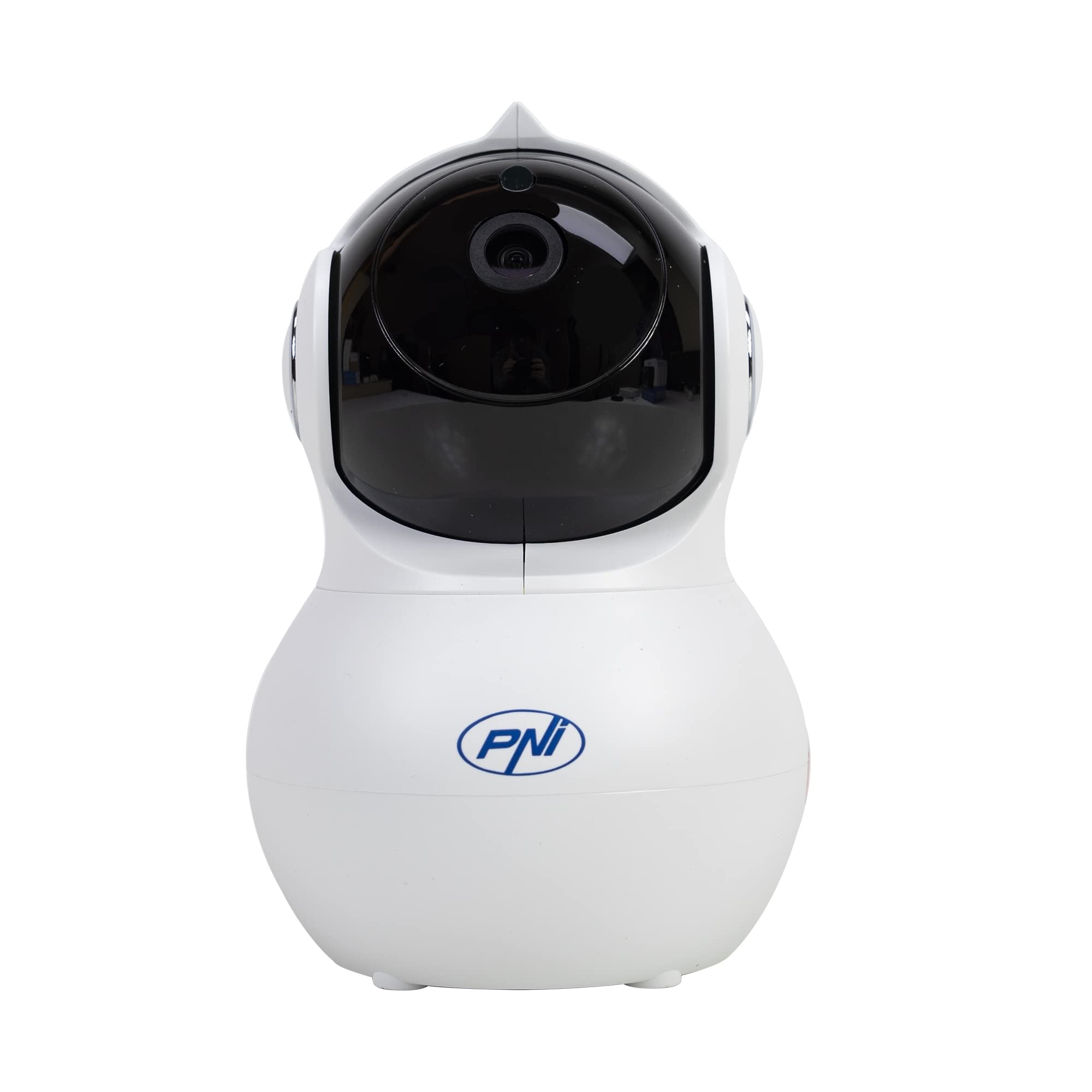
Imazhi: Përpara view of the PNI IP930W surveillance camera, showing its dome shape and lens.

Imazh: I detajuar view of the PNI IP930W camera with labels pointing to the Reset Button, TF Card Slot, DC Interface (power), and LAN Interface (Ethernet port.

Imazhi: Poshtë view of the PNI IP930W camera, showing the mounting points, product label with model number, QR code, and power specifications.
4. Udhëzime për konfigurimin
4.1. Ndezja e kamerës
- Connect the provided power cable to the DC Interface on the camera.
- Futni përshtatësin e energjisë në një prizë standarde elektrike.
- The camera will power on and initiate its self-test sequence.
4.2. Lidhja në rrjet
The PNI IP930W supports both wireless (Wi-Fi) and wired (Ethernet) connections.
Wireless Connection (Recommended)
- Download the "Yi IOT" application from your mobile device's app store (iOS or Android).
- Regjistroni një llogari dhe regjistrohuni.
- Follow the in-app instructions to add your camera. This typically involves scanning a QR code on the camera or connecting to a temporary Wi-Fi hotspot created by the camera.
- Zgjidhni rrjetin tuaj Wi-Fi në shtëpi dhe futni fjalëkalimin.
- Wait for the camera to connect to your Wi-Fi network.
Lidhja me tela
- Connect an Ethernet cable from your router to the LAN Interface on the camera.
- Follow the in-app instructions in the "Yi IOT" application to add your camera. The app should detect the camera automatically on the local network.
4.3. Instalimi i Kartës MicroSD (Opsionale)
The camera supports a MicroSD card up to 64GB for local video storage.
- Locate the TF Card Slot on the camera (refer to Product Overview imazh).
- Gently insert the MicroSD card into the slot until it clicks into place.
- Format the MicroSD card via the "Yi IOT" app settings for proper functionality.
4.4. Montimi i kamerës
The camera can be placed on a flat surface or mounted to a ceiling or wall using the provided bracket and screws.

Image: The PNI IP930W camera mounted upside down on a ceiling using its bracket, demonstrating flexible installation options.
- Choose a suitable indoor location for optimal viewing.
- Attach the mounting bracket to the desired surface using the mounting screws.
- Securely attach the camera to the mounting bracket.
- Adjust the camera's orientation as needed.
5. Udhëzimet e funksionimit
5.1. Jeto View dhe Kontrolli PTZ
- Open the "Yi IOT" app and select your camera.
- The live video feed will appear.
- Use the on-screen controls to pan (horizontal 355°) and tilt (vertical 155°) the camera lens to adjust the viewkënd ing.
5.2. Audio me dy drejtime
- Ndërsa në live view, tap the microphone icon in the app to speak through the camera's built-in speaker.
- The camera's built-in microphone will capture audio from the environment.
5.3. Zbulimi i Lëvizjes dhe Alarmet
- Enable motion detection in the "Yi IOT" app settings.
- Rregulloni nivelet e ndjeshmërisë sipas nevojës.
- When motion is detected, the camera can send alarm notifications to your mobile phone and record a short video clip (e.g., 6 seconds).
5.4. Vizioni i natës
- The camera automatically switches to night vision mode in low-light conditions using its 8 infrared LEDs.
- Night vision provides clear black and white video up to 10 meters.
5.5. Regjistrimi dhe ruajtja e videos
- Recordings can be stored locally on the MicroSD card or in the cloud (subscription required).
- Qasja në fondet e regjistruaratage through the "Yi IOT" app's playback feature.
6. Mirëmbajtja
- Pastrimi: Përdorni një leckë të butë dhe të thatë për të pastruar lentet dhe trupin e kamerës. Shmangni pastruesit ose tretësit gërryes.
- Përditësimet e firmuerit: Regularly check the "Yi IOT" app for available firmware updates to ensure optimal performance and security.
- Karta MicroSD: Periodically check the MicroSD card for errors and ensure it has sufficient storage space. Back up important recordings as needed.
7. Troubleshooting
| Problem | Shkaku i mundshëm | Zgjidhje |
|---|---|---|
| Kamera nuk ndizet | Përshtatësi i rrymës nuk është i lidhur ose ka defekt; problem me prizën e rrymës. | Ensure power cable is securely connected. Try a different power outlet. Verify power adapter functionality. |
| Nuk mund të lidhet me Wi-Fi | Fjalëkalim i gabuar i Wi-Fi; kamera shumë larg ruterit; ndërhyrje në sinjalin e Wi-Fi. | Double-check Wi-Fi password. Move camera closer to the router. Reduce interference from other devices. Ensure router is 2.4GHz compatible. |
| Nuk ka transmetim video në aplikacion | Network connection issue; app malfunction. | Check network connection. Restart camera and app. Re-add camera to the app if necessary. |
| Zbulimi i lëvizjes nuk funksionon | Motion detection disabled; sensitivity too low; incorrect detection zone. | Aktivizo zbulimin e lëvizjes në cilësimet e aplikacionit. Rrit ndjeshmërinë. Rregullo zonat e zbulimit. |
| Karta MicroSD nuk po regjistron | Card not inserted correctly; card not formatted; card full or faulty. | Reinsert MicroSD card. Format card via app. Replace card if faulty. |
8. Specifikimet
| Veçori | Detaj |
|---|---|
| Numri i modelit | IP930W |
| Sensori i imazhit | 1/2.7" |
| Rezolucioni i sensorit | 2 megapikselë |
| Rezolucioni i videos | 1080P (1920x1080) |
| Lloji i lenteve | f:3.6 mm |
| Ndriçimi minimal | 0.01 luks |
| Viewing kënd | 80° (Fixed Lens), 360° (PTZ Coverage) |
| IR-Cut Filter | po |
| Kompresimi i videos | H.264 |
| Korniza për sekondë | 20-25 fps |
| Hyrja audio | Mikrofon i integruar |
| Dalja audio | Altoparlant i integruar |
| Ethernet | 10/100 Mbit/s RJ-45 |
| Lidhja me valë | Wi-Fi (802.11b / g / n) |
| Siguria pa tela | Kriptimi WEP, WPA, WPA2 |
| Gama e Pan/Pjerrësisë | Horizontale: 355°, Vertikale: 155° |
| Dimensionet (J x P x H) | 20.25 x 12.15 x 11.7 cm |
| Pesha neto | 225 g |
| Slot Card Slot MicroSD | Max 64 GB (card not included) |
| Zbulimi i lëvizjes | po |
| Video Regjistrimi | Local (MicroSD), Cloud (paid) |
| Funksioni i monitorit të bebeve | po |
| Distanca infra të kuqe | Deri në 10 m |
| Njoftimi i alarmit | To mobile phone |
| P2P Support | po |
| Aplikacion i Dedikuar | Yi IOT |
| Furnizimi me energji Voltage | 5V/1A |
| Konsumi i energjisë | 5W |
| Temperatura e funksionimit | -26°C ~ +80°C |
| Lagështia e funksionimit | 20% -85% (jo-kondensues) |
| Mjedisi i Përdorimit | Të brendshme |
| Vlerësimi IP | IP66 |
9. Garancia dhe Mbështetja
For warranty information, please refer to the documentation provided with your purchase or contact your retailer.
For technical support, please visit the official PNI website or contact their customer service. The dedicated "Yi IOT" application also provides support resources and FAQs.

Image: An image indicating PNI technical support, showing tools and a multimeter, suggesting repair and service capabilities.


