1. Hyrje
The JBL LIVE 400BT are on-ear wireless headphones designed to deliver JBL Signature Sound. These headphones feature Bluetooth connectivity, a built-in microphone for hands-free calls, and integrated voice assistant support (Amazon Alexa). They also include Ambient Aware and TalkThru technologies for enhanced situational awareness and convenient conversations without removing the headphones. The headphones offer up to 24 hours of battery life and can be used with an audio cable when the battery is depleted.
2. Çfarë ka në kuti
Pasi të hapni paketën, sigurohuni që të gjitha sendet janë të pranishme:
- JBL LIVE 400BT Headphones
- Kabllo karikimi
- Aux Cable (3.5 mm)
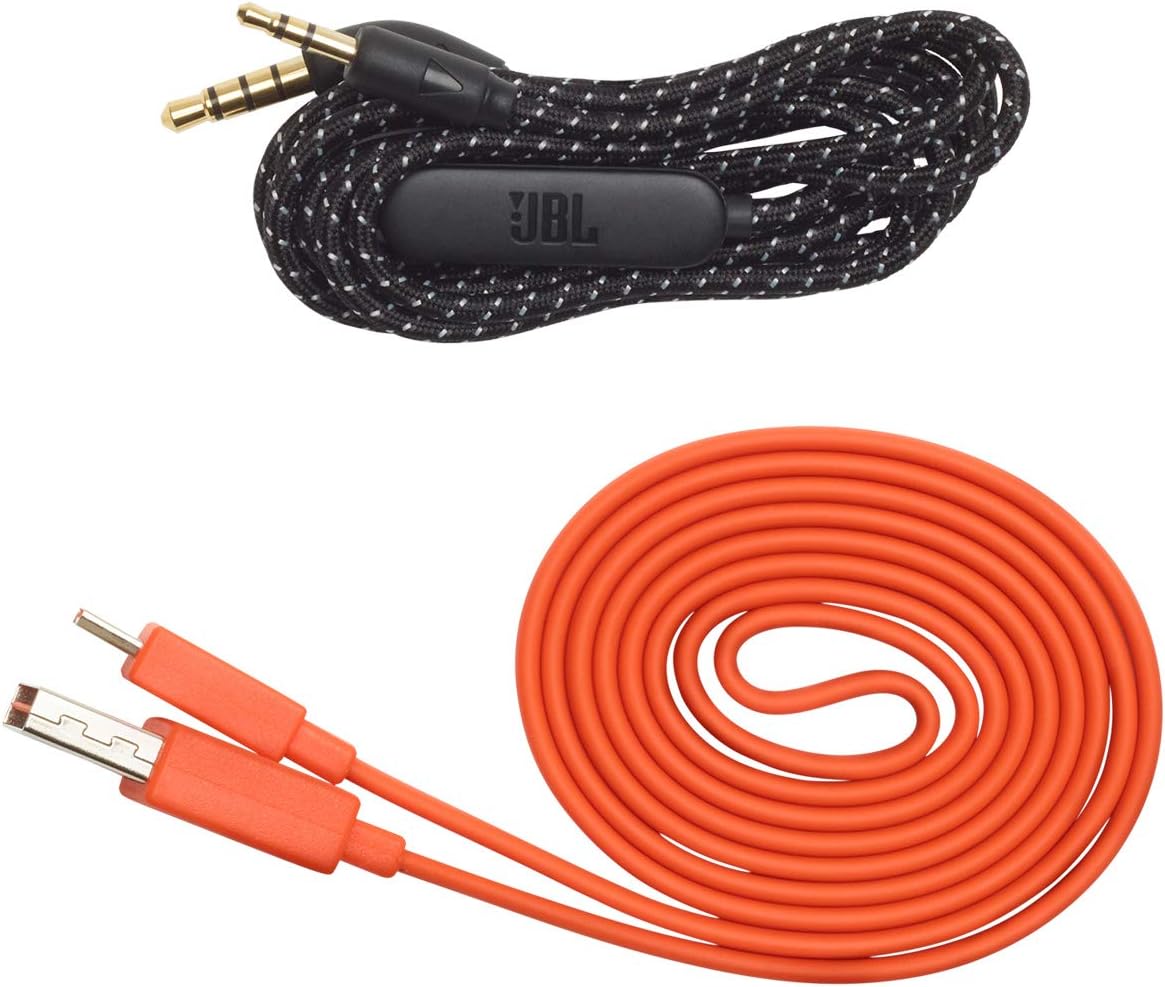
Image: JBL LIVE 400BT headphones shown with the included charging cable and 3.5mm aux cable.
3. Konfigurimi
3.1. Ngarkimi i kufjeve
Before first use, fully charge your JBL LIVE 400BT headphones. A full charge provides up to 24 hours of playback. A quick 15-minute charge can provide an additional 2 hours of listening time.
- Lidhni kabllon e karikimit të dhënë me portën e karikimit në kufje.
- Connect the other end of the charging cable to a USB power source (e.g., wall adapter, computer USB port).
- The LED indicator on the headphones will show charging status. It typically turns off or changes color when fully charged.
3.2. Ndezja/Fikur
- To power on, slide the power switch located on the right earcup.
- To power off, slide the power switch back to the off position.
3.3. Çiftimi Bluetooth
The JBL LIVE 400BT headphones use Bluetooth 4.0 for wireless connectivity with a range of up to 10 meters.
- Sigurohuni që kufjet të jenë të fikur.
- Slide the power switch to the "on" position and hold it for approximately 3-5 seconds until the LED indicator flashes blue, indicating pairing mode.
- Në pajisjen tuaj (smartfon, tablet, kompjuter), aktivizoni Bluetooth dhe kërkoni për pajisje të disponueshme.
- Select "JBL LIVE 400BT" from the list of available devices.
- Pasi të lidhet, treguesi LED do të kthehet në blu të fortë.

Image: The right earcup of the JBL LIVE 400BT headphones, highlighting the power switch and LED indicator for Bluetooth pairing.
4. Përdorimi i kufjeve
4.1. Kontrollet bazë
The headphones feature intuitive controls on the earcups for managing audio and calls.
- Luaj/Ndalu: Shtypni butonin shumëfunksional një herë.
- Pjesa tjetër: Shtypni dy herë butonin shumëfunksional.
- Pjesa e mëparshme: Shtypni tre herë butonin shumëfunksional.
- Vëllimi lart/poshtë: Përdorni butonat e dedikuar të volumit.
- Përgjigja/Përfundimi i telefonatës: Shtypni butonin shumëfunksional një herë gjatë një thirrjeje hyrëse ose thirrjeje aktive.
- Refuzo thirrjen: Shtypni dhe mbani shtypur butonin shumëfunksional për 2 sekonda gjatë një thirrjeje hyrëse.
4.2. Voice Assistant (Amazon Alexa)
Access Amazon Alexa directly from your headphones. Use the JBL App to set up your voice assistant preference.
- Ensure your headphones are connected to your smartphone via Bluetooth.
- Download and open the JBL Headphones App.
- Follow the in-app instructions to select and configure Amazon Alexa as your voice assistant.
- Once configured, tap the left earcup to activate Alexa and issue commands (e.g., "Play my favorite playlist," "Check the weather").
4.3. Ambient Aware and TalkThru Technology
These features allow you to stay connected to your surroundings or have conversations without removing your headphones.
- I vetëdijshëm për ambientin: A touch of the Ambient Aware button (located on the left earcup) increases ambient sound, allowing you to hear what's happening around you while music continues at a lower volume.
- TalkThru: Activate TalkThru mode by pressing the TalkThru button (located on the left earcup). This significantly drops the music volume, enabling clear conversations with others without removing the headphones.
Video: Official JBL demonstration of the LIVE 400BT headphones, highlighting features like JBL Signature Sound, Ambient Aware, TalkThru technology, and voice assistant integration.
4.4. Lidhja me tel
If the battery runs out or you prefer a wired connection, use the provided 3.5mm audio cable.
- Lidhni njërën anë të kabllit audio 3.5 mm në prizën audio të kufjeve.
- Plug the other end into your audio source's 3.5mm output.
- The headphones will function passively, without requiring battery power.
5. Mirëmbajtja
Proper care ensures the longevity of your JBL LIVE 400BT headphones.
- Pastrimi: Përdorni një leckë të butë dhe të thatë për të pastruar kufjet dhe shiritin e kokës. Shmangni përdorimin e kimikateve të ashpra ose materialeve gërryese.
- Magazinimi: When not in use, store the headphones in a cool, dry place. Avoid extreme temperatures. The headphones are foldable for compact storage.
- Kujdesi për baterinë: Për të ruajtur jetëgjatësinë e baterisë, shmangni shkarkimin e plotë të shpeshtë të kufjeve. Karikojini ato rregullisht, edhe nëse nuk janë në përdorim të vazhdueshëm.
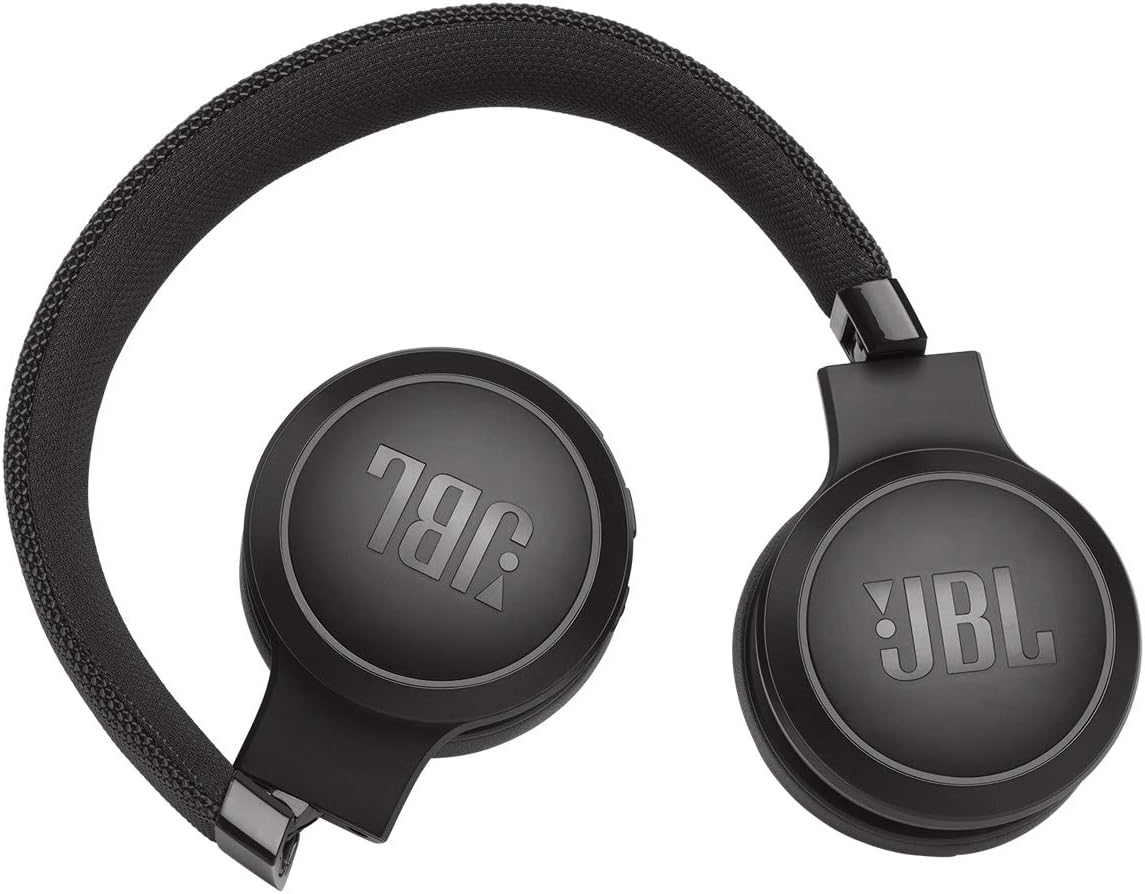
Image: JBL LIVE 400BT headphones shown in a folded position, demonstrating their portability and ease of storage.
6. Troubleshooting
If you encounter issues with your JBL LIVE 400BT headphones, refer to the following common solutions.
6.1. No Power / Cannot Turn Off
- Ngarkoni baterinë: Ensure the headphones are fully charged. A low battery can cause unexpected behavior.
- Cikli i energjisë: If the headphones are stuck on or cannot be turned off, try connecting them to a charger for a few minutes, then attempt to power off again.
- Rikthim ne gjendjen e fabrikes: If the issue persists, a factory reset may resolve it. Consult the JBL support website or the full user manual for specific factory reset instructions for your model, as this often involves a combination of button presses.
6.2. Probleme me lidhjen Bluetooth
- Ensure Pairing Mode: Verify the headphones are in pairing mode (flashing blue LED).
- Device Proximity: Make sure the headphones are within 10 meters of your Bluetooth device.
- Harrojeni pajisjen: On your device, "forget" or "unpair" the JBL LIVE 400BT from your Bluetooth settings, then attempt to pair again.
- Rinisni pajisjet: Restart both your headphones and the Bluetooth device.
6.3. Nuk ka zë ose ka volum të ulët
- Check Volume Levels: Ensure volume is turned up on both the headphones and your connected device.
- Correct Output: Verify that your device is sending audio to the JBL LIVE 400BT.
- Lidhja me tel: If using the aux cable, ensure it is fully inserted into both the headphones and the audio source.
7. Specifikimet
| Veçori | Specifikimi |
|---|---|
| Emri i modelit | JBL LIVE 400 - Black (JBLLIVE400BTBLKAM) |
| Markë | JBL |
| Teknologjia e lidhjes | Bluetooth |
| Teknologjia e komunikimit pa tela | Bluetooth |
| Versioni Bluetooth | 4.0 |
| Gama e Bluetooth | 10 metra |
| Madhësia e drejtuesit të audios | 40 milimetra |
| Lloji i drejtuesit të audios | Drejtues dinamik |
| Përgjigja e frekuencës | 20 KHz |
| Ndjeshmëria | 106 dB |
| Impedanca | 32 Ohm |
| Jetëgjatësia e baterisë | 24 orë |
| Koha e karikimit | 2 orë |
| Kufje Jack | 3.5 mm Jack |
| Lloji i kontrollit | Alexa, Touch, Voice Assistant |
| Metoda e kontrollit | Prek, Zëri |
| Kontrolli i zhurmës | Active Noise Cancellation (basic_noise_control) |
| Materiali | Lëkurë artificiale |
| Pesha e artikullit | 6.6 ons (185.8 gramë) |
| Dimensionet e produktit | 8.07 x 2.17 x 8.78 inç |
| Data e parë e disponueshme | 7 janar 2019 |
8. Garancia dhe Mbështetja
For warranty information, technical support, or further assistance, please visit the official JBL support webfaqen e internetit ose kontaktoni shërbimin e tyre ndaj klientit. Ruajeni provën e blerjes për kërkesat e garancisë.
Mund të gjeni burime shtesë dhe informacione kontakti në Dyqani JBL në Amazon.