Hyrje
This manual provides essential information for the safe and efficient operation of your LG 32LM620BPUA 32-inch HDR Smart LED HD TV. Please read it thoroughly before using the product and retain it for future reference. This television combines a 32-inch HD display with Smart TV capabilities, powered by WebOS, offering access to various streaming services and enhanced picture quality with Active HDR.
Informacioni i Sigurisë
Ndiqni gjithmonë këto masa paraprake themelore sigurie për të zvogëluar rrezikun e zjarrit, goditjes elektrike ose lëndimit:
- Mos e ekspozoni televizorin ndaj shiut ose lagështisë.
- Siguroni ventilim të duhur; mos bllokoni hapjet e ventilimit.
- Vendoseni televizorin në një sipërfaqe të qëndrueshme dhe të niveluar për të parandaluar rënien e tij.
- Përdorni vetëm kabllon e energjisë që vjen me televizorin.
- Shkëputeni televizorin nga priza gjatë stuhive me rrufe ose kur nuk përdoret për periudha të gjata kohore.
- Mos e hapni kabinetin e televizorit; ia drejtoni të gjitha shërbimet personelit të kualifikuar.
Përmbajtja e paketës
Verifikoni që të gjitha sendet janë të pranishme në kuti:
- LG 32LM620BPUA 32-inch HDR Smart LED HD TV
- Telekomandë
- Kordoni elektrik
- Mbështetëse televizori (me vida)
- Manuali i Përdoruesit (ky dokument)
Konfigurimi
1. Shpaketimi
Hiqni me kujdes televizorin dhe të gjitha aksesorët nga paketimi. Rekomandohet të ruani paketimin origjinal për transport ose servisim në të ardhmen.
2. Montimi i mbështetëses
If you are not wall-mounting the TV, attach the included stand:
- Vendoseni televizorin me ekranin poshtë mbi një sipërfaqe të butë dhe të sheshtë për të parandaluar gërvishtjet.
- Vendosni bazën e mbështetëses në pozicionin e duhur me vrimat e montimit në pjesën e poshtme të televizorit.
- Sigurojeni mbështetësen duke përdorur vidat e dhëna. Sigurohuni që mbështetësja të jetë e fiksuar fort.
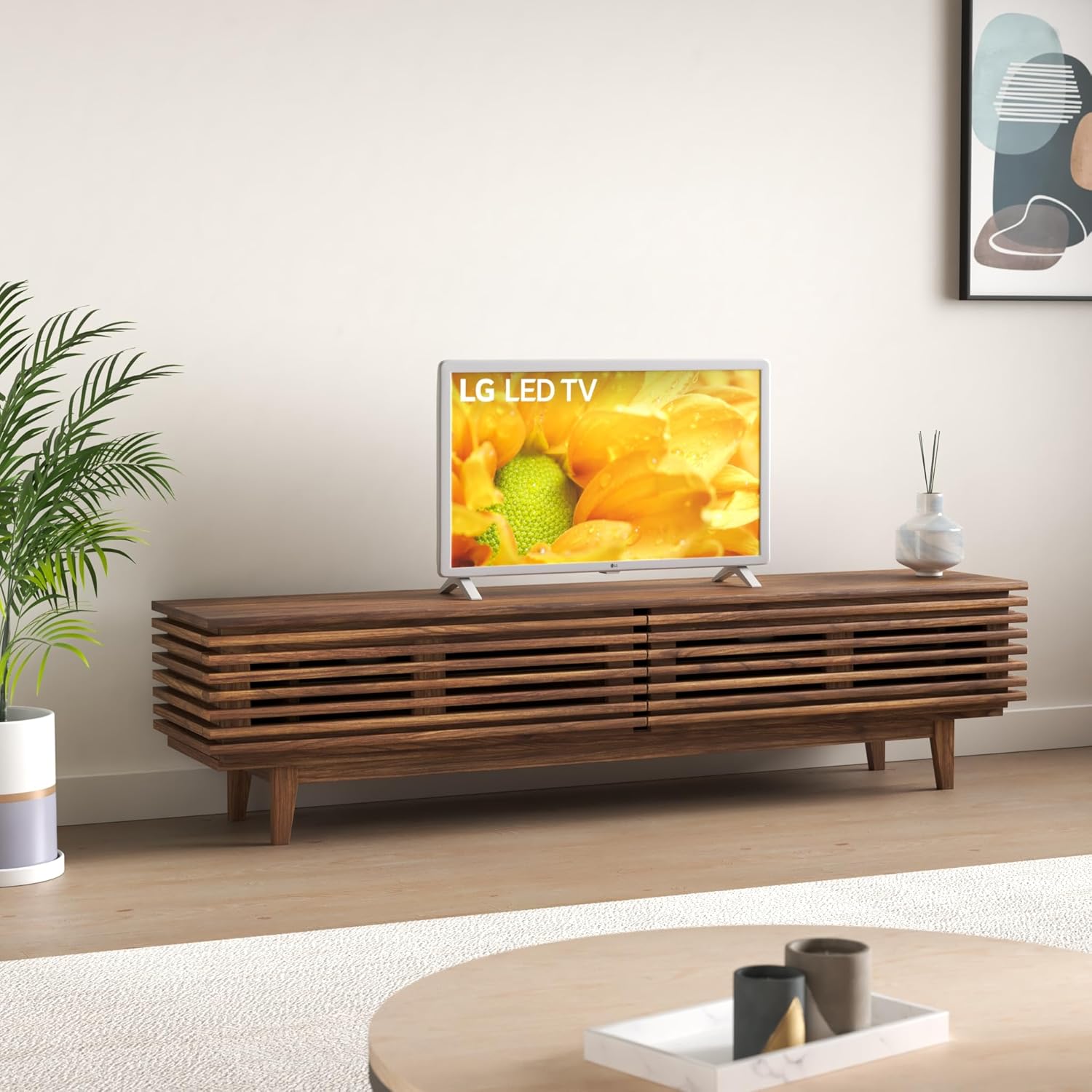
Image: The LG 32LM620BPUA TV, featuring a white bezel, displayed on a wooden media console in a living room setting. This illustrates the TV's appearance when placed on its stand.
3. Montimi në mur (Opsional)
If you choose to wall-mount your TV, use a VESA-compatible wall mount kit (sold separately). Refer to the wall mount kit's instructions for proper installation. Ensure the wall can support the weight of the TV.
4. Lidhja e pajisjeve periferike
Lidhni pajisjet e jashtme me portat e televizorit:
- HDMI: For Blu-ray players, game consoles, cable/satellite boxes.
- USB: Për disqet USB në view foto, video ose të dëgjoni muzikë.
- Antena/kabllo: Lidhni një antenë ose një burim televiziv kabllor për kanalet e transmetimit.
5. Ndezja fillestare dhe konfigurimi për herë të parë
Plug the power cord into an electrical outlet. Press the power button on the remote control or the TV. Follow the on-screen instructions to complete the initial setup, including language selection, network connection, and channel scanning.
Operative
1. Funksionet e telekomandës
The included remote control allows you to navigate the TV's features. Common buttons include Power, Volume Up/Down, Channel Up/Down, Input Selection, Home (for Smart TV menu), and Navigation (arrow keys, OK).
2. Lundrimi WebOS Smart TV
Televizori juaj LG punon në WebOS operating system. Press the Home button on your remote to access the Launcher Bar, which displays your installed apps, inputs, and settings. Use the arrow keys to navigate and the OK button to select.

Imazh: Një pamje nga afër view of the LG 32LM620BPUA TV screen, showcasing its vibrant display with rich colors. This highlights the visual quality of the television.
3. Lidhja me Wi-Fi
To access Smart TV features, connect your TV to a wireless network:
- Press the Home button on the remote.
- Navigate to the Settings icon (gear icon).
- Select 'Network' > 'Wi-Fi Connection'.
- Zgjidhni rrjetin tuaj Wi-Fi nga lista dhe futni fjalëkalimin.
4. Using Smart Features and Voice Control
Once connected to the internet, you can access pre-installed apps like Netflix and Amazon Prime Video. The TV also supports voice control; press the microphone button on your remote (if available) and speak commands.
5. Cilësimet e figurës dhe zërit
Adjust picture and sound to your preference:
- Mënyrat e figurës: Select from modes like Standard, Vivid, Cinema, Game, or adjust individual settings (brightness, contrast, color).
- Mënyrat e zërit: Choose from Standard, Cinema, Music, Sports, or customize equalizer settings.
Mirëmbajtja
1. Cleaning the Screen and Exterior
Për të pastruar ekranin, fshijeni butësisht me një leckë të butë, të thatë dhe pa push. Për shenja kokëforta, fshijeni pak.ampen the cloth with water or a specialized screen cleaner. Avoid harsh chemicals. For the exterior, use a soft, dry cloth.
2. Përditësimet e softuerit
Your TV may receive software updates to improve performance and add features. Ensure your TV is connected to the internet. You can check for updates manually via Settings > General > About This TV > Check for Updates.
3. Magazinimi
If storing the TV for an extended period, unplug it, remove the stand (if applicable), and pack it in its original packaging in a dry, dust-free environment.
Zgjidhja e problemeve
Refer to the following for common issues:
- Pa fuqi: Kontrolloni nëse kablloja e energjisë është e lidhur mirë me televizorin dhe prizën e murit. Provoni një prizë tjetër.
- Pa figurë/tingull: Sigurohuni që është zgjedhur burimi i saktë i hyrjes. Kontrolloni të gjitha lidhjet e kabllove (HDMI, antenë).
- Telekomanda nuk funksionon: Zëvendësoni bateritë. Sigurohuni që nuk ka pengesa midis telekomandës dhe sensorit të televizorit.
- Problemet e lidhjes Wi-Fi: Restart your router and the TV. Re-enter the Wi-Fi password in the TV's network settings.
- Aplikacionet e Smart TV nuk po ngarkohen: Check your internet connection. Try restarting the TV.
Rivendosja e fabrikës
If problems persist, a factory reset may resolve them. This will erase all personalized settings and data. Navigate to Settings > General > Reset to Initial Settings.
Specifikimet
| Veçori | Specifikimi |
|---|---|
| Numri i modelit | 32LM620BPUA |
| Madhësia e ekranit | 32 inç |
| Teknologjia e shfaqjes | LCD |
| Rezolucioni | 720p |
| Shpejtësia e rifreskimit | 60 Hz |
| Sistemi Operativ | WebOS |
| Formati HDR mbështetet | HDR10, HLG |
| Teknologjia e lidhjes | Wi-Fi |
| Hyrja audio | HDMI, USB |
| Totali i portave USB | 2 (USB 2.0) |
| Viewing kënd | 170 gradë |
| Pesha e artikullit | 11.2 paund |
| Viti i modelit | 2019 |
Informacioni i Garancisë
Your LG 32LM620BPUA TV comes with a limited manufacturer's warranty. Please refer to the warranty card included in your product packaging or visit the official LG website for detailed terms and conditions, including coverage period and service procedures. Keep your proof of purchase for warranty claims.
Mbështetje
For technical assistance, product registration, or further inquiries, please contact LG Customer Support:
- Webfaqe: Vizitoni www.lg.com/us/support për pyetje të shpeshta, shkarkime dhe kërkesa për shërbim.
- Telefoni: Referojuni mbështetjes së LG-së webfaqe interneti për numrat më të fundit të kontaktit për rajonin tuaj.