Hyrje
This manual provides detailed instructions for the installation, operation, and maintenance of your Lutron Caseta Smart Switch (Model: PDW-5ANS-WH-A). This in-wall switch is designed for on/off control of LED lights and fans, offering convenience and smart home integration. A neutral wire is required for installation.
Përmbajtja e paketës
- 1 Caseta Smart Switch
- 1 Coordinating Wallplate

Image: The Lutron Caseta Smart Switch and its included wallplate, shown in retail packaging.
Informacioni i Sigurisë
WARNING: Risk of Electric Shock. May result in serious injury or death. Turn off power at circuit breaker or fuse box before installing. Do not install if you are unfamiliar with electrical wiring. Consult a qualified electrician.
- Vetëm për përdorim të brendshëm.
- Punoni midis 32 °F (0 °C) dhe 104 °F (40 °C).
- Kërkohet një tel neutral për instalim.
- Do not use with dimmable loads if the switch is not rated for dimming. This is an on/off switch.
- Sigurohuni që të gjitha lidhjet me tela të jenë të sigurta.
Konfigurimi dhe instalimi
Before beginning, ensure power is turned off at the circuit breaker. This switch requires a neutral wire. If you are unsure, consult a qualified electrician.
- Fikni energjinë: Locate your circuit breaker panel and turn off the power to the switch location. Verify power is off using a voltage testues.
- Hiq çelësin ekzistues: Carefully remove the wallplate and unscrew the existing switch from the electrical box. Disconnect the wires.
- Identifikoni Telat: Identify the Line (hot), Load, Neutral, and Ground wires. The Caseta switch has pre-stripped wires for easy connection.
- Wire the Caseta Switch:
- Lidhni jeshile wire from the Caseta switch to the bare copper or green ground wire in the wall box.
- Lidhni e zezë wire from the Caseta switch to the Line (hot) wire from the wall box.
- Lidhni blu wire from the Caseta switch to the Ngarko telin (to the light or fan).
- Lidhni të bardhë wire from the Caseta switch to the Teli neutral from the wall box.
Use the included wire nuts to secure all connections. Ensure no bare wire is exposed.
- Montoni çelësin: Carefully fold the wires into the electrical box and secure the Caseta switch with the provided screws. Attach the coordinating wallplate.
- Rivendosni energjinë: Kthejeni sërish rrymën në ndërprerësin e qarkut.
- System Setup (Optional, for Smart Features): For smart control via the Lutron app, voice assistants, or Pico remotes, a Lutron Caseta Smart Hub (sold separately) is required. Follow the instructions provided with the Smart Hub to connect it to your home network and then use the Lutron app to add and configure your new Caseta Smart Switch.

Imazh: Një i detajuar view of the Caseta Smart Switch, indicating the top button for 'on', the bottom button for 'off', and the status LED.

Image: This diagram illustrates various installation scenarios: single pole, wireless 3-way, adding a second switch anywhere, and wireless multi-location control.
Llojet e instalimit
Instalim me një shtyllë
One switch controls the light(s). Replace your existing single-pole switch with the Caseta Smart Switch.

Image: A diagram showing a single Caseta switch wired to control a light fixture.
Wireless 3-Way Installation
Two switches control the light(s). Replace one existing 3-way switch with the Caseta Smart Switch. For the second location, remove the existing switch, cap the wires, and mount a Pico remote with a wallplate bracket (both sold separately) over the backbox.

Image: A diagram illustrating a wireless 3-way setup, where a Caseta switch and a Pico remote control a single light fixture.
Add a Second Switch Anywhere
For lights controlled by a single Caseta Smart Switch, you can add an additional point of control without new wiring. Mount a Pico remote with a wallplate bracket (both sold separately) to any surface.

Image: A diagram showing how to add a Pico remote as a second control point for a light controlled by a Caseta switch, without additional wiring.
Wireless Multi-Location Control
For three or more switches controlling the light(s). Replace one existing switch with the Caseta Smart Switch. For other locations, remove existing switches, cap wires, and mount Pico remotes with wallplate brackets (both sold separately) over the backboxes.

Image: A diagram illustrating a wireless multi-location setup, where a Caseta switch and multiple Pico remotes control a single light fixture.
Udhëzimet e funksionimit
Operacioni bazë
- Aktivizo: Press the top button on the switch to turn lights or fans on.
- Fik: Press the bottom button on the switch to turn lights or fans off.
- LED i statusit: A soft glow from the status LED indicates the switch is off, acting as a night light.

Imazh: Një pamje nga afër view of the Lutron Caseta Smart Switch, highlighting its clean design and on/off buttons.
Smart Control Features (with Caseta Smart Hub)
To unlock advanced features, a Lutron Caseta Smart Hub (sold separately) is required.
- Kontrolli i Aplikacionit Lutron: Use the free Lutron app on your smartphone or tablet to control lights and fans from anywhere.
- Kontrolli i zërit: Integrate with popular voice assistants like Amazon Alexa, Apple HomeKit, and Google Assistant for hands-free control.
- Planifikimi: Set schedules for lights and fans to turn on/off automatically at specific times or based on sunrise/sunset.
- Smart Larg: Ndizni dhe fikni dritat rastësisht për të simuluar praninë e njerëzve kur jeni larg shtëpisë.
- Telekomanda Pico: Use a Pico remote (sold separately) for wireless control from anywhere in the room or mounted to a wall.
- Kontrolli i ventilatorit: The Caseta switch can control ceiling or exhaust fans up to 3.0 Amps.

Image: This image illustrates the multiple control options for Caseta smart lighting, including the in-wall switch, Lutron app, voice assistant, and Pico remote.
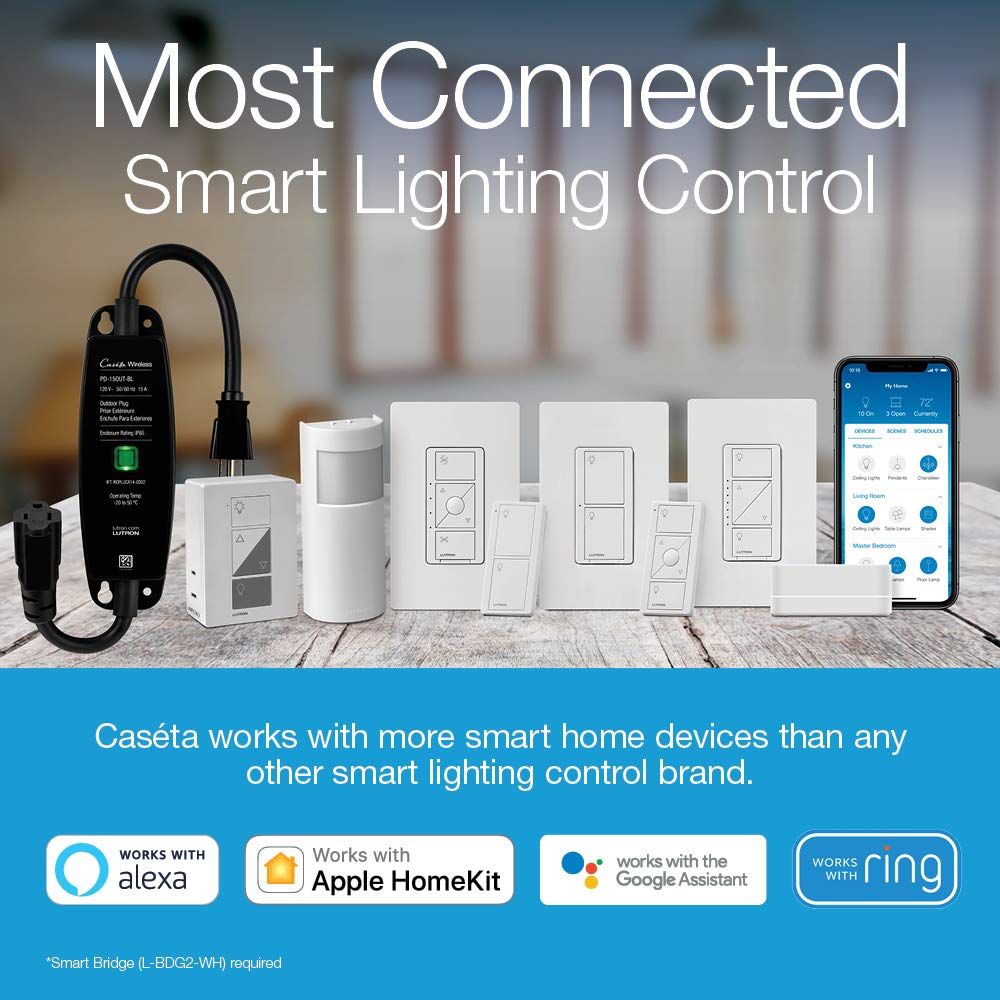
Image: A Lutron Caseta Smart Switch is shown in a living room setting, demonstrating its ability to control ceiling fans.
Mirëmbajtja
The Lutron Caseta Smart Switch is designed for maintenance-free operation. No user-serviceable parts are inside. To clean the switch and wallplate, wipe with a soft, damp leckë. Mos përdorni pastrues kimikë.
Zgjidhja e problemeve
- Lights/Fan Not Responding:
- Kontrolloni ndërprerësin për t'u siguruar që energjia është e ndezur.
- Verifikoni që të gjitha lidhjet e telave janë të sigurta.
- Ensure the neutral wire is correctly connected.
- Karakteristikat inteligjente nuk funksionojnë:
- Confirm your Lutron Caseta Smart Hub is powered on and connected to your home network.
- Check the Lutron app to ensure the switch is properly added and configured.
- Verifikoni që rrjeti juaj Wi-Fi është funksional.
- Operacioni me ndërprerje:
- Ensure the switch is not overloaded (refer to specifications).
- Kontrolloni për çdo lidhje të lirshme të instalimeve elektrike.
For further assistance, please contact Lutron customer support.
Specifikimet
| Numri i modelit | PDW-5ANS-WH-A |
| Dimensionet e produktit | 1.44 x 2.94 x 4.69 inç |
| Pesha | 6.74 ons |
| Vlerësimi aktual | 5 Amps |
| Vëllimi operativtage | 120 volt |
| Lloji i qarkut | 1-way (Single-Pole/3-Way compatible with Pico remote) |
| Pajtueshmëria e ngarkesës | Up to 600W incandescent/halogen/ELV/MLV, 5A LED/CFL, 3.0A general purpose fans |
| Teli neutral | E detyrueshme |
| Mënyra e funksionimit | VENDOSUR-VENDOSUR |
| Lloji i kontaktit | Normalisht i mbyllur |
| Lloji i lidhësit | Vidhos |
Informacioni i Garancisë
Lutron products are backed by a manufacturer's warranty. For specific warranty terms and conditions, please refer to the documentation included with your product or visit the official Lutron webvend. Ruajeni provën e blerjes për kërkesat e garancisë.
Mbështetje
For technical support, product inquiries, or additional information, please visit the official Lutron website or contact Lutron customer service directly. Contact details can typically be found on the Lutron webvend ose në paketimin e produktit.