1. Hyrje
This manual provides detailed instructions for the installation, operation, and maintenance of your COOAU 4MP Wireless Security Camera, Model 827S-400. Designed for indoor use, this camera offers advanced features such as 4MP Ultra HD video, Pan/Tilt/Zoom (PTZ) functionality, two-way audio, and intelligent detection capabilities to enhance your home monitoring experience.
2. Produkti i Mbaruarview
The COOAU 4MP Wireless Security Camera is a versatile indoor monitoring device. Familiarize yourself with its components and key features:
2.1 Komponentët
- COOAU 4MP Wireless Security Camera Unit
- Përshtatës i energjisë
- Kabllo energjie USB
- Aksesorë Montimi (vida, spiranca muri)
- Manuali i Përdoruesit (ky dokument)
2.2 Karakteristikat kryesore
- 4MP Ultra HD Video: Kap ushqim të qartë dhe të detajuartage.
- Pan/Tilt/Zoom (PTZ): Ofron rrotullim horizontal prej 360° dhe vertikal prej 120° për mbulim të plotë.
- Audio me dy drejtime: Mikrofon dhe altoparlant i integruar për komunikim.
- Zbulimi inteligjent: Features sound detection, motion detection, and motion tracking with alerts.
- Vizion i përmirësuar i natës: Provides clear monitoring in low-light conditions.
- Magazinimi fleksibël: Supports local storage via Micro SD card (up to 128GB, not included) and cloud storage options.
- Përputhshmëria me Alexa: Integrates with Amazon Alexa for voice control.

Image: The COOAU 4MP Wireless Security Camera, highlighting its compact design and key functionalities like 360-degree coverage and 4MP HD view.
3. Konfigurimi
Follow these steps to set up your COOAU Wireless Security Camera:
3.1 Instalimi i aplikacionit
- Scan the QR code provided in the camera's packaging or search for "MIPC" in your device's app store (Apple App Store for iOS or Google Play Store for Android).
- Shkarkoni dhe instaloni aplikacionin MIPC.
- Hap aplikacionin dhe krijo një llogari të re përdoruesi ose identifikohu nëse tashmë ke një të tillë.
3.2 Lidhja e energjisë
- Connect the USB power cable to the camera's power port.
- Futni përshtatësin e energjisë në një prizë standarde elektrike.
- The camera will power on and initiate its startup sequence. Wait for a voice prompt indicating it's ready for connection.
3.3 Network Configuration (Wi-Fi)
- In the MIPC app, tap the '+' icon to add a new device.
- Select the camera type (e.g., "Wireless IP Camera").
- Choose "Wi-Fi connection" as the network connection method.
- Follow the on-screen instructions to enter your Wi-Fi network details (SSID and password).
- The app may instruct you to scan a QR code displayed on your phone with the camera, or to place your phone near the camera for sound pairing.
- Once connected, you will hear a confirmation sound from the camera, and the app will indicate successful addition.
- Set a new password for the camera for security purposes.
Video: Demonstrates the indoor camera connection steps, including app installation, power connection, and Wi-Fi setup.
3.4 Montimi i kamerës
The camera can be placed on a flat surface or mounted to a ceiling. Use the provided mounting accessories for ceiling installation. Ensure the camera is positioned to cover the desired monitoring area.
4. Udhëzimet e funksionimit
Learn how to utilize the various features of your COOAU camera:
4.1 Drejtpërdrejt View dhe Kontrolli PTZ
- Open the MIPC app and select your camera from the device list to access the live video feed.
- Use the on-screen controls to pan (rotate horizontally up to 355°), tilt (move vertically up to 120°), and digitally zoom the camera view.
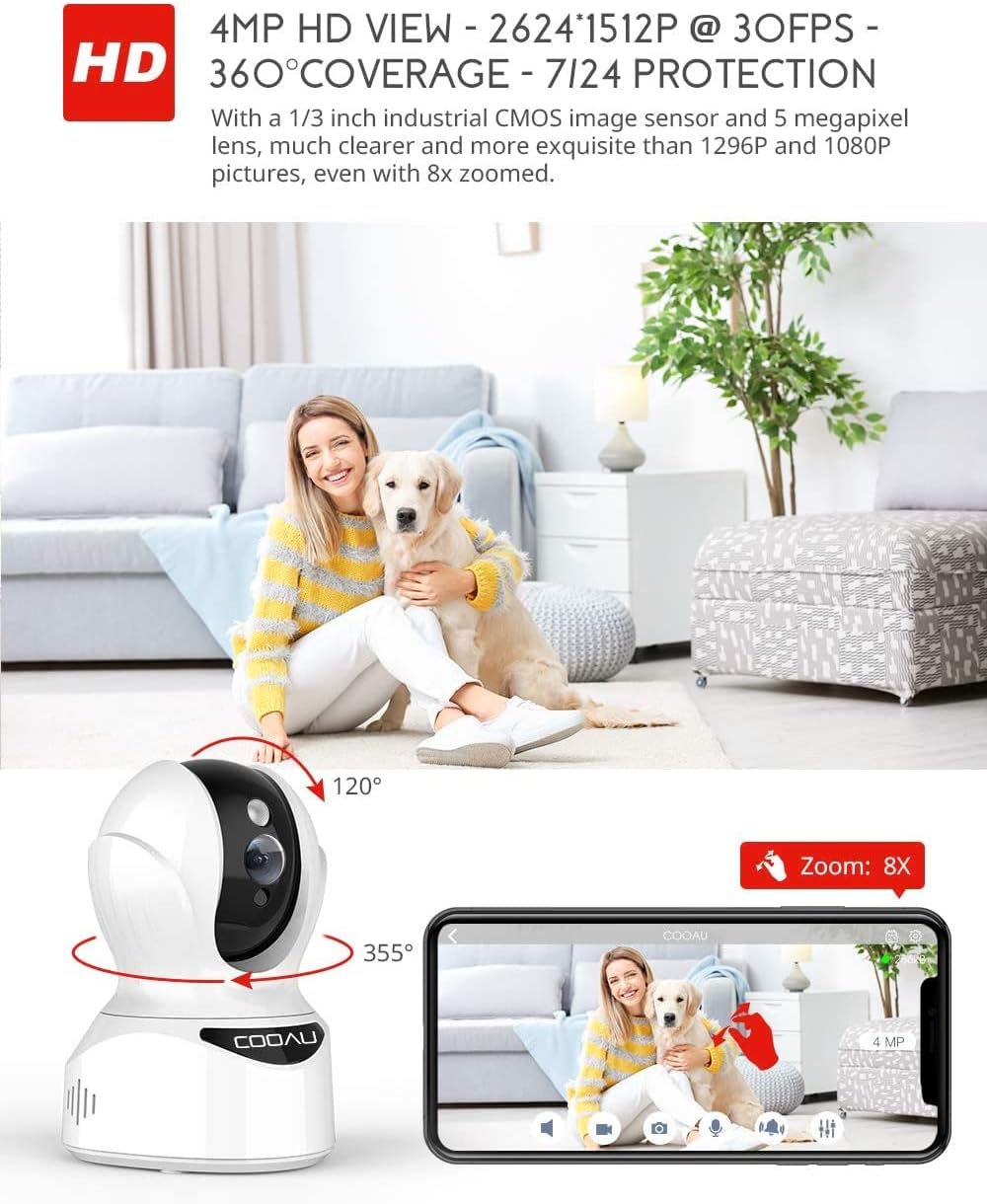
Image: Illustrates the camera's Pan/Tilt capabilities, offering 355° horizontal and 120° vertical rotation for comprehensive room coverage.
4.2 Audio me dy drejtime
- Ndërsa në live view, tap the microphone icon in the app to speak through the camera's speaker.
- The camera's built-in microphone allows you to hear audio from the camera's location.

Image: Depicts the two-way audio feature, enabling clear communication through the camera's built-in anti-noise and echo cancellation microphone and speaker.
4.3 Intelligent Detection and Alerts
- Access the camera settings in the MIPC app to configure motion detection, sound detection, and motion tracking.
- Enable push notifications to receive alerts on your smartphone when activity is detected.
- Motion tracking allows the camera to automatically follow moving objects within its field of view.
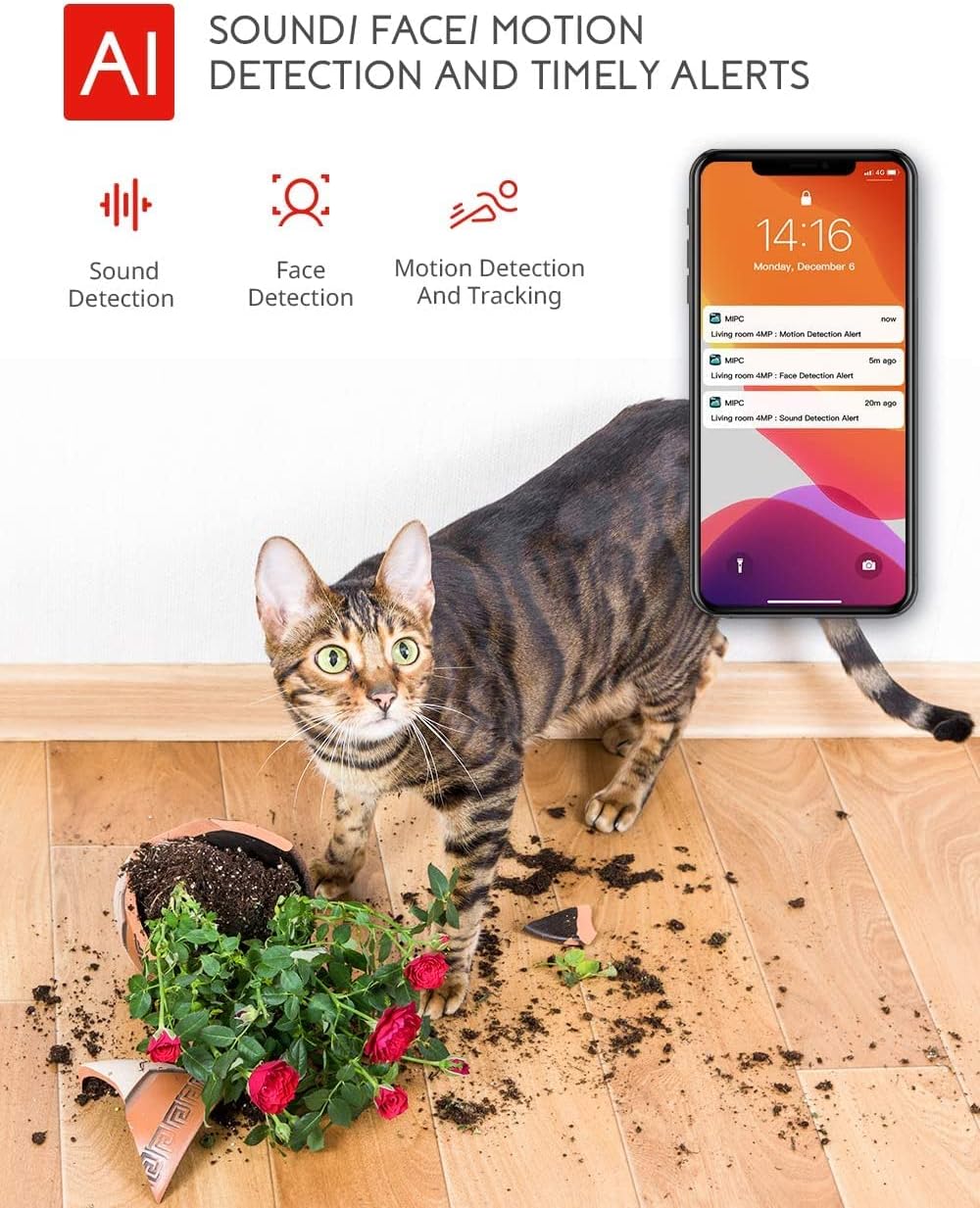
Image: Highlights the AI-powered sound, face, and motion detection features, with timely alerts sent to your smartphone.
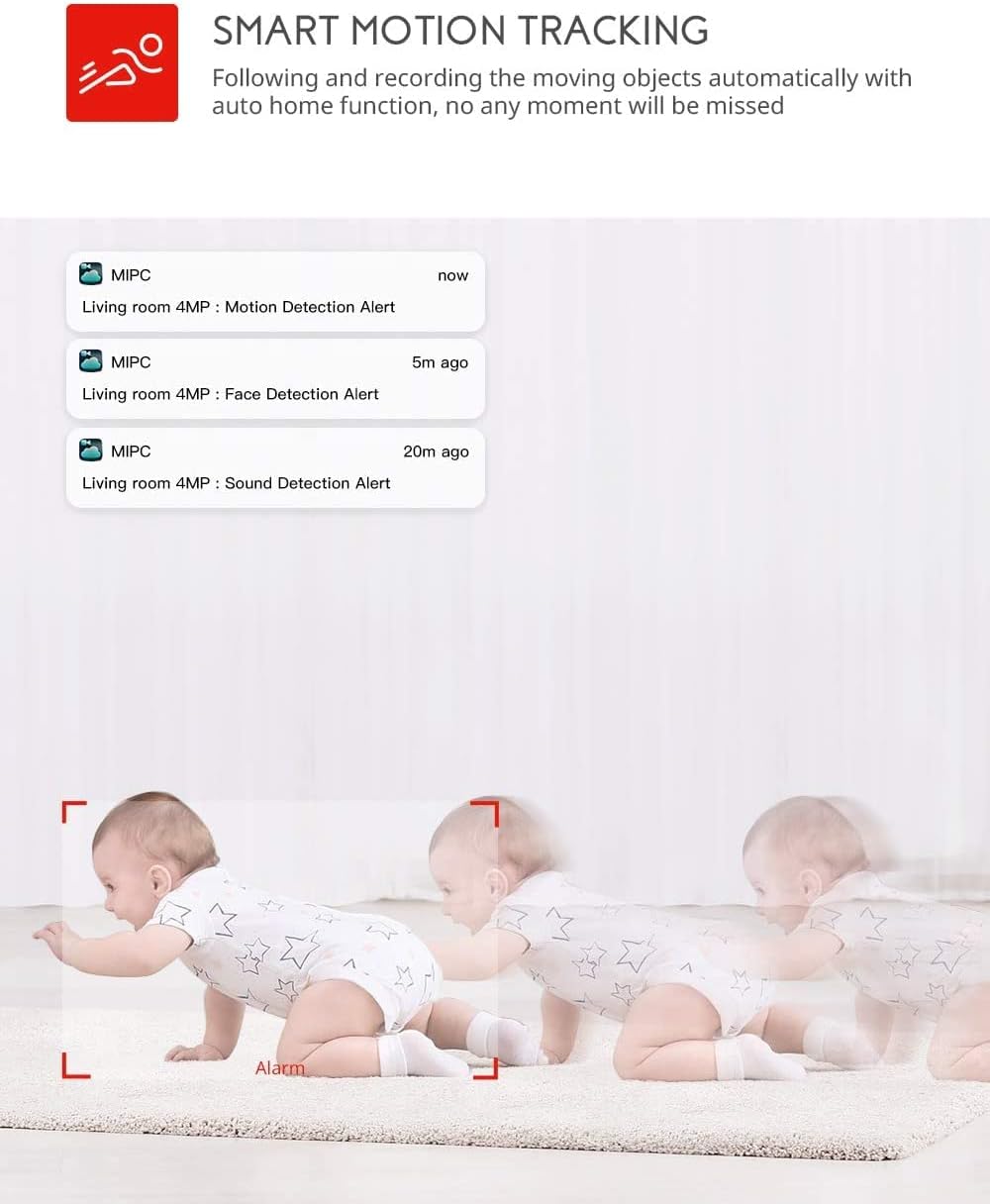
Image: Illustrates the smart motion tracking feature, where the camera automatically follows and records moving objects.
4.4 Vizioni natën
- Kamera kalon automatikisht në modalitetin e shikimit të natës në kushte me dritë të ulët.
- This feature provides clear black and white video footage without additional light sources.
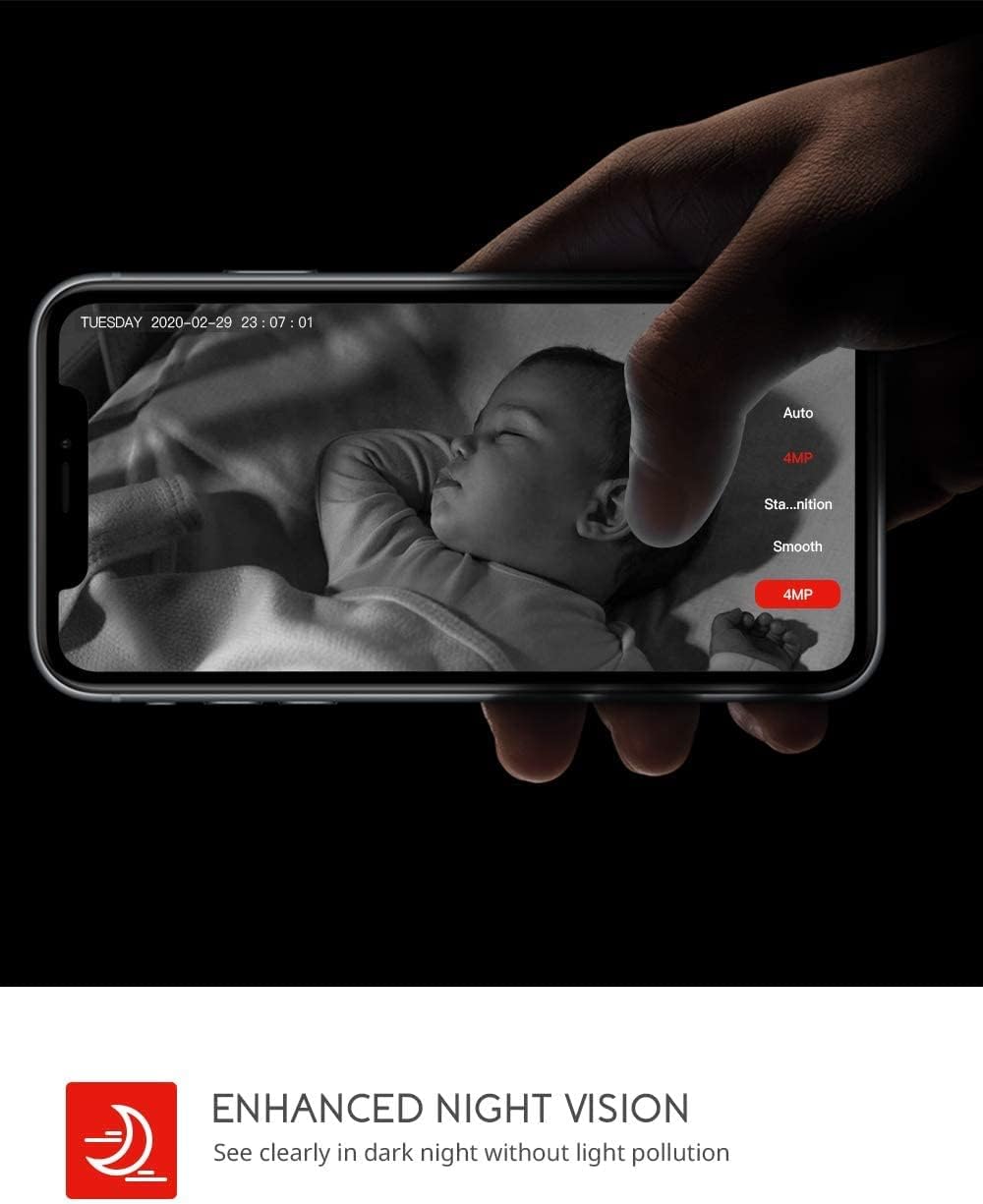
Image: Demonstrates the enhanced night vision capability, providing clear visibility in dark environments.
4.5 Opsionet e ruajtjes
- Karta mikro SD: Insert a Micro SD card (up to 128GB, Class 10 or higher recommended) into the designated slot for local video recording.
- Ruajtja në renë kompjuterike: The MIPC app offers optional cloud storage services for secure off-site backup of your recordings.
4.6 Mbështetje për shumë përdorues
- Share camera access with family members or trusted individuals through the MIPC app.
- This allows multiple users to view the live feed and receive alerts simultaneously.

Image: Illustrates the camera's support for multiple devices and users, allowing footage sharing across various platforms.
5. Mirëmbajtja
Mirëmbajtja e duhur siguron jetëgjatësinë dhe performancën optimale të kamerës suaj:
- Pastrimi: Përdorni një leckë të butë dhe të thatë për të pastruar lentet dhe trupin e kamerës. Shmangni pastruesit ose tretësit gërryes.
- Vendosja: Sigurohuni që kamera të jetë e vendosur në një vend të qëndrueshëm, larg rrezeve të diellit, burimeve të nxehtësisë dhe lagështisë së tepërt.
- Përditësimet e softuerit: Regularly check the MIPC app for firmware updates to ensure your camera has the latest features and security enhancements.
- Furnizimi me energji elektrike: Përdorni vetëm adaptorin origjinal të energjisë që vjen me kamerën.
6. Troubleshooting
Nëse hasni probleme me kamerën tuaj, referojuni problemeve dhe zgjidhjeve të zakonshme të mëposhtme:
| Problem | Zgjidhje |
|---|---|
| Kamera nuk arrin të lidhet me Wi-Fi. | Ensure your Wi-Fi password is correct. Check if the camera is within range of your Wi-Fi router. Reset the camera by pressing the reset button for 1 second and try connecting again. Ensure your router is 2.4GHz compatible. |
| Cilësi e dobët e videos. | Check your internet connection speed. Ensure the camera lens is clean. Adjust the video resolution settings in the MIPC app. |
| Zbulimi i lëvizjes nuk funksionon. | Verify that motion detection is enabled in the app settings. Adjust the sensitivity level. Ensure there are no obstructions blocking the camera's view. |
| Two-way audio is unclear. | Ensure your phone's volume is up. Check for any interference or background noise near the camera or your phone. |
| Camera is offline. | Check the power connection to the camera. Verify your Wi-Fi network is active and stable. Restart the camera and your router. |
7. Specifikimet
Detailed technical specifications for the COOAU 4MP Wireless Security Camera (Model 827S-400):
| Veçori | Specifikimi |
|---|---|
| Numri i modelit | 827S-400 |
| Rezolutë ende efektive | 4 MP |
| Rezolucioni efektiv i videos | 4 MP |
| Teknologjia e lidhjes | Wireless (Wi-Fi) |
| Përdorimi i brendshëm/jashtë | Të brendshme |
| Karakteristika të veçanta | Motion Sensor, Sound Detection, Motion Tracking, 2-Way Audio, Night Vision |
| Lloji i kontrolluesit | Amazon Alexa |
| Lloji i montimit | Mali i tavanit |
| Opsionet e ruajtjes | Cloud/SD Storage (up to 128GB) |
| Shpejtësia e kornizës | 30 fps |
| Dimensionet e artikullit | 3.35 x 3.35 x 4.72 inç |
| Burimi i energjisë | AC/DC |
| GTIN / UPC | 889328768553 |
8. Garancia dhe Mbështetja
For warranty information or technical support, please contact COOAU customer service. You can reach us via:
- Kutia postare zyrtare: info@cooau.net
- Facebook zyrtar: COOAU Official


