Hyrje
This manual provides essential information for the setup, operation, and maintenance of your OREI Sony UBP-X800M2 Region Free 4K UHD Blu-ray Player. This player is designed for worldwide use, supporting all Blu-ray disc zones (A/B/C) and DVD regions (0-8), with a built-in NTSC↔PAL 4K HD converter. Enjoy stunning 4K UHD visuals, high-resolution audio including Dolby Atmos and DTS:X, and seamless access to streaming services via Wi-Fi or Ethernet.

Figura 1: Përpara view of the OREI Sony UBP-X800M2 4K UHD Blu-ray Player.
Konfigurimi
1. Shpaketimi dhe Vendosja
- Hiqni me kujdes të gjithë përbërësit nga paketimi.
- Vendoseni luajtësin në një sipërfaqe të qëndrueshme dhe të niveluar me ventilim të mjaftueshëm.
- Ensure no objects block the ventilation openings.
2. Lidhja me televizorin tuaj
Connect the player to your TV using an HDMI cable for optimal 4K UHD video and audio.
- Lidhni njërin skaj të një kablli HDMI me DALJE HDMI portën në pjesën e pasme të luajtësit Blu-ray.
- Lidheni anën tjetër të kabllit HDMI me një hyrje HDMI në televizorin tuaj.
- If using an audio receiver, connect the player's HDMI OUT to the receiver's HDMI IN, then the receiver's HDMI OUT to the TV's HDMI IN.

Figure 2: Rear panel connections, showing HDMI, LAN, and audio outputs.
3. Lidhja e energjisë
- Connect the AC power cord to the player's power input and then to a suitable electrical outlet.
4. Lidhja e Rrjetit (Opsionale)
For streaming services and firmware updates, connect the player to your home network.
- Lidhja me tel: Connect an Ethernet cable from the player's LAN (100) port to your router or modem.
- Lidhja me valë: Navigate to the network settings in the player's menu to connect to your Wi-Fi network.
5. Region Changing Instructions
This player supports all DVD regions (0-8) automatically. Blu-ray regions (A, B, C) are changed manually using the remote control.
- Turn the player ON dhe OPEN THE DISC TRAY.
- Once the tray is completely open, press the corresponding colored button on the remote to select the desired Blu-ray region:
- Zona A: Shtypni BUTONI I VERDH në telekomandë.
- Zona B: Shtypni BUTONI BLU në telekomandë.
- Zona C: Shtypni PUNA KUQ në telekomandë.
- Tani mund ta vendosni diskun në sirtar dhe pastaj ta mbyllni sirtarin.

Figure 3: Remote control with colored buttons for region selection.
Udhëzimet e funksionimit
1. Disc Playback
The player supports a wide range of disc formats, including 4K UHD Blu-ray, standard Blu-ray, Blu-ray 3D, DVD, CD, and Super Audio CD (SACD).
- Shtypni HAP/MBYLL butonin në luajtës ose në telekomandë për të hapur sirtarin e diskut.
- Vendoseni diskun butësisht në tabaka me anën e etiketës lart.
- Shtypni HAP/MBYLL butonin përsëri për të mbyllur sirtarin.
- Luajtësi do të fillojë automatikisht riprodhimin ose do të shfaqë një menu disku.

Figura 4: Përpara view të luajtësit me sirtarin e diskut të hapur, gati për futjen e diskut.
2. Shërbimet e transmetimit
Access popular streaming services like Netflix and YouTube directly from the player's home menu.
- Ensure the player is connected to the internet (Wi-Fi or Ethernet).
- From the home screen, select the desired streaming application.
- Log in with your account credentials to begin streaming.
3. Luajtja e mediave USB
Luaj media files (audio, video, photos) from a USB storage device.
- Insert your USB device into the front USB port.
- Select the USB option from the player's home menu to browse and play your media.
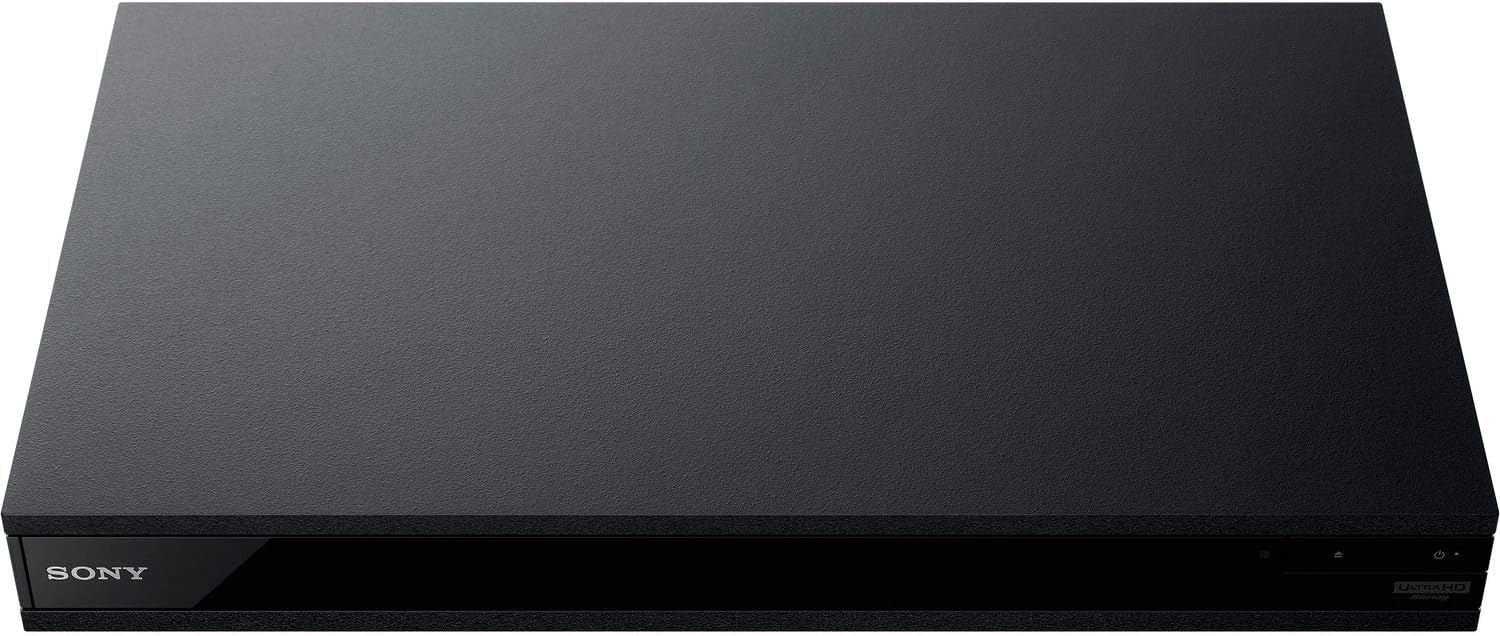
Figura 5: Përpara view of the player with a USB drive inserted into the front port.
Mirëmbajtja
1. Cleaning the Player
- Fshijeni pjesën e jashtme të luajtësit me një leckë të butë dhe të thatë.
- Mos përdorni pastrues gërryes, dyllë ose tretës.
- Ensure ventilation openings remain clear of dust and debris.
2. Kujdesi për diskun
- Kapni disqet nga skajet e tyre për të shmangur gjurmët e gishtërinjve dhe gërvishtjet.
- Pastroni disqet me një leckë të butë pa push, duke i fshirë nga qendra jashtë.
- Ruani disqet në kutitë e tyre larg rrezeve të diellit dhe temperaturave ekstreme.
3. Përditësimet e firmuerit
Firmware updates can be done via the internet to ensure optimal performance and access to the latest features.
- Go to the home menu, then setup menu, and then to Software Update.
- Click on "Update Via Internet". If a new firmware is available, the player will automatically update.
- MOS MOS turn off the player while it is updating.
- MOS MOS perform firmware updates by USB unless instructed by OREI support.
Zgjidhja e problemeve
Çështje të përbashkëta
- Pa figurë/tingull:
- Check all HDMI and audio cable connections.
- Sigurohuni që hyrja e televizorit është vendosur në portën e saktë HDMI.
- Verifikoni që luajtësi është i ndezur.
- Disc Does Not Play:
- Sigurohuni që disku të jetë i pastër dhe pa gërvishtje.
- Verifikoni që disku është futur saktë (me anën e etiketës lart).
- For Blu-ray discs, confirm the player's region setting matches the disc's region (refer to "Region Changing Instructions" in the Setup section).
- Open the tray again and leave the disc in the tray. Once fully open, press the color button to select the region. Then close the tray.
- Region Code Error Message:
If you put in a disc before changing regions, you may get an error message indicating the wrong region. The player remembers this message. To remove that error, you need to reset the player.
- Shtypni SHTËPI button on the remote with no disc inside to go to the home screen.
- Përdorni butonat me shigjeta në telekomandë për të shkuar në këndin e sipërm të djathtë ku thuhet Konfigurimi dhe shtypni HYN.
- Lëvizni poshtë te Rivendosja në fund të menusë.
- Zgjidhni Rivendosni në cilësimet e paracaktuar të fabrikës.
- Lëvizni poshtë dhe zgjidhni TË GJITHA CILËSIMET dhe shtypni HYN -> Shtypni Filloni Enter -> Close HYN.
- Fikeni luajtësin dhe ndizeni përsëri pas 30 sekondash.
- Select Language English and then select quick start mode OFF. You may need to activate network settings again.
- If you prefer not to connect the player to the internet, you may press the SHTËPI button and go to the home screen. Now start from step 1 under "Region Changing Instructions" to change regions.
Specifikimet
| Markë | OREI |
| Emri i modelit | Sony X800M2 (UBP-X800M2) |
| Dimensionet e produktit | 19 x 14.1 x 3.8 inç |
| Pesha e artikullit | 8.82 paund (4000 gram) |
| Lloji i medias | Blu-Ray Disc, DVD, 4K UHD Blu-ray, Blu-ray 3D, CD, Super Audio CD |
| Rezolucioni | 3840x2160 (4K UHD) |
| Teknologjia e lidhjes | Ethernet, HDMI, USB, Wi-Fi |
| Lloji i lidhësit | HDMI |
| Modaliteti i daljes audio | Surround (Dolby Atmos, DTS:X, High-Resolution Audio) |
| Ngjyra | E zezë |
| Bateritë | Kërkohen 2 bateri AAA (për telekomandë) |
| Veçori e veçantë | Region Free (Blu-ray Zones A/B/C, DVD Regions 0-8), Built-in NTSC↔PAL 4K HD Converter |
Garancia dhe Mbështetja
Informacioni i Garancisë
For specific warranty details, please refer to the warranty card included with your product or visit the official OREI webfaqe interneti. Ruajeni faturën e blerjes si provë të blerjes.
Mbështetja e klientit
If you encounter any issues or have questions regarding your OREI Sony UBP-X800M2 Blu-ray Player, please contact OREI customer support.
- Ndihma në internet: Vizitoni OREI Store on Amazon për pyetjet e shpeshta dhe burimet mbështetëse.
- Asistencë Teknike: Contact OREI directly for technical support. (Specific contact details not provided in source data, please refer to product packaging or official webfaqe).


