Hyrje
This manual provides instructions for the Speedlink PIAVO Wireless Ergonomic Vertical Mouse (Model SL-630019-BK-01). This ergonomic mouse is designed to promote a natural, relaxed wrist posture, reducing strain on the hand, arm, shoulder, and neck during extended computer use. It features 5 buttons, adjustable DPI settings, and wireless 2.4 GHz connectivity.

Figura 1: Speedlink PIAVO Wireless Ergonomic Vertical Mouse, front view. This image shows the overall ergonomic design of the mouse.
Përmbajtja e paketës
Ju lutemi verifikoni që të gjitha artikujt janë të pranishëm në paketim:
- Speedlink PIAVO Wireless Ergonomic Vertical Mouse
- Marrës USB-A
- Bateri (e parainstaluar ose e përfshirë veçmas)
- Manual udhëzimi (ky dokument)

Figura 2: Packaging of the Speedlink PIAVO Wireless Ergonomic Vertical Mouse. The box indicates "Wireless Vertical Mouse" and "10m Range".
Konfigurimi
- Fut baterinë: If the battery is not pre-installed, open the battery compartment on the underside of the mouse and insert the included battery, ensuring correct polarity.
- Lidhni marrësin USB: Locate an available USB-A port on your computer or laptop. Insert the USB-A receiver into the port.
- Ndezja e mausit: Locate the On/Off switch on the underside of the mouse. Slide the switch to the "On" position.
- Instalimi i shoferit: The mouse is designed for plug-and-play operation. Your operating system (e.g., Windows) should automatically detect and install the necessary drivers. This process typically takes a few seconds.
- Testimi: Once installed, move the mouse to test cursor movement. If the cursor does not respond, ensure the mouse is powered on and the USB receiver is securely connected.

Figura 3: Underside of the mouse, illustrating the battery compartment and the On/Off switch. Ensure the switch is in the 'On' position for operation.
Udhëzimet e funksionimit
The Speedlink PIAVO mouse features 5 buttons and adjustable DPI settings for optimal control.
- Butoni i klikimit të majtë: Funksioni standard i klikimit parësor.
- Butoni i klikimit me të djathtën: Funksioni standard i klikimit dytësor.
- Rrota e lëvizjes: Për të shfletuar dokumentet dhe web faqe. Mund të shtypet edhe për një funksion klikimi në mes.
- Butoni i ndërrimit të DPI-së: Located near the scroll wheel. Press this button to cycle through the available DPI settings (800, 1200, 1600 DPI). This adjusts the cursor speed and sensitivity.
- Butonat Përpara/Prapa: Located on the side of the mouse, typically used for navigation in web shfletuesit ose file eksplorues.
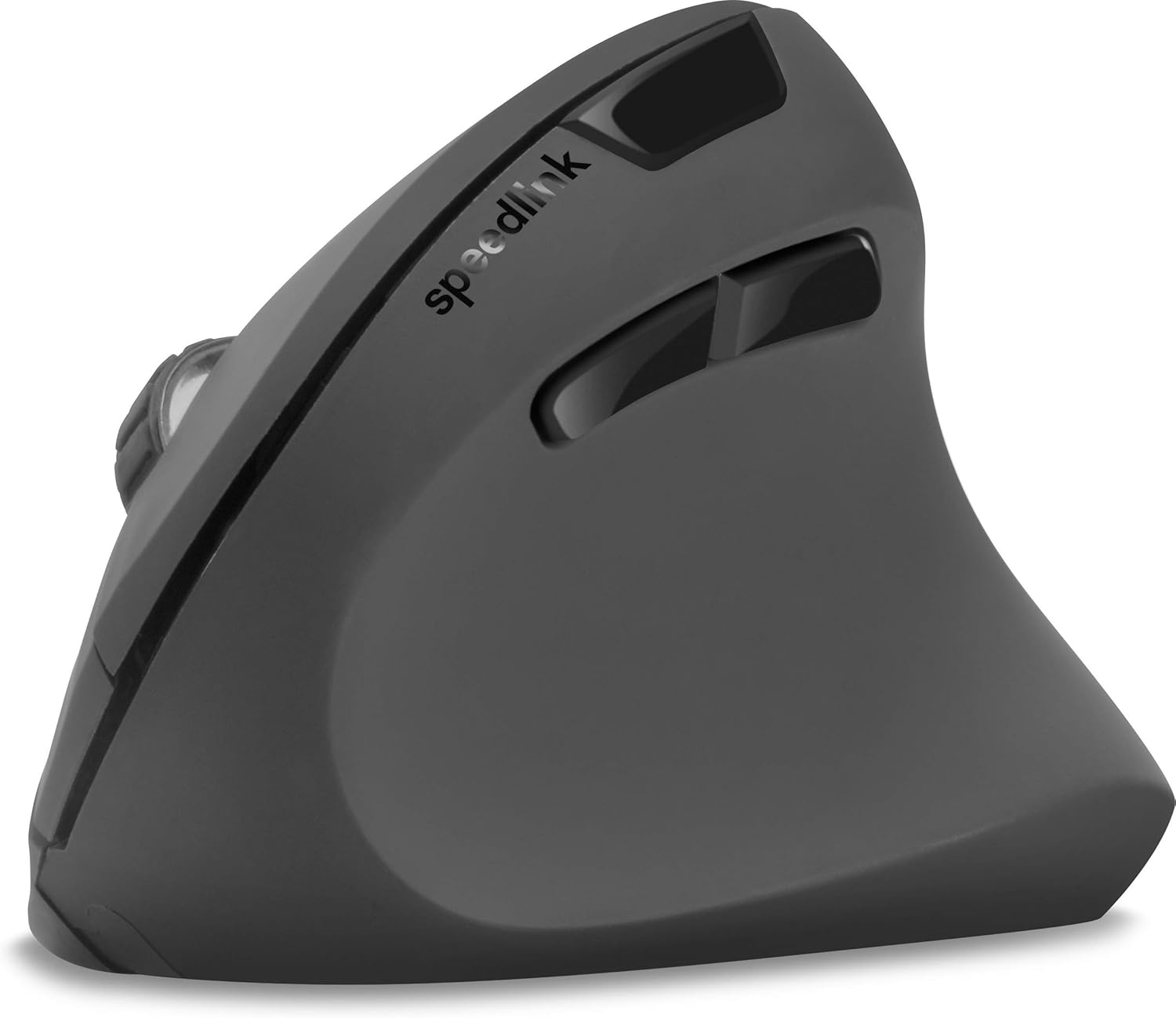
Figura 4: Nga lart-poshtë view of the mouse, highlighting the left/right click buttons, scroll wheel, and DPI switch button.

Figura 5: Anash view of the mouse, illustrating the ergonomic grip and the forward/backward navigation buttons.
Modaliteti i kursimit të energjisë
The mouse features an energy-saving mode to conserve battery life. If the mouse is inactive for a period, it will enter a sleep state. To wake it up, simply move the mouse or press any button.
Mirëmbajtja
To ensure the longevity and optimal performance of your Speedlink PIAVO mouse, follow these maintenance guidelines:
- Pastrimi: Përdorni një leckë të butë dhe të thatë për të pastruar pjesën e jashtme të mausit. Për papastërti kokëfortë, një leckë pak e thatëamp cloth can be used, but ensure no moisture enters the mouse. Avoid using harsh chemicals or abrasive cleaners.
- Pastrimi i sensorit: Occasionally, dust or debris may accumulate around the optical sensor on the underside of the mouse. Use a soft brush or compressed air to gently clean the sensor area.
- Ndërrimi i baterisë: When the mouse performance degrades or it stops responding, it may be time to replace the battery. Open the battery compartment, remove the old battery, and insert a new one of the same type, observing polarity.
- Magazinimi: When not in use for extended periods, it is recommended to switch off the mouse using the On/Off switch to conserve battery life. Store the mouse and USB receiver in a dry, dust-free environment.
Zgjidhja e problemeve
| Problem | Shkaku i mundshëm | Zgjidhje |
|---|---|---|
| Mausi nuk përgjigjet / Kursori nuk lëviz. |
|
|
| Erratic cursor movement. |
|
|
| DPI setting resets after sleep/reboot. | This is a known characteristic for some mice; the DPI setting may revert to default. | Press the DPI switch button to select your preferred sensitivity after waking the mouse or restarting the computer. |
Specifikimet
| Numri i modelit | SL-630019-BK-01 |
| Lidhshmëria | Wireless 2.4 GHz via USB-A Receiver |
| Zbulimi i Lëvizjes | Optike |
| Numri i butonave | 5 |
| Cilësimet e DPI | 800, 1200, 1600 DPI (I rregullueshëm) |
| Orientimi i dorës | Djathtas |
| Diapazoni pa tel | Deri në 10 metra |
| Burimi i energjisë | Battery-powered (Battery included) |
| Sistemet Operative të Përputhshme | Dritaret |
| Pesha | 106 gram |
| Ngjyra | E zezë |
Garancia dhe Mbështetja
Informacioni në lidhje me kushtet specifike të garancisë dhe detajet e kontaktit të mbështetjes së klientit nuk është i disponueshëm në të dhënat e dhëna të produktit. Ju lutemi referojuni paketimit të produktit ose faqes zyrtare të prodhuesit. webfaqe interneti për informacionin më të fundit të garancisë dhe opsionet e mbështetjes.
Për ndihmë të mëtejshme, mund të vizitoni Speedlink official webfaqe.


