1. Hyrje
Thank you for choosing the CREATE NETBOT S15 Robot Vacuum Cleaner. This manual provides essential information for the safe operation, maintenance, and troubleshooting of your device. Please read it thoroughly before first use and retain it for future reference.
Produkti Mbiview

The image above displays the CREATE NETBOT S15 Robot Vacuum Cleaner, its dedicated remote control, and a smartphone screen showing the companion application interface. The robot is black with a textured top surface and a central green power button. The remote control features a digital display and various control buttons. The app shows a map of a cleaned area.
The NETBOT S15 is designed to simplify your cleaning routine, offering multiple cleaning modes and smart features for efficient floor maintenance.
2. Udhëzimet e sigurisë
Për të siguruar funksionimin e sigurt dhe për të parandaluar dëmtimet, ju lutemi të ndiqni masat paraprake të sigurisë:
- Lexoni të gjitha udhëzimet përpara se të përdorni pajisjen.
- Mos lejoni që fëmijët ta përdorin fshesën me korrent robot. Mbikëqyrni fëmijët dhe kafshët shtëpiake kur roboti është në punë.
- Ensure the charging base is placed against a wall on a hard, level surface, with adequate clear space around it.
- Mbani flokët, veshjet e gjera, gishtat dhe të gjitha pjesët e trupit larg hapjeve dhe pjesëve lëvizëse.
- Mos merrni objekte të mëdha, objekte të mprehta, lëngje ose materiale që digjen/nxirrin tym.
- Mos e përdorni robotin në mjedise të lagura ose në sipërfaqe të lagura.
- Remove power cords, small objects, and fragile items from the floor before operation to prevent entanglement or damage.
- Përdorni vetëm karikuesin dhe baterinë origjinale të ofruara nga prodhuesi.
- Do not modify or attempt to repair the robot vacuum yourself. Contact qualified service personnel for repairs.
3. Përmbajtja e paketës
Verifikoni që të gjithë përbërësit janë të pranishëm në paketim:

The image shows the retail box for the CREATE NETBOT S15 Robot Vacuum Cleaner, indicating the product and its key features.
- CREATE NETBOT S15 Robot Vacuum Cleaner
- Baza e karikimit
- Përshtatës i energjisë
- Telekomandë
- Kosh plehrash (kapacitet 600 ml)
- Rezervuari i ujit (kapacitet 400 ml)
- Side Brushes (2 + 2 replacements)
- HEPA Filter (1 + 1 replacement)
- Cleaning Mop (1 + 1 replacement)
- Furçë pastrimi
- Rrip magnetik
- Manuali i Përdoruesit
4. Konfigurimi
4.1 Vendosja e Bazës së Ngarkimit

The image shows the CREATE NETBOT S15 Robot Vacuum Cleaner correctly docked on its charging station, indicating proper placement for recharging.
- Place the charging base against a wall in an open area.
- Ensure there is at least 1 meter (3 feet) of clear space on both sides of the charging base and 2 meters (6 feet) in front of it.
- Lidhni adaptorin e energjisë me bazën e karikimit dhe futeni në një prizë muri.
- Ensure the power indicator light on the charging base is illuminated.
4.2 Ngarkimi fillestar

This image depicts the CREATE NETBOT S15 Robot Vacuum Cleaner positioned near its charging dock in a room, ready for or undergoing charging.
Para përdorimit të parë, ngarkoni plotësisht fshesën me korrent të robotit. Vendoseni robotin në bazën e ngarkimit, duke u siguruar që kontaktet e ngarkimit të jenë në një vijë. Drita treguese në robot do të tregojë statusin e ngarkimit. Një ngarkim i plotë zakonisht zgjat 4-5 orë.
4.3 Instalimi dhe Lidhja e Aplikacionit
The CREATE NETBOT S15 can be controlled via a smartphone application, compatible with Alexa and Google Home.
- Download the official CREATE app from your smartphone's app store.
- Regjistroni një llogari dhe regjistrohuni.
- Follow the in-app instructions to add your NETBOT S15 device. This typically involves putting the robot into pairing mode and connecting it to your home Wi-Fi network.
- Once connected, you can program cleaning schedules, select cleaning modes, and monitor the robot's status from your phone.
- For voice control, link the CREATE app with your Alexa or Google Home account through their respective applications.
5. Udhëzimet e funksionimit
5.1 Mënyrat e pastrimit
The NETBOT S15 offers four cleaning functions:
- Fshij: Uses side brushes to gather debris.
- vakum: Utilizes suction power to collect dust and dirt. Features up to 1500 Pa suction power with adjustable levels.
- Mop: Wipes floors with a damp cloth from the water tank.
- Lani: Combines sweeping, vacuuming, and mopping for comprehensive cleaning.

This image illustrates the CREATE NETBOT S15 Robot Vacuum Cleaner actively cleaning under a sofa, demonstrating its ability to reach confined spaces. Two dogs are visible in the foreground, suggesting a pet-friendly environment.
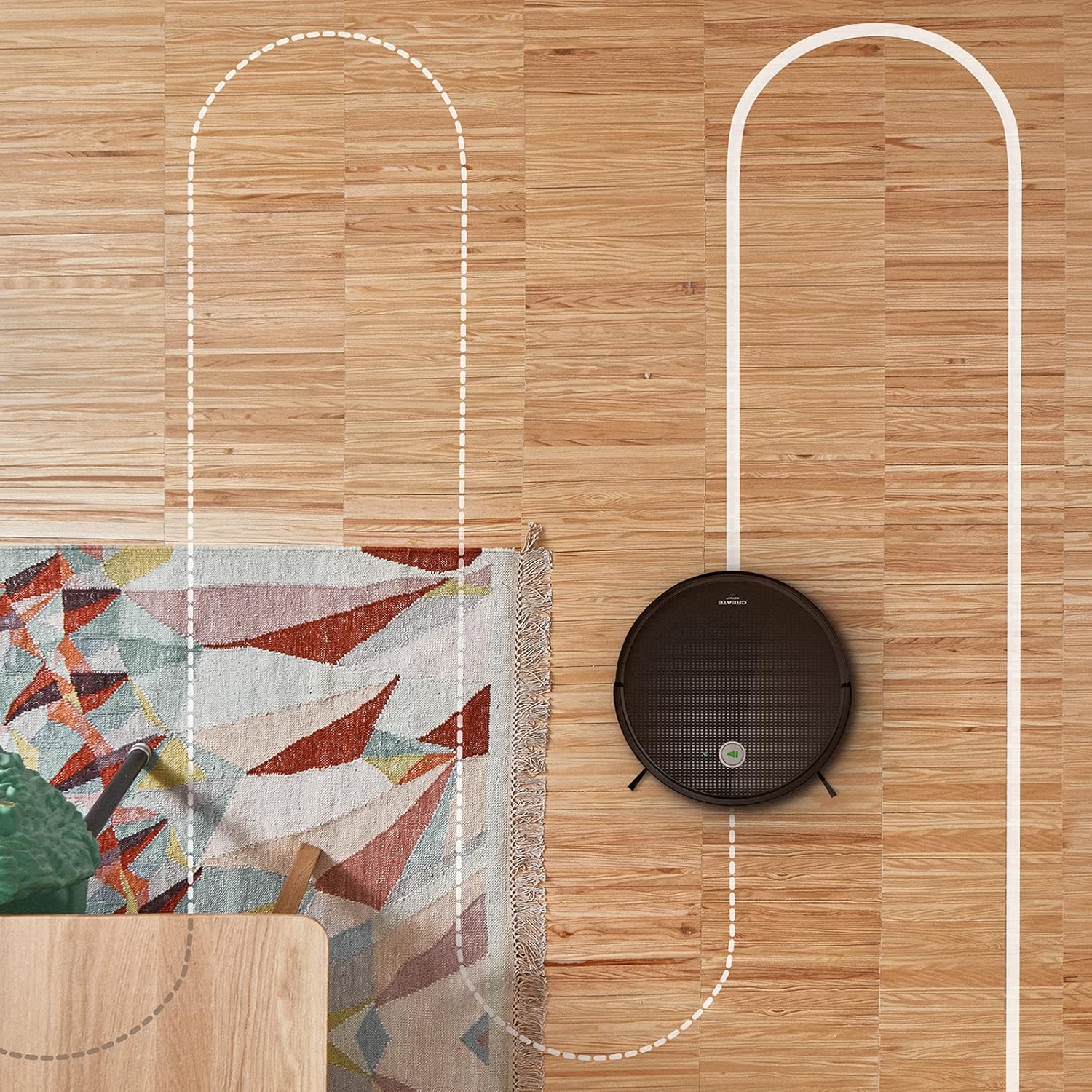
Një antene view shows the CREATE NETBOT S15 Robot Vacuum Cleaner moving across a wooden floor, with a dotted line indicating its systematic cleaning path, highlighting its gyroscopic navigation.
5.2 Përdorimi i telekomandës
The included remote control allows for direct operation of the robot vacuum. Refer to the remote control diagram in your quick start guide for button functions. Common functions include:
- Filloni / Ndërroni Pastrimin
- Kthehuni te baza e karikimit
- Directional Control (manual steering)
- Pastrim Vendi
- Pastrimi i buzës
- Vendosja e orarit
5.3 Magnetic Strip Usage
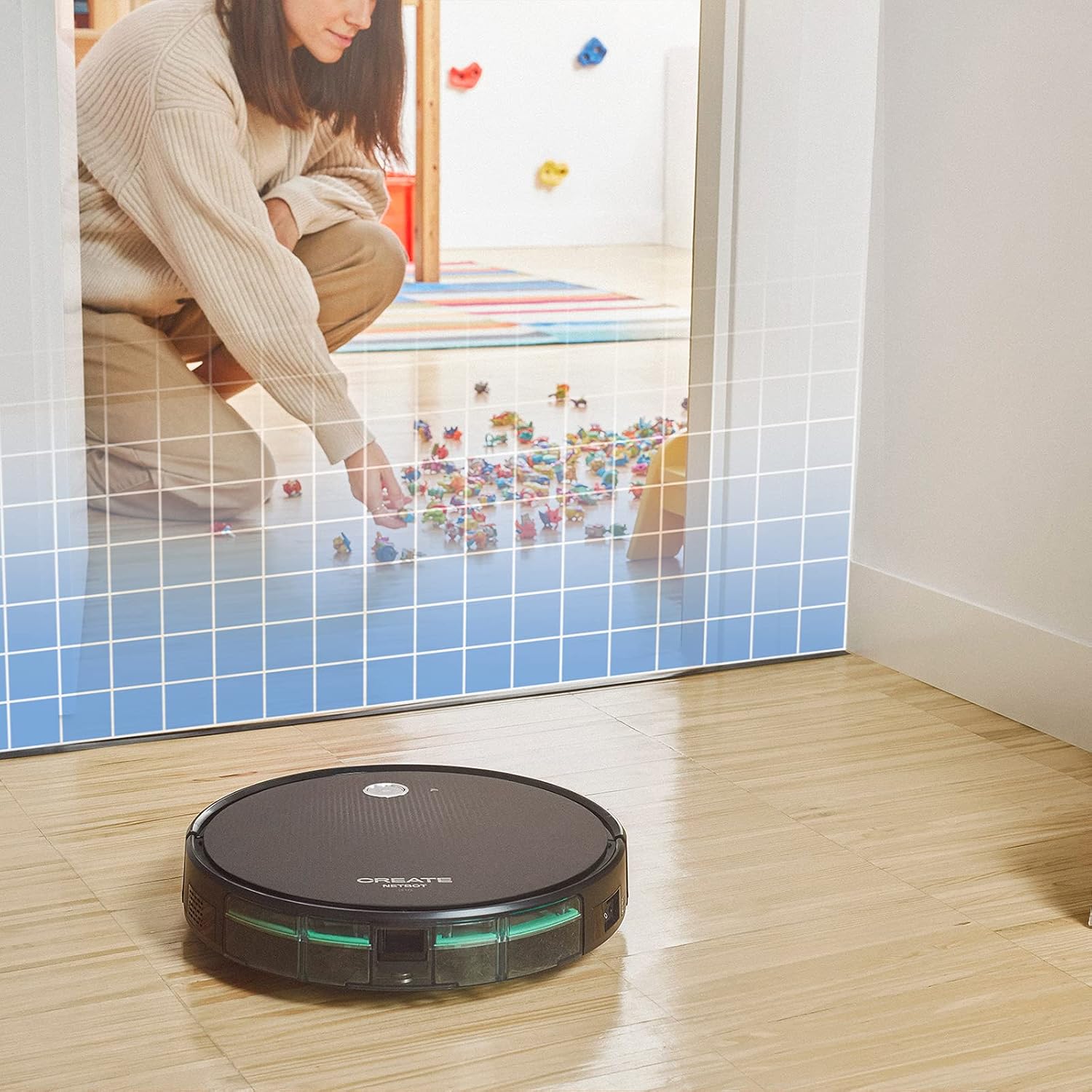
This illustration demonstrates the CREATE NETBOT S15 Robot Vacuum Cleaner approaching a virtual boundary, represented by a grid, which prevents it from entering a specific area, such as where toys are located.
Use the provided magnetic strip to create virtual boundaries that the robot will not cross. Place the strip on the floor to delimit areas where the robot should not enter, such as pet feeding zones or areas with delicate items.
5.4 Jetëgjatësia e baterisë
The NETBOT S15 is equipped with a long-lasting LG Lithium battery, providing up to 120 minutes of cleaning autonomy on a single charge, depending on the selected power mode.
6. Mirëmbajtja
Mirëmbajtja e rregullt siguron performancë optimale dhe zgjat jetëgjatësinë e fshesës me korrent robotike.
6.1 Pastrimi i koshit të plehrave dhe rezervuarit të ujit
Empty the dustbin after each use. The 600 ml dustbin is easily removable. If using the mopping function, empty and rinse the 400 ml water tank after each use to prevent mold or odors.
6.2 Pastrimi me furçë

Një nga afër view of the CREATE NETBOT S15 Robot Vacuum Cleaner's side brush, showing its design for sweeping debris into the main suction path.
- Furça anësore: Regularly check for hair or debris entanglement. Remove and clean as needed. Replace worn brushes with the provided spares.
- Furça kryesore: Hiqni kapakun e furçës kryesore dhe ngrijeni furçën. Përdorni mjetin e pastrimit për të hequr qimet e ngatërruara dhe mbeturinat.
6.3 Pastrimi/Zëvendësimi i Filtrit
The robot uses a double filter system: a sponge filter and a HEPA filter. Tap the filters to remove loose dirt. Do not wash HEPA filters with water. Replace filters every 3-6 months, or more frequently with heavy use, to maintain suction performance.
6.4 Pastrimi i sensorit
Wipe the cliff sensors (located on the bottom of the robot) and the bumper sensors (on the front) with a clean, dry cloth to ensure proper navigation and obstacle detection.
7. Troubleshooting
If you encounter issues with your NETBOT S15, refer to the following common problems and solutions:
| Problem | Shkaku i mundshëm | Zgjidhje |
|---|---|---|
| Roboti nuk ndizet ose nuk përgjigjet. | Bateri e ulët; Çelësi i energjisë është i fikur; Roboti është bllokuar. | Karikoni robotin; Sigurohuni që çelësi i energjisë është i ndezur; Pastroni çdo pengesë. |
| Performancë e dobët e pastrimit. | Kosh plehrash plot; Furça/filtra të bllokuara; Furça të konsumuara. | Empty dustbin; Clean brushes and filters; Replace brushes/filters. |
| Roboti nuk mund të gjejë bazën e karikimit. | Charging base obstructed; Robot too far from base; Base not powered. | Ensure clear space around base; Manually place robot closer; Check power connection to base. |
| Roboti ngec shpesh. | Cables/small objects on floor; Uneven surfaces; Dark colored carpets. | Clear floor of obstacles; Use magnetic strips for problem areas; Robot may struggle on very dark surfaces. |
| Probleme me lidhjen Wi-Fi. | Fjalëkalim i gabuar i Wi-Fi-t; Routeri është shumë larg; Rrjet 5 GHz. | Verify password; Move robot closer to router; Ensure connection to a 2.4GHz Wi-Fi network. |
8. Specifikimet
Key technical specifications for the CREATE NETBOT S15 Robot Vacuum Cleaner:
- Marka: KRIJONI
- Numri i modelit: Netbot S15
- Ngjyra: Black - Turquoise
- Dimensionet (J x P x H): 33 x 33 x 7.5 cm
- Pesha: 3 kilogramë
- Fuqia: 25 Watts
- Fuqia e thithjes: Deri në 1500 Pa
- Niveli i zhurmës: 62 dB
- Lloji i baterisë: Litium-jon
- Jetëgjatësia e baterisë: Deri në 120 minuta
- Kapaciteti i koshit të plehrave: 600 ml
- Kapaciteti i rezervuarit të ujit: 400 ml
- Sistemi i filtrit: Double sponge Clean + HEPA filter
- Lidhshmëria: Wi-Fi, App Control
- Përputhshmëria e "Asistentit zanor": Google Home, Alexa
- Karakteristikat e veçanta: Gyroscopic navigation, Magnetic strip boundary, 4 cleaning modes (sweep, vacuum, mop, wash)
9. Garancia dhe Mbështetja
For warranty information, technical support, or service inquiries, please refer to the warranty card included with your product or visit the official CREATE webfaqe interneti. Ruajeni faturën e blerjes si provë të blerjes.


