Hyrje
Thank you for choosing the havit MS72 Wired USB Gaming Mouse. This manual provides essential information for the proper installation, operation, and maintenance of your new gaming mouse. Please read this manual thoroughly before using the product to ensure optimal performance and longevity.
The havit MS72 features an ergonomic design, an anti-slipping surface, and adjustable DPI settings (800-1200 DPI) for precise control. It also includes RGB lighting for an enhanced aesthetic experience.
Përmbajtja e paketës
- havit MS72 Wired USB Gaming Mouse
- Manuali i Përdoruesit
Konfigurimi
Follow these steps to set up your havit MS72 Gaming Mouse:
- Lidhni kabllon USB: Locate an available USB port on your computer (desktop or laptop). Insert the USB connector of the havit MS72 mouse into the USB port.
- Instalimi automatik i shoferit: Your operating system (Windows, macOS, Linux) should automatically detect the mouse and install the necessary drivers. This process may take a few moments.
- Verifikoni funksionalitetin: Once the drivers are installed, the mouse's RGB lighting should illuminate, and the cursor should respond to movement. Test the left, right, and scroll wheel functions.
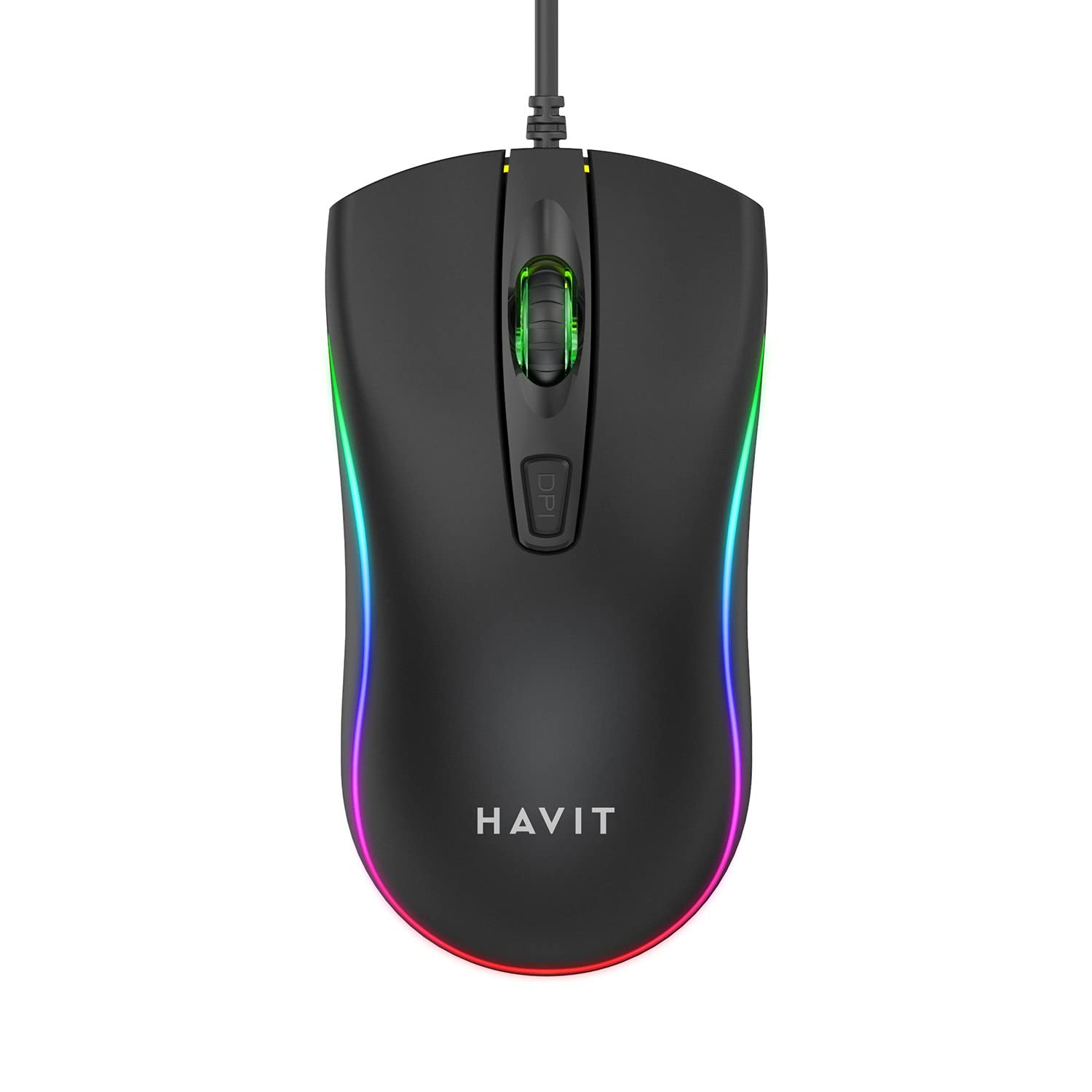
Image: The havit MS72 Gaming Mouse with its USB cable connected, showcasindizajni i tij ergonomik dhe ndriçimi RGB.
Udhëzimet e funksionimit
The havit MS72 Gaming Mouse is designed for intuitive use. Here are its primary functions:
- Butoni i klikimit të majtë: Funksioni standard i klikimit parësor.
- Butoni i klikimit me të djathtën: Standard secondary click function, typically for context menus.
- Rrota e lëvizjes: Përdoret për të shfletuar dokumentet dhe web faqe. Mund të funksionojë edhe si një buton klikimi në mes.
- Butoni i Rregullimit të DPI-së: Located behind the scroll wheel. Press this button to cycle through the available DPI settings (800 DPI and 1200 DPI). The mouse's sensitivity will change with each press.
- Butonat Anësorë (Përpara/Prapa): Typically located on the left side of the mouse. These buttons are commonly used for navigation (e.g., forward/backward in web browsers) or can be programmed for specific in-game actions.
- Ndriçimi RGB: The mouse features integrated RGB lighting that cycles automatically. There are no user-adjustable controls for the lighting patterns or colors.
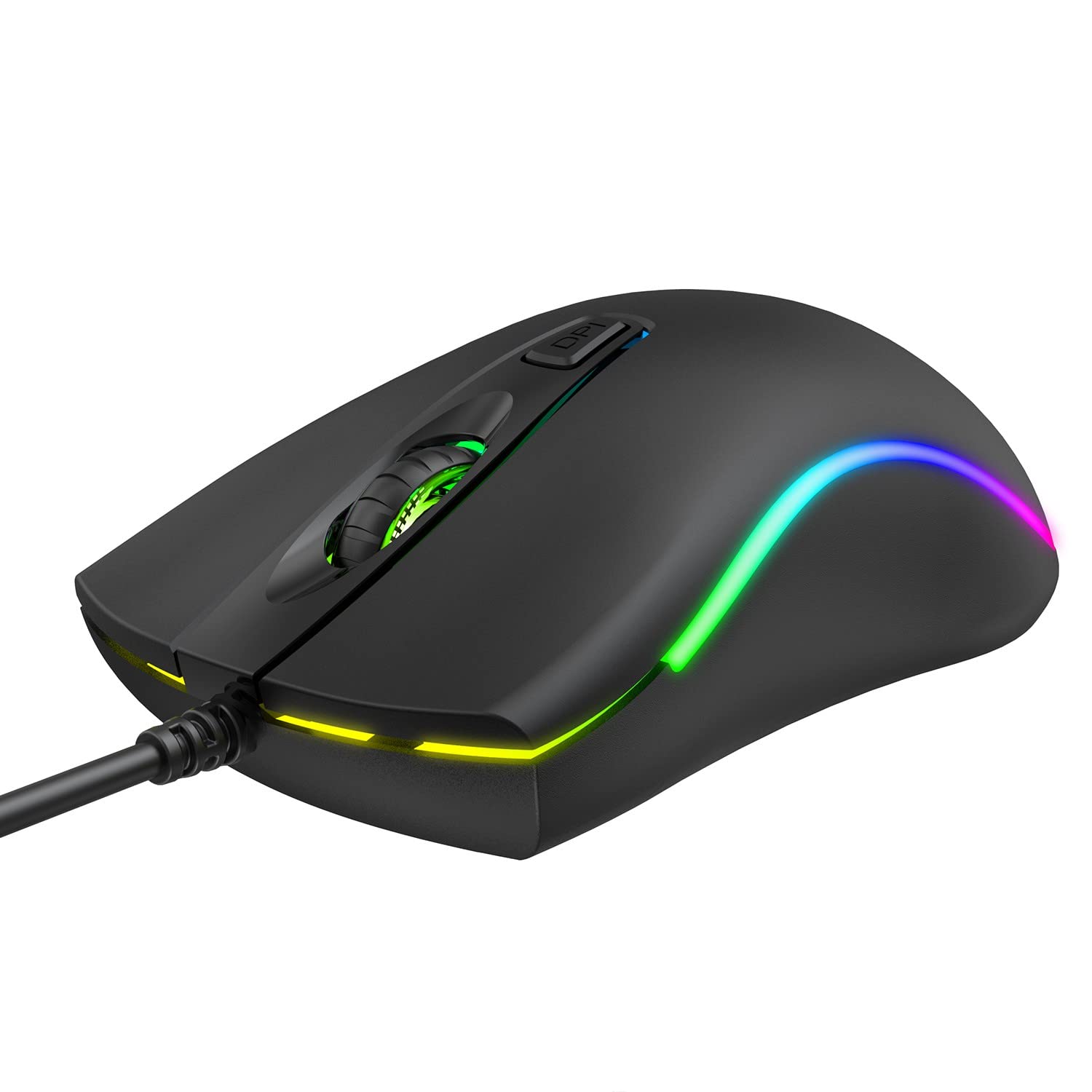
Imazhi: Sipër view of the havit MS72 Gaming Mouse, highlighting the scroll wheel and the DPI adjustment button.

Imazh: Ana view of the havit MS72 Gaming Mouse, illustrating the placement of the forward and backward side buttons.
Mirëmbajtja
Proper maintenance ensures the longevity and optimal performance of your gaming mouse:
- Pastrimi: Përdorni një leckë të butë dhe të thatë për të fshirë sipërfaqen e mausit. Për papastërti kokëfortë, fërkojeni pak.ampLani leckën me ujë ose me një tretësirë të butë pastrimi. Shmangni kimikatet e ashpra ose materialet gërryese.
- Sensori optik: Periodically clean the optical sensor on the underside of the mouse with a cotton swab to prevent tracking issues.
- Kujdesi për kabllot: Avoid sharply bending or twisting the USB cable. Store the mouse in a way that prevents stress on the cable connection.
- Magazinimi: Kur nuk e përdorni për periudha të gjata, ruajeni mausin në një mjedis të pastër dhe të thatë, larg rrezeve të diellit dhe temperaturave ekstreme.
Zgjidhja e problemeve
If you encounter issues with your havit MS72 Gaming Mouse, refer to the following common solutions:
| Problem | Shkaku i mundshëm | Zgjidhje |
|---|---|---|
| Miu nuk përgjigjet | Lidhje USB e lirshme, portë USB me defekt, problem me drajverin. |
|
| Lëvizja e kursorit është e çrregullt ose e papritur | Sensor optik i ndotur, sipërfaqe e papërshtatshme e mausit. |
|
| Butoni DPI nuk e ndryshon ndjeshmërinë | Software conflict, button malfunction. |
|
| Ndriçimi RGB nuk funksionon | Problem me energjinë elektrike, defekt i brendshëm. |
|
Specifikimet
| Markë | kanë |
| Model | MS72 |
| Teknologjia e lidhjes | USB (me tel) |
| Teknologjia e zbulimit të lëvizjes | Optike |
| Cilësimet e DPI | 800-1200 DPI (Two gears) |
| Orientimi i dorës | Ambidekstë |
| Karakteristika të veçanta | Ergonomic Design, Anti-Slipping Surface, RGB Light |
| Sistemet Operative të Përputhshme | Linux, Windows 7, Windows XP, macOS |
| Platforma e harduerit | Laptop, Kompjuter personal |
| Dimensionet e produktit (LxWxH) | 11.4 x 6 x 3.8 cm |
| Pesha e artikullit | 150 g |
Garancia dhe Mbështetja
The havit MS72 Wired USB Gaming Mouse comes with a standard manufacturer's warranty. Please refer to the warranty card included with your product for specific terms and conditions.
For technical support, warranty claims, or any product-related inquiries, please contact the importer/manufacturer directly:
- Importuesi: Origin Marketing Private Limited
- Adresa: 121 Raj Ratna Industrial Estate, Liberty Garden, Malad West, Mumbai 400064
- Telefoni: 022 40224087
- Email: service@originmarketing.in
When contacting support, please have your product model (MS72) and purchase details readily available.


